Does A Bluetooth Speaker Need Wi Fi To Stream Music
A Bluetooth speaker does not need Wi-Fi to stream music from your phone or device. Bluetooth connects directly to your speaker using wireless technology, so you can play music anywhere. However, some smart speakers may need Wi-Fi for certain features like voice commands or streaming from cloud services. Understanding the difference helps you get the most from your audio setup.
Does A Bluetooth Speaker Need Wi Fi To Stream Music? The short answer is no. A Bluetooth speaker can play music without any Wi-Fi connection at all. You pair your phone, tablet, or laptop directly to the speaker, and the audio flows through Bluetooth technology. But there is more to the story. Some features work better with Wi-Fi, and knowing the difference saves you time and frustration.
This guide breaks everything down in simple terms. You will learn how Bluetooth speakers work, when Wi-Fi helps, and how to get the best sound from your setup. Whether you are at home, outdoors, or traveling, this article covers what you need to know about does a Bluetooth speaker need Wi-Fi for music streaming.
Let us start with the basics so you understand exactly what is happening when you press play on your favorite song.
Key Takeaways
- Bluetooth speakers work independently: They do not require Wi-Fi to play music from paired devices.
- Wi-Fi becomes useful for smart features: Voice assistants, multi-room audio, and streaming apps may need an internet connection.
- Bluetooth range is limited: Most speakers work within 30 feet, so proximity matters.
- Offline playback is fully supported: Downloaded music, podcasts, and offline files play without any internet.
- Bluetooth and Wi-Fi serve different purposes: Bluetooth handles device-to-speaker audio, while Wi-Fi handles internet-based streaming.
- Battery life is better without Wi-Fi: Using Bluetooth alone consumes less power than Wi-Fi-dependent speakers.
- Check your speaker type: Standard Bluetooth speakers do not need Wi-Fi, but smart speakers often do.
📑 Table of Contents
- What Is A Bluetooth Speaker And How Does It Work
- Does A Bluetooth Speaker Need Wi-Fi To Stream Music
- Common Ways People Use Bluetooth Speakers
- Bluetooth Speaker Vs Wi-Fi Speaker Comparison
- Tips For Getting The Best Sound From Your Bluetooth Speaker
- When You Might Need Wi-Fi With Your Bluetooth Speaker
- Common Mistakes People Make With Bluetooth Speakers
- Expert Insights On Bluetooth Speaker Connectivity
- Key Takeaways
- Conclusion
What Is A Bluetooth Speaker And How Does It Work
A Bluetooth speaker is a portable audio device that connects to your phone or other device wirelessly. It uses Bluetooth technology to receive audio signals. You do not need any cables, and you do not need the internet. The speaker and your device create a direct, short-range wireless connection.
Think of it like a walkie-talkie for music. Your phone sends audio signals through the air to the speaker. The speaker then plays those signals as sound. This process happens in real time, so there is very little delay.
How Bluetooth Technology Works
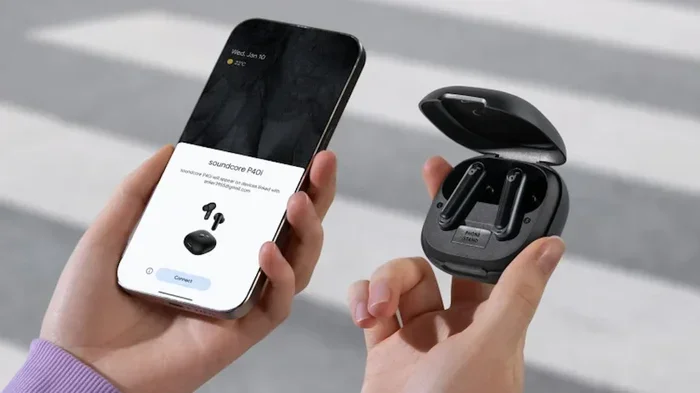
Bluetooth uses radio waves to transmit data between devices. When you pair your phone with a speaker, they exchange a unique code. This code keeps your connection secure and private. Once paired, the two devices remember each other and reconnect automatically.
The connection range is typically about 30 feet. Walls and obstacles can reduce this distance. But in open spaces, Bluetooth works reliably. The audio quality has improved a lot over the years. Modern Bluetooth versions support high-quality sound with minimal loss.
One of the biggest advantages is that Bluetooth does not need an internet connection. You can stream music from your phone’s storage, play offline playlists, or even use a local FM radio app. None of these require Wi-Fi. This is why does a Bluetooth speaker need Wi-Fi is such a common question. The answer is almost always no for basic music playback.
Bluetooth Vs Wi-Fi For Audio Streaming
Bluetooth and Wi-Fi are both wireless technologies, but they work differently. Bluetooth connects two devices directly. Wi-Fi connects your device to the internet. For audio streaming, Bluetooth handles the job of sending music from your device to the speaker.
Wi-Fi is useful when you want to stream music from cloud services like Spotify or Apple Music. These services need the internet to load songs. But once the song loads, Bluetooth can still handle the playback. So even with Wi-Fi, your speaker often uses Bluetooth for the final audio output.
Some speakers use Wi-Fi directly for streaming. These are called smart speakers. They connect to your home network and pull music from the internet on their own. A good example is when you ask Alexa to play music through a Bluetooth speaker. In that case, the speaker uses Bluetooth to receive audio, but Alexa needs Wi-Fi to understand your command and fetch the music.
Does A Bluetooth Speaker Need Wi-Fi To Stream Music
The core answer is straightforward. A standard Bluetooth speaker does not need Wi-Fi to stream music. You can pair your phone and play audio without ever connecting to a wireless network. This makes Bluetooth speakers incredibly versatile. You can use them at a park, in a car, at a beach house, or anywhere else without internet access.
But the question gets more nuanced when you consider smart speakers. Devices like smart home speakers may need Wi-Fi for certain functions. Voice assistants like Alexa or Google Assistant rely on the internet to process commands. Without Wi-Fi, these features simply will not work. The Bluetooth connection itself still works, but you lose the voice control.
So when someone asks does a Bluetooth speaker need Wi-Fi, the answer depends on what they want to do. For simple music playback from a phone, no Wi-Fi is needed. For smart features and cloud streaming, Wi-Fi helps a lot.
How Bluetooth Streaming Works Without Wi-Fi
When you stream music without Wi-Fi, the process is simple. Your phone stores the music file or downloads it ahead of time. The phone sends the audio data through Bluetooth to the speaker. The speaker converts that data into sound waves. Nothing touches the internet during this process.
This is great for offline situations. You can load up playlists before a trip and enjoy music all day without any signal. Podcasts work the same way. Downloaded audiobooks play perfectly through Bluetooth. The only limit is your phone’s battery and storage space.
Many people do not realize that Bluetooth can also work with other devices. You can connect a microphone to a JBL speaker using Bluetooth and play audio without any internet. This is useful for karaoke nights, presentations, or outdoor gatherings where Wi-Fi may not be available.
When Wi-Fi Becomes Necessary
There are specific situations where Wi-Fi becomes important for Bluetooth speakers. Here are the main cases:
- Multi-room audio setup: Some speakers need Wi-Fi to sync with other speakers in different rooms.
- Voice assistant features: Alexa, Google Assistant, and Siri need the internet to respond to commands.
- Cloud music streaming: Services like Spotify, Apple Music, and Tidal need Wi-Fi to load songs on demand.
- Firmware updates: Speakers sometimes need Wi-Fi to download software updates that improve performance.
- Remote control apps: Some speaker apps require Wi-Fi to unlock advanced features.
If none of these apply to you, then Wi-Fi is simply not needed. Your Bluetooth speaker will work perfectly fine without it.
Common Ways People Use Bluetooth Speakers
Bluetooth speakers are everywhere. They are in homes, offices, pools, and backyards. People use them in many different ways, and most of those ways do not require Wi-Fi. Let us look at the most common scenarios.
At Home Without Wi-Fi
Many people use Bluetooth speakers at home for background music. You can pair your phone and play music from your local library. This works even if your home Wi-Fi is down. The speaker does not care about your internet status. It only cares about the Bluetooth connection from your device.
This is also great for privacy. When you play music over Bluetooth without Wi-Fi, your audio stays between your device and the speaker. No data leaves your phone. This is one reason why does a Bluetooth speaker need Wi-Fi is less important than people think. Bluetooth offers a private, secure connection by default.
Outdoor And Portable Use
Portable Bluetooth speakers shine outdoors. At the beach, on a hike, or at a campsite, Wi-Fi is often unavailable. But your Bluetooth speaker still works perfectly. As long as your phone has music stored locally, you are good to go.
Some speakers are designed specifically for outdoor use. They are waterproof, shockproof, and have long battery life. These features make them ideal for adventures where internet access is limited or nonexistent. You can enjoy high-quality audio anywhere, anytime, without worrying about Wi-Fi.
For those who want to use speakers in vehicles, you might wonder about placement and connectivity. While the topic of car speakers is different, the Bluetooth principle remains the same. The speaker connects directly to your phone without needing internet. If you are curious about using speakers in cars, you can explore whether you can put a speaker on your car for additional insights.
Bluetooth Speaker Vs Wi-Fi Speaker Comparison
It helps to compare Bluetooth speakers and Wi-Fi speakers side by side. This makes the differences clear and helps you choose the right type for your needs.
| Feature | Bluetooth Speaker | Wi-Fi Speaker |
|---|---|---|
| Internet Required | No | Yes |
| Connection Range | About 30 feet | Depends on network |
| Portability | Highly portable | Usually stationary |
| Voice Assistant | Limited or none | Full support |
| Offline Playback | Yes | Limited |
| Audio Quality | Good to excellent | Excellent |
| Setup Complexity | Simple pairing | Network setup needed |
| Battery Usage | Lower | Higher |
| Multi-Room Support | Rare | Common |
As you can see, Bluetooth speakers win on portability and offline use. Wi-Fi speakers offer more smart features but need a constant internet connection. If your main goal is to stream music without worrying about Wi-Fi, a Bluetooth speaker is the clear choice.
Tips For Getting The Best Sound From Your Bluetooth Speaker
You do not need Wi-Fi to enjoy great sound from a Bluetooth speaker. But there are tips that improve your experience significantly. Follow these simple steps for better audio quality.
- Keep your devices close: Stay within 15 to 30 feet of the speaker for the strongest signal.
- Remove obstacles: Walls and metal objects can weaken the Bluetooth signal. Keep a clear path between your phone and speaker.
- Charge both devices: Low battery on either device can cause audio dropouts or reduced quality.
- Use high-quality audio files: MP3s and lossless files sound better than heavily compressed streams.
- Update your speaker firmware: When you do have Wi-Fi, update the speaker software for improved performance.
- Turn off other Bluetooth devices: Too many connected devices can cause interference and lower audio quality.
These tips apply whether you have Wi-Fi or not. They help you get the most out of every listening session. And remember, none of these tips require an internet connection.
When You Might Need Wi-Fi With Your Bluetooth Speaker
While most Bluetooth speakers work without Wi-Fi, there are times when having a wireless network helps. If you use a smart speaker with built-in Alexa or Google Assistant, Wi-Fi unlocks voice control. You can ask the speaker to play specific songs, adjust volume, or set timers without touching your phone.
Some speakers also support Wi-Fi for direct streaming from services. In these cases, the speaker connects to your home network and pulls music itself. You do not need your phone to be nearby. This is useful for whole-home audio setups where multiple speakers play together.
If you are setting up a home entertainment system, Wi-Fi can also help you control your TV without Wi-Fi through a Bluetooth speaker as an audio output. The Wi-Fi connection enables the smart features, while Bluetooth handles the audio delivery.
Another scenario is when you want to update your speaker’s software. Manufacturers release updates that fix bugs and add features. These updates typically download over Wi-Fi. Without internet access, your speaker stays on its current version until you connect to a network.
In short, Wi-Fi adds convenience and smart capabilities. But it is never required for the core function of playing music through Bluetooth. If you only want to listen to audio, Bluetooth alone does the job perfectly well.
Common Mistakes People Make With Bluetooth Speakers
Many users run into issues that they mistakenly blame on Wi-Fi. Here are common mistakes and how to avoid them.
- Assuming Wi-Fi is needed for pairing: Bluetooth pairing does not use Wi-Fi at all. If your speaker will not pair, check Bluetooth settings on your phone, not your Wi-Fi.
- Confusing Bluetooth with smart speaker features: A regular Bluetooth speaker cannot answer voice commands without Wi-Fi. If you need voice control, look for a smart speaker or pair a separate voice assistant device.
- Ignoring firmware updates: When you do have Wi-Fi, update your speaker. Outdated firmware can cause connectivity problems and poor audio quality.
- Standing too far away: Bluetooth has a limited range. Moving too far from the speaker causes dropouts. This is not a Wi-Fi issue; it is a Bluetooth range issue.
- Expecting Wi-Fi to improve Bluetooth audio quality: Wi-Fi does not make Bluetooth sound better. The audio quality depends on the Bluetooth version and codec used by your devices.
Avoiding these mistakes keeps your Bluetooth speaker working smoothly. You get reliable playback without ever needing to connect to a wireless network.
Expert Insights On Bluetooth Speaker Connectivity
Audio engineers often explain that Bluetooth and Wi-Fi are separate technologies serving different roles. Bluetooth handles device-to-device audio transmission. Wi-Fi handles internet connectivity. When you use a Bluetooth speaker, you are using one half of the wireless audio equation.
Experts also point out that modern Bluetooth versions (5.0 and newer) offer significantly improved range and audio quality. If your speaker supports Bluetooth 5.0 or above, you get a stronger and more reliable connection. This makes the speaker even more independent of Wi-Fi for everyday music playback.
For users who travel frequently, Bluetooth speakers are the go-to choice. They work in hotels, airports, and remote locations where Wi-Fi may be unreliable or unavailable. The ability to play music offline is a huge advantage. This is why many outdoor enthusiasts and travelers prefer Bluetooth speakers over Wi-Fi-dependent alternatives.
Industry reviews consistently show that Bluetooth speakers deliver excellent value. They are affordable, portable, and easy to use. You do not need technical knowledge to set them up. Just turn on Bluetooth, pair your device, and start listening. The simplicity of Bluetooth is its greatest strength.
Key Takeaways
- Bluetooth speakers do not need Wi-Fi: They connect directly to your device and play music without any internet.
- Smart features may require Wi-Fi: Voice assistants, cloud streaming, and firmware updates use the internet.
- Offline playback works perfectly: Downloaded music and podcasts play without any connection at all.
- Bluetooth range is about 30 feet: Keep your devices close for the best experience.
- Wi-Fi does not improve Bluetooth audio quality: Sound quality depends on Bluetooth version and codecs.
- Portability is a major advantage: Bluetooth speakers work anywhere, even without Wi-Fi.
- Check your speaker type: Standard Bluetooth speakers work offline; smart speakers need Wi-Fi for full features.
Conclusion
So, does a Bluetooth speaker need Wi-Fi to stream music? The answer is a clear no. A standard Bluetooth speaker connects directly to your device and plays music without any internet connection. You can enjoy your favorite playlists, podcasts, and audiobooks anywhere, anytime, without worrying about Wi-Fi availability.
Wi-Fi adds smart features and convenience, but it is not essential for basic music playback. Understanding this difference helps you make the most of your speaker. Whether you are at home, outdoors, or traveling, your Bluetooth speaker delivers reliable audio without needing a wireless network.
Keep your speaker charged, stay within Bluetooth range, and enjoy your music. The freedom of wireless audio without Wi-Fi is one of the best things about modern Bluetooth speakers. Embrace the simplicity and take your music wherever you go.
Frequently Asked Questions
Can I use a Bluetooth speaker without any internet connection?
Yes, absolutely. Bluetooth speakers connect directly to your phone or device using wireless signals. They do not need Wi-Fi or mobile data to play music. As long as your device has music stored locally or downloaded, the speaker will work perfectly without any internet connection at all.
What happens if my Wi-Fi goes down while I am streaming music?
If you are using a standard Bluetooth speaker, nothing changes. The music continues to play because Bluetooth does not rely on Wi-Fi. If you are using a smart speaker that pulls music from the cloud, the stream may pause. But once the song buffers or you switch to offline playback, it works again without Wi-Fi.
Do all Bluetooth speakers work the same way without Wi-Fi?
Most standard Bluetooth speakers work identically without Wi-Fi. They pair with your device and play audio from your local storage. Smart speakers with built-in assistants may lose some features without Wi-Fi, like voice commands or app-based controls. But the core Bluetooth playback remains the same.
Can I connect multiple Bluetooth speakers without Wi-Fi?
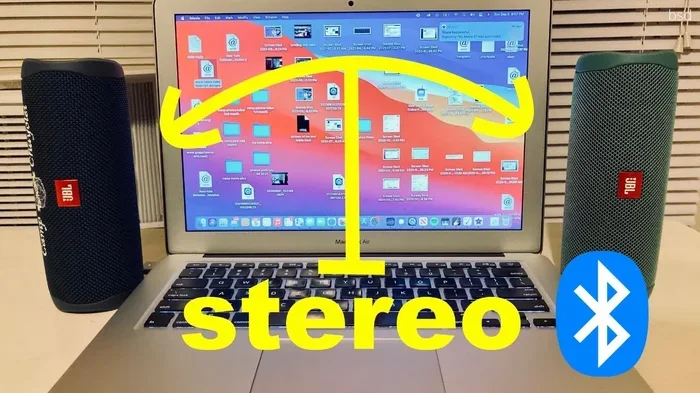
This depends on the speaker model. Some speakers support Bluetooth pairing with another speaker for stereo sound. This works without Wi-Fi. However, advanced multi-room setups usually require Wi-Fi to sync multiple speakers across different rooms.
Does Bluetooth use data from my phone plan?
No, Bluetooth does not use mobile data. It is a short-range wireless technology that communicates directly between devices. Your phone’s cellular data stays untouched when you play music through Bluetooth. This makes it a great option for conserving data while still enjoying your music.
How far can a Bluetooth speaker be from my phone without Wi-Fi?
Most Bluetooth speakers work within 15 to 30 feet of your phone. This range can be shorter if there are walls or obstacles between the devices. Newer Bluetooth versions offer better range, but Wi-Fi is not involved in this connection at all. The distance limit is purely a Bluetooth limitation.
=== QUICK SUMMARY ===
A Bluetooth speaker does not need Wi-Fi to stream music from your phone or device. Bluetooth connects directly to your speaker using wireless technology, so you can play music anywhere. However, some smart speakers may need Wi-Fi for certain features like voice commands or streaming from cloud services. Understanding the difference helps you get the most from your audio setup.