Can You Make Any Stereo Bluetooth Speaker Connection
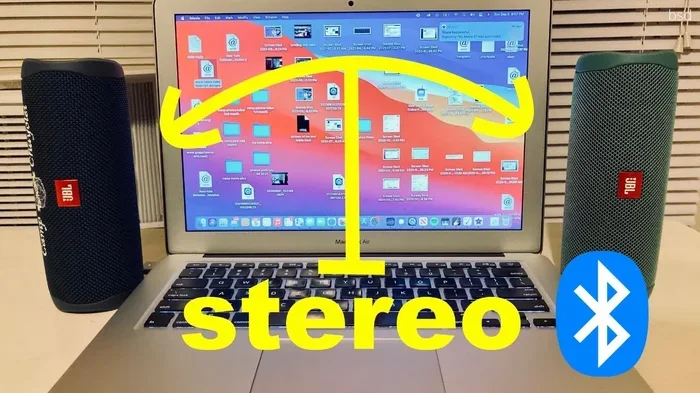
Yes, you can make most stereo Bluetooth speaker connections with the right tools and knowledge. This guide covers Bluetooth adapters, pairing methods, compatibility checks, and practical tips to wirelessly connect any stereo system. Whether you want wireless audio from your phone, TV, or laptop, we show you exactly how to get it done.
Key Takeaways
- Bluetooth adapters unlock wireless audio: A simple Bluetooth transmitter or adapter can turn almost any stereo into a Bluetooth-enabled system.
- Compatibility matters: Not all stereos support Bluetooth natively, but most can be upgraded with the right hardware.
- Audio codecs affect sound quality: Understanding aptX, AAC, and SBC codecs helps you get the best wireless audio experience.
- Pairing is straightforward: Putting your stereo into pairing mode and connecting from your device is usually a simple process.
- Signal range and interference: Bluetooth range and signal interference can impact your connection, so placement matters.
- Latency is a factor: Wireless audio transmission may introduce slight delays, which is fine for music but matters for video.
📑 Table of Contents
- Can You Make Any Stereo Bluetooth Connection? Here Is How
- Understanding Bluetooth Technology for Stereos
- How to Make Your Stereo Bluetooth Enabled
- Pairing Your Device to the Stereo
- Compatibility: What Stereos Work with Bluetooth
- Tips for the Best Wireless Audio Experience
- Common Mistakes When Setting Up Bluetooth Stereos
- Alternative Ways to Get Wireless Audio
- Conclusion
- Frequently Asked Questions
Can You Make Any Stereo Bluetooth Connection? Here Is How
Want to cut the cords and enjoy wireless audio from your favorite stereo? You are not alone. More people are looking for ways to make their stereo systems work with Bluetooth. The good news is that in most cases, you absolutely can. Bluetooth technology has made it easier than ever to stream music wirelessly from your phone, tablet, or laptop to any speaker setup.
But here is the thing. Not every stereo comes with built-in Bluetooth. Some older systems simply do not have it. That does not mean you are stuck with wired connections forever. With a few affordable accessories and some basic know-how, you can add Bluetooth connectivity to almost any stereo speaker system. Let us walk you through everything you need to know.
In this guide, we cover how stereo pairing works, what adapters you need, how to handle compatibility issues, and practical tips for the best sound quality. By the end, you will feel confident about making your own Bluetooth speaker connection without any hassle.
Why Go Wireless?
There is a reason wireless speaker technology is booming. Convenience is the big one. You no longer need to keep your phone next to your stereo to play music. You can walk around the room, go into the kitchen, or even step outside while your music keeps playing.
Wireless audio streaming also means fewer cables cluttering your space. No more running long aux cords across the living room floor. Bluetooth keeps things clean and simple. Plus, many modern devices no longer have a headphone jack, so Bluetooth becomes your only option for audio transmission.
Understanding Bluetooth Technology for Stereos
Before you jump into buying adapters, it helps to understand how Bluetooth technology actually works with stereos. This knowledge makes the setup process much smoother.
How Bluetooth Audio Works
Bluetooth sends audio signals wirelessly between two devices. One device acts as the sender, like your phone. The other acts as the receiver, like your stereo. The sender transmits digital audio data through radio waves. The receiver picks it up, decodes it, and plays it through the speakers.
This process happens almost instantly. Modern Bluetooth 5.0 offers faster data transfer and better range than older versions. You get a more stable connection with less signal interference from other devices.
Bluetooth Profiles You Need to Know
Not all Bluetooth profiles are the same. Two matter most for audio:
- A2DP (Advanced Audio Distribution Profile): This is the standard for high-quality wireless audio streaming. It handles stereo sound and is what you use for music.
- HFP (Hands-Free Profile): This handles calls and voice audio. It is not meant for music but often comes bundled with A2DP.
When shopping for a Bluetooth adapter or transmitter, make sure it supports A2DP. That is what gives you full stereo pairing capability and quality sound.
Audio Codecs and Sound Quality
Audio codecs determine how your music is compressed and sent over Bluetooth. Here is a quick breakdown:
- SBC: The default codec. It works with everything but offers basic sound quality.
- AAC: Better sound quality. Common on Apple devices.
- aptX: Offers near-CD quality audio. Great for audiophiles who want the best wireless audio experience.
- aptX HD: Even higher resolution. Found on premium Bluetooth gear.
Check that your sender and receiver support the same codec for the best results. Mismatched codecs can downgrade your sound or prevent pairing altogether.
How to Make Your Stereo Bluetooth Enabled
Now let us get practical. Here is how you actually make the Bluetooth speaker connection happen.
Check If Your Stereo Already Has Bluetooth
First things first. Some newer stereos already have built-in Bluetooth. Look for a Bluetooth logo on the unit. Check the manual or look at the settings menu if it has a display. Many soundbars, wireless speakers, and modern home stereos come with it already.
If your stereo has Bluetooth, skip to the pairing section. You are already halfway there.
Buy the Right Bluetooth Adapter
If your stereo does not have Bluetooth, you need an adapter. There are a few options depending on your setup:
- Bluetooth receiver with aux input: Plugs into your stereo’s aux or RCA port. This is the most common and easiest option.
- Bluetooth transmitter: Plugs into your source device, like your phone or TV, and sends audio out wirelessly.
- Bluetooth 5.0 audio adapter: A standalone dongle that connects between your stereo and your device.
For most people, a simple Bluetooth receiver is the way to go. It costs under $30 in most cases and works with virtually any stereo that has an audio input.
Connect the Adapter to Your Stereo
Plug the Bluetooth receiver into your stereo’s audio input. This could be an aux-in, RCA, or even a USB port depending on the adapter. Some adapters need a separate power source, while others draw power from the stereo itself.
Quick Tips:
- Place the adapter near the stereo’s input jack for a clean connection.
- Use high-quality cables to avoid signal loss.
- Keep the adapter’s antenna clear of metal objects to reduce signal interference.
Put the Adapter in Pairing Mode
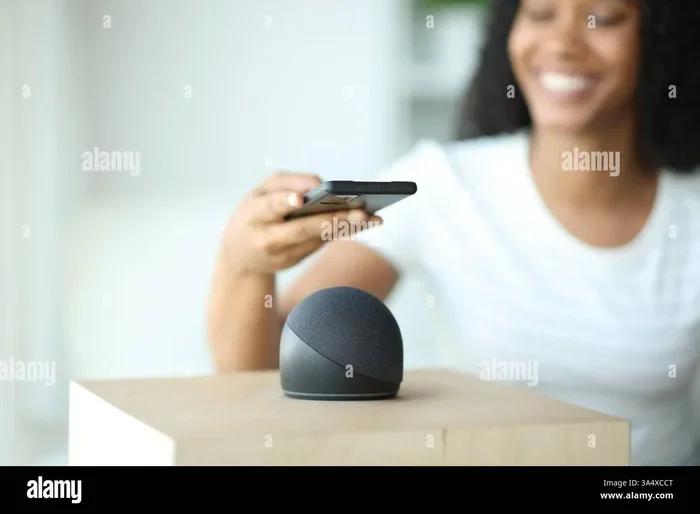
Most Bluetooth receivers enter pairing mode automatically when powered on. Some require you to hold a button for a few seconds. Look for a flashing LED light as your cue. Once it is flashing, your stereo is ready to accept a wireless connection.
Pairing Your Device to the Stereo
With your adapter ready, it is time to pair your device. This process is fairly standard across phones, tablets, and laptops.
Step-by-Step Pairing Process
- Turn on Bluetooth on your device. Go to your settings and toggle Bluetooth on.
- Wait for your device to find available Bluetooth connectivity options.
- Look for your adapter’s name in the list. It usually includes the brand name.
- Tap or click on the name to initiate pairing.
- Some devices ask for a PIN. Try 0000 or 1234 if needed. Most modern gear pairs without a PIN.
- Once paired, you should hear a confirmation tone from your stereo.
After that, every time your device is near the stereo, it should connect automatically. You now have a working wireless speaker setup.
Pairing Issues and How to Fix Them
Sometimes things do not go smoothly. Here are common problems and quick fixes:
- Device not found: Make sure the adapter is still in pairing mode. Try restarting it.
- Connection drops: Move your device closer. Bluetooth range is usually around 30 feet but walls and distance weaken the signal.
- Poor sound quality: Check your audio codec settings. Make sure both devices support the same codec.
- Audio latency: You might notice a slight delay. This is normal for Bluetooth audio transmission. It is barely noticeable with music but can be annoying with videos.
Compatibility: What Stereos Work with Bluetooth
One of the biggest questions people ask is whether their specific stereo will work. The short answer is almost always yes. But let us break it down.
Stereos With Built-In Bluetooth
Most stereos made after 2018 include Bluetooth. Many budget and mid-range models from brands like Sony, Bose, and JBL come with it standard. You can pair directly without any extra gear. You can even pair Bluetooth headphones to your LG TV or other devices using similar methods.
Older Stereos Without Bluetooth
Older stereos usually have an aux-in port. That is all you need. A Bluetooth receiver plugs right in. Even stereos with only RCA inputs can work. You just need an adapter with RCA outputs on the transmitter side.
Stereos With Only USB or Optical Inputs
These are trickier but still workable. Look for a Bluetooth adapter that supports USB or optical input. Some digital-to-analog converters (DACs) also include Bluetooth capability. This adds wireless support to more modern setups.
Compatibility Comparison Table
| Stereo Type | Bluetooth Support | What You Need |
|---|---|---|
| Modern with built-in Bluetooth | Yes, native | Nothing extra |
| Older with aux-in | Yes, with adapter | Bluetooth receiver |
| Older with RCA input | Yes, with adapter | Bluetooth RCA adapter |
| USB or optical only | Possible | Bluetooth DAC or transmitter |
| No audio inputs at all | Difficult | May need professional install |
Tips for the Best Wireless Audio Experience
Getting the connection is one thing. Getting great sound is another. Here is how to maximize your wireless audio quality.
Placement Matters
Keep your Bluetooth adapter and source device within reasonable range. Avoid placing them behind thick walls or large metal objects. The closer they are, the stronger the Bluetooth range and signal stability.
Reduce Signal Interference
Wi-Fi routers, microwaves, and other wireless devices can cause signal interference. Try to keep your Bluetooth setup away from these. Switching your Wi-Fi to the 5GHz band can also help free up the 2.4GHz frequency that Bluetooth uses.
Keep Your Firmware Updated
Many Bluetooth adapters receive firmware updates that improve performance. Check the manufacturer’s website or app for updates. These often improve audio latency and connection stability.
Use Quality Adapters
Cheap adapters can save you money but may cut corners on sound quality. Look for ones that support aptX or AAC if you care about audio fidelity. A good Bluetooth adapter makes a noticeable difference.
Expert Insight: Audio engineers recommend choosing adapters that support the latest Bluetooth version. Bluetooth 5.0 and above offer significantly better energy efficiency and range. You also get multipoint pairing, which lets two source devices connect at once.
Common Mistakes When Setting Up Bluetooth Stereos
People run into the same problems over and over. Here is what to avoid.
- Not checking compatibility first: Always verify your stereo has an available input before buying an adapter.
- Ignoring audio codecs: If your adapter only supports SBC but your phone supports aptX, you are leaving sound quality on the table.
- Placing the adapter poorly: Tucking it behind a speaker or inside a cabinet weakens the signal. Keep it visible and open.
- Forgetting to pair correctly: Some people skip the pairing process and just turn on Bluetooth. You need to actively pair for a stable connection.
- Using old cables: Worn-out aux cords can introduce static. Use fresh, quality cables for the best results.
What If Your Stereo Has No Audio Input at All?
This is the hardest scenario. If your stereo has no aux, RCA, USB, or optical input, adding Bluetooth becomes much harder. You may need to open the stereo and tap into the internal audio board. This is a job for a professional installer. It is not recommended for DIY beginners.
Another option is to use a Bluetooth speaker alongside your stereo. You can stream music wirelessly to the Bluetooth speaker while still using your stereo for other sources. It is not the ideal setup, but it works in a pinch.
Alternative Ways to Get Wireless Audio
Bluetooth is not the only option. Depending on your situation, you might want to consider alternatives.
Wi-Fi Audio Streaming
Some stereos support Wi-Fi audio streaming instead of or in addition to Bluetooth. This often provides better sound quality because Wi-Fi offers more bandwidth. Products like Sonos use this approach. If your stereo supports Wi-Fi, this can be a great option.
AirPlay and Chromecast
If you are in the Apple or Google ecosystem, AirPlay and Chromecast offer wireless audio solutions. These work over Wi-Fi and can stream to compatible speakers. They handle audio transmission with very low latency.
Using a Bluetooth Transmitter with Your TV
If your goal is to connect your TV to a stereo wirelessly, a Bluetooth transmitter plugged into the TV’s audio output works well. This is similar to how you would pair Bluetooth headphones to your LG TV or any smart TV. Just plug the transmitter into the TV’s 3.5mm or optical output and pair it with your stereo’s Bluetooth receiver.
Quick Tips:
- For TV use, look for a transmitter with low-latency codec support to keep audio in sync with video.
- If you love listening to the radio wirelessly, you can also play radio using Bluetooth from most streaming apps or FM apps that support audio output.
Conclusion
So, can you make any stereo Bluetooth speaker connection? The answer is a strong yes for most setups. Whether your stereo is brand new or decades old, there is likely a way to add Bluetooth connectivity. A simple adapter, a few minutes of setup, and you are streaming your favorite music wirelessly.
Bluetooth technology keeps improving, making wireless audio better and more accessible every year. Do not let old cables limit your listening experience. Explore your options, pick the right adapter, and enjoy the freedom of wireless audio streaming from any stereo in your home.
Take the time to check compatibility, choose quality gear, and follow the pairing steps outlined here. Your perfect Bluetooth speaker connection is closer than you think.
Frequently Asked Questions
Can any stereo be converted to Bluetooth?
Most stereos can be converted to Bluetooth if they have an available audio input like aux-in or RCA. You simply plug in a Bluetooth receiver. Stereos with no audio inputs at all are the exception and may require professional modification.
What is the best Bluetooth adapter for stereos?
Look for a Bluetooth receiver that supports A2DP and ideally aptX or AAC for better sound quality. Popular choices include brands like Mpow, Avantree, and TaoTronics. Make sure it has the right input type for your stereo, such as aux-in or RCA.
Does Bluetooth reduce audio quality?
Bluetooth can slightly reduce audio quality compared to a wired connection due to compression. However, modern codecs like aptX and AAC deliver near-CD quality sound. For most listeners, the difference is barely noticeable during casual listening.
How far is the Bluetooth range from a stereo?
Standard Bluetooth range is about 30 feet or 10 meters. Bluetooth 5.0 can extend this to around 80 feet in open spaces. Walls, furniture, and signal interference from other devices can reduce this range significantly.
Can I connect two devices to one Bluetooth stereo at the same time?
Yes, if your Bluetooth adapter or stereo supports multipoint pairing. This feature allows two source devices, like a phone and a tablet, to stay connected simultaneously. You can switch between them without re-pairing.
Is it better to use Bluetooth or Wi-Fi for stereo audio?
Wi-Fi generally offers better audio quality and less latency because it has more bandwidth. However, Bluetooth is far more convenient for quick pairing and portable use. If your stereo supports both, Wi-Fi is great for home listening while Bluetooth works well for everyday flexibility.