Do I Need A 21 HDMI For PS5 Here Is The Full Answer
You do not always need a 2.1 HDMI cable for PS5, but it depends on your TV or monitor and the gaming experience you want. A 2.1 HDMI cable unlocks features like 4K at 120Hz, VRR, and ray tracing support that can transform your gameplay. This guide breaks down everything you need to know about choosing the right HDMI cable for your PS5 setup.
You just unboxed your shiny new PS5. You plug it in. You turn it on. And then a question hits you. Do I need a 2.1 HDMI cable for PS5? It is a simple question, but the answer is not as straightforward as you might think. A lot of gamers get confused by all the technical talk around HDMI 2.1, bandwidth, and refresh rates. So let us clear it all up right here.
The truth is, whether you need a 2.1 HDMI cable for your PS5 depends on a few things. What TV or monitor are you using? What kind of games do you play? Are you chasing the smoothest possible visuals? This article gives you the full answer. No fluff. No confusing jargon. Just clear, practical advice you can use today.
We will walk through everything step by step. You will learn what HDMI 2.1 actually does, when you need it, when you do not, and how to pick the right cable. By the end, you will know exactly what to buy and why. So let us get into it.
Key Takeaways
- HDMI 2.1 is not always required: If your TV does not support 4K 120Hz, a standard HDMI 2.0 cable works fine.
- 2.1 cables unlock next-gen features: You get higher refresh rates, better bandwidth, and smoother gameplay with HDMI 2.1.
- Ultra High Speed HDMI cables are the standard: Look for the official HDMI 2.1 certification mark on the cable packaging.
- Your TV matters most: The display you own determines whether you need a 2.1 cable or not.
- Price does not always mean quality: Expensive cables do not always perform better than affordable certified ones.
- Setup matters too: Proper placement and cable management can improve your PS5 gaming experience significantly.
📑 Table of Contents
- What Is HDMI 2.1 and Why Does It Matter for PS5
- Do You Actually Need HDMI 2.1 for PS5
- HDMI 2.1 vs HDMI 2.0 Comparison
- How to Choose the Right HDMI Cable for PS5
- Setting Up Your PS5 for the Best Experience
- Expert Tips for Maximizing PS5 Performance
- Common Myths About HDMI Cables and PS5
- Key Takeaways
- Final Thoughts
What Is HDMI 2.1 and Why Does It Matter for PS5
HDMI 2.1 is the latest version of the HDMI standard. It was designed to handle much more data than older versions. Think of it like a highway. The wider the highway, the more cars can pass through at once. HDMI 2.1 is a much wider highway for your video and audio signals.
Your PS5 is capable of outputting stunning visuals. It can push 4K resolution at 120 frames per second. It supports ray tracing, which makes lights and shadows look incredibly realistic. But to get all of that, you need the right cable. That is where HDMI 2.1 comes in.
Understanding HDMI 2.1 Bandwidth
Bandwidth is the amount of data a cable can carry at one time. HDMI 2.1 offers up to 48 gigabits per second of bandwidth. That is a huge jump from HDMI 2.0, which maxes out at 18 gigabits per second. More bandwidth means higher resolution, faster refresh rates, and richer color depth.
Here is a simple way to think about it. If you are streaming a movie, HDMI 2.0 is usually enough. But if you are playing a fast-paced game at 4K with ray tracing, you need that extra bandwidth. HDMI 2.1 gives your PS5 the room it needs to deliver its full power.
What HDMI 2.1 Brings to PS5 Gaming
So what exactly does HDMI 2.1 unlock for PS5 players? Let us break it down.
- 4K at 120Hz: Smooth motion on compatible displays. This makes fast games feel buttery and responsive.
- Variable Refresh Rate (VRR): This reduces screen tearing and stuttering. Your display syncs with the PS5 in real time.
- Auto Low Latency Mode (ALLM): This automatically switches your TV to low-latency mode when you start gaming.
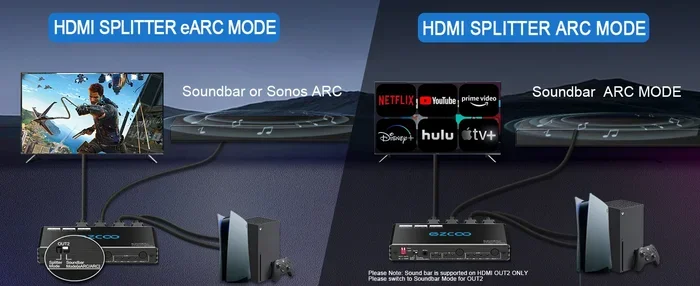
- Enhanced Audio Return Channel (eARC): This supports high-quality audio formats like Dolby Atmos.
- Better color depth: HDMI 2.1 supports deeper colors and HDR formats for richer visuals.
All of these features can seriously improve your gaming experience. But again, you only get them if your display supports them too.
Do You Actually Need HDMI 2.1 for PS5
This is the big question. And the honest answer is: it depends. Let us look at two scenarios. One where you need HDMI 2.1 and one where you do not.
When HDMI 2.1 Is Essential
You need a 2.1 HDMI cable for PS5 if your setup checks any of these boxes.
- Your TV or monitor supports 4K resolution at 120Hz.
- You want to use VRR or ALLM features on your PS5.
- You own a next-gen display with HDMI 2.1 ports built in.
- You play fast-paced games and notice screen tearing or stuttering.
- You want the best possible visual quality your PS5 can offer.
If any of these apply to you, a 2.1 HDMI cable is a must. Without it, you will not be able to access the full suite of PS5 features. You will be leaving performance and visual quality on the table.
When HDMI 2.0 Is Enough
On the other hand, you do not need a 2.1 HDMI cable if your display only supports 4K at 60Hz. Most TVs from a few years ago fall into this category. If you are happy with 60 frames per second at 4K, a standard HDMI 2.0 cable will work perfectly.
Also, if you are using your PS5 mainly for casual gaming or watching movies, a 2.0 cable is perfectly fine. You will not notice a big difference in those use cases. The PS5 is still an amazing console even with an HDMI 2.0 connection.
It is also worth noting that the original PS5 model does not require a 2.1 cable to function. It works with any standard HDMI cable. The 2.1 cable just opens up additional capabilities. For more on connectivity options and how different connections affect your setup, you can check out this guide on Are 5G Towers For Wi Fi to understand how different signal types work in your home.
HDMI 2.1 vs HDMI 2.0 Comparison
Not sure which cable you have or which one to buy? Here is a side-by-side comparison to help you decide.
| Feature | HDMI 2.0 | HDMI 2.1 |
|---|---|---|
| Max Bandwidth | 18 Gbps | 48 Gbps |
| Max Resolution | 4K at 60Hz | 4K at 120Hz / 8K at 60Hz |
| VRR Support | No | Yes |
| ALLM Support | Limited | Full Support |
| eARC Support | No | Yes |
| Dynamic HDR | No | Yes |
| PS5 Full Features | Partial | Full Access |
| Typical Price Range | $5 – $15 | $10 – $25 |
As you can see, HDMI 2.1 offers a lot more. But it also costs a bit more. The question is whether those extra features are worth it for your setup.
How to Choose the Right HDMI Cable for PS5
Buying an HDMI cable seems simple. You grab one, plug it in, done. But not all cables are created equal. Here is what you need to know before you buy.
Ultra High Speed HDMI Cables
The official name for HDMI 2.1 cables is “Ultra High Speed HDMI.” Look for this label on the packaging. It means the cable has been certified to handle the full 48 Gbps bandwidth of HDMI 2.1.
Do not get confused by marketing terms like “Premium High Speed” or “High Speed.” These refer to older HDMI versions. Only “Ultra High Speed” guarantees HDMI 2.1 support. Here are some quick tips for choosing the right cable.
- Always look for the official HDMI 2.1 certification logo.
- Buy from reputable brands or trusted retailers.
- Longer cables can sometimes lose signal quality. Keep cables under 6 feet if possible.
- Gold-plated connectors help prevent signal loss over time.
- You do not need to spend $100 on a cable. Most quality 2.1 cables cost between $10 and $25.
Common Cable Mistakes to Avoid
Many gamers make mistakes when buying HDMI cables. Here are the most common ones.
- Buying the cheapest cable possible: Very cheap cables may not support the bandwidth needed for 2.1 features.
- Assuming all “4K” cables are HDMI 2.1: A cable can say “4K” on the label and still be HDMI 2.0. Always check for the Ultra High Speed certification.
- Using a damaged or old cable: Worn-out cables can cause signal drops, flickering, or no signal at all.
- Ignoring cable length: Longer cables can degrade the signal. Keep it as short as your setup allows.
- Not checking your TV ports: Make sure your TV actually has an HDMI 2.1 port before buying a 2.1 cable.
Setting Up Your PS5 for the Best Experience
Once you have the right cable, proper setup makes a big difference. Here is how to get the most out of your PS5 and your display.
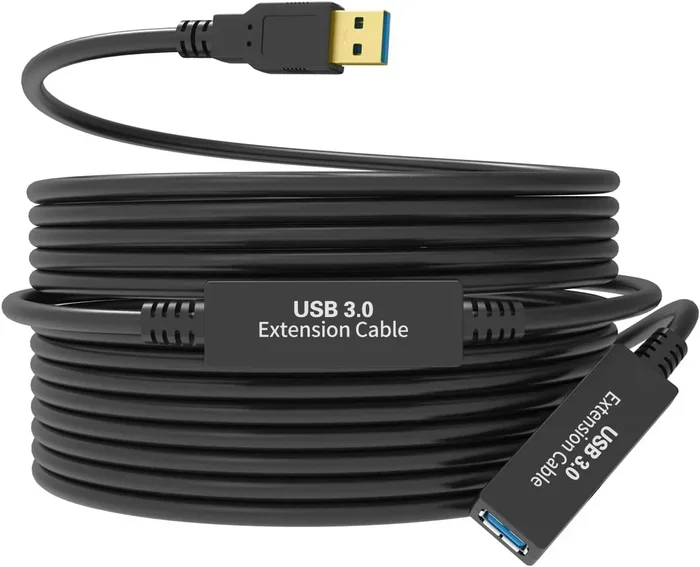
First, plug your HDMI cable directly into your TV or monitor. Avoid using adapters or extension cables if possible. They can reduce signal quality and limit the features available to you.
Next, go into your PS5 settings. Navigate to Settings, then Screen and Video. Here you can check what resolution and refresh rate your PS5 is outputting. If you have a 2.1 cable and a compatible TV, you should see options for 4K 120Hz and VRR.
Make sure your TV settings are also optimized. Go into your TV menu and enable Game Mode. This reduces input lag and gives you the smoothest possible experience. You should also enable VRR and ALLM if your TV supports them.
Finally, keep your PS5 in a well-ventilated area. The console can get warm during long gaming sessions. Good airflow helps it maintain peak performance without thermal throttling.
Expert Tips for Maximizing PS5 Performance
Want to squeeze every bit of performance out of your PS5? Here are some expert tips that go beyond just the cable.
- Update your PS5 firmware regularly: Sony frequently releases updates that improve performance and fix bugs.
- Use a wired internet connection: Ethernet gives you a more stable connection than Wi-Fi for online gaming.
- Clear your cache regularly: This frees up storage space and keeps your console running smoothly.
- Calibrate your TV settings: Use the PS5 calibration tool to get the best picture quality for your specific display.
- Keep your PS5 in rest mode for updates: This allows downloads and updates to complete faster without interrupting your gaming.
These small steps can make a huge difference in how your PS5 performs day to day. And when you pair them with the right HDMI cable, you are set up for the best possible experience.
Common Myths About HDMI Cables and PS5
There is a lot of misinformation out there about HDMI cables and PS5. Let us bust some of the most common myths.
Myth 1: Expensive cables sound better. This is not true for digital signals. A $10 certified Ultra High Speed cable performs the same as a $100 one. The signal is either transmitted correctly or it is not. There is no in-between.
Myth 2: You need a 2.1 cable for your PS5 to work. False. Your PS5 works perfectly fine with an HDMI 2.0 cable. You just miss out on some advanced features.
Myth 3: All HDMI 2.1 cables are the same. Not quite. While they all support 48 Gbps, build quality and durability can vary. Choose a reputable brand for the best results.
Myth 4: You need a new TV for HDMI 2.1. You do need a TV that supports HDMI 2.1 features to take advantage of them. But you can still use a 2.1 cable with older TVs. It just works at the lower bandwidth of HDMI 2.0.
Key Takeaways
- A 2.1 HDMI cable is not always necessary: If your TV only supports 4K 60Hz, HDMI 2.0 is sufficient.
- HDMI 2.1 unlocks PS5’s full potential: Features like 4K 120Hz, VRR, and ALLM require a 2.1 connection.
- Look for the Ultra High Speed certification: This is the only way to guarantee true HDMI 2.1 support.
- Your display determines your needs: The TV or monitor you own is the biggest factor in which cable you need.
- Price does not equal performance: A well-certified affordable cable often works just as well as an expensive one.
- Setup matters as much as the cable: Proper TV settings and console configuration maximize your experience.
- Avoid common cable myths: Do not overspend or underspend. Buy a certified cable that fits your setup.
Final Thoughts
So, do you need a 2.1 HDMI cable for PS5? The answer is: it depends on your setup. If you have a modern TV with 4K 120Hz support and you want the full PS5 experience, then yes. A 2.1 HDMI cable is essential. It unlocks features that make your games look and feel incredible.
But if you are using an older TV or you are happy with 4K at 60Hz, a standard HDMI 2.0 cable will serve you just fine. You will still enjoy all the great games and features the PS5 has to offer.
The most important thing is to know your setup. Check your TV specs. Check your current cable. Then make an informed decision. Do not fall for marketing hype or buy something you do not need. The right cable for you is the one that matches your display and your gaming goals.
Gaming should be fun and stress-free. You should not have to worry about cables and connections every time you sit down to play. With the right information, you can set up your PS5 once and forget about it. Just focus on what matters most. Having a great time playing your favorite games.
Take what you have learned here today. Use it to make the best choice for your setup. And most importantly, enjoy every moment on your PS5. Happy gaming.
Frequently Asked Questions
Can I use an HDMI 2.0 cable with PS5?
Yes, absolutely. Your PS5 works perfectly fine with an HDMI 2.0 cable. You will get 4K resolution at 60Hz. You just will not be able to access features like 4K 120Hz or VRR that require HDMI 2.1.
How do I know if my TV supports HDMI 2.1?
Check your TV manual or look up the model number online. Look for specifications that mention HDMI 2.1, 4K 120Hz, VRR, or eARC support. Most modern TVs from 2020 onwards include at least one HDMI 2.1 port.
Is there a difference between expensive and cheap HDMI 2.1 cables?
For digital signals, there is no performance difference. A certified Ultra High Speed HDMI cable will transmit the same data whether it costs $10 or $100. Build quality and durability may vary, but the signal quality remains the same.
Do I need HDMI 2.1 for PS5 gaming at 1080p?
No. HDMI 2.1 is designed for higher resolutions and refresh rates. If you game at 1080p, even HDMI 2.0 is more than enough. HDMI 2.1 becomes important when you push 4K at high refresh rates or use advanced features like ray tracing.
Can a bad HDMI cable damage my PS5?
No. HDMI cables carry digital signals and cannot damage your console. However, a bad cable can cause issues like no signal, flickering, or poor image quality. Always use a certified cable for the best results.
What is the best length for a PS5 HDMI cable?
Shorter cables are generally better for signal quality. A 3 to 6 foot cable works great for most setups. If you need a longer cable, look for one with built-in signal amplification to maintain quality over distance.