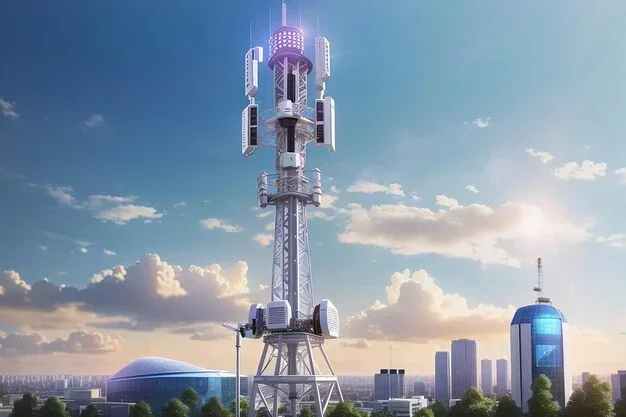
Are 5g Towers For Wi Fi Everything You Need To Know
Are 5G towers for WiFi? The short answer is no, but the full story is more interesting. 5G towers deliver cellular data to your devices, while WiFi uses a local router to connect your gadgets. However, 5G home internet can replace traditional WiFi by acting as your main broadband connection. Understanding this difference helps you make smarter choices about your wireless setup.
Let us clear something up right away. When people ask “are 5G towers for WiFi,” they usually want to know one thing: can a 5G tower replace my home WiFi setup? The answer is more nuanced than a simple yes or no. This guide breaks down everything you need to know in plain English.
5G towers and WiFi routers are two different pieces of technology. They serve different roles in your daily internet use. But here is the twist: 5G home internet can actually act as your main broadband source and feed a WiFi router in your house. That means 5G towers and WiFi are more connected than most people realize.
Whether you are a curious homeowner, a tech enthusiast, or someone tired of slow internet, this article has you covered. We will walk through how 5G towers work, how WiFi works, and how they relate to each other. By the end, you will have a clear picture of what 5G towers can and cannot do for your wireless setup.
Key Takeaways
- 5G towers and WiFi serve different purposes: 5G towers provide cellular data, while WiFi routers create a local wireless network in your home.
- 5G home internet exists and works like WiFi: Providers like T-Mobile and Verizon offer 5G home internet that connects to a router, giving you WiFi speeds up to 1 Gbps.
- You do not need a 5G tower near your home for WiFi: Your regular WiFi router connects to your existing internet provider through a modem or fiber line.
- 5G small cells and towers improve wireless coverage: These structures boost cellular signals in dense areas, but they are not direct WiFi sources.
- 5G fixed wireless access is changing broadband: This technology brings high-speed internet to rural and underserved areas without cable or fiber lines.
- Understanding the difference saves money: Knowing how 5G towers and WiFi work helps you avoid unnecessary equipment and choose the right internet plan.
📑 Table of Contents
- What Is a 5G Tower and How Does It Work?
- What Is WiFi and How Does It Work?
- So, Are 5G Towers for WiFi? The Real Answer
- Can You Use a 5G Tower Signal for Home WiFi Directly?
- 5G Tower Coverage and WiFi Performance
- Common Mistakes People Make With 5G and WiFi
- Expert Insights on 5G Towers and WiFi
- Key Takeaways
- Conclusion
What Is a 5G Tower and How Does It Work?
A 5G tower is a cell tower that broadcasts the fifth generation of cellular network signals. These towers send and receive radio waves to connect your phone, tablet, and other devices to the internet. They are the backbone of the 5G wireless network that carriers like T-Mobile, Verizon, and AT&T build across the country.
Unlike older towers that only handled 4G LTE, 5G towers use higher frequency bands. This includes millimeter wave spectrum and mid-band frequencies. These bands carry more data at faster speeds. But they also have shorter range, which is why carriers need more towers in dense areas.
Types of 5G Towers
Not all 5G towers look the same. In fact, there are three main types of 5G infrastructure you should know about.
- Macro towers: These are the tall cell towers you see on hills, rooftops, and rural areas. They cover large distances and provide broad coverage for cellular devices.
- Small cells: These are low-powered antennas placed on streetlights, buildings, and poles. They handle 5G signals in dense urban areas where macro towers cannot reach effectively.
- Beamforming antennas: These use advanced signal processing to direct a focused beam of data to your device. This improves signal strength and reduces interference.
Each type plays a role in the 5G network infrastructure. Together, they create the wireless coverage map that your phone relies on every day.
How 5G Towers Connect to the Internet
Here is something many people do not think about. 5G towers themselves need a backhaul connection to the internet. Most towers connect through fiber optic cables. Some use microwave links or satellite connections. The tower then broadcasts that signal wirelessly to your phone or device.
This means the tower is not the source of the internet. It is a relay point. The actual internet comes from the carrier’s core network, which is connected to the broader internet through data centers and fiber backbones.
What Is WiFi and How Does It Work?
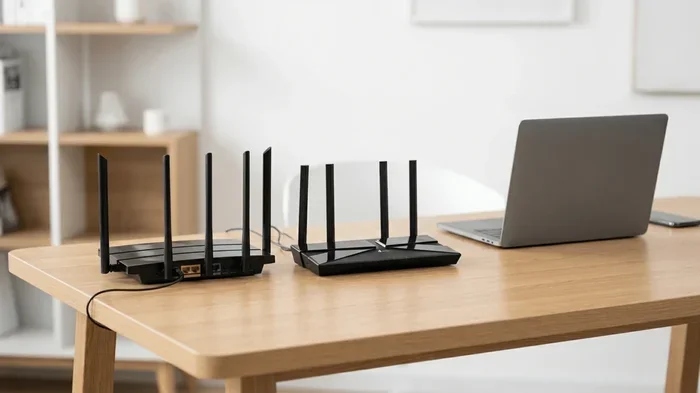
WiFi is a local wireless networking technology. It uses radio waves to connect devices like laptops, phones, and smart TVs to a router. That router is then connected to your internet service provider through a modem, cable line, fiber connection, or in some cases, a 5G fixed wireless receiver.
Most homes use WiFi 5 or WiFi 6 routers. These routers create a local area network, or LAN, inside your house. Your devices connect to the router, and the router connects to the wider internet through your ISP.
WiFi operates on two main frequency bands: 2.4 GHz and 5 GHz. The 5 GHz band offers faster speeds but shorter range. The 2.4 GHz band covers more distance but at slower speeds. This is different from 5G cellular networks, even though the names sound similar.
WiFi vs. 5G: Key Differences
It is easy to confuse WiFi and 5G because both deliver wireless internet. But they work very differently.
- Range: WiFi covers a small area like a home or office. 5G towers cover miles of territory.
- Ownership: You own your WiFi router. You do not own a 5G tower. The carrier owns and maintains it.
- Speed: WiFi 6 can reach speeds up to 9.6 Gbps in ideal conditions. 5G cellular can reach up to 10 Gbps but usually delivers between 100 Mbps and 1 Gbps in real-world use.
- Latency: 5G can offer lower latency than WiFi in some cases, especially with 5G ultra-wideband or mmWave deployments.
Understanding these differences is key to answering the question “are 5G towers for WiFi” correctly.
So, Are 5G Towers for WiFi? The Real Answer
Here is the honest answer: 5G towers are not designed to replace your WiFi router directly. When you connect to a 5G network on your phone, you are using cellular data. That is not the same as connecting to your home WiFi network.
However, 5G technology can power your home internet. This is where things get exciting. 5G home internet, also called fixed wireless access, uses a 5G signal from a nearby tower to deliver broadband to your home. A special receiver or gateway device picks up that signal and converts it into a WiFi network inside your house.
So in a way, yes, 5G towers can indirectly power your WiFi. The tower provides the internet connection, and a 5G gateway creates the WiFi network in your home. But the tower itself does not broadcast WiFi signals. It broadcasts 5G cellular signals.
How 5G Home Internet Works
5G home internet works like this. A carrier installs a small receiver on the outside of your home. This receiver connects to the nearest 5G tower. Inside your home, the receiver connects to a gateway device, which acts as both a modem and a WiFi router.
The gateway creates a WiFi network that your devices can connect to. From your perspective, it feels just like any other home internet connection. You browse, stream, game, and video call just like normal.
Companies like T-Mobile Home Internet, Verizon 5G Home, and AT&T Internet Air offer this service. Speeds vary by location and tower proximity. But many users report download speeds between 200 Mbps and 1 Gbps, which is competitive with cable and fiber connections.
When 5G Home Internet Makes Sense
5G home internet shines in certain situations. It is a great option for rural areas where cable or fiber is not available. It also works well as a backup connection for homes that already have broadband.
If you live in an area with strong 5G tower coverage, 5G home internet can be a reliable and affordable alternative to traditional ISPs. Installation is simple, and there are no cables to run. Just mount the receiver and plug in the gateway.
Can You Use a 5G Tower Signal for Home WiFi Directly?
You cannot plug your laptop directly into a 5G tower and call it WiFi. But you can use a 5G connection to power your home network. Let us look at the options available today.
5G Routers and Gateways
5G routers, also called 5G gateways, pick up the 5G cellular signal and broadcast it as a WiFi network. These devices work similarly to a traditional modem-router combo. The difference is that instead of connecting to a cable or fiber line, they connect to a 5G tower.
Popular options include the Netgear Nighthawk 5G router and the T-Mobile 5G Home Router. These devices create a local WiFi network using the 5G signal from the nearest tower. They are easy to set up and work well for most households.
Keep in mind that your 5G router still needs a data plan from a carrier. The tower provides the connection, but the carrier manages your account and data usage.
Mobile Hotspots and 5G MiFi Devices
If you need a portable solution, 5G mobile hotspots are a great choice. Devices like the Verizon Jetpack or the T-Mobile MiFi connect to 5G towers and create a WiFi hotspot on the go.
These are perfect for travel, camping trips, or temporary setups. They are not meant to replace a permanent home internet connection, but they work well in a pinch. Most hotspots support multiple devices at once, so your whole family can connect.
5G CPE (Customer Premises Equipment)
For more serious setups, 5G CPE devices offer enterprise-grade performance. These are fixed wireless receivers designed for permanent installation. They typically have external antennas for better signal reception and can handle higher data loads.
Businesses and tech-savvy users often prefer 5G CPE for its reliability and speed. These devices bridge the gap between the 5G tower network and your local WiFi setup.
5G Tower Coverage and WiFi Performance
Your WiFi experience depends heavily on the 5G tower coverage in your area. If you are far from a tower or have obstacles like hills and buildings between you and the tower, your speeds will drop.
Signal strength matters a lot. A strong 5G signal means faster download speeds and lower latency. A weak signal means buffering videos and laggy video calls. The proximity of the nearest tower directly affects your home internet performance.
Factors That Affect 5G Tower Coverage
- Distance from the tower: The farther you are, the weaker the signal. 5G signals, especially mmWave, have a shorter range than 4G.
- Obstructions: Trees, buildings, and even weather can block or weaken 5G signals. This is why small cells are needed in urban areas.
- Tower density: Areas with more towers have better coverage and higher speeds. Rural areas often have fewer towers, which limits performance.
- Frequency band: Low-band 5G covers more area but is slower. Mid-band offers a balance. mmWave is the fastest but has the shortest range.
Before switching to 5G home internet, check the coverage map for your carrier. Most providers have online tools that show tower locations and signal strength by zip code.
How Many 5G Towers Are There?
The number of 5G towers has grown rapidly since 2019. Major carriers have invested billions in 5G infrastructure. Today, there are tens of thousands of 5G towers across the United States. The number continues to grow as carriers expand their networks.
Urban areas have the most tower density. Suburban areas have good coverage in most cases. Rural areas are catching up, but gaps remain. This uneven distribution affects how well 5G home internet works in different locations.
Common Mistakes People Make With 5G and WiFi
Many people make mistakes when setting up or thinking about 5G and WiFi connections. Here are the most common ones to avoid.
Confusing 5G Cellular with WiFi 5
This is the biggest source of confusion. “5G” in WiFi refers to the 5 GHz frequency band on your router. “5G” in cellular refers to the fifth generation of mobile networks. They are completely different technologies. Do not mix them up when shopping for equipment.
Assuming 5G Replaces Your Router
A 5G tower does not replace your WiFi router. You still need a router to create a WiFi network in your home. The 5G connection feeds into the router, which then broadcasts WiFi to your devices.
Ignoring Data Caps
Many 5G home internet plans have data caps. If you consume a lot of data through streaming or gaming, you might hit the limit and face throttled speeds. Always check the data policy before signing up.
Not Checking Tower Proximity
5G home internet performance depends on how close you are to a tower. Signing up without checking coverage can lead to disappointing speeds. Use coverage maps and ask neighbors about their experiences.
Using Old Equipment
Older WiFi routers may not support the speeds that 5G home internet can deliver. If you have a 5G connection but an old WiFi 4 router, you will bottleneck your speeds. Invest in a modern WiFi 6 or WiFi 6E router for the best experience.
Expert Insights on 5G Towers and WiFi
Industry experts agree that 5G is transforming how people access the internet. Fixed wireless access is one of the biggest growth areas in broadband. According to recent reports, millions of households have switched to 5G home internet as their primary connection.
“5G towers are not WiFi towers, but they can power WiFi networks in homes and businesses,” says a network engineer at a major carrier. “The key is understanding the difference between cellular infrastructure and local networking equipment.”
Experts also note that 5G and WiFi will work together for years to come. They are complementary technologies, not replacements for each other. Your phone uses 5G when you are outside. Your home WiFi takes over when you are inside. Both serve important roles in your daily connectivity.
The Future of 5G Towers and WiFi
Looking ahead, 5G towers will become more dense and powerful. Carriers are deploying more small cells in cities and expanding coverage in rural areas. Meanwhile, WiFi technology continues to evolve with WiFi 7 on the horizon.
The convergence of 5G and WiFi could lead to seamless connectivity. Imagine a world where your devices switch between 5G and WiFi without you even noticing. That future is closer than most people think.
For now, the best approach is to understand both technologies. Know what 5G towers do, know what WiFi routers do, and know how they can work together to give you the best internet experience.
Key Takeaways
- 5G towers and WiFi are different technologies: 5G towers deliver cellular data; WiFi routers create local wireless networks in your home.
- 5G towers can indirectly power your WiFi: Through 5G home internet, a tower provides the broadband connection that feeds your WiFi router.
- You do not need a 5G tower for WiFi: Traditional WiFi works with any internet source, including cable, fiber, or DSL.
- 5G home internet is a viable broadband alternative: It offers competitive speeds and easy installation for areas without cable or fiber.
- Coverage matters: Your proximity to a 5G tower directly affects your internet speed and reliability.
- Invest in good equipment: A modern WiFi 6 router maximizes the speeds your 5G connection can deliver.
Conclusion
So, are 5G towers for WiFi? The answer is both yes and no. 5G towers are not WiFi towers. They broadcast cellular signals, not WiFi signals. But 5G towers can power your home WiFi network through fixed wireless access and 5G home internet services.
The key is understanding the distinction. Once you know how 5G towers and WiFi routers work together, you can make smarter decisions about your internet setup. Whether you stick with traditional broadband or switch to 5G home internet, knowing your options puts you ahead.
If you live in an area with strong 5G tower coverage, 5G home internet is worth exploring. It is fast, reliable, and easy to set up. For most households, pairing a 5G gateway with a quality WiFi router delivers an excellent internet experience.
Take the time to check your local coverage, compare plans, and invest in the right equipment. The world of 5G and WiFi is evolving fast. Staying informed ensures you get the best connection for your home and your budget.
Frequently Asked Questions
Can a 5G tower replace my home WiFi router?
A 5G tower cannot replace your WiFi router directly. However, a 5G home internet gateway can use the 5G tower signal to create a WiFi network in your home. The tower provides the internet connection, and the gateway broadcasts WiFi to your devices.
Do I need a special router to use 5G for WiFi at home?
Yes, you need a 5G-compatible router or gateway. Standard WiFi routers connect to cable or fiber modems. A 5G router connects to a 5G tower instead. Most carriers provide a gateway device when you sign up for 5G home internet.
How fast is 5G home internet compared to cable WiFi?
5G home internet speeds vary by location and tower proximity. In good coverage areas, 5G can deliver speeds of 200 Mbps to 1 Gbps. This is comparable to most cable internet plans. In areas with weak coverage, speeds may drop significantly.
Are 5G towers dangerous for home WiFi networks?
No, 5G towers do not interfere with home WiFi networks. They operate on different frequency bands and serve different purposes. Your WiFi router and a 5G tower can coexist without any negative effects on your network.
What is the difference between 5G WiFi and 5G cellular?
5G WiFi refers to the 5 GHz frequency band on your router. 5G cellular refers to the fifth generation of mobile network technology. They share a name but are completely different. Your router uses WiFi bands, while your phone connects to cellular towers.
Can I use a 5G hotspot instead of home WiFi?
Yes, you can use a 5G hotspot as your primary internet source. A mobile hotspot connects to a 5G tower and creates a WiFi network. However, hotspots usually have data limits and may not be ideal for heavy users or large households.