Can You Convert 3 5 Mm Headphones To Usb In Seconds
Yes, you can convert 3.5 mm headphones to USB using a simple adapter, USB sound card, or DAC. This quick process takes seconds and lets you plug your favorite wired headphones into any computer, laptop, or console without a headphone jack. Whether you need a 3.5mm to USB adapter for gaming, work, or travel, this guide walks you through every option.
Have you ever grabbed your favorite pair of wired headphones only to find that your laptop, tablet, or desktop computer lacks a 3.5mm headphone jack? It is a frustrating moment. You want to listen to music, join a meeting, or game with friends, but the connection just does not work.
The good news is that converting 3.5 mm headphones to USB is simple, fast, and affordable. You do not need to be a tech expert. In most cases, all it takes is a small adapter or a USB sound card, and you are ready to go in seconds. This guide covers every method, product type, and tip you need to know.
Let us dive in and explore how you can make any pair of 3.5mm headphones work with a USB port. No matter your device or budget, there is a solution that fits.
Key Takeaways
- Simple Adapters Work: A 3.5mm to USB adapter cable is the easiest and cheapest way to convert your headphones.
- USB Sound Cards Boost Quality: A small USB DAC can improve audio clarity and reduce noise from your headphones.
- Check Your Device First: Not all devices support USB audio input, so verify compatibility before buying an adapter.
- Avoid Common Mistakes: Using the wrong adapter type or ignoring driver needs can cause static, no sound, or distorted audio.
- Multiple Methods Exist: You can use a direct adapter, an external USB sound card, or a full audio interface depending on your needs.
- It Takes Seconds: The entire conversion process is fast, plug-and-play, and requires no technical skills.
📑 Table of Contents
- What Does It Mean to Convert 3.5 Mm Headphones to USB?
- Types of 3.5 Mm to USB Adapters
- Step-by-Step: How to Convert Your Headphones
- Benefits of Converting 3.5 Mm Headphones to USB
- Common Mistakes to Avoid
- Quick Tips for the Best Experience
- Can You Use USB Headphones Instead?
- How to Choose the Right Adapter for Your Needs
- Does Converting Affect Headphone Performance?
- Final Thoughts
What Does It Mean to Convert 3.5 Mm Headphones to USB?
When we talk about converting 3.5 mm headphones to USB, we mean changing the analog audio signal from a standard 3.5mm jack into a digital USB signal. Your headphones have a copper wire and a 3.5mm plug that carries an analog audio signal. A USB connection, on the other hand, sends digital audio data.
So the conversion process bridges that gap. It uses a small chip or adapter to turn the analog signal into digital data that your computer or device can read through a USB port.
Why Do People Need This Conversion?
Many modern laptops and smartphones have dropped the 3.5mm headphone jack. Apple removed it from the iPhone in 2016, and many slim laptops followed suit. This means users are left with USB-C or Bluetooth as their only audio options. But what if you love your wired headphones? What if they sound better than your wireless pair?
That is where 3.5mm to USB conversion saves the day. It lets you keep using high-quality wired headphones without buying new ones. You also avoid the latency issues that sometimes come with Bluetooth audio.
Types of 3.5 Mm to USB Adapters
Not all adapters are the same. Different setups need different types of converters. Here are the most common options you will find on the market.
1. Direct 3.5mm to USB Adapter Cable
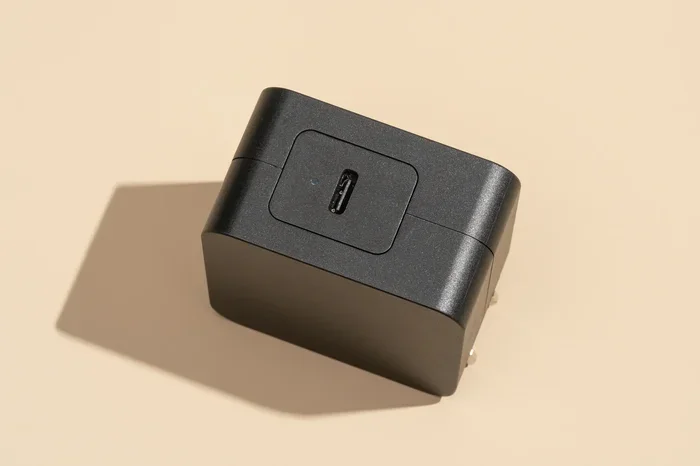
This is the simplest option. It is a cable with a 3.5mm plug on one end and a USB-A or USB-C plug on the other. You plug the 3.5mm end into your headphones and the USB end into your computer. Done.
These cables are cheap, usually under $15. They work great for basic listening, video calls, and casual use. However, the audio quality depends on the built-in sound chip inside the cable. Cheap cables may produce static or low-volume audio.
2. USB Sound Card (USB DAC)
A USB sound card is a small external device that plugs into your USB port. You then connect your headphones to the 3.5mm output on the sound card. This option gives you much better audio quality than a basic adapter cable.
USB DACs, or digital-to-analog converters, handle the audio conversion with better components. They reduce background noise, improve clarity, and often support higher resolution audio. Popular brands like Fiio, Sabrent, and UGREEN make reliable models.
3. USB Audio Interface
If you are an audio creator or a serious music lover, a full USB audio interface is the way to go. These devices offer multiple inputs and outputs, microphone support, and premium sound processing. They are larger and more expensive, but they deliver studio-quality audio.
For most everyday users, a simple USB DAC or adapter cable is all you need. Save the audio interface for professional use.
Step-by-Step: How to Convert Your Headphones
The actual process is incredibly easy. Here is how to do it in seconds.
Step 1: Check Your Headphones and Device
First, confirm that your headphones have a standard 3.5mm audio jack. Most wired headphones do. Next, check your device. Does it have a USB-A port, a USB-C port, or both? This determines which adapter you need.
Step 2: Choose the Right Adapter
Pick your adapter based on your device and needs:
- USB-A to 3.5mm cable: Best for desktops and older laptops.
- USB-C to 3.5mm cable: Ideal for modern laptops, tablets, and phones.
- USB DAC or sound card: Best for improved audio quality.
Make sure the adapter supports audio input if you also need a microphone. Some adapters only handle audio output, meaning you can listen but not speak.
Step 3: Plug It In
Connect the 3.5mm end to your headphones. Plug the USB end into your computer. Your device should recognize the adapter within seconds. You may hear a short notification sound or see a popup saying a new audio device is connected.
Step 4: Set Your Audio Output
Go to your computer sound settings. Select the USB adapter as your default audio output device. On Windows, right-click the speaker icon in your taskbar and choose playback devices. On Mac, go to System Settings and select Sound. Pick the USB adapter from the output list.
That is it. You are now listening through your 3.5mm headphones via USB.
Benefits of Converting 3.5 Mm Headphones to USB
There are many reasons why this simple conversion is worth doing. Let us look at the top benefits.
Better Audio Quality
Wired headphones often sound better than Bluetooth ones. Bluetooth compresses audio and can introduce lag. By converting to USB, you get a cleaner, more direct audio signal. A good USB DAC makes a noticeable difference in clarity and bass response.
No Battery Drain
Bluetooth headphones need charging. Wired headphones through a USB adapter do not. You just plug them in and use them. This is great for long work sessions or gaming marathons where you do not want to worry about battery life.
Lower Latency
USB audio has virtually zero latency compared to Bluetooth. This matters a lot for gaming and video editing. You hear sounds in real time, which gives you a competitive edge in games and keeps your audio perfectly in sync with video.
Cost Savings
Instead of buying new wireless headphones, you can keep your favorite wired pair and just add a small adapter. A quality 3.5mm to USB adapter costs between $5 and $30. That is a fraction of the price of a new pair of wireless headphones.
Common Mistakes to Avoid
Even though the process is simple, people make mistakes that cause frustration. Here are the most common ones and how to avoid them.
Using the Wrong Adapter Type
Not all 3.5mm to USB cables handle both input and output. If you need a microphone, make sure your adapter supports TRRS (three-ring, four-conductor) connections. A TRS cable (three-conductor) will only handle audio output. Check your headphone jack type before buying.
Ignoring Driver Installation
Some USB sound cards need drivers to work properly. Plugging in the adapter and expecting instant sound does not always work. Visit the manufacturer’s website and download the latest driver. This solves most issues with no sound or distorted audio.
Buying a Cheap, Low-Quality Adapter
It is tempting to grab the cheapest cable on Amazon. But ultra-cheap adapters often have poor sound chips that introduce noise and static. Spend a little more on a reputable brand. Your ears will thank you.
Forgetting to Select the USB Device as Output
Even after plugging in the adapter, your computer might still try to use the built-in speakers or Bluetooth. Always go into your sound settings and manually select the USB adapter as the output device.
Quick Tips for the Best Experience
- Use a USB-C hub if your laptop has limited ports. This gives you extra USB ports and often includes a 3.5mm audio jack built in.
- Keep your adapter cable short (under 6 feet) to reduce signal loss and static.
- Clean your headphone jack regularly. Dust and lint can cause poor connection and crackling sound.
- Test your adapter on multiple devices to confirm it works before troubleshooting further.
- Update your audio drivers after installing a new USB sound card for the best performance.
- Consider a USB DAC with a built-in amplifier if you use high-impedance headphones that need extra power.
Can You Use USB Headphones Instead?
You might wonder why bother converting at all. Why not just buy USB headphones? The answer is simple: you may already own a great pair of wired headphones that you love. Converting them to USB saves you money and keeps your favorite gear in use.
USB headphones have a built-in sound card inside the cable or the ear cup. They plug directly into a USB port without needing an adapter. They work out of the box on most computers. However, they lock you into one pair of headphones. If you have multiple pairs of wired headphones, converting your existing ones gives you flexibility.
For a deeper look at other audio connectivity options and how they compare, check out our guide on alternatives to traditional cable TV and streaming setups that also cover audio connectivity solutions for modern devices.
How to Choose the Right Adapter for Your Needs
With so many options available, choosing the right one can feel overwhelming. Here is a quick guide to help you decide.
| Adapter Type | Best For | Price Range | Audio Quality |
|---|---|---|---|
| 3.5mm to USB Cable | Basic listening and calls | $5 – $15 | Standard |
| USB Sound Card / DAC | Improved clarity and reduced noise | $15 – $50 | Good to Great |
| USB Audio Interface | Professional audio production | $50 – $300+ | Studio Quality |
| USB-C Hub with Audio Jack | Laptops with limited ports | $20 – $60 | Standard to Good |
For most people, a USB DAC or a simple 3.5mm to USB cable covers all needs. If you game or produce music, invest in a dedicated USB sound card or audio interface.
Does Converting Affect Headphone Performance?
A common concern is whether converting from 3.5mm to USB changes how your headphones sound. The short answer is: it depends on the adapter quality.
A high-quality USB DAC preserves and often enhances your headphones performance. It provides cleaner power and better signal processing. A cheap, no-name adapter might degrade the sound slightly or add a tiny bit of background hiss.
The good news is that most decent adapters on the market do not noticeably affect performance. Your headphones will sound almost exactly the same as they do when plugged into a phone or music player with a 3.5mm jack.
If you want the best possible experience, look for adapters with built-in amplifiers. These boost the signal and drive your headphones more effectively, especially if you use over-ear or high-impedance models.
Final Thoughts
Converting 3.5 mm headphones to USB is one of the easiest and most affordable upgrades you can make to your audio setup. Whether you use a simple adapter cable, a USB sound card, or a full audio interface, the process takes seconds and works on almost any device.
You do not need to replace your favorite wired headphones just because your device lacks a headphone jack. A small adapter bridges the gap and keeps your audio experience high-quality and reliable. With the tips and guidance in this article, you are now equipped to make the right choice for your setup.
Grab an adapter, plug in your headphones, and enjoy crisp, clear audio through USB. It really is that simple.
Frequently Asked Questions
Can any 3.5mm headphones be converted to USB?
Yes, virtually any pair of wired headphones with a standard 3.5mm audio jack can be converted to USB using an adapter or USB sound card. The key is choosing the right adapter type for your device and ensuring it supports both audio output and microphone input if you need both.
Do I need to install drivers for a 3.5mm to USB adapter?
Most basic adapters work plug-and-play without any drivers. However, USB sound cards and DACs may require you to download and install drivers from the manufacturer’s website. Always check the product listing or manual for driver requirements before purchasing.
Will converting my headphones to USB improve sound quality?
It can, especially if you use a quality USB DAC or sound card. These devices handle audio conversion better than the basic chip inside a cheap adapter cable. You may notice clearer highs, richer bass, and less background noise with a dedicated USB audio converter.
Can I use a 3.5mm to USB adapter on a smartphone?
Yes, you can use a USB-C to 3.5mm adapter on most Android smartphones. iPhones do not support USB audio input in the same way, so compatibility varies by device. Always check your phone’s specifications to confirm USB audio support before buying an adapter.
What is the difference between a 3.5mm to USB cable and a USB DAC?
A 3.5mm to USB cable is a simple passthrough adapter with a basic sound chip. A USB DAC is a dedicated digital-to-analog converter with higher-quality components that process audio more accurately. USB DACs typically cost more but deliver noticeably better sound.
Can I use a USB adapter for gaming headsets?
Yes, many gaming headsets use a 3.5mm jack and can be connected via a USB adapter. For the best gaming experience, look for adapters with low latency and microphone support. Some USB sound cards even offer surround sound features that enhance gaming audio.
=== CONCLUSION ===
Converting 3.5 mm headphones to USB is a quick, affordable, and practical solution for anyone dealing with devices that lack a headphone jack. Whether you choose a simple adapter cable, a USB sound card, or a full audio interface, the process is straightforward and takes just seconds. You get the freedom to use your favorite wired headphones with any USB-equipped device, from laptops and desktops to tablets and gaming consoles.
Remember to pick the right adapter for your needs, avoid common mistakes like ignoring drivers or buying cheap no-name products, and always check your device compatibility. With the right setup, your audio experience will be cleaner, more reliable, and better than ever. Start converting today and bring your wired headphones into the modern era.