Can I Use Any USB C Charger For My Laptop Safely Today
You can use a USB C charger for your laptop, but not just any charger will work safely. The right USB-C charger depends on wattage, USB-C Power Delivery support, and your laptop’s charging requirements. Using the wrong charger can cause slow charging, overheating, or even permanent damage to your device.
So you grabbed a USB C charger and plugged it into your laptop. Maybe it was from a friend’s old phone. Maybe it came in a multi-device kit. Maybe you just bought the cheapest one online. The question is simple: can I use any USB C charger for my laptop? The answer is not as straightforward as you might hope.
USB C has become the universal standard for charging phones, tablets, and many laptops. It is small, reversible, and fast. But here is the catch. Not every USB C charger delivers the same power. Not every cable handles the same current. And not every laptop charges the same way. Plugging in the wrong charger might seem harmless at first. But over time, it can hurt your battery, slow your device, or even create safety risks.
In this guide, we will break down everything you need to know about USB C laptop charging. We will cover wattage, Power Delivery, cable quality, and common mistakes. By the end, you will know exactly how to pick the right charger and what to avoid.
Key Takeaways
- Not all USB C chargers are equal: Your laptop needs specific wattage and USB-C PD support to charge safely.
- Check your laptop’s charging specs: Look for voltage, amperage, and wattage requirements on the original charger or in the manual.
- USB-C Power Delivery (PD) is key: PD allows devices to negotiate the right power level automatically for safe charging.
- Using a low-wattage charger works but slowly: You may even lose battery while using the laptop if the charger can’t keep up.
- Cheap or uncertified chargers pose risks: They may lack safety features and could damage your laptop battery or hardware.
- GaN chargers are a great option: They are compact, efficient, and often support multiple devices including laptops.
- Always match the connector and protocol: USB-C shape alone does not guarantee compatibility or safe charging.
📑 Table of Contents
Can I Use Any USB C Charger For My Laptop?
The short answer is no. You cannot just grab any USB C charger and expect it to work perfectly with your laptop. The longer answer is that it depends on several factors. These include the charger’s wattage output, whether it supports USB-C Power Delivery, and whether your laptop can accept the power it provides.
Think of it this way. USB C is just a shape. It is the connector. It does not tell you how much power flows through it. A USB C port on a phone and a USB C port on a laptop are very different in what they can handle. That is why knowing your laptop’s charging needs matters so much.
Why USB C Shape Does Not Mean Universal Compatibility
Many people assume that because a charger has a USB C plug, it will work with any device that has a USB C port. This is one of the biggest misunderstandings in the tech world. The USB C connector is just the physical shape of the plug. It does not define the power profile or the charging protocol.
Here is what you need to understand about USB C:
- USB C is a connector type, not a power standard.
- Different devices need different power levels. A phone might need 10 watts. A laptop might need 60 or 100 watts.
- The charger and the device must agree on how much power to deliver. This happens through a process called negotiation.
- Without proper negotiation, the device may only charge slowly or not charge at all.
So when you ask, can I use any USB C charger for my laptop, the real question underneath is about compatibility. The connector shape is only the beginning of the story.
Understanding USB C Power Delivery and Wattage
To choose the right charger, you need to understand two key concepts. The first is wattage. The second is USB-C Power Delivery, often called USB-C PD. Together, these determine how fast and how safely your laptop charges.
What Is Wattage and Why Does It Matter?
Wattage measures how much power a charger can deliver. It is calculated by multiplying voltage by amperage. Most laptop chargers fall into specific wattage ranges. Ultrabooks and thin laptops often need around 45 to 65 watts. Gaming laptops and larger machines might need 100 watts or more.
If you use a charger with lower wattage than your laptop needs, here is what happens. The laptop will still charge, but very slowly. In some cases, if you are using the laptop while it charges, the battery might actually drain instead of charge. That is because the laptop is using more power than the charger can supply.
On the other side, using a charger with higher wattage than your laptop needs is generally safe. Most modern laptops with USB-C PD will only draw the power they need. The charger does not force power into the device. The device asks for what it needs.
What Is USB-C Power Delivery?
USB-C Power Delivery is a charging protocol. It allows the charger and the laptop to communicate and agree on the right amount of power. Without PD, a USB C charger might only deliver a default low power level, usually around 5 to 10 watts.
USB-C PD supports power levels up to 100 watts. This makes it suitable for most laptops on the market today. When both the charger and the laptop support USB-C PD, you get faster, safer, and more efficient charging.
Here is a simple way to think about it. USB-C PD is like a smart handshake between your charger and your laptop. They talk to each other and agree on the best power level. Without that handshake, you are left with basic, slow charging at best.
Quick Tip: How to Check Your Laptop’s Charging Needs
Look at your original laptop charger. Find the label on the brick. It will list the output voltage and amperage. Multiply those two numbers to get the wattage. For example, 20 volts times 3 amps equals 60 watts. That is what your laptop needs from a USB C charger.
Can You Charge a Laptop With a Phone Charger?
This is one of the most common questions people ask. The answer is yes, but with important caveats. A standard phone charger usually outputs around 10 to 18 watts through USB C. Most laptops need at least 45 watts to charge properly. So while a phone charger will technically charge your laptop, it will do so very slowly.
Here is what happens when you try this. You plug your phone charger into your laptop. The laptop recognizes the charger and starts pulling power. But because the charger cannot keep up with the laptop’s power demands, the battery may still drain while you use the device. You might notice the battery percentage staying flat or even dropping slowly, even while plugged in.
There is one scenario where this works well. If your laptop has a very small battery and a very efficient processor, a higher-wattage phone charger might keep up. Some ultraportable laptops draw as little as 30 watts. In those cases, a quality 18-watt or 30-watt phone charger could maintain the battery level, even if it does not charge it quickly.
But for most standard laptops, a phone charger is not a practical long-term solution. It works in emergencies, but do not rely on it for daily use.
Risks of Using the Wrong USB C Charger
Using an incompatible or low-quality charger can cause several problems. Some are minor. Others are serious enough to damage your laptop or create safety hazards. Understanding these risks helps you make better choices.
Slow Charging
The most common issue is slow charging. If your charger does not support the right wattage or protocol, your laptop will charge at a fraction of the normal speed. This is especially frustrating if you are trying to top up your battery quickly before heading out the door.
Battery Degradation Over Time
Using a charger that delivers inconsistent power can harm your laptop battery over time. Lithium-ion batteries do not like unstable voltage or current. A poor-quality charger might cause small fluctuations that slowly degrade the battery’s overall health. After several months, you might notice your laptop battery does not last as long as it used to.
Overheating
Cheap or uncertified chargers may lack proper safety circuits. This can lead to overheating during charging. An overheating charger is not just a nuisance. It is a fire risk. Always look for chargers that carry safety certifications like UL, CE, or FCC.
Damage to the USB C Port
Poor-quality cables or chargers can also damage the USB C port on your laptop. If the charger delivers too much or too little voltage, it can fry the charging circuitry. Replacing a damaged USB C port can be expensive and inconvenient.
Common Mistakes People Make With USB C Charging
Here are some mistakes that many people make when charging their laptops with USB C:
- Assuming any USB C cable works the same way. Cables have different maximum power ratings. A cheap cable might only handle 3 amps, while your laptop needs 5 amps.
- Ignoring cable quality. A great charger with a bad cable will not perform well. The cable is part of the charging equation.
- Buying the cheapest option online. Ultra-cheap chargers often cut corners on safety features and power regulation.
- Not checking for USB-C PD support. Without PD, even a high-wattage charger may not communicate properly with your laptop.
- Using a charger designed for a different device. A charger made for a tablet might not have enough wattage for a laptop.
How to Choose the Right USB C Charger for Your Laptop
Now that you know the risks, let us talk about how to pick the right charger. Choosing the correct USB C charger for your laptop does not have to be complicated. You just need to know a few key details.
Step 1: Check Your Laptop’s Requirements
Start by finding your laptop’s charging specifications. Look at the original charger or check the manufacturer’s website. You need to know the recommended wattage, voltage, and amperage. This information is usually printed on the charger brick or listed in the user manual.
Step 2: Look for USB-C Power Delivery Support
Make sure the charger you buy supports USB-C PD. This is the protocol that allows the charger and laptop to communicate and deliver the right amount of power. Most quality USB C chargers made after 2020 support PD, but it is always worth checking the product details.
Step 3: Match the Wattage
Choose a charger that meets or exceeds your laptop’s wattage requirement. If your laptop needs 65 watts, buy a 65-watt or higher charger. Going higher is fine. Going lower will result in slow charging or no charging while in use.
Step 4: Invest in a Good Cable
Do not overlook the cable. A USB C cable that supports higher wattage is essential. Look for cables rated for at least 60 watts or 100 watts, depending on your laptop’s needs. A good cable ensures stable power delivery and reduces the risk of overheating.
Step 5: Choose a Reputable Brand
Stick with trusted brands or chargers that carry safety certifications. Popular and reliable brands include Anker, Belkin, Baseus, and Spigen. GaN chargers from these brands are especially popular because they are compact and efficient.
Expert Insight: GaN Chargers Are Worth It
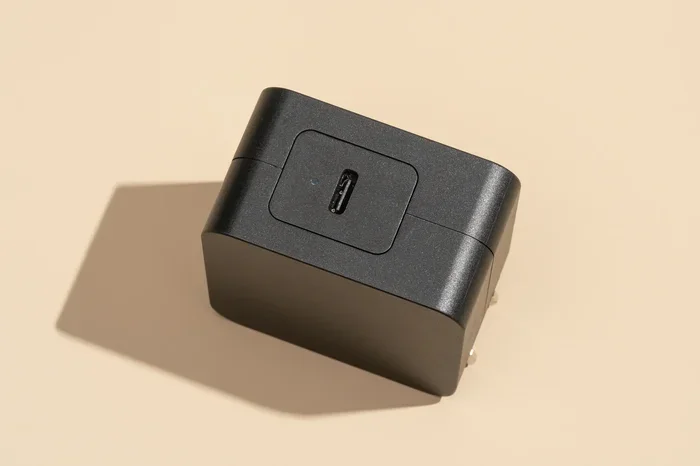
Gallium Nitride, or GaN, chargers are a newer type of USB C charger. They are smaller, lighter, and more efficient than traditional silicon chargers. Many GaN chargers support multiple power profiles and can charge laptops, phones, and tablets with a single device. If you want a versatile and compact option, a GaN USB C charger is an excellent choice.
Comparison Table: Common USB C Charger Types
Here is a quick comparison of popular charger types and how they work with laptops:
- Phone USB C charger (10-18W): Works for emergencies only. Charges very slowly on most laptops. Not ideal for daily use.
- Standard USB-C PD charger (45-65W): Good for most ultrabooks and thin laptops. Reliable and widely available.
- High-wattage USB-C PD charger (65-100W): Suitable for gaming laptops and power-hungry machines. Fast and efficient charging.
- GaN USB-C charger (65-100W): Compact, efficient, and versatile. Great for travel and multi-device charging.
- Multi-port USB-C charger: Can charge multiple devices at once. Make sure total wattage is shared properly across ports.
Frequently Asked Questions
Can I use any USB C charger for my laptop without damaging it?
Using a USB C charger that supports the right wattage and USB-C Power Delivery protocol is generally safe. However, using a charger with too low wattage will not damage your laptop. It will just charge slowly. The real danger comes from cheap, uncertified chargers that may deliver unstable power or lack safety protections. Always choose reputable chargers with proper certifications.
Will a higher wattage USB C charger hurt my laptop?
No. A higher wattage charger will not hurt your laptop. Modern laptops with USB-C PD only draw the power they need. If your laptop requires 45 watts and you use a 100-watt charger, the laptop will simply draw 45 watts. The charger provides capacity, not force.
Can I charge my laptop with a USB C hub or docking station?
Yes, many USB C hubs and docking stations support pass-through charging. This means you can plug the hub into your laptop and charge the laptop through the hub at the same time. However, make sure the hub supports the wattage your laptop needs. A hub that only outputs 10 watts will not be enough for most laptops.
Do all USB C cables support fast laptop charging?
No. Not all USB C cables are created equal. Some cables are only rated for low power and are designed for charging phones or syncing data. For fast laptop charging, you need a USB C cable rated for at least 60 watts or higher, depending on your laptop’s requirements. Check the cable specifications before purchasing.
Is it safe to use a third-party USB C charger for my laptop?
It is safe as long as the third-party charger is from a reputable brand and carries proper safety certifications. Look for UL, CE, or FCC marks on the charger. Avoid extremely cheap chargers from unknown sellers. These often lack proper voltage regulation and safety features, which can pose risks to your laptop and battery health.
How can I tell if my laptop supports USB-C Power Delivery?
Check your laptop’s specifications on the manufacturer’s website or in the user manual. Look for mentions of USB-C PD or Power Delivery in the charging section. You can also check the original charger that came with the laptop. If it is a USB C charger and lists Power Delivery support, your laptop supports it. Most modern laptops released after 2020 with USB C charging support USB-C PD.
Final Thoughts
So, can I use any USB C charger for my laptop safely today? The answer comes down to compatibility. USB C is a versatile and convenient connector, but it is not a one-size-fits-all solution. Your laptop has specific charging needs, and meeting those needs requires the right charger, the right wattage, and the right cable.
The good news is that choosing the right charger is not hard. Check your laptop’s requirements, look for USB-C PD support, match the wattage, and invest in quality cables and reputable brands. Avoid the temptation of the cheapest option. A good charger protects your laptop, your battery, and your peace of mind.
Take a few minutes today to understand your laptop’s charging needs. Pick the right USB C charger, and you will enjoy faster, safer, and more reliable charging every single day. Your laptop will thank you for it.