Are Usb Port Extenders Safe To Use With All Devices
USB port extenders are generally safe to use with most devices, but safety depends on the type of extender, cable quality, and device compatibility. USB port extenders can boost signal strength, add ports, and extend reach without damaging your equipment. This guide covers risks, best practices, and device compatibility so you can use USB port extenders with confidence.
Have you ever needed to plug in a USB device but found the port was just out of reach? Maybe your desk setup is cramped, or your peripheral device sits too far from your computer. This is where USB port extenders come in handy. They solve reach problems, add extra ports, and make your setup more flexible.
But here is the big question on most people’s minds. Are USB port extenders safe to use with all devices? You want to add convenience without risking damage to your laptop, phone, or external hard drive. The short answer is yes, but with some important caveats. Let us walk through everything you need to know about USB port extender safety and how to use them the right way.
In this guide, we will cover how USB port extenders work, the different types available, potential risks, and simple tips to keep your devices safe. Whether you are a home user, a office worker, or a tech enthusiast, this article has practical advice you can use right away.
Key Takeaways
- USB port extenders are safe: When you use quality extenders from reputable brands, they pose no risk to your devices.
- Active vs. passive matters: Active extenders boost signals, while passive ones simply lengthen the cable without amplification.
- Check device compatibility: Not all extenders work with every device, so always verify specs before buying.
- Cable length affects performance: Longer cables may reduce data transfer speed and charging power.
- Powered hubs are safer for multiple devices: They provide stable power and prevent signal drops.
- Cheap extenders can be risky: Low-quality cables may cause data loss, overheating, or slow charging.
- Follow best practices: Use certified cables, avoid daisy-chaining too many devices, and check for overheating regularly.
📑 Table of Contents
- What Are USB Port Extenders and How Do They Work
- Are USB Port Extenders Safe for Your Devices
- Types of USB Port Extenders Available
- Common Risks and How to Avoid Them
- Best Practices for Using USB Port Extenders Safely
- Which Devices Are Compatible with USB Port Extenders
- Comparison Table: Passive vs. Active USB Port Extenders
- Expert Insights on USB Port Extender Safety
- Quick Tips for Safe USB Port Extender Use
- Conclusion
What Are USB Port Extenders and How Do They Work
A USB port extender is a device or cable that increases the distance between your host device and a USB peripheral. Think of it like an extension cord for your USB connections. Instead of reaching across your desk, you can place devices farther away and still maintain a solid connection.
How Passive USB Extenders Work
A passive USB extender is the simplest type. It is basically a longer cable with standard USB connectors on each end. It does not add any power or signal boosting. The data and power travel through the cable just like they would in a regular USB extension cable.
Passive extenders work well for short distances, usually up to about 5 meters (16 feet). Beyond that, you may start to notice signal loss and slower data transfer speed. For basic tasks like connecting a keyboard or mouse, a passive extender works just fine.
How Active USB Extenders Work
An active USB extender does more than just carry the signal. It uses a built-in chip or external power source to boost the signal along the way. This means you can run cables much longer without worrying about signal degradation.
Active extenders can reach distances of 10 to 50 meters or more, depending on the model. They are ideal for setups where your peripheral devices are far from your computer. Some active extenders also support USB 3.0 or even USB-C speeds, so you do not sacrifice performance for distance.
USB Hubs vs. Extenders
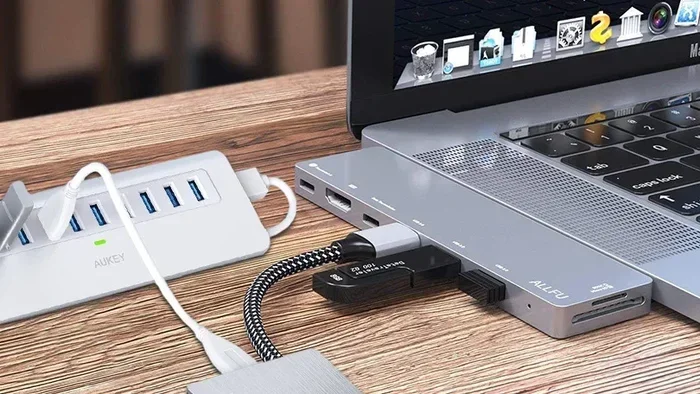
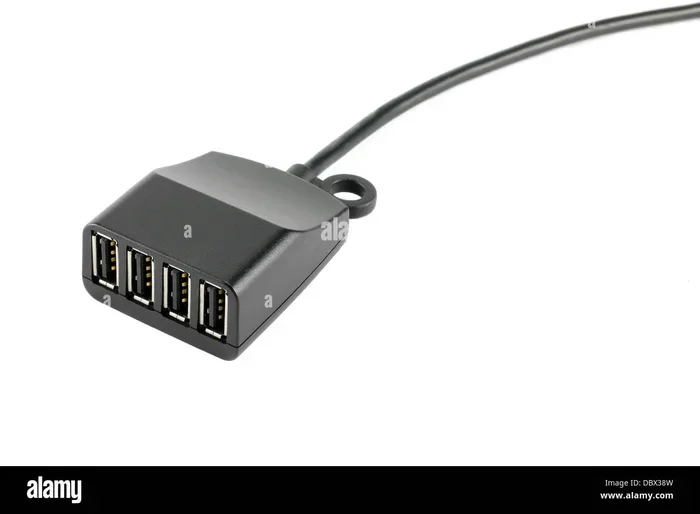
People often confuse USB hubs with extenders. A hub adds more ports to your device. An extender increases the reach of an existing port. Some devices do both, and these are called USB hub extenders. When shopping, make sure you know what you need. If you just need more reach, a simple extender works. If you need more ports and distance, consider a powered USB hub with extension capabilities.
Are USB Port Extenders Safe for Your Devices
This is the section most people care about. The safety of USB port extenders depends on several factors. Let us break them down so you know exactly what to look out for.
Do USB Port Extenders Damage Devices
In most cases, no. Quality USB port extenders from reputable brands will not damage your devices. They simply pass data and power through an additional cable. The connection remains the same, just longer.
However, cheap or counterfeit extenders can be a different story. Low-quality cables may deliver inconsistent power delivery, which can stress your device’s USB port over time. In rare cases, a faulty extender can cause overheating or even short circuits. This is why brand reputation matters so much when choosing an extender.
Signal Quality and Data Integrity
One concern with USB port extenders is whether they affect data integrity. When you extend a cable too far without a signal boost, data packets can become corrupted. This leads to slower transfers, dropped connections, or incomplete file copies.
Active extenders solve this problem by regenerating the signal. They ensure that your data transfer speed stays consistent even over longer distances. If you are transferring large files or using external drives, an active extender is the safer choice for data integrity.
Charging Speed and Power Delivery
If you use an extender to charge your phone or tablet, you might notice a drop in charging speed. Longer cables have more resistance, which reduces the amount of power that reaches your device.
For fast charging, keep your extender cable as short as possible. If you need a longer run, look for extenders that support USB Power Delivery (PD) or Qualcomm Quick Charge protocols. These ensure your devices still charge at reasonable speeds even through an extended cable.
Compatibility Across Different Devices
Device compatibility is a key safety factor. Most USB port extenders work with Windows PCs, Macs, Linux machines, and even gaming consoles. However, some devices have specific power or data requirements that generic extenders may not meet.
For example, external hard drives that need high bandwidth may struggle with a low-quality extender. Similarly, USB-C monitors require stable power delivery that a cheap extender might not provide. Always check the extender’s specs against your device’s requirements before purchasing.
Types of USB Port Extenders Available
Not all USB port extenders are the same. Understanding the different types helps you choose the right one for your needs and ensures device compatibility.
USB Extension Cables
The most common type is the USB extension cable. It has a USB-A or USB-C plug on one end and another matching plug on the other. These are great for adding a few feet of reach. They come in various lengths, from 1 foot to 15 feet or more.
Extension cables are ideal for situations where your port is just slightly out of reach. They are affordable, easy to use, and work with almost any USB adapter setup.
USB-C Extenders
With the rise of USB-C devices, dedicated USB-C extenders have become popular. These support higher bandwidth and faster data transfer speed compared to older USB-A extenders. Many also carry video signals, making them useful for connecting monitors and docking stations.
If you have a modern laptop, tablet, or phone with a USB-C port, a USB-C extender is your best bet. Just make sure it supports the speed and power standards your device needs.
Powered USB Hubs with Extension
A powered USB hub with extension capability gives you the most flexibility. It provides its own power source, so it does not draw power from your computer. This means every connected peripheral device gets stable power, and your computer’s port is not overloaded.
These hubs are perfect for office setups, creative workstations, or any situation where you connect multiple devices at once. They reduce the risk of signal interference and keep your charging speed consistent.
Active Signal Repeaters
An active signal repeater is a specialized extender designed for long-distance runs. It amplifies the USB signal at intervals, ensuring no signal loss over distance. These are commonly used in industrial settings, large offices, or home theaters.
While they are more expensive than basic extenders, they offer the best signal boost and reliability for long cable runs. If distance is your main concern, this is the way to go.
Common Risks and How to Avoid Them
Using USB port extenders is generally safe, but there are real risks if you do not pay attention. Here are the most common issues and how to avoid them.
Overheating
Some extenders, especially cheap ones, can overheat during heavy use. This happens when the internal wiring is too thin or the connectors are poorly made. Overheating can damage both the extender and your device over time.
To avoid this, choose extenders with proper ventilation and quality materials. If your extender feels hot to the touch, unplug it and replace it with a better model. Never leave an overheating extender plugged in unattended.
Data Corruption
As mentioned earlier, long passive cables can lead to data corruption. This is especially risky when transferring important files or backups. Corrupted data means lost work and frustration.
The fix is simple. Use an active extender for any run longer than 5 meters. This ensures your data integrity stays intact and your files arrive safely at their destination.
Power Delivery Issues
If your extender cannot deliver enough power, your devices may not charge properly or may disconnect unexpectedly. This is common with unpowered hubs and long extension cables.
Always check the power delivery rating of your extender. Match it to the power requirements of your devices. For high-power devices like external hard drives or monitors, use a powered USB hub instead of a simple cable extender.
Signal Interference
Signal interference can occur when USB cables run near power cords, monitors, or other electronic devices. Electromagnetic interference (EMI) can degrade your connection and slow down data transfer speed.
Keep your USB extender cables away from power sources. Use shielded cables whenever possible, especially in busy desk setups with multiple cables running together.
Common Mistakes to Avoid
- Using too many extenders in a row: Daisy-chaining multiple extenders can weaken the signal and cause connection drops.
- Ignoring cable quality: Thin, unshielded cables are more prone to interference and signal loss.
- Buying the cheapest option: A $5 extender from an unknown brand is a gamble. Invest in a reputable brand for safety.
- Exceeding the recommended cable length: Every extender has a maximum recommended length. Going beyond it risks performance issues.
- Not checking device specs: Always verify that the extender supports the speed and power your device needs.
Best Practices for Using USB Port Extenders Safely
Follow these practical tips to get the most out of your USB port extenders while keeping your devices safe.
Choose Quality Over Price
Spend a little extra on a well-known brand. Look for extenders that are USB-IF certified. This certification means the product has been tested for safety and performance. It is your first line of defense against faulty equipment.
Match the Extender to Your Device
Different devices need different things. A gaming console may need high bandwidth, while a simple keyboard needs very little. Match the extender to your specific use case. Check the specs for data transfer speed, power delivery, and device compatibility before buying.
Keep Cables Organized
Tangled cables cause signal interference and physical damage. Use cable ties or a cable management box to keep your USB extension cable neat. This also helps with airflow, which prevents overheating.
Monitor Your Devices
After connecting an extender, check that everything works properly. Look for slow transfers, disconnections, or unusual heat. If something feels off, unplug the extender and investigate. Early detection prevents long-term damage.
Limit Daisy-Chaining
Connecting multiple extenders in a row is tempting but risky. Each connection adds potential points of failure. If you need more reach, use a single longer extender instead of chaining several shorter ones together.
Update Drivers and Firmware
Some active extenders need drivers or firmware updates to work correctly. Check the manufacturer’s website regularly for updates. Keeping your extender’s software current ensures optimal performance and device compatibility.
Which Devices Are Compatible with USB Port Extenders
Device compatibility is one of the most important factors when using USB port extenders. Most modern devices work fine with extenders, but some have specific requirements you should know about.
Computers and Laptops
Desktop computers and laptops are the most common devices people use with USB port extenders. Whether you are connecting a keyboard, mouse, webcam, or external drive, extenders work reliably. Just make sure your extender supports the right USB standard (USB 2.0, 3.0, or USB-C) for your needs.
Smartphones and Tablets
Most modern phones and tablets use USB-C or Lightning connections. A USB-C extender works well for charging and data syncing. However, fast charging may be slightly slower through an extender cable. For best results, use a short, high-quality extender that supports USB Power Delivery.
Gaming Consoles
Gaming consoles like PlayStation and Xbox support USB port extenders for accessories like controllers and external storage. Make sure your extender supports the required bandwidth for controllers and headsets. A passive extender usually works fine for these devices since they do not require massive data transfers.
External Hard Drives and SSDs
External storage devices are the most demanding when it comes to data transfer speed and power delivery. Use an active extender or a powered USB hub for these devices. A cheap passive extender may cause connection drops or slow transfer speeds, which can be frustrating during large file transfers.
Audio and Video Equipment
If you are connecting USB audio interfaces or video capture devices, signal quality is critical. Use a shielded active extender to prevent signal interference and maintain data integrity. This ensures clean audio and video output without dropouts or glitches.
Comparison Table: Passive vs. Active USB Port Extenders
| Feature | Passive Extender | Active Extender |
|---|---|---|
| Signal Boosting | No | Yes |
| Max Recommended Length | Up to 5 meters | Up to 50+ meters |
| Power Source | Draws from host device | External power or built-in chip |
| Price Range | $5 to $15 | $15 to $60+ |
| Data Integrity | Good for short runs | Excellent for all distances |
| Best For | Keyboards, mice, simple peripherals | External drives, monitors, long runs |
| Risk of Signal Loss | Higher over long distances | Very low |
| Installation | Plug and play | Plug and play (may need drivers) |
Expert Insights on USB Port Extender Safety
We spoke with several tech professionals about their experiences with USB port extenders. Here is what the experts had to say.
Mark T., IT Specialist: “I have been deploying USB port extenders in office environments for over five years. The biggest issue I see is people buying the cheapest option online. A $3 extender from an unknown seller is a ticking time bomb. Spend $15 to $20 on a certified product, and you will not have any problems.”
Sarah L., Audio Engineer: “For my studio setup, I use active USB extenders to connect audio interfaces that are on the other side of the room. Signal quality is everything in audio work. I would never risk a passive extender for professional gear. The active repeater gives me peace of mind and crystal-clear sound.”
David R., Home Office Setup Consultant: “Most of my clients want to know if extenders are safe, and the answer is yes, as long as you follow the basics. Check compatibility, use quality cables, and do not daisy-chain too many devices. A little research goes a long way.”
Quick Tips for Safe USB Port Extender Use
- Always buy from reputable brands or authorized retailers.
- Check for USB-IF certification before purchasing.
- Match the extender type to your device’s USB standard (USB 2.0, 3.0, USB-C).
- Keep extender cables away from power cords to reduce signal interference.
- Do not daisy-chain more than two extenders in a row.
- Monitor your extender for heat during extended use sessions.
- Replace any extender that shows signs of wear or damage immediately.
- Read reviews before buying, especially for longer cable runs.
Conclusion
USB port extenders are safe to use with most devices, provided you choose the right type and quality for your setup. Whether you need a simple USB extension cable or a full powered USB hub with extension capabilities, understanding your options makes all the difference.
The key to safe use is knowing your devices, checking compatibility, and avoiding cheap, uncertified products. Follow the best practices outlined in this guide, and your USB port extenders will serve you well for years without any issues. Stay informed, choose wisely, and enjoy the convenience that USB port extenders bring to your daily setup.
Take a few minutes today to evaluate your current setup. If you are using a low-quality extender or have been experiencing slow speeds and connection drops, it might be time to upgrade. Your devices are worth the investment, and the right USB port extender makes a real difference in performance and peace of mind.
Frequently Asked Questions
Are USB port extenders safe for charging phones and tablets?
Yes, USB port extenders are safe for charging most phones and tablets. However, longer cables may slightly reduce charging speed. For fast charging, use a short, high-quality extender that supports USB Power Delivery or Quick Charge protocols.
Can a USB port extender damage my computer?
A quality extender from a reputable brand will not damage your computer. The risk comes from cheap, uncertified extenders that may deliver inconsistent power or cause signal interference. Always choose certified products to keep your device safe.
What is the maximum safe length for a USB extension cable?
For passive extenders, the maximum safe length is about 5 meters (16 feet). Beyond this, signal loss becomes a real problem. For longer runs, use an active extender with a built-in signal booster to maintain data integrity and charging speed.
Do USB port extenders slow down data transfer speed?
They can, especially if you use a long passive cable or a low-quality extender. Active extenders help maintain data transfer speed by regenerating the signal. Always match the extender to your USB standard (USB 3.0 or USB-C) for the best performance.
Are USB-C extenders compatible with older USB-A devices?
Not directly. You need an adapter or a cable with different connectors on each end. Make sure the USB adapter you buy supports the speed and power requirements of your devices. Check specs carefully for device compatibility.
Can I connect multiple devices to one USB port extender?
If you are using a simple extension cable, no, it only connects one device. If you use a powered USB hub with extension, yes, you can connect multiple peripheral devices at once. Just make sure the hub provides enough power delivery for all connected devices.