Do Incognito Searches Show On Your Home Internet Bill
Many people believe that using incognito mode hides their search history from everyone, including their internet bill. The truth is more nuanced. While incognito searches don’t save locally on your device, your internet service provider and network administrator can still track your browsing activity. Read on to learn exactly what shows up on your bill and how to protect your online privacy.
Do Incognito Searches Show On Your Home Internet Bill
You have probably heard the phrase “incognito mode” thrown around as a magic shield for your online privacy. It sounds like a superhero cape for your browsing habits. But here is the real question: do incognito searches show on your home internet bill? The short answer is yes, in some ways they can.
The longer answer is much more interesting. Incognito mode is one of the most misunderstood tools in modern technology. Millions of people open a private browsing window every day thinking they are invisible online. They are not. Not completely.
This guide breaks down exactly what happens when you browse in incognito mode, who can still see your activity, and what actually appears on your home internet bill. Whether you are curious about your own online privacy or worried about someone else seeing your browsing history, you are in the right place.
Key Takeaways
- Incognito mode does NOT hide your searches from your ISP or home WiFi router.
- Your internet bill typically shows data usage but not specific websites visited.
- Your ISP can see every site you visit, even in incognito mode.
- Network admins on shared home networks may access router logs showing browsing activity.
- Using a VPN or DNS encryption adds a strong layer of privacy on home networks.
- Incognito mode only prevents local browser history from being saved on your device.
📑 Table of Contents
- What Does Incognito Mode Actually Do?
- Do Incognito Searches Show On Your Internet Bill?
- Can Your Home WiFi Router Track Incognito Searches?
- Who Can Actually See Your Incognito Searches?
- How to Truly Protect Your Browsing Privacy
- Common Myths About Incognito Mode
- What About Mobile Data and Cell Phone Bills?
- Final Thoughts on Incognito and Your Internet Bill
What Does Incognito Mode Actually Do?
Let us start with the basics. When you open a private browsing window in Chrome, Firefox, Safari, or Edge, your browser enters what is commonly called incognito mode. This mode changes how your browser handles data during that session.
Here is what incognito mode actually does:
- It does not save your browsing history to your device.
- It does not store cookies or site data after you close the window.
- It does not save form inputs like passwords or search terms.
- It deletes temporary files once you close the private window.
That is it. Those are the only things incognito mode does. It does not make you invisible. It does not block tracking. And it certainly does not hide your activity from your internet service provider or your home network.
What Incognito Mode Does NOT Do
Many people assume that opening an incognito window means nobody can see what they do online. This is a dangerous misconception. Here is what incognito mode fails to hide:
- Your internet service provider (ISP) can still see every website you visit.
- Your employer or school network admin can track your activity if you are on their network.
- The websites you visit can still identify your device through your IP address.
- Malware or spyware on your device can still monitor your browsing.
- Your home WiFi router can log the domains you visit.
Think of incognito mode like wearing a mask in a store. The store clerk does not know your face, but they still saw you walk in and walk out. Your browsing activity is still visible to anyone watching the network.
Do Incognito Searches Show On Your Internet Bill?
This is the big question, and the answer depends on what you mean by “bill.” Most home internet bills from companies like Comcast, AT&T, or Spectrum do not list individual websites you visited. They show your data usage in gigabytes or terabytes.
However, that does not mean your search history is completely hidden from your provider. Here is how it breaks down:
What Your Internet Bill Shows
Your monthly internet bill typically includes:
- Total data consumed during the billing cycle.
- Download and upload speeds you are paying for.
- Any overage charges if you exceeded your data cap.
- Billing details like payment method and due dates.
You will not see a list of URLs or search terms on your bill. So in that sense, incognito searches do not show up directly. But your ISP still collects data about your internet activity behind the scenes.
What Your ISP Can See
Your internet service provider acts as the gateway between your home and the internet. Every request you make goes through their servers. This means they can see:
- Every domain you visit, even in incognito mode.
- When you visited each site and for how long.
- Your search queries if they are not encrypted.
- Your IP address and device information.
Even if you use private browsing, your ISP still logs this information. Some providers retain these logs for months or even years. This is a critical distinction many people miss.
Can Your Home WiFi Router Track Incognito Searches?
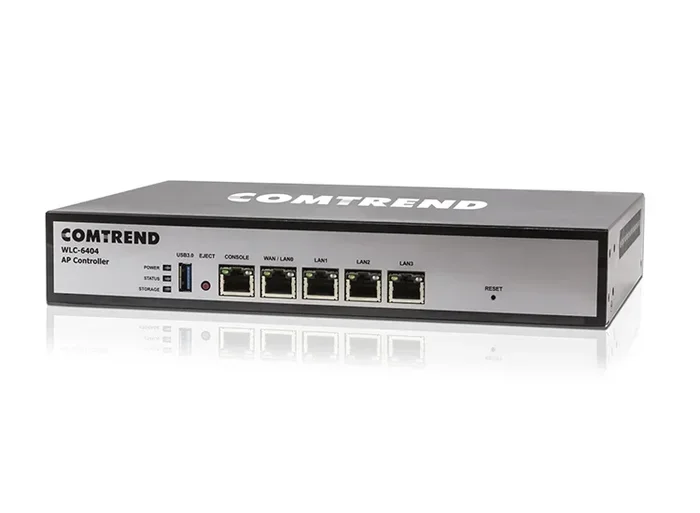
Yes, it absolutely can. Your home WiFi router keeps logs of all devices connected to it. These logs can show which domains were accessed, even if you used incognito mode.
If someone else manages your home network, such as a parent, roommate, or landlord, they can potentially access these router logs. This is especially true for routers with built-in logging features or parental control software.
How Router Logging Works
Every time your device connects to a website, it sends a request through your router. The router records this request. Here is what a typical router log might show:
- Device name or IP address on your network.
- Domain name of the website visited.
- Timestamp of when the request was made.
- Amount of data transferred during the session.
Router logs do not usually show specific search queries or page URLs with full paths. But they can still reveal a lot about your browsing habits. For example, if you visit facebook.com at 2 AM every night, that pattern is easy to spot.
Guest Networks and Visibility
If you are on a guest WiFi network, the network administrator still has visibility into your activity. Guest networks often have less security, which can make tracking even easier. If you are worried about privacy on shared networks, you should understand what people can see on guest WiFi and take steps to protect yourself.
Who Can Actually See Your Incognito Searches?
Let us put this all together. There are several parties who can potentially see your incognito searches, even if you are using your home network:
1. Your Internet Service Provider
Your ISP has the most visibility. They see all unencrypted traffic flowing through their network. Even with HTTPS encryption (which most sites use now), they can still see the domain name you are visiting.
2. Network Administrators
If you are on a shared home network, the person managing the router can access logs. This includes parents monitoring children or employers providing home office equipment.
3. Website Owners and Advertisers
Websites you visit can track your activity through your IP address and browser fingerprinting. Incognito mode does not hide your IP address or prevent fingerprinting.
4. Malware or Spyware
If your device is infected with malicious software, it can record everything you do regardless of private browsing mode. This is a serious risk that many people overlook.
How to Truly Protect Your Browsing Privacy
If you want real privacy beyond what incognito mode offers, there are several tools and practices you should consider.
Use a VPN
A virtual private network encrypts all traffic between your device and the VPN server. Your ISP cannot see which websites you visit. Your router logs will only show a connection to the VPN server, not the final destination. This is the single most effective way to hide your browsing activity from your home network.
Use Encrypted DNS
Standard DNS requests are not encrypted. This means your router can see which domains you are looking up. Using encrypted DNS (like DNS over HTTPS or DNS over TLS) prevents this. Services like Cloudflare (1.1.1.1) and NextDNS offer encrypted DNS options.
Use a Privacy-Focused Browser
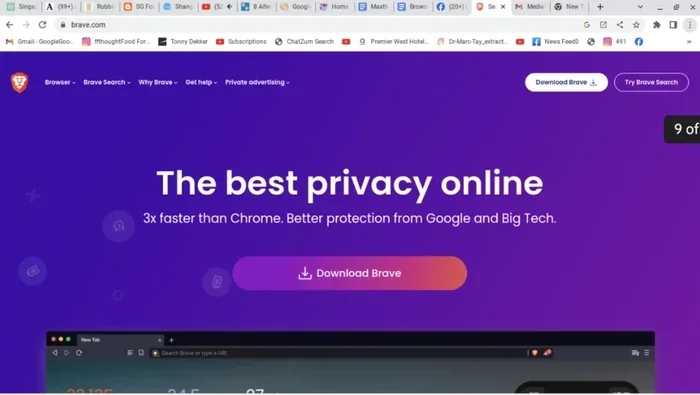
Browsers like Brave, Tor, or DuckDuckGo Privacy Browser offer built-in tracking protection. The Tor browser routes your traffic through multiple servers, making it extremely difficult to trace back to you.
Clear Your DNS Cache Regularly
Your device stores DNS cache records of websites you have visited. Clearing this cache regularly helps reduce the trail of digital footprints you leave behind on your local device.
Common Myths About Incognito Mode
Let us clear up some of the biggest myths floating around about private browsing:
- Myth: Incognito mode makes you completely anonymous online. Truth: It only hides your history from your local device and other users of that device.
- Myth: Your ISP cannot see your activity in incognito mode. Truth: Your ISP sees everything that is not encrypted.
- Myth: Incognito mode blocks all tracking. Truth: It blocks third-party cookies but does not stop fingerprinting or IP-based tracking.
- Myth: Your browsing is completely hidden on shared WiFi. Truth: Network admins can still see domain-level activity in router logs.
- Myth: Incognito mode is the same as using a VPN. Truth: They are completely different tools that serve different purposes.
Understanding these myths helps you make better decisions about your online privacy. Incognito mode is a useful tool, but it is not a privacy solution on its own.
What About Mobile Data and Cell Phone Bills?
The same principles apply to mobile data. Your cellular provider can see your browsing activity just like your home ISP. Your phone bill shows data usage but typically does not list specific websites. However, your provider retains metadata about your internet activity.
If you are wondering about specific carrier situations, such as whether certain phones work on certain networks, that is a separate question entirely. For example, Sprint phones and their compatibility with other networks is a common concern for users switching carriers.
Final Thoughts on Incognito and Your Internet Bill
So do incognito searches show on your home internet bill? The direct answer is no. Your bill shows data usage, not specific websites. But the deeper answer is that your ISP, your router, and your network administrator can all see more than you might think.
Incognito mode is a helpful feature for keeping your local browsing clean. It prevents your history from being saved on your device. But it does not make you invisible to the wider internet. If true privacy matters to you, you need additional tools like a VPN, encrypted DNS, or privacy-focused browsers.
Take control of your online privacy today. Understand what incognito mode can and cannot do. Make informed choices about how you browse and what you share. Your digital footprint is yours to protect.
Frequently Asked Questions
Does incognito mode hide my searches from my internet bill?
Yes and no. Your internet bill typically shows data usage, not specific websites. But your ISP and network admin can still see your browsing activity even in incognito mode. The bill itself does not list individual sites you visited.
Can my parents see my incognito browsing on the home WiFi?
Yes, they can if they have access to the router logs. Incognito mode only prevents local history from being saved on your device. It does not hide your activity from the router or network administrator.
What is the difference between incognito mode and a VPN?
Incognito mode hides your browsing history from your local device. A VPN encrypts all your traffic and hides it from your ISP and network. They serve completely different purposes and work best when used together.
Do ISPs keep records of browsing history?
Many ISPs do keep records of browsing activity, including domain names and timestamps. Retention periods vary by provider and location. Some keep logs for 90 days, while others may retain them for much longer.
Can my internet provider see what I search even in incognito?
Yes, your ISP can see every domain you visit, even in incognito mode. If a site uses HTTPS, they cannot see the full URL or search queries, but they can see the domain name clearly.
How can I browse privately on my home network?
Use a VPN to encrypt all traffic, use encrypted DNS to hide domain lookups, and use a privacy-focused browser like Brave or Tor. Incognito mode alone is not enough for real privacy on a shared network.