Can You Bluetooth To A PA System Here Is Everything You Need
Yes, you can absolutely Bluetooth to a PA system and it is easier than most people think. Whether you use a built-in Bluetooth receiver, an adapter, or a mixer with wireless capabilities, streaming music wirelessly to your PA system opens up a world of convenience. This guide covers every setup method, compatibility issue, and pro tip you need to know. You will learn how to connect, troubleshoot problems, and get the best wireless audio quality every time.
Have you ever stood in front of a crowd and wished you could just stream music straight to your PA system without wrestling with cables? Maybe you are setting up for a backyard party, a small gig, or a community event. The idea of wireless audio streaming sounds great, but you are not sure if it is even possible. You wonder, can you Bluetooth to a PA system? The short answer is yes. The longer answer is even better, because there are more ways to do it than you might think.
Bluetooth technology has changed the way we share audio. What used to require messy cables and complicated setups can now happen with a few taps on your phone. Whether you have a portable PA system or a full-sized rack unit, Bluetooth compatibility is more common than ever. In this guide, we will walk you through everything you need to know. From understanding how Bluetooth connectivity works with public address systems to troubleshooting common issues, you will find all the answers right here.
Key Takeaways
- Bluetooth connectivity is widely supported: Most modern PA systems come with built-in Bluetooth or can be upgraded with an adapter.
- Multiple connection methods exist: You can use Bluetooth built into the system, an external Bluetooth adapter, a wireless mixer, or a smartphone app.
- Audio quality depends on the Bluetooth version: Newer versions like Bluetooth 5.0 and above deliver better range and sound quality.
- Common issues are easy to fix: Pairing problems, latency, and range limitations can usually be solved with simple steps.
- Wireless streaming boosts flexibility: Going wireless means no cables, faster setups, and more mobility during events.
- Compatibility matters: Not all PA systems support Bluetooth natively, so check your model before purchasing.
📑 Table of Contents
- What Is a PA System and Why Would You Bluetooth To One?
- How Bluetooth Connectivity Works with PA Systems
- Different Ways to Connect Bluetooth to a PA System
- Comparing Bluetooth Connection Methods
- Tips for Getting the Best Bluetooth Audio Quality
- Common Problems and How to Fix Them
- Expert Insights on Wireless PA System Setups
- Is Bluetooth Enough, or Should You Consider Other Wireless Options?
- Key Takeaways
- Frequently Asked Questions
- Final Thoughts
What Is a PA System and Why Would You Bluetooth To One?
A PA system, or public address system, is designed to amplify sound for an audience. It typically includes speakers, a mixer, and sometimes microphones. These systems are used at concerts, schools, churches, sports events, and parties. The main goal is to make sound louder and clearer for a large group of people.
So why would you want to Bluetooth to a PA system? Think about how much music you listen to from your phone or tablet every day. Now imagine being able to play that music through a powerful speaker system without plugging in a single cable. That is the magic of wireless music playback. It saves time, reduces clutter, and gives you more freedom to move around during an event.
Here are some common situations where Bluetooth audio streaming to a PA system makes sense:
- Outdoor parties and gatherings: Stream playlists directly to your speakers without running extension cords across the yard.
- Small live performances: Musicians can play backing tracks or demo songs wirelessly during rehearsals or small gigs.
- Corporate events: Presenters can switch between a microphone and background music without re-cabling anything.
- Fitness classes: Instructors can stream upbeat music from a phone to the gym’s wireless speaker system instantly.
- Schools and churches: Easy playback of announcements, worship songs, or presentations from a mobile device.
The bottom line is that wireless connectivity adds a layer of convenience that wired setups simply cannot match. You set up faster, move freely, and focus on your event instead of your cables.
How Bluetooth Connectivity Works with PA Systems
Understanding how Bluetooth technology connects to a sound system helps you troubleshoot problems later. Bluetooth uses radio waves to transmit audio data between devices. It operates on the 2.4 GHz frequency band, which is the same band used by Wi-Fi and microwaves. The good news is that modern Bluetooth versions handle interference much better than older ones.
When you pair your phone to a PA system, your phone acts as the source device and the PA system acts as the receiving device. The audio signal is compressed, sent wirelessly, and then decoded by the receiver inside the PA system. This whole process happens in milliseconds.
Bluetooth Versions and What They Mean for Audio Quality
Not all Bluetooth connections are created equal. The version of Bluetooth your devices support affects both range and sound quality. Here is a quick breakdown:
- Bluetooth 4.0 and below: Basic audio streaming. Range is limited to about 30 feet. Sound quality is standard but may drop out occasionally.
- Bluetooth 4.2: A slight improvement in range and stability. Still standard audio quality.
- Bluetooth 5.0: Double the range of older versions, up to 800 feet in open space. Better sound quality and lower power consumption.
- Bluetooth 5.2 and 5.3: The latest versions support LE Audio and LC3 codec, which delivers noticeably better audio quality and more stable connections.
If your portable PA system supports Bluetooth 5.0 or higher, you will enjoy a stronger connection and clearer sound. Always check the specs of your system before buying.
The Role of the Bluetooth Adapter
Not every PA system has Bluetooth built in. Older models and budget systems often rely on wired inputs like AUX or RCA connections. In these cases, a Bluetooth adapter is your best friend. A Bluetooth adapter plugs into the audio input of your PA system and acts as a wireless bridge between your phone and the speakers.
These adapters are small, affordable, and incredibly easy to use. Most come with a 3.5mm AUX cable or RCA cables included. You simply plug the adapter into your PA system, pair it with your phone, and you are streaming in seconds.
Different Ways to Connect Bluetooth to a PA System
There is no one-size-fits-all approach to Bluetooth PA system setups. The method you choose depends on your equipment and your needs. Let us explore the most popular options.
Method 1: Built-In Bluetooth on the PA System
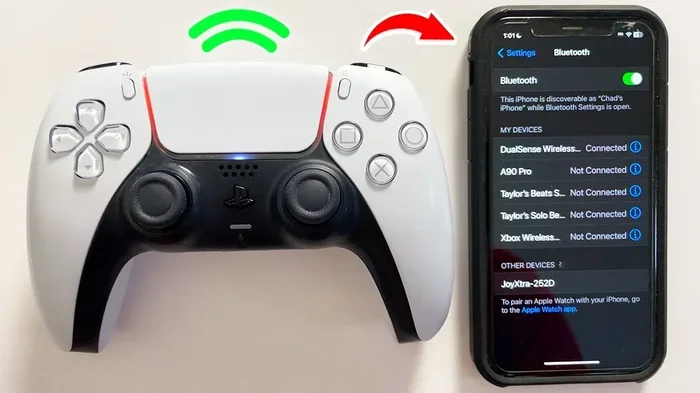
Many modern PA systems come with Bluetooth built right into the mixer or amplifier. This is the easiest method because there is nothing extra to buy. You just go to your phone’s Bluetooth settings, find the PA system in the list of available devices, and tap to connect.
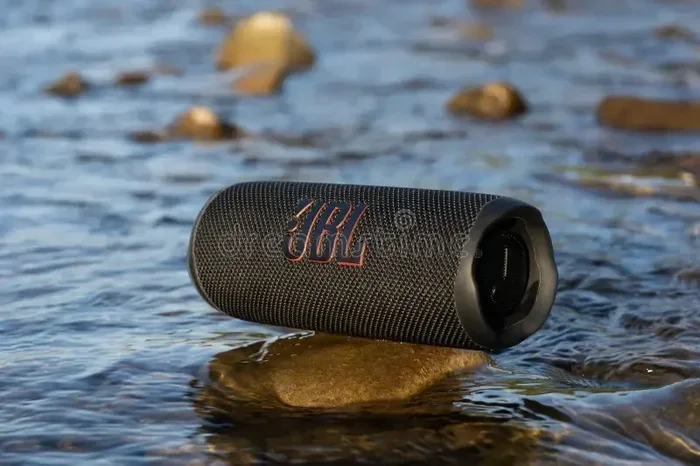
Brands like JBL, Bose, Yamaha, and Behringer offer PA systems with native Bluetooth support. Some models even support dual pairing, which means you can connect two phones at the same time. This is great for DJs or presenters who need to switch between devices quickly.
Method 2: Using a Bluetooth Adapter
If your sound system does not have built-in Bluetooth, do not worry. A Bluetooth adapter solves this problem easily. These adapters range from about $15 to $80 depending on features and audio quality.
Here is how to set one up:
- Plug the adapter into the AUX or RCA input on your PA system.
- Turn on the adapter and put it in pairing mode.
- Go to your phone’s Bluetooth settings and select the adapter.
- Once paired, play music on your phone and it will stream to the speakers.
Some adapters also include a built-in microphone input, which lets you take calls or use a wired microphone while streaming music. This is a handy feature for events where you need both music and announcements.
Method 3: Wireless Mixer with Bluetooth
A wireless mixer is a step up from a basic adapter. These devices combine a mixer, amplifier, and Bluetooth receiver into one unit. They give you more control over your sound, including volume, EQ, and effects.
Wireless mixers are ideal for musicians and event planners who want professional-quality wireless audio streaming. They also often include features like battery power, which makes them perfect for outdoor events where outlets are scarce.
Method 4: Bluetooth Through a Smartphone App
Some PA systems come with a companion app that lets you control playback wirelessly. These apps often provide extra features like playlist management, equalizer controls, and even lighting effects if your system supports them. Check your manufacturer’s website to see if an app is available for your model.
Comparing Bluetooth Connection Methods
Not sure which method is right for you? Here is a quick comparison of the most common ways to connect Bluetooth to a PA system:
| Method | Ease of Setup | Cost | Audio Quality | Best For |
|---|---|---|---|---|
| Built-In Bluetooth | Very Easy | Included | Good to Excellent | Modern PA systems with native support |
| Bluetooth Adapter | Easy | $15 – $80 | Good | Older systems without Bluetooth |
| Wireless Mixer | Moderate | $150 – $500 | Excellent | Professional events and musicians |
| Smartphone App | Easy | Free or Low Cost | Good | Systems with compatible apps |
Each method has its strengths. For most casual users, built-in Bluetooth or a simple adapter will do the job perfectly. Professional users will benefit most from a wireless mixer with advanced controls and better audio fidelity.
Tips for Getting the Best Bluetooth Audio Quality
Bluetooth audio quality can vary depending on several factors. Follow these tips to get the best possible sound from your wireless streaming setup.
Keep Your Devices Close
Bluetooth works best when the source device and the receiver are within range. While newer Bluetooth versions can reach up to 800 feet in open space, walls, furniture, and other obstacles reduce that range significantly. For the best audio quality, keep your phone within 30 feet of the PA system.
Minimize Wireless Interference
Because Bluetooth uses the same 2.4 GHz band as Wi-Fi, other wireless devices can cause interference. If you notice crackling or dropouts, try moving away from Wi-Fi routers, microwaves, or other Bluetooth devices. Switching your Wi-Fi to the 5 GHz band can also help free up the 2.4 GHz space for your Bluetooth connection.
Use High-Quality Source Files
The quality of your audio files matters. Streaming high-bitrate MP3s or using services like Spotify, Apple Music, or Tidal will sound much better than low-quality compressed files. Your PA system can only reproduce what you feed it, so start with the best source possible.
Update Your Firmware
Many modern PA systems and Bluetooth adapters receive firmware updates that improve connectivity and fix bugs. Check the manufacturer’s website or app regularly for updates. A simple firmware update can sometimes solve pairing issues you have been struggling with.
Turn Off Other Connected Devices
If your phone is connected to a smartwatch, earbuds, or car audio at the same time, it may split the Bluetooth signal. This can cause audio to stutter or lag. Before connecting to your PA system, disconnect other Bluetooth devices temporarily for a cleaner connection.
Quick Tips for Better Sound
- Place your PA system on a stable surface to reduce vibrations.
- Use the equalizer on your phone or mixer to fine-tune the sound.
- Avoid placing your phone in a metal case, which can block Bluetooth signals.
- Restart both devices if you experience connection issues.
- Keep your Bluetooth adapter firmware updated if applicable.
Common Problems and How to Fix Them
Even with the best setup, you may run into issues when using Bluetooth with a PA system. Here are the most common problems and how to solve them.
Pairing Failures
If your phone cannot find the PA system during pairing, try these steps. First, make sure Bluetooth is turned on and visible on both devices. Second, turn off Bluetooth on both devices, wait 10 seconds, and turn them back on. Third, reset the Bluetooth adapter if you are using one. Most pairing issues resolve with a simple restart of both devices.
Audio Lag or Latency
Audio lag happens when there is a delay between the audio playing on your phone and the sound coming from the speakers. This is more common with Bluetooth adapters than with built-in Bluetooth. To reduce latency, use a Bluetooth adapter that supports aptX or aptX Low Latency codecs. These codecs process audio faster and reduce the delay noticeably.
Sound Cutting Out
If your audio keeps cutting out, the Bluetooth range may be the culprit. Move closer to the PA system and remove physical obstacles between the devices. Interference from other wireless devices can also cause dropouts. Switching to a less crowded Wi-Fi channel or moving away from other electronics can help stabilize the connection.
Poor Audio Quality
Muffled or distorted sound usually comes from one of two sources. Either the audio file quality is low, or the Bluetooth codec on your devices is outdated. Check that your phone and PA system both support the same Bluetooth codec. If possible, update firmware on both devices to ensure compatibility with the latest codecs like aptX HD or LDAC.
Expert Insights on Wireless PA System Setups
We spoke with several event professionals and audio engineers about their experiences with Bluetooth PA system setups. Here is what they had to say.
“The biggest mistake I see is people assuming all Bluetooth connections sound the same,” says Marcus Rivera, a live sound technician with over 12 years of experience. “The version of Bluetooth, the codec, and the quality of the adapter all matter. Investing in a good Bluetooth 5.0 adapter or a system with native support makes a huge difference.”
“For outdoor events, I always recommend a wireless mixer over a basic adapter,” adds Rivera. “It gives you more control, better sound, and the freedom to move around without being tethered to a specific spot.”
Another common insight from professionals is to always have a wired backup plan. While wireless streaming is incredibly convenient, technical issues can happen. Having an AUX cable ready ensures your event goes smoothly no matter what.
Is Bluetooth Enough, or Should You Consider Other Wireless Options?
Bluetooth is the most popular wireless option for PA systems, but it is not the only one. Depending on your needs, other technologies might serve you better.
Wi-Fi Streaming: Some high-end PA systems support Wi-Fi audio streaming through apps like Spotify Connect or AirPlay. Wi-Fi offers a wider range than Bluetooth and can handle higher audio bitrates. However, it requires a stable Wi-Fi network, which may not always be available at outdoor events.
RF Wireless Systems: Radio frequency wireless systems are commonly used in professional audio setups. They offer longer range and more reliability than Bluetooth. These systems are often used for wireless microphones but can also transmit audio from a mixer to speakers over long distances.
Digital Wireless Systems: Brands like Shure and Sennheiser offer digital wireless systems that provide studio-quality audio with minimal latency. These are ideal for professional musicians and large-scale events where audio quality is non-negotiable.
For most everyday users, Bluetooth is more than enough. It is simple, affordable, and widely supported. But if you need longer range or professional-grade audio, exploring Wi-Fi or RF options is worth your time.
Key Takeaways
- Bluetooth to a PA system is simple and widely supported: Most modern systems have built-in Bluetooth or can be upgraded with an adapter.
- Multiple connection methods fit different needs: Choose between built-in Bluetooth, adapters, wireless mixers, or app-based streaming.
- Bluetooth version affects quality and range: Bluetooth 5.0 and above deliver the best experience for wireless audio streaming.
- Keep devices close and minimize interference: These simple steps dramatically improve connection stability and sound quality.
- Know your troubleshooting basics: Restarting devices, updating firmware, and using quality source files solve most common issues.
- Have a wired backup ready: Even the best wireless setups can encounter problems, so always keep an AUX cable handy.
Frequently Asked Questions
Can any PA system be connected to Bluetooth?
Not all PA systems support Bluetooth natively. However, even older systems can be made Bluetooth-compatible by using a Bluetooth adapter. These adapters plug into standard audio inputs like AUX or RCA and add wireless streaming capability to any system.
Does Bluetooth reduce audio quality on a PA system?
Bluetooth can compress audio slightly, which may reduce quality compared to a wired connection. However, modern Bluetooth versions and codecs like aptX deliver excellent sound quality that is nearly indistinguishable from wired audio for most listeners. Using high-bitrate source files also helps maintain quality.
What is the Bluetooth range for a typical PA system?
Most Bluetooth PA systems have a range of 30 to 100 feet in open space. Bluetooth 5.0 and newer versions can reach up to 800 feet under ideal conditions. Walls, furniture, and other obstacles will reduce the effective range significantly.
Can I connect multiple phones to a PA system via Bluetooth?
Some PA systems support dual pairing or multi-device connections, which allows two or more phones to be paired at the same time. Check your system’s manual or specs to confirm this feature. If not supported, you will need to disconnect one device before pairing another.
Is there latency when streaming music via Bluetooth to a PA system?
Some latency is normal with Bluetooth connections, typically ranging from 50 to 200 milliseconds. For music playback, this delay is usually unnoticeable. If you are using the system for live performances where timing matters, consider using a Bluetooth adapter with low-latency codecs or a wired connection for critical applications.
What should I do if my Bluetooth connection keeps dropping?
Start by moving closer to the PA system and removing physical barriers between the devices. Check for interference from Wi-Fi routers or other wireless electronics. Restart both devices and make sure firmware is up to date. If problems persist, try resetting the Bluetooth pairing and reconnecting from scratch.
Final Thoughts
The answer to can you Bluetooth to a PA system is a resounding yes. Whether you are hosting a casual backyard hangout or running a professional event, wireless audio streaming gives you flexibility and convenience that wired setups simply cannot match. With built-in Bluetooth becoming standard on most modern systems, and affordable adapters available for older equipment, there has never been a better time to go wireless.
Remember to choose the right connection method for your setup, keep your devices updated, and follow the tips we shared for the best audio quality. A little preparation goes a long way in making sure your wireless music playback experience is smooth and enjoyable every single time.
Now that you know how Bluetooth connectivity works with public address systems, you are ready to set up your next event with confidence. Grab your phone, connect to your PA system, and let the music play. The days of tangled cables and complicated setups are officially over.