Can You Turn USB Into Ethernet And Get Faster Speeds
Yes, you can turn USB into Ethernet using a USB to Ethernet adapter, and it can boost your wired internet speed significantly. A USB to Ethernet adapter lets you plug into a LAN connection for a more stable and faster online experience. Whether you use USB 3.0 or USB-C to Ethernet, the right adapter can unlock Gigabit Ethernet speeds. This guide shows you exactly how it works, what speeds to expect, and how to pick the best adapter for your needs.
You are sitting at your desk. Your Wi-Fi keeps dropping. Your video call freezes every few minutes. You wonder, can you turn USB into Ethernet and finally get a stable connection? The short answer is yes. You can plug a small adapter into your USB port and connect directly to your router or modem with an Ethernet cable. This simple switch can transform your internet experience.
A USB to Ethernet adapter is one of the most underrated tech accessories out there. It is small, affordable, and incredibly useful. Whether you are working from home, gaming online, or streaming 4K content, a wired LAN connection can make a huge difference. In this guide, we will walk you through everything you need to know about turning USB into Ethernet and getting faster speeds.
Key Takeaways
- USB to Ethernet adapters are real and affordable: They give you a wired internet connection from any USB port on your laptop or desktop.
- Speed depends on your USB version: USB 3.0 adapters can reach up to Gigabit speeds, while USB 2.0 adapters cap around 40 Mbps.
- Wired connections are more stable than Wi-Fi: A LAN connection reduces lag, packet loss, and interference for smoother browsing and gaming.
- USB-C to Ethernet adapters are the modern choice: They work with newer laptops and offer the best speed potential.
- Not all adapters are equal: Look for branded adapters with driver support for the best network adapter performance.
- You can improve speeds further: Update drivers, use quality cables, and avoid USB hubs to get the most from your setup.
📑 Table of Contents
- What Is a USB to Ethernet Adapter?
- How Does Turning USB Into Ethernet Work?
- Can You Turn USB Into Ethernet and Get Faster Speeds?
- When Should You Use a USB to Ethernet Adapter?
- Common Mistakes People Make with USB to Ethernet Adapters
- Expert Tips to Maximize Your Wired Internet Speed
- How to Choose the Best USB to Ethernet Adapter
- Wired vs. Wireless: Which Is Better for Speed?
- Conclusion
What Is a USB to Ethernet Adapter?
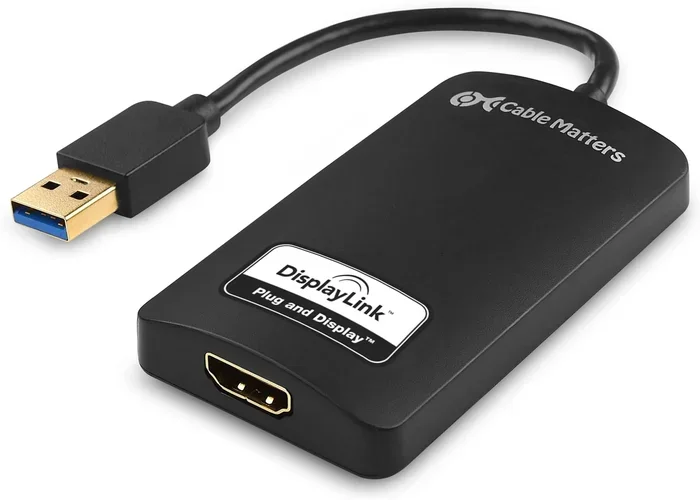
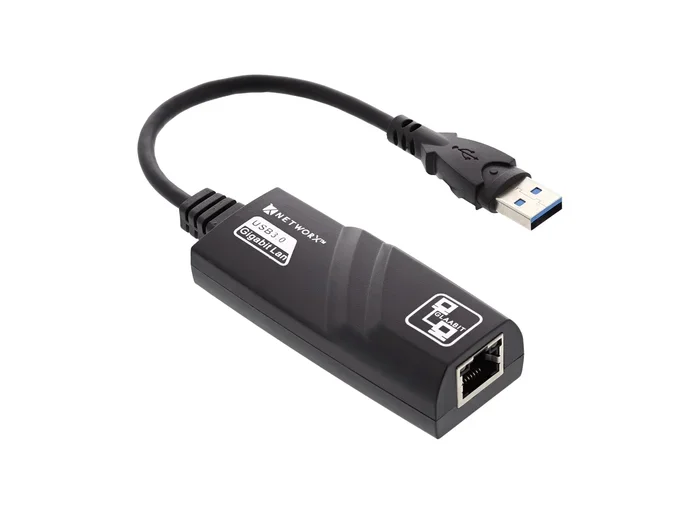
A USB to Ethernet adapter is a small device that bridges your USB port and an Ethernet cable. It acts as a network adapter for your computer. You plug the adapter into a USB port. Then you connect an Ethernet cable from the adapter to your router or modem. That is it. You now have a wired internet connection.
These adapters come in different shapes and sizes. Some are small USB dongles. Others are larger units with extra ports. The one you need depends on your computer and your internet speed goals. Let us look at the main types next.
Types of USB to Ethernet Adapters
Not all adapters are the same. Here are the most common types you will find on the market:
- USB-A to Ethernet: This is the standard type. It plugs into the rectangular USB-A port found on most older laptops and desktops.
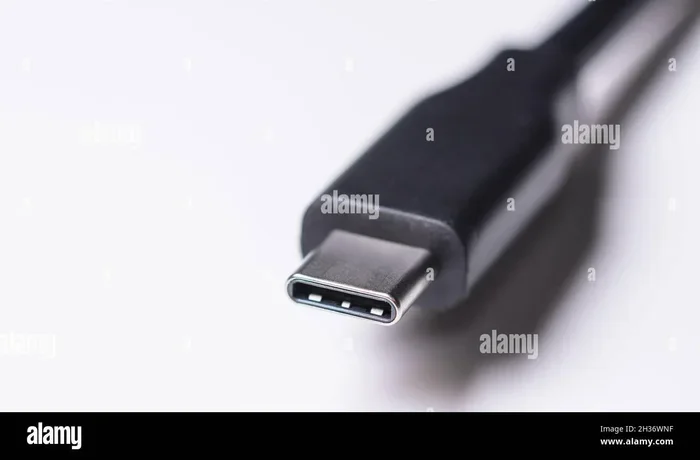
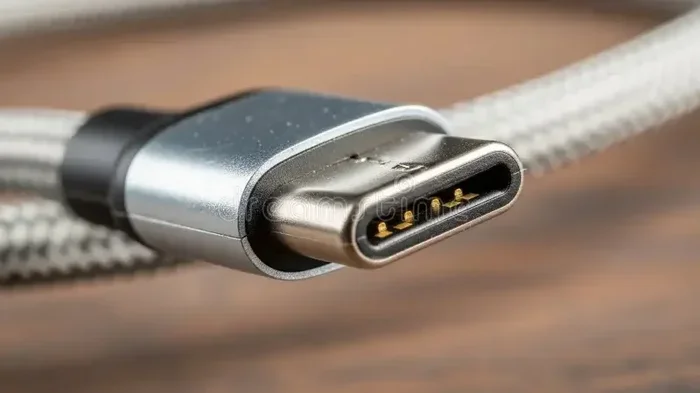
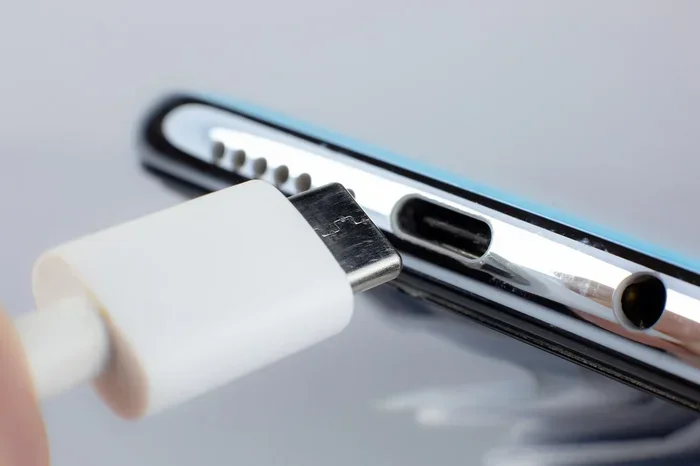
- USB-C to Ethernet: This is the modern option. It works with newer laptops, tablets, and phones that use USB-C ports.
- USB 3.0 to Ethernet: These adapters support faster speeds, often up to Gigabit Ethernet (1 Gbps).
- USB 2.0 to Ethernet: These are older and slower. They usually max out at around 40 Mbps.
- USB Hub with Ethernet: These combine an Ethernet port with extra USB ports for added convenience.
Choosing the right type matters a lot for your internet speed. A USB 2.0 adapter will hold back even the fastest broadband plans. A USB 3.0 or USB-C adapter will let you reach the full potential of your broadband connection.
How Does Turning USB Into Ethernet Work?
The technology behind a USB to Ethernet adapter is simpler than you might think. Inside the adapter is a tiny chip called a network controller. This chip translates data between the USB protocol and the Ethernet protocol. When your computer sends data, the chip converts it into signals that travel through the Ethernet cable. When data comes back, the chip converts it again for USB.
Most modern adapters are plug-and-play. This means you do not need to install anything. Windows and macOS recognize them right away. Some adapters may need a driver update for the best performance. But in most cases, you just plug it in and go.
Quick Tips for Setup
- Plug the adapter into a direct USB port on your computer, not a USB hub.
- Use a high-quality Ethernet cable, preferably Cat5e or Cat6.
- Let your operating system install the driver automatically.
- Restart your computer if the connection does not appear right away.
- Check your network settings to make sure the wired connection is active.
Once set up, your computer will prioritize the wired connection over Wi-Fi in most cases. This means your internet connectivity becomes more reliable and faster.
Can You Turn USB Into Ethernet and Get Faster Speeds?
This is the big question. And the answer depends on a few factors. Let us break it down clearly.
A Wi-Fi connection is convenient, but it has limits. Wireless signals weaken over distance. They get blocked by walls. They suffer from interference from other devices. A wired network connection eliminates all of these problems. When you plug in an Ethernet cable, you get a direct, stable path to your router.
The speed you get also depends on your USB version and your broadband plan. Here is a quick comparison:
| Adapter Type | Max Speed | Best For |
|---|---|---|
| USB 2.0 to Ethernet | Up to 40 Mbps | Basic browsing and email |
| USB 3.0 to Ethernet | Up to 1 Gbps | Streaming, gaming, and work |
| USB-C to Ethernet (USB 3.1/3.2) | Up to 10 Gbps | High-speed broadband and heavy use |
| Thunderbolt to Ethernet | Up to 10 Gbps | Professional and creative workflows |
As you can see, the adapter type makes a big difference. If your internet plan offers 500 Mbps, a USB 2.0 adapter will not get you there. You need a USB 3.0 or USB-C to Ethernet adapter to match your plan’s speed.
So yes, can you turn USB into Ethernet and get faster speeds? Absolutely. A wired connection almost always beats Wi-Fi in speed and stability. The adapter just needs to match your speed needs.
When Should You Use a USB to Ethernet Adapter?
There are many situations where a USB to Ethernet adapter makes a real difference. Let us look at the most common ones.
Working From Home
If you work from home, a stable connection is essential. Video calls, file uploads, and cloud apps all need a reliable network connection. Wi-Fi can be unpredictable. A wired Ethernet connection gives you consistency. You will notice fewer disconnects and smoother video calls.
Gaming Online
Gamers know the frustration of lag. Wi-Fi introduces latency and packet loss. A wired LAN connection reduces both. Your ping times drop. Your gameplay feels tighter. If you play competitive games, a USB to Ethernet adapter can be a game-changer.
Streaming 4K Content
Streaming platforms like Netflix and YouTube need a steady bandwidth supply. A Wi-Fi connection can buffer during peak hours. A wired connection handles 4K streaming with ease. You get smooth playback without interruptions.
Desktop PCs Without Built-In Ethernet
Many modern desktops and laptops no longer include an Ethernet port. Apple laptops are a great example. If your computer lacks an Ethernet port, a USB Ethernet dongle is your best option. It is cheap, easy to use, and gets you connected in seconds.
Traveling and Temporary Setups
When you are at a hotel or a coworking space, Wi-Fi may be slow or insecure. A portable USB-C to Ethernet adapter lets you plug directly into the wall router. You get faster speeds and better security on the go.
Common Mistakes People Make with USB to Ethernet Adapters
Even though these adapters are simple, people still make mistakes. Here are the most common ones to avoid.
Using a USB 2.0 Adapter for Fast Internet
This is the number one mistake. If you have a 300 Mbps internet plan and use a USB 2.0 adapter, you will never get past 40 Mbps. Always match your adapter to your internet speed. For plans over 100 Mbps, use a USB 3.0 or better adapter.
Plugging Into a USB Hub
USB hubs can reduce power and data transfer speeds. Always plug your adapter directly into your computer’s USB port. This ensures the best data transfer rate and stability.
Using Low-Quality Ethernet Cables
A great adapter paired with a cheap cable will underperform. Use Cat5e or Cat6 cables for the best results. These cables support Gigabit speeds and reduce signal loss.
Ignoring Driver Updates
Some adapters need updated drivers to work at full speed. Check the manufacturer’s website for the latest driver. An outdated driver can slow down your network adapter performance.
Expecting Wi-Fi-Level Convenience
A wired connection requires a cable. You need to run the cable from your router to your computer. This is a small trade-off for much better speed and reliability. Just plan your cable route ahead of time.
Expert Tips to Maximize Your Wired Internet Speed
Want to squeeze every last bit of speed from your USB to Ethernet setup? Here are some expert-backed tips.
- Use a USB 3.0 port: USB 3.0 ports provide more bandwidth. They are usually blue inside. Always plug your adapter into a USB 3.0 port if you can.
- Keep your cable short: Longer cables lose signal strength. Use the shortest Ethernet cable that works for your setup.
- Close background apps: Streaming, backups, and updates can eat up your bandwidth. Close them during important tasks.
- Run a speed test: Use sites like Speedtest.net to check your internet speed test results. Compare wired vs. wireless to see the difference.
- Update your network drivers: Go to Device Manager on Windows or System Preferences on Mac and check for driver updates.
- Disable Wi-Fi when using Ethernet: This prevents your computer from switching between connections and keeps your wired network stable.
Expert Insight: “Most people do not realize that their Wi-Fi is holding them back. A simple USB to Ethernet adapter can double or even triple their effective speed. It is one of the easiest and cheapest upgrades you can make,” says a network technician with over 10 years of experience.
How to Choose the Best USB to Ethernet Adapter
With so many options available, picking the right adapter can feel overwhelming. Here is what to look for.
Check Your USB Port Type
First, identify your USB port. Is it USB-A or USB-C? This determines which adapter you need. Most older computers use USB-A. Newer laptops and tablets use USB-C. Pick an adapter that matches your port.
Match the Speed to Your Internet Plan
If your internet plan is 50 Mbps or lower, a USB 2.0 adapter will work fine. For plans between 100 Mbps and 1 Gbps, go with a USB 3.0 adapter. For plans above 1 Gbps, look for USB-C or Thunderbolt adapters.
Look for Brand Names
Stick with trusted brands like TP-Link, Dell, Anker, and Satechi. These brands offer reliable network adapter hardware and good customer support. Cheap no-name adapters may not perform well or last long.
Check for Driver Support
Make sure the adapter supports your operating system. Most work with Windows and macOS. Some also support ChromeOS and Linux. Check the product listing before you buy.
Consider Extra Features
Some adapters come with extra USB ports. Others are ultra-portable for travel. Think about what matters most to you and pick accordingly.
Wired vs. Wireless: Which Is Better for Speed?
Let us settle this debate once and for all. A wired network connection almost always beats Wi-Fi when it comes to speed and stability.
Wi-Fi is convenient. You can connect from anywhere in your home. But convenience comes at a cost. Wireless signals degrade over distance. They get affected by walls, microwaves, and other devices. Your data transfer rate can drop significantly in real-world use.
A wired Ethernet connection gives you a direct path from your router to your device. There is no signal loss. No interference. No guesswork. You get the full speed of your broadband connection every time.
The only real advantage of Wi-Fi is mobility. If you need to move around while staying connected, Wi-Fi wins. But for speed, reliability, and performance, nothing beats a LAN connection.
Conclusion
So, can you turn USB into Ethernet and get faster speeds? The answer is a clear yes. A USB to Ethernet adapter is a simple, affordable, and effective way to upgrade your internet connection. It gives you a stable, fast, and reliable wired network connection that beats Wi-Fi in almost every way.
Whether you are working from home, gaming, streaming, or just browsing, a wired connection makes a noticeable difference. Just pick the right adapter for your USB port and internet speed plan. Avoid common mistakes like using a USB 2.0 adapter for fast internet or plugging into a hub. Follow the expert tips we shared, and you will be on your way to a better online experience.
Do not let slow or unreliable Wi-Fi hold you back. Plug in, connect, and enjoy the speed and stability that a wired Ethernet connection provides. It is one of the easiest tech upgrades you will ever make.
Frequently Asked Questions
Do USB to Ethernet adapters really make a difference in speed?
Yes, they absolutely do. A wired LAN connection eliminates Wi-Fi interference and signal loss. Most users see faster speeds and lower ping times right away. The difference is especially noticeable on fast broadband plans above 100 Mbps.
Can I use a USB to Ethernet adapter with a Mac?
Yes, most adapters work with macOS. Apple computers often lack Ethernet ports, so a USB-C to Ethernet adapter is very popular for Mac users. Just make sure the adapter supports macOS and install any required drivers.
Why is my USB to Ethernet adapter so slow?
There are a few common reasons. You may be using a USB 2.0 port or adapter. Your Ethernet cable might be low quality. Or your drivers may be outdated. Try plugging directly into a USB 3.0 port and using a Cat5e or Cat6 cable for better results.
Is a USB to Ethernet adapter better than Wi-Fi for gaming?
Yes, without a doubt. A wired connection gives you lower latency, fewer disconnects, and a more stable network adapter performance. Competitive gamers almost always prefer Ethernet over Wi-Fi for the best experience.
Do I need to install drivers for a USB to Ethernet adapter?
Most modern adapters are plug-and-play and do not need driver installation. However, some adapters may require a driver update for optimal performance. Check the manufacturer’s website if your connection is not working right away.
Can I use a USB to Ethernet adapter on a smart TV or gaming console?
Yes, many adapters work with devices that have USB ports. This includes smart TVs, gaming consoles, and even Raspberry Pi devices. Just check compatibility before purchasing, as some devices need specific adapter models.