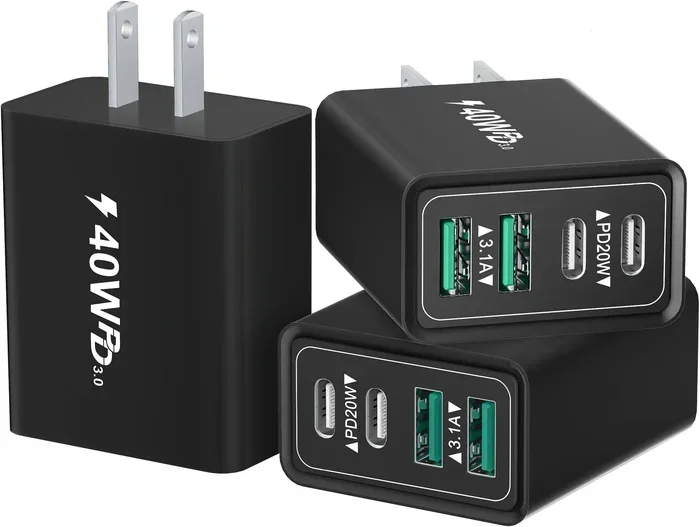
Can Any Usb C Charge Anything Heres What You Need To Know
Can any USB-C charge anything? The short answer is no. Not every USB-C charger works with every device. In this guide, we break down USB-C power delivery, wattage, and compatibility so you can charge safely and avoid damage.
You plug a USB-C cable into your laptop, phone, or tablet and expect it to work. It looks the same on every device, so it should charge anything, right? Not exactly. The USB-C connector is universal in shape, but the power inside the cable and charger can be very different. Can any USB-C charge anything? The answer is more complicated than a simple yes or no.
In this guide, we will clear up the confusion. You will learn how USB-C power delivery works, why wattage and voltage matter, and which devices can actually use any USB-C charger. We will also cover common mistakes that can damage your gear and show you how to pick the right power adapter for your needs. By the end, you will know exactly what to look for when you grab a charger off the shelf.
The USB-C standard has changed the way we charge gadgets. It is small, reversible, and fast. But speed and safety depend on the charger and cable, not just the port. Let us dive into the details so you can stop guessing and start charging with confidence.
Key Takeaways
- USB-C is not automatically universal: The connector shape is the same, but power delivery and device requirements vary widely.
- USB-C Power Delivery (PD) is the key: PD allows devices to negotiate the right voltage and current for safe fast charging.
- Wattage matters: Using a low-wattage charger on a power-hungry device can result in slow charging or no charging at all.
- Cheap cables and adapters can be dangerous: They may lack proper chips, leading to overheating or device damage.
- Check your device’s charging profile: Look for the required voltage, amperage, and wattage before buying a charger.
- USB-C is becoming the standard: Most modern phones, laptops, and tablets now use USB-C, but older devices may need adapters.
📑 Table of Contents
Can Any USB-C Charge Anything? The Truth About Universal Charging
The idea behind USB-C is simple. One cable fits all your devices. You can charge your phone, laptop, and tablet with the same USB-C charger. In theory, that sounds perfect. In practice, things are a bit more nuanced.
When you ask can any USB-C charge anything, you are really asking whether the USB-C port on your device will accept power from any USB-C power adapter. The short answer is no. The longer answer is that it depends on a few key factors. The charger must provide the right voltage and amperage. The cable must be able to handle the current. And the device must be able to communicate with the charger to pull the correct amount of power.
Why USB-C Is Everywhere
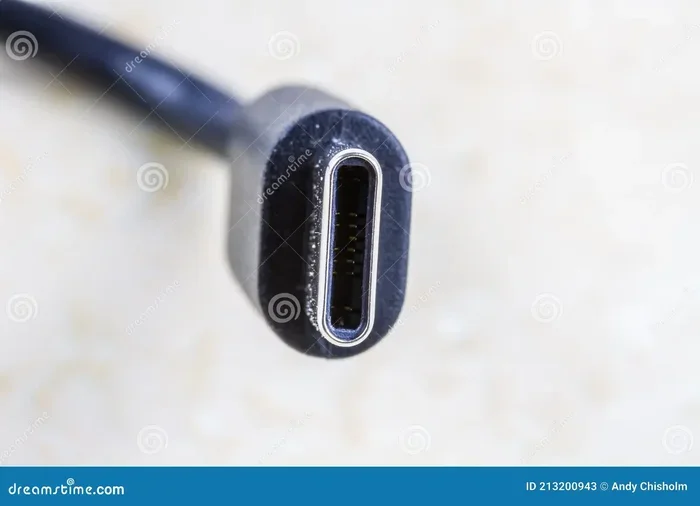
Almost every new phone, laptop, and tablet now uses a USB-C port. The USB-C standard replaced older ports like USB-A and Micro-USB because it is faster, smaller, and reversible. You can flip the connector either way, and it supports much higher power levels. This is why USB-C charging feels so convenient. You can carry one charger and one cable for most of your gear.
The Myth of Universal Compatibility
Just because a charger has a USB-C port does not mean it will safely charge every device. A USB-C charger might output 5 watts, 18 watts, 45 watts, or even 100 watts. If you plug a 5-watt charger into a laptop that needs 65 watts, the laptop may charge very slowly or not at all. Worse, using the wrong charger can cause overheating, battery damage, or even a safety hazard.
Here is what you need to know:
- USB-C is just a shape. It tells you nothing about power capability.
- USB-C Power Delivery (PD) is the protocol that allows devices to negotiate power safely.
- Not all USB-C chargers support PD. Some cheap chargers only provide a fixed 5 volts.
- Devices must support PD. If your phone or laptop does not have a PD chip, it will not negotiate higher wattage.
Quick Tips
Always check the label on your charger. Look for the output in watts (W) or volts/amps (V/A). A charger that says “5V/3A” gives 15 watts. A charger that says “20V/5A” gives 100 watts. The higher the wattage, the faster it can charge compatible devices.
How USB-C Power Delivery Works
USB-C Power Delivery (often called PD) is the technology that makes USB-C charging smart. Without PD, a charger just pushes out a fixed amount of power. With PD, the charger and the device talk to each other. They agree on the safest and fastest power level the device can handle. This is why you can use the same USB-C charger with a phone and a laptop, and each gets the power it needs.
Understanding Wattage, Voltage, and Amperage
To understand USB-C charging, you need to know three simple terms:
- Wattage (W): The total power delivered. This is what matters most for charging speed.
- Voltage (V): The electrical pressure. Higher voltage means more power can flow.
- Amperage (A): The flow of electricity. Higher amperage also means more power.
The formula is simple: Watts = Volts x Amps. So a charger that outputs 20 volts at 3 amps delivers 60 watts. A device that needs 60 watts will charge much faster than one getting only 15 watts.
USB-C Power Delivery Profiles
USB-C PD defines several standard power levels, called profiles. These profiles tell the charger what voltage and current to provide. Common profiles include:
- 5V / 3A = 15W (basic charging for phones and earbuds)
- 9V / 3A = 27W (fast charging for many phones and small tablets)
- 15V / 3A = 45W (good for tablets and some laptops)
- 20V / 5A = 100W (for most laptops and powerful devices)
When you plug a device into a USB-C PD charger, the device sends a request. The charger then adjusts its output to match. This negotiation happens in milliseconds. It is what makes fast charging possible without damaging your battery.
Expert Insight
According to the USB Implementers Forum, USB-C PD is the only way to get reliable, high-wattage charging over a USB-C cable. Non-PD chargers may work for basic charging, but they will not unlock the full speed of modern devices. Always look for “USB-C Power Delivery” on the charger or in its specifications.
Devices That Support USB-C Charging
Most modern gadgets now include a USB-C port. But that does not mean every device charges the same way. The power needs vary a lot between a tiny wireless earbud and a powerful gaming laptop.
Smartphones and Tablets
Many Android phones and some tablets use USB-C charging. They typically need 15W to 45W to charge quickly. Apple iPhones with USB-C (starting from iPhone 15) also use USB-C PD. These devices usually charge well with a 20W or 30W USB-C charger. Using a higher wattage charger is safe because the phone will only draw the power it needs.
Laptops and Computers
Laptops are the biggest beneficiaries of USB-C charging. Many modern laptops, including MacBooks, Chromebooks, and Windows ultrabooks, charge entirely through a USB-C port. They often need 45W to 100W. A low-wattage charger will either charge the laptop very slowly or not charge it at all while you are using it. If you want to use a single USB-C charger for your laptop, make sure it meets or exceeds the laptop’s required wattage.
Earbuds, Headphones, and Accessories
Small accessories like wireless earbuds, smartwatches, and portable speakers often charge through USB-C. They need very little power, usually 5W to 10W. Almost any USB-C charger can handle these devices. You can even use a high-wattage charger safely, because the device will only pull a small amount of current.
USB-C Charging by Device Type
| Device Type | Typical Power Need | USB-C PD Required? |
|---|---|---|
| Smartphone | 15W – 30W | Yes (for fast charging) |
| Tablet | 20W – 45W | Yes |
| Ultrabook Laptop | 45W – 65W | Yes |
| Gaming Laptop | 65W – 100W+ | Yes |
| Earbuds / Headphones | 5W – 10W | No (any USB-C works) |
| Smartwatch | 2.5W – 5W | No |
USB-C vs. Other Charging Ports: A Quick Comparison
It helps to compare USB-C with older ports so you understand why it is so popular. Here is a simple look at the differences:
- USB-A: The classic rectangular port. It only supports up to 15W without special fast-charging protocols. It is not reversible.
- Micro-USB: The older small port used on many budget devices. It also maxes out at lower power and is not reversible.
- Lightning: Apple’s proprietary port (used on older iPhones and iPads). It is reversible but limited to lower wattage and Apple-licensed accessories.
- USB-C: Small, reversible, and supports up to 240W with the latest USB-C PD standards. It works with a huge range of devices.
The USB-C standard wins in versatility and power. That is why it has become the go-to port for almost everything. But remember, the port shape does not guarantee compatibility with any charger. You still need the right power delivery and wattage.
Common Mistakes When Using USB-C Chargers
Even with the best intentions, people make mistakes that can harm their devices or slow down charging. Here are the most common ones and how to avoid them.
Using the Wrong Charger
Plugging a 5W charger into a 65W laptop is a classic mistake. The laptop may show a “slow charging” warning, or it may not charge at all when you are using it. Always match the charger’s wattage to the device’s requirements. If you are unsure, check the device manual or the label on the original charger.
Ignoring Power Delivery Negotiation
Not all USB-C cables are equal. A cheap cable without USB-C PD chips might only carry 5 volts. Even if your charger supports 20 volts, the cable will limit the power. This is why fast charging sometimes fails when you use a random cable. Always use cables that are rated for the wattage you need.
Cheap Cables and Adapters
Ultra-cheap USB-C cables and adapters can be dangerous. They may lack proper resistance, voltage regulation, or safety chips. This can lead to overheating, melted connectors, or even fire. Stick to reputable brands or cables that are certified by the USB Implementers Forum.
Assuming All USB-C Ports Are the Same
Some devices have USB-C ports that are only for data transfer, not for charging. For example, some older laptops have a USB-C port that does not support power delivery. Always check the port specifications before you rely on it to charge your device.
Common Mistakes to Avoid
- Never use a damaged cable. Frayed or bent connectors can cause short circuits.
- Do not ignore warnings. If your device says “Slow charging detected,” it means the charger or cable is not delivering enough power.
- Avoid daisy-chaining adapters. Using multiple cheap adapters can reduce power and create heat.
- Do not charge in extreme heat or cold. This can damage the battery and the charging circuit.
How to Choose the Best USB-C Charger for Your Needs
Buying a USB-C charger does not have to be confusing. If you know what to look for, you can pick the right one for your devices. Here is a simple guide to help you decide.
Check the Wattage Requirements
Start with the device that needs the most power. If you have a laptop that requires 65W, buy a charger that can deliver at least 65W. If you also want to charge your phone with the same charger, a 65W or 100W charger will work perfectly. The phone will only pull the power it needs.
Look for USB-C Power Delivery Support
Make sure the charger supports USB-C PD. This is the protocol that allows safe, fast charging across different devices. A USB-C PD charger will automatically adjust its output to match your phone, tablet, or laptop. Without PD, you are stuck with a fixed power level that may be too low for some devices.
Consider Portability and Number of Ports
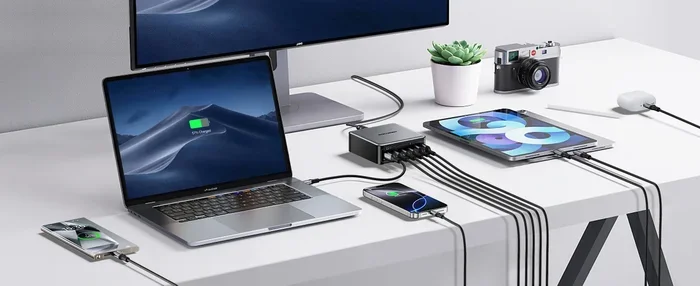
If you travel a lot, a compact USB-C charger with one or two ports is ideal. GaN (Gallium Nitride) chargers are small and efficient, even at high wattages. If you need to charge multiple devices at once, consider a charger with several USB-C ports or a mix of USB-C and USB-A ports.
Check for Safety Certifications
Always look for safety certifications like UL, CE, or FCC. These marks mean the charger has been tested for electrical safety and will not overheat or damage your devices. Cheap uncertified chargers may save a few dollars, but they can cost you much more in the long run.
Key Takeaways
- Match the wattage: Choose a charger that meets or exceeds your device’s power requirement.
- USB-C PD is essential: It ensures safe, fast charging for all modern devices.
- Invest in quality cables: A good cable is just as important as a good charger.
- GaN chargers are the future: They are smaller, lighter, and more efficient than traditional chargers.
Conclusion
So, can any USB-C charge anything? The honest answer is no. The USB-C connector is universal, but the power inside is not. USB-C Power Delivery makes charging smarter and safer, but both the charger and the device must support it. You need to pay attention to wattage, voltage, and amperage to get the best results.
By understanding how USB-C charging works, you can avoid common mistakes and pick the right USB-C charger for every device. Whether you are charging a phone, a laptop, or a pair of earbuds, the right power adapter makes all the difference. Keep your cables in good condition, check the power requirements, and always choose quality over price. With the right setup, USB-C will keep all your gadgets powered up and ready to go.
Now you know exactly what to look for. The next time you grab a charger, you will not have to wonder if it will work. You will know for sure. Happy charging!
Frequently Asked Questions
Can I use any USB-C charger with my phone?
Most modern phones support USB-C Power Delivery, so they will work with any USB-C PD charger. However, if your phone only supports a fixed charging protocol, it might not charge as fast with a non-compatible charger. Always check your phone’s charging specs to be safe.
Will a 100W USB-C charger damage my 15W phone?
No. Devices with USB-C PD negotiate the power they need. A 15W phone will only pull 15 watts from a 100W charger. The charger does not force power into the device. This makes high-wattage chargers safe for all USB-C PD devices.
Why is my USB-C charger not charging my laptop?
This usually happens when the charger’s wattage is too low or it does not support USB-C Power Delivery. Laptops need a minimum wattage to charge, especially when they are in use. Check your laptop’s required wattage and use a charger that meets or exceeds it.
Are all USB-C cables the same?
No. USB-C cables vary in their ability to carry current and support USB-C PD. Some cables are only rated for 3 amps, while others can handle 5 amps. Using a low-rated cable with a high-wattage charger can limit charging speed or cause overheating. Always use cables rated for the power you need.
Can I charge a non-USB-C device with a USB-C charger?
You can, but you will need the right adapter. For example, you can use a USB-C to USB-A or USB-C to Lightning adapter to charge older devices. The USB-C charger itself does not change; it just provides power through the adapter to the device’s original port.
What is the difference between USB-C and USB-C Power Delivery?
USB-C is just the shape of the connector and cable. USB-C Power Delivery is a protocol that allows the charger and device to negotiate higher voltages and currents. Without PD, a USB-C charger might only deliver 5 watts. With PD, it can deliver up to 240 watts safely and efficiently.