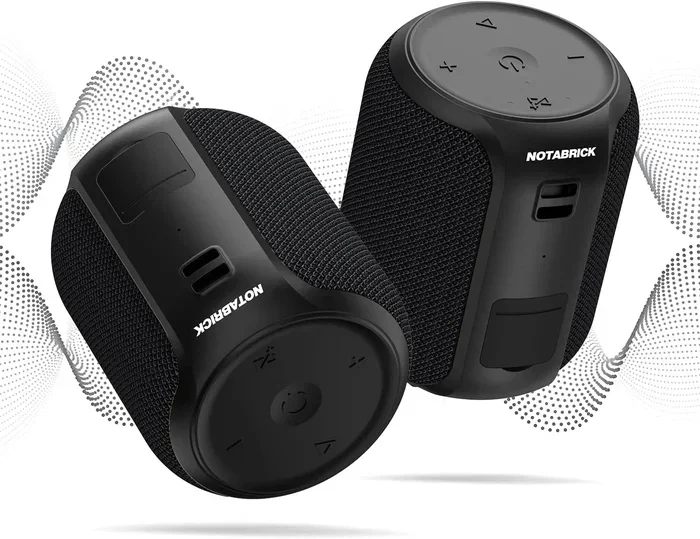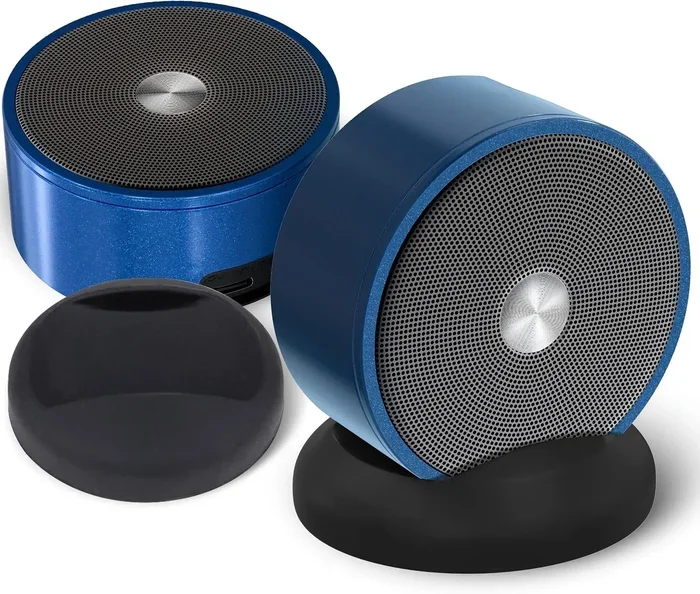
Can You Link 2 Bluetooth Speakers Together At Once
Yes, you can link 2 Bluetooth speakers together at once, and it is easier than most people think. Whether you want louder sound, stereo separation, or a bigger party setup, connecting two wireless speakers opens up a world of audio possibilities. This guide walks you through every method, brand-specific steps, and pro tips to get the best results.
Have you ever been at a backyard gathering and thought, “This music sounds great, but it could sound so much better?” Maybe the volume just is not quite cutting it, or the sound feels flat coming from a single speaker. That is where the idea of linking two Bluetooth speakers together comes in.
The short answer is yes, you can link 2 Bluetooth speakers together at once. But how you do it depends on your speaker brand, model, and the technology inside. Some speakers make it a one-tap process, while others need a little more effort. Either way, the result is worth it. You get louder, richer audio that fills up any room or outdoor space.
In this article, we will break down everything you need to know. From the science behind dual-speaker pairing to brand-specific steps, troubleshooting tips, and real-world setup advice, you will have a complete roadmap. Whether you are planning a pool party or just want better sound in your living room, this guide has you covered.
Key Takeaways
- Dual speaker pairing is possible: Most modern Bluetooth speakers support linking two units together for amplified sound and stereo mode.
- Multiple connection methods exist: You can use built-in brand features, Bluetooth multipoint, or third-party apps to sync speakers.
- Stereo mode splits audio channels: One speaker plays the left channel and the other plays the right, creating a wider soundstage.
- Not all speakers are compatible: Both speakers usually need to be from the same brand and model for seamless pairing.
- Common issues are fixable: Lag, disconnection, and volume imbalance can be solved with simple troubleshooting steps.
- True Wireless Stereo (TWS) is the gold standard: TWS-enabled speakers offer the most stable and synchronized dual-speaker experience.
- Placement matters: Positioning your two speakers correctly makes a huge difference in sound quality.
📑 Table of Contents
- How Linking 2 Bluetooth Speakers Together Works
- Benefits of Connecting Two Bluetooth Speakers
- How to Link 2 Bluetooth Speakers Together at Once
- Brand-Specific Methods for Linking Speakers
- Alternative Methods When Built-In Pairing Is Not Available
- Common Problems When Linking Two Bluetooth Speakers
- Tips for the Best Audio Experience with Dual Speakers
- Quick Tips Section
- Expert Insights
- Frequently Asked Questions
How Linking 2 Bluetooth Speakers Together Works
Before you jump into the steps, it helps to understand what actually happens when you link two Bluetooth speakers together. When you pair a second speaker to your source device, both speakers receive the same audio signal. But how that signal is delivered can vary, and it changes your listening experience significantly.
Mono Mode vs. Stereo Mode
When you connect two speakers, they can operate in one of two ways. Mono mode sends the exact same audio to both speakers. This simply makes the sound louder. It does not change the spatial quality of the music.
Stereo mode is different. One speaker handles the left audio channel, and the other handles the right channel. This creates a wider, more immersive soundstage. You can actually hear instruments and vocals coming from different directions. It makes a huge difference, especially in larger rooms or outdoor spaces.
True Wireless Stereo (TWS) Technology
The best experience comes from speakers that support True Wireless Stereo, also known as TWS. This technology uses Bluetooth to link two speakers wirelessly without any cables. One speaker acts as the master, and the other follows its lead. The sync is fast, and the audio delay is minimal. Most premium speakers from brands like JBL, Sony, and Bose use TWS or a very similar proprietary system.
Bluetooth Version Matters
The Bluetooth version on your speakers plays a big role in how well they pair. Bluetooth 5.0 and newer offer better range, faster connection, and lower latency. If both of your speakers are on Bluetooth 5.0 or above, you will have a much smoother experience. Older versions like Bluetooth 4.2 may work, but you might notice more lag or dropouts.
Benefits of Connecting Two Bluetooth Speakers
So why bother linking two speakers in the first place? The benefits go well beyond just turning up the volume. Here are the main reasons people choose to pair Bluetooth speakers together.
- Louder sound: Two speakers naturally produce more decibels than one. This is perfect for outdoor events, picnics, and large rooms.
- Better coverage: A single speaker has a limited sound range. Adding a second speaker spreads the audio across a wider area, so everyone hears the music clearly.
- Stereo effect: When set to stereo mode, the left-right separation makes music sound more natural and dynamic.
- Shared listening: Instead of one person standing right next to the speaker, everyone in the group can enjoy the music from a comfortable distance.
- Portable party power: You can carry two lightweight speakers to the beach or park and set them up in seconds.
- Battery backup: If one speaker runs low, the other keeps playing. You can swap them out or recharge without interrupting the music.
How to Link 2 Bluetooth Speakers Together at Once
Now let us get into the practical side. The exact steps vary by brand, but the general process follows a similar pattern. Here is how to connect two Bluetooth speakers for the best results.
Step 1: Check Compatibility
Not every speaker can be linked together. Start by checking your speaker’s manual or the manufacturer’s website. Look for terms like “dual speaker mode,” “stereo pairing,” or “TWS mode.” If your speaker supports one of these features, you are good to go. If it does not, you may need to use a workaround, which we will cover later.
Step 2: Power On Both Speakers
Turn on both speakers and make sure they are fully charged. Low battery can cause connection issues and audio drops. Place them within a few feet of each other during the initial pairing process.
Step 3: Enter Pairing Mode
Press and hold the Bluetooth button on the first speaker until the indicator light starts flashing. This means it is ready to be discovered. Then do the same for the second speaker. Some brands have a dedicated “pair” or “link” button that makes this even easier.
Step 4: Connect from Your Source Device
Go to your phone or tablet’s Bluetooth settings. You should see both speakers listed. Connect to the first one as you normally would. Then, depending on your speaker brand, the second speaker may auto-connect, or you may need to initiate the stereo pairing through the speaker’s own controls.
Step 5: Test and Adjust
Play some music and listen carefully. Check for any delay between the two speakers. If one speaker is noticeably louder than the other, adjust the balance in your device settings. Most people find that placing the speakers about 3 to 5 feet apart, angled slightly toward the listening area, gives the best stereo effect.
Brand-Specific Methods for Linking Speakers
Different brands use different names and methods for dual-speaker pairing. Here is a quick look at how the most popular brands handle it.
JBL PartyBoost and Connect+
JBL speakers with PartyBoost or Connect+ make linking incredibly simple. Press the PartyBoost button on both speakers, and they will find each other automatically. You can connect up to 100 JBL PartyBoost-compatible speakers together. This is perfect for large outdoor events and parties.
Sony Wireless Stereo Pairing
Sony speakers use a feature called S-Master Digital Amplifier paired with their own wireless stereo protocol. To link two Sony speakers, you typically press and hold the “Link” button on one speaker, then the other. The speakers will sync, and you can switch between mono and stereo mode using the Sony Music Center app.
Bose SimpleSync
Bose introduced SimpleSync technology, which lets you pair a Bose speaker with a Bose soundbar or another Bose speaker. The process is straightforward. Open the Bose Music app, select your speaker, and choose the “SimpleSync” option. The app walks you through the rest of the steps.
Anker Soundcore Dual Pair
Anker Soundcore speakers support Dual Pair mode. Hold down the Bluetooth button on both speakers simultaneously for about three seconds. The LEDs will flash, indicating they are searching for each other. Once connected, you can toggle between mono and stereo in the Soundcore app.
Alternative Methods When Built-In Pairing Is Not Available
What if your speakers do not have a built-in dual-pairing feature? You still have options. These workarounds can help you link Bluetooth speakers that are not natively compatible.
Using a Bluetooth Transmitter with Multipoint
A Bluetooth transmitter with multipoint capability can send audio to two speakers simultaneously. You pair the transmitter with both speakers, and it streams the same signal to each one. This method works with almost any Bluetooth speaker, regardless of brand.
Third-Party Apps
Some apps, like AmpMe or Boomwalla, allow you to sync multiple Bluetooth speakers using your phone’s audio output. These apps use Wi-Fi or Bluetooth to keep the speakers in sync. The audio quality may not be as good as native TWS pairing, but it is a solid backup option.
Audio Splitter Cables
For a wired solution, you can use a Bluetooth audio splitter or a 3.5mm Y-cable. This splits the audio output from your device and sends it to two speakers with aux inputs. It is not wireless, but it is reliable and works with any speaker that has an aux port.
Common Problems When Linking Two Bluetooth Speakers
Linking two speakers is not always perfect. Here are the most common issues people run into, and how to fix them.
Audio Lag or Delay
If you notice one speaker playing a split second after the other, you are dealing with audio lag. This is common with older Bluetooth versions or when the speakers are far apart. To fix this, move the speakers closer together and make sure both are running the latest firmware. Bluetooth 5.0 speakers handle this much better than older models.
Speakers Keep Disconnecting
Intermittent disconnections usually happen because of interference from other wireless devices. Wi-Fi routers, microwaves, and even other Bluetooth devices can cause this. Try moving your speakers away from these sources. Also, make sure both speakers are within 30 feet of your source device for the strongest connection.
Uneven Volume Between Speakers
If one speaker sounds louder than the other, check your device’s audio balance settings. On most phones and computers, you can adjust the left-right balance in the sound settings. If the imbalance persists, the issue might be with the speaker hardware. Try resetting both speakers and pairing them again.
Speakers Will Not Pair at All
This usually means one of the speakers is not in pairing mode, or they are not compatible with each other. Double-check that both speakers are fully charged and in pairing mode. If they are from different brands with no cross-compatibility, you may need to use the alternative methods described above.
Tips for the Best Audio Experience with Dual Speakers
Getting two speakers to work together is only half the battle. Here are some pro tips to make sure you get the best possible sound.
- Place speakers at ear level: Setting them on tables or shelves at about waist height gives the most balanced sound.
- Angle them toward the listening area: Pointing both speakers slightly inward toward where you sit or stand improves the stereo effect.
- Keep them equidistant from the listener: This ensures both speakers reach your ears at the same time, reducing any perceived delay.
- Use the same model if possible: Matching speakers from the same brand and model gives the most consistent sound quality and sync.
- Update firmware regularly: Manufacturers often release updates that improve Bluetooth stability and audio performance.
- Minimize obstacles: Walls, furniture, and other objects can weaken the Bluetooth signal. Keep a clear line of sight between the speakers and your source device.
Quick Tips Section
Quick Tip: If your speakers support a “party mode” or “group mode,” use it for larger gatherings. This feature keeps all linked speakers perfectly in sync, even when they are spread across a big room or yard.
Quick Tip: Always fully charge both speakers before a long listening session. Running one speaker on low battery while the other is full can cause uneven performance and unexpected shutdowns.
Quick Tip: Test your setup before the big event. Spend 10 minutes playing different songs at different volumes to make sure everything sounds right. Fixing issues beforehand saves a lot of frustration later.
Expert Insights
Audio engineers agree that dual-speaker setups offer a noticeably better listening experience compared to a single speaker in most scenarios. The stereo width and increased volume make a real difference, especially in open spaces. However, the quality of the experience depends heavily on the speakers you use and how well they sync.
According to audio technology experts, True Wireless Stereo is the gold standard for linking two speakers. It provides the tightest synchronization and the most natural sound. If you are in the market for a new speaker and plan to use it in pairs, look for TWS support as a key feature.
Another expert recommendation is to avoid mixing brands when possible. Different brands use different audio codecs and Bluetooth protocols. While some cross-brand pairing works fine, you may experience sync issues or reduced audio quality. Sticking with the same brand and model gives the most reliable results.
Frequently Asked Questions
Can you link any two Bluetooth speakers together?
Not all Bluetooth speakers support dual linking. You need speakers that have a built-in stereo pairing, party mode, or TWS feature. Check your speaker’s manual or product page to confirm compatibility. If your speakers do not support native pairing, you can use a Bluetooth transmitter or third-party app as a workaround.
Does linking two Bluetooth speakers reduce battery life?
Yes, running two speakers simultaneously drains more battery than using one. The master speaker works harder to manage the connection, and the slave speaker also consumes power to stay synced. To avoid running out of juice mid-party, keep both speakers fully charged and consider bringing a portable power bank.
Can you link speakers from different brands together?
It depends on the brands and models. Some speakers from different brands can pair using universal methods like Bluetooth transmitters or apps like AmpMe. However, native stereo pairing usually only works within the same brand and model. Mixing brands may result in sync issues or reduced audio quality.
What is the best distance between two linked speakers?
For the best stereo effect, place your two speakers about 3 to 5 feet apart, angled slightly toward the listening position. If you place them too close together, you lose the stereo width. If you place them too far apart, you may notice a delay between the audio from each speaker.
Can you link more than two Bluetooth speakers together?
Yes, many brands support linking more than two speakers. JBL PartyBoost, for example, allows you to connect up to 100 compatible speakers. Sony and Bose also support multi-speaker setups, though the number varies by model. Check your speaker’s specifications to see how many units you can link.
Is it better to link speakers wirelessly or with a cable?
Wireless linking is more convenient and keeps your setup clean, but it can introduce slight audio delay. Wired connections using an aux splitter provide perfect sync but limit your placement options. For most users, wireless linking with TWS or party mode speakers offers the best balance of convenience and quality.