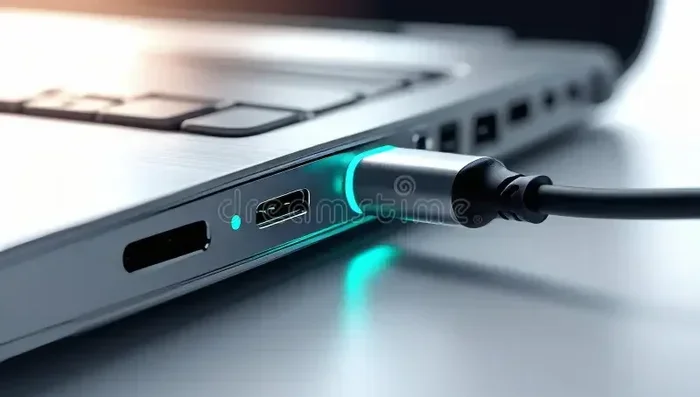
Can You Charge A Dell Laptop With Any Usb C Charger
Yes, you can charge a Dell laptop with any USB C charger, but not all USB C chargers are created equal. The key factor is whether the charger supports USB Power Delivery and meets the wattage requirements of your specific Dell model. Using the wrong charger can lead to slow charging, battery damage, or even safety risks. This guide breaks down everything you need to know about USB-C charging compatibility for Dell laptops.
Can you charge a Dell laptop with any USB C charger? It is a question that many Dell laptop owners ask, especially as USB-C becomes the standard charging port on newer devices. The short answer is yes, but with some important caveats. Not every USB-C charger will work safely or efficiently with every Dell laptop.
Understanding how USB-C charging works on Dell laptops can save you time, money, and potential damage to your device. Whether you are traveling, lost your original charger, or simply want a more versatile charging setup, this guide covers everything you need to know. We will walk through compatibility, wattage requirements, safety tips, and the best USB-C chargers for Dell laptops.
Key Takeaways
- USB-C Charging Works on Most Modern Dell Laptops: Many newer Dell models support USB-C charging, but you need to check your specific laptop.
- Wattage Matters: Your charger must deliver enough power to charge your Dell laptop while it is in use.
- Not All USB-C Chargers Are Equal: Cheap or low-quality chargers may not support the correct Power Delivery protocol.
- Safety First: Always use certified chargers to protect your laptop battery and internal components.
- Charging Speed Varies: A lower-wattage USB-C charger will charge your Dell laptop more slowly than the OEM charger.
- Check Your Dell Model: Some Dell laptops require specific voltage or wattage ranges that not all USB-C chargers can provide.
- Third-Party Chargers Can Work Great: Reputable brands offer safe and effective alternatives to Dell OEM chargers.
📑 Table of Contents
- What Is USB-C Charging and How Does It Work?
- Can You Charge A Dell Laptop With Any Usb C Charger?
- Dell Laptop USB-C Charging Requirements
- Using a Third-Party USB-C Charger Safely
- USB-C Charging Speed Compared to Dell OEM Chargers
- Best USB-C Chargers for Dell Laptops
- Key Things to Remember About USB-C Charging on Dell Laptops
- Conclusion
What Is USB-C Charging and How Does It Work?
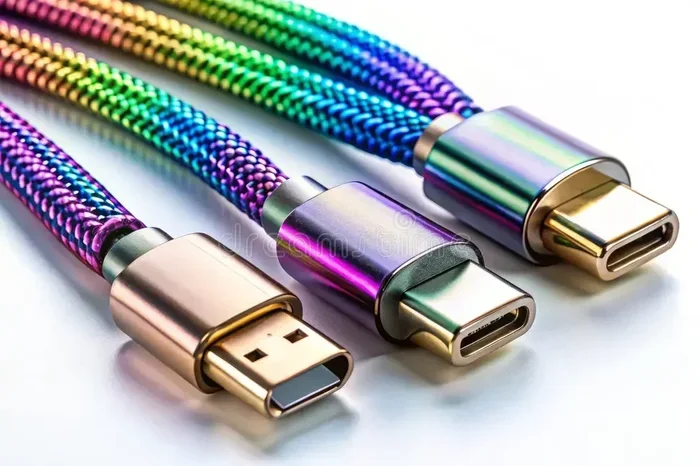
USB-C is a universal connector type that has become incredibly popular in recent years. It is small, reversible, and capable of carrying data, video, and power through a single cable. This makes it a convenient all-in-one solution for many modern laptops, including Dell models.
Understanding USB-C Power Delivery
USB Power Delivery, also known as USB PD, is the protocol that allows USB-C ports to deliver power. Without USB PD support, a USB-C port may only provide a small amount of power, which is not enough to charge a laptop. USB PD can deliver up to 100 watts or more with the right equipment.
Here is what makes USB-C charging different from traditional Dell barrel chargers:
- Universal connector: The same cable and port can be used for many devices.
- Negotiated power: The laptop and charger communicate to determine the right amount of power.
- Higher wattage support: USB PD can deliver enough power for most Dell laptops.
- Bidirectional charging: Some USB-C ports can both send and receive power.
How USB-C Differs from Traditional Dell Chargers
Traditional Dell laptops use a barrel-style charger with a proprietary connector. These chargers are designed specifically for Dell models and deliver a fixed voltage and wattage. USB-C chargers, on the other hand, use the Power Delivery protocol to negotiate the correct power levels automatically.
This means that a USB-C charger must support the right voltage and wattage profile for your Dell laptop. If it does not, the laptop may not charge at all, or it may charge very slowly.
Can You Charge A Dell Laptop With Any Usb C Charger?
The Short Answer
So, can you charge a Dell laptop with any USB C charger? The honest answer is it depends. Most modern Dell laptops with a USB-C port support USB-C charging, but the charger must meet specific requirements. A random USB-C phone charger will likely not work for a Dell laptop.
To successfully charge your Dell laptop via USB-C, the charger needs to meet two main criteria. First, it must support USB Power Delivery. Second, it must deliver enough wattage to charge your laptop under load. Let us break this down further.
What You Need to Know About Compatibility
Not every Dell laptop supports USB-C charging. Some older models or budget Dell laptops still rely solely on barrel connectors. Before you try to use a USB-C charger, check your Dell laptop model to confirm it has USB-C charging support.
You can usually find this information in the user manual, on the Dell support website, or on the product page. Look for terms like USB-C charging, USB Power Delivery, or PD charging in the specifications.
If your Dell laptop supports USB-C charging, you still need to match the charger output to your laptop’s requirements. A charger that is too weak will either not charge the laptop or will charge it very slowly while you use it.
Dell Laptop USB-C Charging Requirements
Wattage and Voltage Matters
Every Dell laptop has specific power requirements. These are measured in watts and volts. Most Dell laptops require between 45 watts and 130 watts to charge properly. The USB-C charger you use must be able to deliver at least the minimum wattage your laptop needs.
Here is a simple way to think about it. If your Dell laptop comes with a 65-watt charger, you need a USB-C charger that can deliver at least 65 watts through USB PD. Using a 30-watt USB-C charger will likely result in very slow charging, especially if you are running demanding applications.
Some Dell laptops support higher wattage USB-C charging. For example, the Dell XPS 15 and XPS 17 often come with 130-watt adapters. Using a lower-wattage USB-C charger with these models may cause the battery to drain even while plugged in.
Dell Models That Support USB-C Charging
Many Dell laptop lines support USB-C charging. Here are some popular models that work with USB-C chargers:
- Dell XPS 13: Supports USB-C charging with 45W to 65W USB PD chargers.
- Dell XPS 15: Requires a 65W to 130W USB-C charger for full-speed charging.
- Dell XPS 17: Needs a 130W USB-C charger or higher for optimal performance.
- Dell Inspiron 14 2-in-1: Some models support USB-C charging with 45W to 65W chargers.
- Dell Latitude series: Business models often support USB-C charging for flexibility.
- Dell Precision mobile workstations: Higher-end models may require specific USB-C power profiles.
Always double-check your specific Dell model before purchasing a USB-C charger. Dell’s support website is the best resource for finding exact charging requirements.
Using a Third-Party USB-C Charger Safely
Many people wonder if using a third-party USB-C charger is safe for their Dell laptop. The answer is yes, as long as you choose a quality charger from a reputable brand. Cheap, uncertified chargers can pose real risks to your laptop and battery.
Quick Tips for Safe Charging
Follow these simple tips to ensure safe USB-C charging for your Dell laptop:
- Buy from reputable brands: Choose well-known charger manufacturers with proper certifications.
- Look for USB-IF certification: This ensures the charger meets safety and performance standards.
- Check the wattage rating: Make sure the charger delivers enough power for your Dell model.
- Use quality USB-C cables: Cheap cables can overheat or fail to deliver the correct power.
- Avoid knockoff chargers: Ultra-cheap chargers may not have proper safety protections.
- Monitor your laptop temperature: If the laptop gets unusually hot while charging, unplug it and check the charger.
Common Mistakes to Avoid
There are several common mistakes people make when charging Dell laptops with USB-C chargers. Avoiding these can help protect your device and extend battery life:
- Using a phone charger: Phone chargers typically deliver only 15W to 20W, which is not enough for most Dell laptops.
- Ignoring wattage requirements: A lower-wattage charger may work but will charge very slowly or not at all under heavy use.
- Using damaged cables: Frayed or damaged USB-C cables can cause charging issues or safety hazards.
- Assuming all USB-C ports are the same: Some Dell laptops have USB-C ports that only support data, not charging. Check your laptop specs.
- Using a non-PD charger: Without USB Power Delivery support, the charger cannot negotiate the correct voltage with your laptop.
USB-C Charging Speed Compared to Dell OEM Chargers
Charging Time Differences
One of the biggest concerns people have about using a USB-C charger instead of the original Dell charger is charging speed. The truth is, the charging speed depends largely on the wattage of the USB-C charger you use.
If you use a USB-C charger that matches the wattage of your Dell OEM charger, you should see similar charging speeds. For example, if your Dell laptop came with a 65-watt barrel charger, a 65-watt USB-C charger with PD support will charge it at roughly the same rate.
However, if you use a lower-wattage USB-C charger, the charging time will increase significantly. Here is a rough comparison:
- 65W USB-C charger: Charges most Dell 13 to 15-inch laptops at the same rate as the OEM charger.
- 45W USB-C charger: Will charge slowly, and the laptop may lose charge while in heavy use.
- 100W USB-C charger: Will charge your Dell laptop faster than a 65W charger, if the laptop supports higher wattage.
When USB-C Charging Slows Down
There are several reasons why USB-C charging might be slower than expected with your Dell laptop:
- Insufficient wattage: The charger cannot deliver enough power to keep up with laptop usage.
- Low-quality cable: A cheap or thin USB-C cable may limit the power delivery.
- Power-hungry applications: Running demanding software or games while charging reduces net charging speed.
- Battery health: Older Dell batteries may charge more slowly regardless of the charger used.
- USB-C port limitations: Some Dell laptops limit USB-C charging power for safety reasons.
If you notice your Dell laptop charging slowly, try using a different USB-C cable or a higher-wattage charger. This simple step often resolves slow charging issues.
Best USB-C Chargers for Dell Laptops
Top Picks for Dell Laptop Users
Choosing the right USB-C charger for your Dell laptop can be overwhelming with so many options on the market. Here are some reliable choices that work well with Dell laptops:
- Dell 65W USB-C Adapter: The official Dell charger designed for Dell laptops. It offers perfect compatibility and safety.
- Anker 737 Charger (120W): A popular GaN charger that delivers plenty of power for most Dell models.
- UGREEN 65W USB-C Charger: A compact and affordable option that supports USB PD for Dell laptops.
- Satechi 100W USB-C Adapter: A reliable charger with a sleek design and solid build quality.
- HyperJuice 100W USB-C Charger: A high-quality charger that delivers consistent power for demanding Dell laptops.
When choosing a USB-C charger, always check the wattage and make sure it supports USB Power Delivery. These two factors are the most important for compatibility with Dell laptops.
Do You Need a GaN Charger?
Gallium Nitride, or GaN, chargers are becoming increasingly popular. They are smaller and more efficient than traditional silicon-based chargers. For Dell laptop users, a GaN charger can be a great choice because it delivers high wattage in a compact form factor.
If you travel frequently or want a more portable charging solution, a GaN USB-C charger is worth considering. They are slightly more expensive but offer excellent performance and portability.
Key Things to Remember About USB-C Charging on Dell Laptops
Let us recap the most important points to keep in mind when charging your Dell laptop with a USB-C charger:
- Always verify that your Dell laptop model supports USB-C charging before purchasing a charger.
- Match the USB-C charger wattage to your Dell laptop’s power requirements for best results.
- Use USB Power Delivery certified chargers and cables for safe and reliable charging.
- Avoid using phone chargers or very low-wattage USB-C chargers for Dell laptops.
- Monitor your charging speed and laptop temperature to catch potential issues early.
- Invest in a quality USB-C charger from a reputable brand to protect your Dell investment.
Charging your Dell laptop with a USB-C charger is convenient and increasingly necessary in a world moving toward universal connectors. By understanding your laptop’s power needs and choosing the right charger, you can enjoy fast, safe, and reliable charging wherever you go.
Conclusion
So, can you charge a Dell laptop with any USB C charger? The answer is yes, but with important conditions. The charger must support USB Power Delivery, deliver sufficient wattage, and come from a reputable source. Using the right USB-C charger gives you flexibility, portability, and convenience without compromising the safety of your Dell laptop.
Take the time to check your Dell laptop’s charging requirements and invest in a quality USB-C charger that meets those needs. Whether you are at home, in the office, or on the go, the right USB-C charger keeps your Dell laptop powered up and ready to go. With the information in this guide, you now have everything you need to make informed decisions about USB-C charging for your Dell laptop.
Frequently Asked Questions
Can I use any USB-C charger to charge my Dell laptop?
Not every USB-C charger will work. The charger must support USB Power Delivery and deliver enough wattage for your specific Dell laptop model. Check your Dell laptop specifications to confirm the minimum wattage and voltage requirements before purchasing a USB-C charger.
Will a 45W USB-C charger work for my Dell laptop?
A 45W USB-C charger can work for some Dell laptops, especially the smaller models like the Dell XPS 13. However, it may charge slowly or fail to charge while the laptop is under heavy use. Always check your Dell model’s recommended wattage first.
Is USB-C charging safe for Dell laptops?
Yes, USB-C charging is safe for Dell laptops that support it. As long as you use a certified USB Power Delivery charger and a quality cable, there is no risk of damage. Avoid cheap, uncertified chargers that may lack proper safety protections.
How do I know if my Dell laptop supports USB-C charging?
Check your Dell laptop’s user manual, the Dell support website, or the product specifications page. Look for mentions of USB-C charging, USB Power Delivery, or PD charging in the technical specifications. You can also check the USB-C port symbol on your laptop for a lightning bolt or power icon.
Can I charge my Dell laptop faster with a higher-wattage USB-C charger?
Yes, if your Dell laptop supports higher wattage input, using a higher-wattage USB-C charger can charge it faster. However, the laptop will only draw the power it needs. A 100W charger is safe for a Dell laptop that supports up to 65W or 130W, as long as it has USB Power Delivery support.
What happens if I use a USB-C charger that is too weak for my Dell laptop?
If the charger does not provide enough wattage, your Dell laptop may charge very slowly or not charge at all while you are using it. In some cases, the battery may continue to drain even though the laptop is plugged in. Always match the charger wattage to your Dell laptop’s requirements for the best results.