Can You Charge A Laptop With Usb C Fast And Easily
Yes, you can charge a laptop with USB C — and it is faster and simpler than most people think. USB-C power delivery has changed how we keep our devices running on the go. This guide covers everything you need to know about USB-C laptop charging, from compatibility and wattage to the best cables and chargers. You will learn how to charge your laptop safely, speed up your charging time, and avoid common mistakes that damage your battery.
Have you ever been stuck with a dead laptop and only a USB-C cable in your bag? It happens to the best of us. The good news is that charging a laptop with USB C is not only possible — it has become the new standard for most modern computers. Whether you use a MacBook, a Dell XPS, a Lenovo ThinkPad, or a HP Spectre, there is a strong chance your laptop supports USB-C power delivery. In this guide, we will walk you through everything you need to know. You will learn how it works, what wattage you need, which cables to use, and how to charge your laptop faster and safer than ever before.
The days of carrying bulky power bricks are fading fast. A single USB-C charger can power your laptop, phone, tablet, and even your earbuds. This shift to universal charging saves space, reduces cable clutter, and makes travel so much easier. But not all USB-C chargers are created equal. Some charge slowly. Others might not work at all. That is exactly why we wrote this guide — to give you clear, practical answers so you never have to guess again.
Key Takeaways
- USB-C charging works for most modern laptops: Nearly all laptops made after 2018 support USB-C power delivery.
- Power delivery wattage matters: You need at least 45W to 65W for most laptops, and 100W for gaming or workstation models.
- The right cable and charger make a big difference: Not all USB-C cables handle the same power levels.
- Fast charging is possible: USB-C PD chargers can charge a laptop from empty to full in under two hours.
- Common mistakes slow you down: Using low-wattage chargers or damaged cables reduces charging speed and battery health.
- GaN chargers are the best choice: They are small, lightweight, and deliver high wattage efficiently.
- Always check laptop compatibility: Not every USB-C port on every laptop supports charging.
📑 Table of Contents
- What Is USB-C Charging And How Does It Work?
- Can Every Laptop Charge With USB-C?
- How Fast Is USB-C Laptop Charging?
- Best USB-C Chargers For Laptops In 2024
- Common Mistakes People Make When Charging Laptops With USB-C
- How To Choose The Right USB-C Charger For Your Laptop
- Can You Use A USB-C Hub To Charge Your Laptop?
- Frequently Asked Questions
- Final Thoughts
What Is USB-C Charging And How Does It Work?
USB-C is a small, reversible connector that has replaced older USB-A and even barrel-style laptop chargers in many modern devices. The key technology behind USB-C laptop charging is called USB Power Delivery, or USB-C PD for short. This is a charging standard that allows devices to negotiate the right amount of power through the cable.
Here is how it works in simple terms. When you plug a USB-C PD charger into your laptop, the laptop and the charger talk to each other. They agree on the right voltage and current. This process happens in milliseconds. The result is a safe, fast charge that matches your laptop’s needs. Older chargers pushed a fixed amount of power. USB-C PD chargers adjust dynamically, which means less wasted energy and cooler charging.
USB-C Power Delivery Standards
The USB-C PD standard has evolved over the years. Here are the most common power levels you will see:
- 18W: Enough for phones and small tablets. Not ideal for most laptops.
- 45W: The sweet spot for ultrabooks and light laptops like the MacBook Air.
- 65W: Handles most standard laptops including many Dell, Lenovo, and HP models.
- 100W: Powers even high-performance gaming laptops and mobile workstations.
- 140W and above: Found in premium chargers for top-tier gaming and creator laptops.
When shopping for a charger, always match the wattage to your laptop’s requirements. You can usually find this on the original power brick or in your laptop’s manual. Using a lower-wattage charger will still work, but it may charge slowly or not charge at all while you use the laptop.
Can Every Laptop Charge With USB-C?
The short answer is no, not every laptop. But the vast majority of modern ones can. USB-C laptop charging depends on the hardware inside your computer. Let us break this down so you know exactly where you stand.
Laptops That Support USB-C Charging
Most laptops released after 2018 come with at least one USB-C port that supports charging. Here are some popular examples:
- Apple MacBook: All MacBooks since 2015 use USB-C as their only charging port.
- Dell XPS series: Models like the XPS 13 and XPS 15 support USB-C PD charging.
- Lenovo ThinkPad: Many models including the X1 Carbon and T-series support it.
- HP Spectre and EliteBook: Most premium HP laptops accept USB-C charging.
- Microsoft Surface Laptop: Newer models use USB-C for power delivery.
- ASUS ZenBook: The ZenBook line fully supports USB-C PD.
Laptops That Do Not Support USB-C Charging
Some older or budget laptops still rely on traditional barrel connectors or proprietary chargers. These laptops will not charge through USB-C no matter what charger you use. Always check your laptop’s specifications before assuming USB-C charging is supported.
How Fast Is USB-C Laptop Charging?
USB-C fast charging is one of the biggest advantages of this technology. With the right charger and cable, you can get a full laptop battery in record time. But how fast is fast, really? It depends on three things: the charger wattage, the cable quality, and your laptop’s charging circuit.
Charging Speed Comparison Table
| Charger Type | Wattage | Approx. Charge Time (0-100%) | Best For |
|---|---|---|---|
| Standard USB-C charger | 45W | 2 to 3 hours | Ultrabooks, MacBook Air |
| Fast USB-C PD charger | 65W | 1.5 to 2.5 hours | Standard business laptops |
| High-wattage USB-C charger | 100W | 1 to 2 hours | Gaming laptops, workstations |
| Original laptop charger | 65W-140W | 1 to 2 hours | Same as above |
As you can see, a 65W USB-C PD charger can replace most standard laptop chargers easily. And a 100W USB-C charger handles even the hungriest gaming laptops. The key is making sure your cable can handle the power too.
What Affects Charging Speed?
Several factors play into how fast your laptop charges via USB-C:
- Charger wattage: Higher wattage equals faster charging, up to your laptop’s maximum.
- Cable quality: Cheap or damaged cables limit power transfer. Always use certified cables.
- Laptop usage while charging: Running heavy apps while charging slows down the process.
- Battery health: Older batteries charge more slowly than new ones.
- Ambient temperature: Extreme heat or cold can reduce charging efficiency.
Best USB-C Chargers For Laptops In 2024
Not all chargers are the same. The best USB-C laptop charger for you depends on your laptop model, your budget, and your needs. Here are the top categories and what to look for.
GaN Chargers: The Best Choice Right Now
GaN stands for gallium nitride. These chargers use advanced semiconductor material to deliver high wattage in a tiny package. A GaN USB-C charger is often half the size of a traditional charger and puts out just as much power. They also run cooler, which extends the life of your charger.
Popular GaN charger brands include Anker, Ugreen, Belkin, and Spigen. Most offer 65W or 100W options that work with a wide range of laptops.
Multi-Port USB-C Chargers
If you travel with multiple devices, a multi-port USB-C charger is a game changer. These chargers let you charge your laptop and phone at the same time from one wall plug. Many models include both USB-C PD ports and USB-A ports for older devices.
Portable USB-C Power Banks
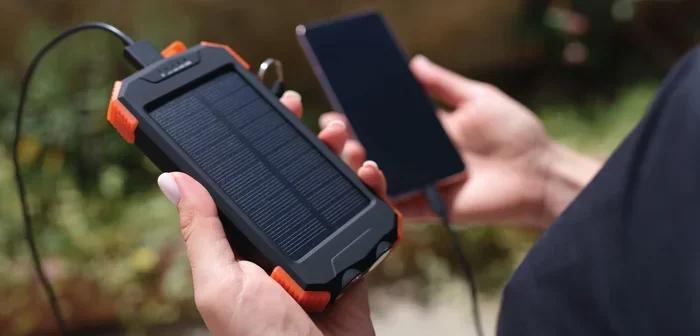
Can you charge a laptop with a USB-C power bank? Absolutely. High-capacity USB-C power banks with 65W or more output can charge most laptops on the go. They are perfect for travel, commuting, or emergency situations. Look for power banks with USB-C PD support and at least 20,000 mAh capacity for meaningful laptop charges.
Common Mistakes People Make When Charging Laptops With USB-C
Even though USB-C charging is straightforward, people still make mistakes that slow down their charging speed or damage their devices. Here are the most common ones to avoid.
Using The Wrong Cable
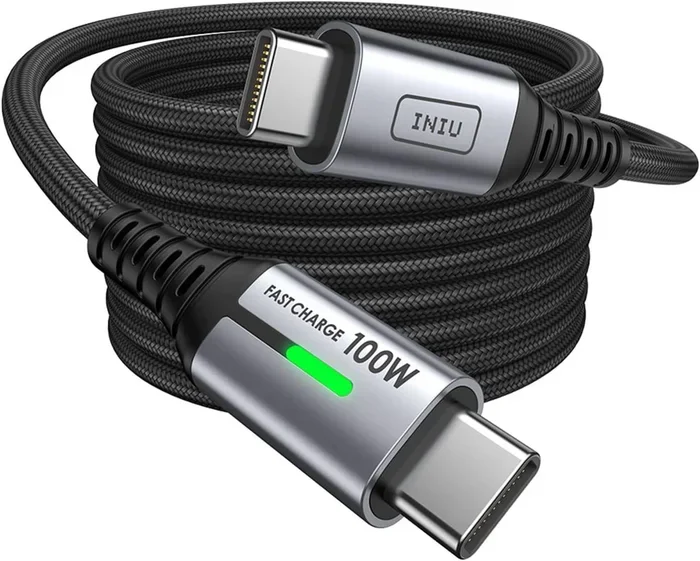
Not all USB-C cables are built the same. Some cables only support data transfer at 480Mbps and a maximum of 60W. Others support 100W or even 240W. Using a low-quality cable with a high-wattage charger will cap your charging speed at whatever the cable can handle.
Always look for USB-C cables rated for USB-C PD and high wattage. Cables with E-Marker chips are certified to handle the power they claim.
Ignoring Wattage Requirements
Plugging a 20W phone charger into a laptop might seem like a good idea in an emergency, but it rarely works well. The laptop will either charge extremely slowly or not charge at all while powered on. Always check your laptop’s required wattage before buying a charger.
Using Cheap, Uncertified Chargers
We get it — a cheap no-name charger on Amazon looks tempting. But uncertified chargers can deliver inconsistent power, which may harm your laptop battery over time. Stick with reputable brands and look for USB-IF certification or USB-C PD compliance on the packaging.
Charging Through A USB-C Hub Without Power Delivery
Some USB-C hubs and docking stations do not pass through power delivery. If you plug your USB-C charger into a hub that lacks PD support, your laptop will not charge. Always make sure your hub or dock supports USB-C PD passthrough.
How To Choose The Right USB-C Charger For Your Laptop
Choosing the right USB-C charger does not have to be confusing. Follow these simple steps and you will find the perfect match every time.
Step 1: Check Your Laptop’s Charging Requirements
Look at the label on your original charger or check your laptop’s product page. Note the voltage and wattage. Most ultrabooks need 45W to 65W. Gaming laptops often need 100W or more.
Step 2: Match The Charger Wattage
Buy a charger that meets or exceeds your laptop’s wattage requirement. Going higher is perfectly safe — your laptop will only draw the power it needs.
Step 3: Choose The Right Cable
Pair your charger with a high-quality USB-C cable rated for the same wattage. A 100W charger needs a 100W-rated cable to deliver full speed.
Step 4: Consider Portability
If you travel often, go for a compact GaN charger. They weigh less than half of traditional chargers and fit easily in any bag.
Can You Use A USB-C Hub To Charge Your Laptop?
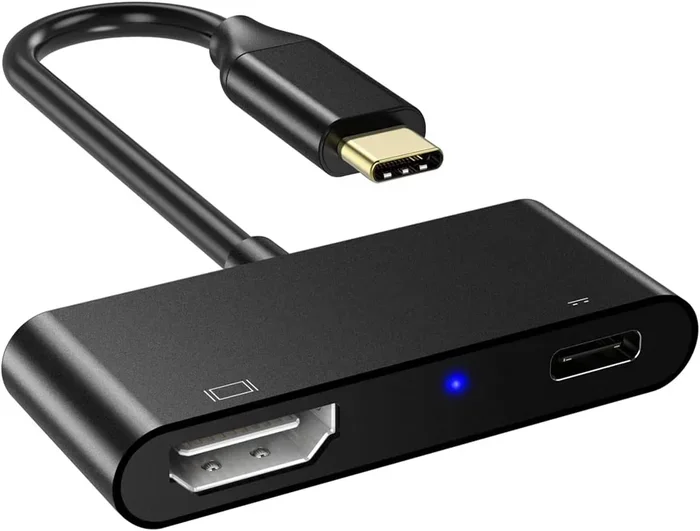
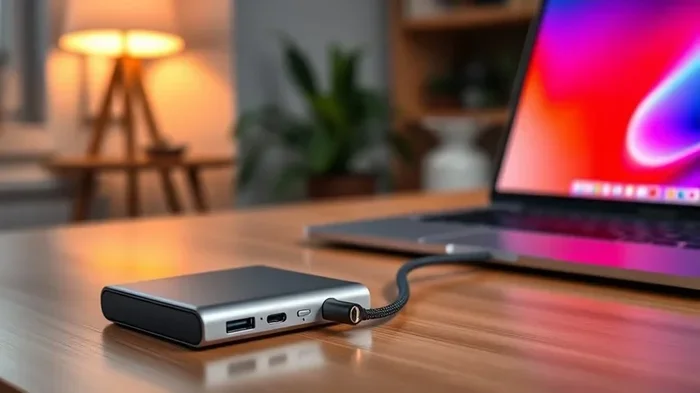
This is one of the most common questions we get. The answer depends on the hub. Some USB-C hubs and docking stations support USB-C PD charging passthrough, which means they let power flow through to your laptop while you connect other devices like monitors, hard drives, and peripherals.
However, many basic USB-C hubs do not support power delivery. They only offer data and video ports. If you want to charge your laptop through a hub, make sure the hub explicitly states it supports USB-C PD or has a dedicated charging port.
For the best experience, look for a USB-C docking station with at least 85W or 100W power delivery. This way, you can charge your laptop and power all your peripherals from a single connection.
Frequently Asked Questions
Can I charge any laptop with a USB-C cable?
No, not every laptop supports USB-C charging. You need a laptop with a USB-C port that supports power delivery. Check your laptop’s specifications or look for a lightning bolt icon next to the USB-C port. If your laptop uses a traditional barrel charger or proprietary plug, it likely will not charge via USB-C.
Is USB-C charging faster than using the original laptop charger?
It can be, depending on the wattage. A USB-C PD charger with the same or higher wattage as your original charger will charge at the same speed or faster. Some modern GaN chargers deliver power more efficiently, which can slightly reduce charging time. However, using a lower-wattage USB-C charger will charge your laptop more slowly.
What wattage USB-C charger do I need for my laptop?
It depends on your laptop model. Ultrabooks and thin laptops typically need 45W to 65W. Standard business laptops work well with 65W chargers. Gaming laptops and mobile workstations often require 100W or more. Always match or exceed your laptop’s original charger wattage for the best results.
Can I charge my laptop with a USB-C power bank?
Yes, you can charge most modern laptops with a USB-C power bank that supports power delivery of 45W or higher. For meaningful charges, choose a power bank with at least 20,000 mAh and a 65W or 100W USB-C PD output. Keep in mind that power banks will drain faster when charging power-hungry gaming laptops.
Do I need a special USB-C cable to charge a laptop?
Yes, you need a cable rated for USB-C Power Delivery at the wattage your laptop requires. Standard USB-C cables that only support data transfer may limit charging speed or fail to charge altogether. Look for cables rated at 60W, 100W, or higher, and make sure they have an E-Marker chip for safety and performance.
Will using a USB-C charger damage my laptop battery?
No, not if you use a certified charger. USB-C PD chargers communicate with your laptop to deliver the exact amount of power needed. This actually helps protect your battery. The real risk comes from using cheap, uncertified chargers that deliver unstable power, which can degrade battery health over time. Always choose USB-IF certified or reputable brand chargers.
Final Thoughts
Can you charge a laptop with USB C? Absolutely, and it is one of the most convenient upgrades modern computing has to offer. With the right USB-C PD charger, a quality cable, and a compatible laptop, you can enjoy fast, reliable charging every single day. The days of carrying multiple chargers for different devices are over. A single USB-C charger can handle your laptop, phone, tablet, and more.
Remember to always match your charger wattage to your laptop’s requirements. Invest in certified cables and reputable brands. Avoid the common mistakes we covered, and you will enjoy a smooth, efficient charging experience for years to come. Whether you are at home, in the office, or on the road, USB-C laptop charging gives you the freedom and flexibility you deserve. Make the switch today and experience the difference for yourself.