Do All Jbl Speakers Pair With Every Bluetooth Device
Not all JBL speakers pair the same way. While most modern JBL speakers support Bluetooth, older models and specialty units may have limitations. This guide covers JBL speaker connectivity, pairing steps, and common issues you need to know.
JBL speakers are some of the most popular portable Bluetooth speakers on the market today. People love them for their sound quality, durability, and easy wireless connection. But here is a question many buyers ask before they purchase: do all JBL speakers pair with every Bluetooth device? The short answer is no, not always. While most JBL speakers use Bluetooth, there are differences in Bluetooth versions, pairing modes, and device compatibility that can affect how well they work together.
If you own a JBL speaker or are thinking about buying one, understanding how Bluetooth pairing works can save you a lot of frustration. In this guide, we will walk through everything you need to know about JBL speaker connectivity. We will cover which JBL models support Bluetooth, how to pair them, what to do when things go wrong, and how to get the best wireless audio experience from your speaker.
Can I Plug A Microphone Into A Jbl Speaker is another common question JBL owners ask, and it connects to the broader topic of JBL device compatibility.
Bluetooth technology has come a long way over the years. Early Bluetooth versions were slow and had a short range. Today, Bluetooth 5.0 and newer versions offer faster data transfer, better range, and more stable connections. Most JBL speakers made in the last five years use Bluetooth 4.0 or higher. This means they can connect to almost any modern phone, tablet, or computer that also supports Bluetooth.
Bluetooth pairing works the same basic way across most devices. You turn on Bluetooth, put the speaker in pairing mode, and select it from a list of available devices.
### How Bluetooth Pairing Works With JBL Speakers
When you turn on a JBL speaker, it broadcasts a signal. This signal tells nearby Bluetooth devices that the speaker is ready to connect. Your phone or laptop picks up this signal and shows it as an available device. When you tap on it, the two devices exchange a pairing code. After that, they remember each other and connect automatically in the future.
The Bluetooth range for most JBL speakers is about 30 feet. This means you can walk around your room or even go to another room and still keep the music playing. However, walls, furniture, and other objects can weaken the signal. If you go too far away, the connection may drop.
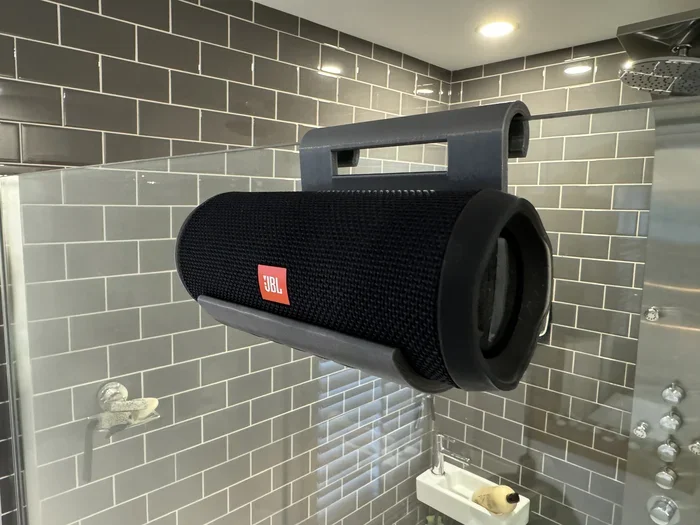
Waterproof JBL speakers like the Clip 4 use the same Bluetooth pairing process as other models. The waterproof design does not affect the wireless connection.
Not every JBL speaker uses Bluetooth. Some older models and specialty speakers use different connection methods. Understanding which type of speaker you have is the first step to getting it to work with your devices.
### JBL Flip Series
The JBL Flip series is one of the most popular lines of wireless speakers ever made. The JBL Flip 1, Flip 2, Flip 3, Flip 4, and Flip 5 all support Bluetooth. These speakers are designed for easy pairing. You press the Bluetooth button on the speaker, and it enters pairing mode. From there, you select it on your phone or tablet.
The Flip series works with almost any Bluetooth device that supports the Bluetooth version the speaker uses. For example, the Flip 5 uses Bluetooth 4.2. This means it can connect to any device that also supports Bluetooth 4.2 or higher.
### JBL Charge Series
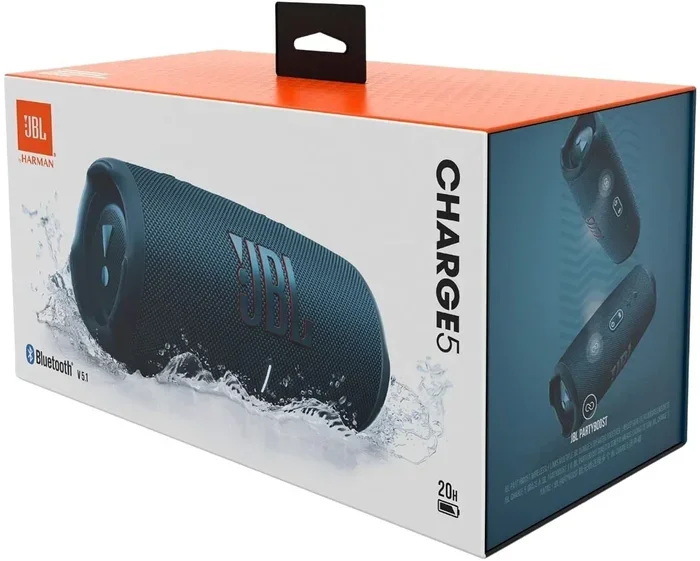
The JBL Charge series includes the Charge 1 through Charge 5. All of these models support Bluetooth connectivity. The Charge series is known for its powerful bass and long battery life. It also doubles as a portable charger for your phone in some models.
The JBL Charge speakers have a slightly wider Bluetooth range than the Flip series. This is because they use more advanced Bluetooth chips in newer models. The Charge 5, for example, uses Bluetooth 5.1, which gives it a stronger and more reliable connection.
### JBL Xtreme and Boombox
The JBL Xtreme and JBL Boombox are larger speakers designed for bigger sound. These models also support Bluetooth pairing. The JBL Boombox 2 uses Bluetooth 5.1, which offers excellent range and stability.
These bigger speakers can connect to a wider range of devices. They also support multi-device connection, which means you can pair more than one phone or tablet to the speaker at the same time. This is great for parties where multiple people want to take turns playing music.
### Older JBL Models
Some older JBL speakers, like the JBL Micro or early JBL On Stage models, do not have Bluetooth. These speakers use a 3.5mm audio cable or a docking connector to link to a device. If you have one of these older models, you cannot pair it wirelessly. You would need a cable or an adapter to make it work with modern devices.
Plugging speakers into a laptop is a common workaround for older JBL models that lack Bluetooth.
Even when your JBL speaker supports Bluetooth, you may run into problems sometimes. These issues are usually easy to fix. Let us look at the most common speaker pairing issues and how to solve them.
### Distance and Range Problems
The most common reason a JBL speaker will not pair is distance. If your phone is too far from the speaker, the Bluetooth signal may be too weak to connect. Stay within 30 feet of the speaker when you are trying to pair it. Also, make sure there are no large objects blocking the path between the two devices.
Walls, metal objects, and even microwaves can interfere with Bluetooth signals. If you are in a crowded room with many wireless devices, the signal may get crowded. Moving closer to the speaker often fixes this problem.
### Compatibility Troubles
Most JBL speakers work with any device that has Bluetooth. But sometimes, certain devices do not play well together. For example, an older laptop with Bluetooth 2.1 may struggle to connect to a JBL speaker that only supports Bluetooth 5.0. In these cases, the connection may drop or the audio quality may suffer.
If you are having trouble pairing your JBL speaker with a specific device, check the Bluetooth version on both devices. You can usually find this information in the settings menu of your phone or computer. If one device has a much older Bluetooth version, that could be the problem.
Bluetooth device compatibility issues can happen with projectors too, not just speakers.
### Speaker Not Showing Up on Device List
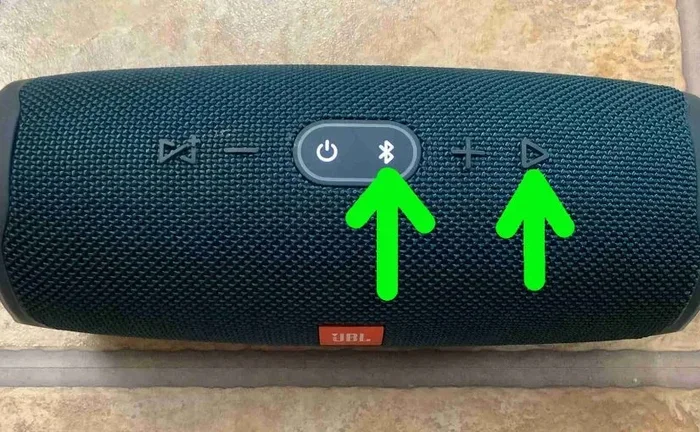
Sometimes your JBL speaker will not appear in the list of available Bluetooth devices. This usually happens because the speaker is not in pairing mode. To fix this, turn off the speaker and turn it back on. Then press and hold the Bluetooth button until you see a flashing light or hear a voice prompt. The speaker is now ready to be found.
Another reason the speaker might not show up is that it is already connected to another device. Some JBL speakers can only be connected to one device at a time in basic mode. Disconnect the speaker from the other device first, and then try pairing again.
Pairing a JBL speaker with a new device is simple once you know the steps. Here is a step-by-step guide that works for almost all JBL models.
### Step-by-Step Pairing Guide
- Turn on your JBL speaker. Press the power button and wait for the speaker to fully start up.
- Enter pairing mode. Press and hold the Bluetooth button. The light on the speaker will start flashing, usually blue or white.
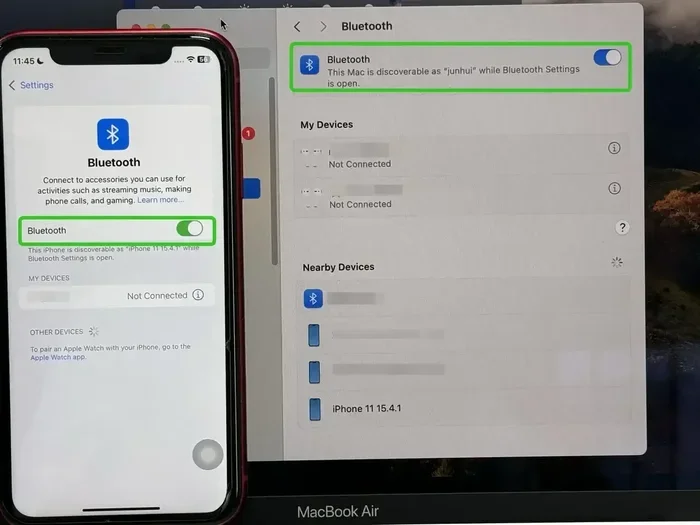
- Turn on Bluetooth on your device. Go to your phone, tablet, or laptop settings and make sure Bluetooth is turned on.
- Search for available devices. Your device will scan for nearby Bluetooth speakers. Look for your JBL speaker in the list.
- Tap on the JBL speaker name. The device will connect. You may hear a confirmation sound from the speaker.
- Start playing music. Once connected, your audio will stream through the JBL speaker.
### Quick Tips for Seamless Connection
Here are some quick tips to make your JBL speaker connectivity better. First, always update your device software. Phone and laptop updates often include Bluetooth improvements. Second, keep your speaker firmware up to date. Some JBL speakers connect to the JBL app, which lets you update the speaker software. Third, restart both devices if the connection is acting up. A simple restart fixes most Bluetooth problems.
If you have multiple JBL speakers, you can also link two JBL speakers together for stereo sound. This feature is available on many newer models and works through the JBL app.
Many modern JBL speakers support multi-device connection. This means you can pair the speaker with more than one phone or tablet at the same time. This is a great feature for families or groups of friends.
### Connecting Multiple Devices
To use multi-device pairing, you first need to connect one device to the speaker. Then, put the second device in pairing mode. The JBL speaker will detect the second device and allow you to connect it. Some models let you connect up to two or three devices at once.
When multiple devices are connected, the speaker will switch to whichever device is playing audio. If one device pauses its music, the speaker will automatically switch to the other device if it starts playing.
Bluetooth technology in speakers works similarly to how USB hubs manage multiple connections.
### Switching Between Paired Devices
Switching between devices is usually automatic. But if it does not switch on its own, you can manually disconnect one device from the speaker. On most JBL speakers, you can do this by pressing the Bluetooth button and selecting the device you want to disconnect. Then pair the new device.
Some JBL speakers also have a “PartyBoost” or “Connect” button. This button lets you link two JBL speakers together for louder sound. It is a different feature from multi-device pairing, but it is worth knowing about if you want to expand your setup.
### The JBL App and Its Role
The JBL Portable app (formerly called JBL Connect) is a free app for iOS and Android. It lets you update your speaker firmware, manage multi-speaker connections, and access special features. Some JBL speakers will not unlock all their features until you connect them to the app.
The app also helps with speaker connectivity problems. It shows you the Bluetooth version your speaker is using, the battery level, and whether any updates are available. If your speaker is acting up, checking the app is a great first step.
### Bluetooth 5.0 vs. Older Versions
Bluetooth 5.0 offers significant improvements over older versions. It has twice the speed, four times the range, and can connect to more devices at once. If your phone supports Bluetooth 5.0 and your JBL speaker also uses Bluetooth 5.0, you will get the best experience.
Older Bluetooth versions like 2.1 and 3.0 are still functional. But they may have shorter range and lower audio quality. If you are buying a new JBL speaker, look for one with Bluetooth 5.0 or higher for the best wireless speaker performance.
### Do All JBL Speakers Pair? Final Thoughts
So, do all JBL speakers pair with every Bluetooth device? Most of them do. The vast majority of JBL speakers sold today support Bluetooth and can connect to any modern device that also has Bluetooth. However, older models without Bluetooth, speakers with proprietary connections, and devices with outdated Bluetooth versions may not work as expected.
The good news is that Bluetooth pairing issues are usually easy to fix. A simple reset, a firmware update, or moving closer to the speaker often solves the problem. With the right knowledge, you can get your JBL speaker connected to any device in just a few minutes.
Bluetooth speakers like JBL offer great value without monthly fees, unlike some tablet plans.
### Understanding Your Speaker Model
Before you buy a JBL speaker or try to pair an existing one, check the model number. You can find this on the bottom or back of the speaker. Then look up the specs online to confirm it supports Bluetooth and which version it uses. This small step can save you a lot of time and disappointment.
### What to Look For When Buying
If you are shopping for a new JBL speaker, here are a few things to keep in mind. Look for Bluetooth 5.0 or higher for the best range and stability. Check if the speaker supports multi-device pairing if you want to connect more than one phone. And make sure the speaker is compatible with your devices. Most modern JBL speakers work with iPhones, Androids, Windows laptops, and Macs without any issues.
Device compatibility matters across all tech, not just speakers and tablets.
### Common Mistakes to Avoid
One of the biggest mistakes people make is not putting the speaker in pairing mode. Another is having Bluetooth turned off on the device they are trying to connect. Some people also try to pair their speaker from too far away, which causes the connection to fail. Avoid these mistakes, and your JBL speaker connectivity will be smooth.
### Expert Insights
Audio engineers recommend keeping your JBL speaker firmware updated at all times. Firmware updates often include fixes for Bluetooth bugs and improvements to connection stability. They also suggest keeping your phone within 10 feet of the speaker when you are streaming high-quality audio, especially if you are using Bluetooth 4.0 or older.
Experts also note that audio streaming quality depends on both the speaker and the source device. A high-end JBL speaker paired with an old phone may not deliver the best sound. For the best experience, make sure both your speaker and your source device support the same Bluetooth version.
### The Future of JBL Speaker Connectivity
JBL is always innovating. Newer models are expected to support Bluetooth 5.3 and even newer standards. These updates will bring better range, lower power consumption, and even more stable connections. Some future JBL speakers may also support Wi-Fi connectivity, which would allow for even higher quality audio streaming.
For now, Bluetooth remains the standard way to connect JBL speakers to devices. And with the wide adoption of Bluetooth across all gadgets, JBL speaker compatibility continues to be excellent for most users.
Wireless devices like JBL speakers and smart lamps share similar connectivity considerations.
### Key Takeaways
Most JBL speakers pair with any Bluetooth device that supports the same or a newer Bluetooth version. The JBL Flip, Charge, Xtreme, and Boombox lines all use Bluetooth and work with modern phones and laptops. Older models without Bluetooth will need a wired connection.
Pairing issues are usually caused by distance, outdated software, or not entering pairing mode correctly. Keeping your devices updated and staying within range will prevent most problems. Multi-device pairing and PartyBoost features add flexibility for groups and parties.
If you are still having trouble, try resetting your JBL speaker. Most JBL models have a simple reset process. Check the user manual or the JBL website for specific instructions for your model.
Understanding how Bluetooth pairing works with your JBL speaker helps you get the most out of your investment. Whether you are using a JBL Clip for the shower or a JBL Boombox for a backyard party, the connection process is straightforward once you know the basics.
### Final Thoughts
JBL speakers are designed to be easy to use and widely compatible. The Bluetooth connectivity in modern JBL speakers is reliable, fast, and works with almost any device you own. By following the pairing steps in this guide and keeping your devices updated, you can enjoy wireless audio from your JBL speaker without any hassle.
Remember, not every JBL speaker pairs the same way, and not every Bluetooth device works perfectly with every speaker. But with the tips and information in this guide, you are well equipped to handle any JBL speaker connectivity challenge that comes your way.
Key Takeaways
- Most JBL speakers use Bluetooth: The vast majority of JBL portable speakers support Bluetooth pairing with phones, tablets, and laptops.
- Older models may lack Bluetooth: Some legacy JBL speakers use wired connections or proprietary tech instead of Bluetooth.
- Bluetooth version matters: Newer JBL speakers with Bluetooth 5.0 offer better range and stability than older versions.
- Multi-device pairing is possible: Many JBL speakers let you connect to more than one device at a time.
- Pairing issues are usually fixable: Simple resets and updates solve most JBL speaker connectivity problems.
- Not all Bluetooth devices work equally: Some devices have compatibility quirks with certain JBL models.
Frequently Asked Questions
Can I pair a JBL speaker with a smart TV?
Yes, most JBL speakers can pair with smart TVs that support Bluetooth. Go to your TV’s Bluetooth settings, put the JBL speaker in pairing mode, and select the speaker from the list of available devices. Some older smart TVs may not have Bluetooth, in which case you can use a Bluetooth transmitter.
Why won’t my JBL speaker connect to my phone?
This is usually caused by the speaker not being in pairing mode, Bluetooth being turned off on your phone, or the speaker being connected to another device. Try turning Bluetooth off and on again, resetting the speaker, and making sure it is within 30 feet of your phone.
Can I connect two JBL speakers together?
Yes, many newer JBL speakers support a feature called PartyBoost or Connect. This lets you link two compatible JBL speakers for louder stereo sound. Check your speaker model to see if it supports this feature, and use the JBL app to set it up.
Do JBL speakers work with iPhones and Androids?
Yes, JBL speakers work with both iPhones and Android phones. They use standard Bluetooth technology, so there is no difference in compatibility between the two platforms. Any device with Bluetooth can connect to a JBL speaker that supports Bluetooth.
How far can I be from my JBL speaker while connected?
Most JBL speakers have a Bluetooth range of about 30 feet. Newer models with Bluetooth 5.0 or higher may have a slightly longer range. Walls and other obstacles can reduce the effective range, so staying in the same room or nearby works best.
Do I need the JBL app to pair my speaker?
No, you do not need the JBL app to pair your speaker with a device. Bluetooth pairing works through your phone or laptop settings. However, the JBL app is helpful for updating firmware, linking multiple speakers, and accessing extra features like PartyBoost.
=== CONCLUSION ===
Do all JBL speakers pair? The answer is mostly yes, but with some important caveats. Modern JBL speakers use Bluetooth and can connect to almost any Bluetooth-enabled device. Older models may lack wireless connectivity entirely. Understanding your specific JBL model and its Bluetooth version helps you avoid frustration and get the best audio experience.
By following the pairing steps, keeping your devices updated, and troubleshooting common issues, you can enjoy seamless wireless speakers performance from your JBL speaker. Whether you are at home, at a party, or on the go, a properly paired JBL speaker delivers great sound every time. Take the time to learn your speaker’s features, and you will get the most out of your JBL speaker connectivity for years to come.