Can You Pair 2 Bluetooth Speakers At Once And Why It Works
Yes, you can pair 2 Bluetooth speakers at once, and it is simpler than most people think. Whether you want stereo sound for a party or louder audio for your backyard, dual speaker pairing delivers better audio in many situations. This guide walks you through every method, compatible devices, and common mistakes to avoid.
This is a comprehensive guide about Can You Pair 2 Bluetooth Speakers At Once.
Key Takeaways
- Dual Bluetooth pairing is possible: Most modern speakers support connecting two units at once for stereo or amplified sound.
- Stereo mode splits audio channels: One speaker handles left audio and the other handles right, creating a wider soundstage.
- Not all speakers are compatible: You need matching brands or speakers from the same ecosystem for reliable pairing.
- Phone and tablet settings matter: Your device must support dual audio or multi-point Bluetooth connections.
- Range and interference affect performance: Keep speakers within 30 feet of your source device for best results.
[FEATURED_IMAGE_PLACEHOLDER]
Have you ever been at a gathering and wished your music sounded bigger, fuller, and more immersive? Maybe you brought one Bluetooth speaker, but it just was not enough to fill the room. The natural next thought is: can you pair 2 Bluetooth speakers at once to double the sound?
The short answer is yes. You absolutely can connect two Bluetooth speakers together in many cases. But the full story is more interesting than a simple yes or no. How you pair them, what devices you use, and which speakers you own all play a role in whether the experience is smooth or frustrating.
This guide covers everything you need to know about pairing two Bluetooth speakers simultaneously. We will walk through the different methods, compatible brands, step-by-step setup instructions, and common pitfalls that trip people up. By the end, you will feel confident setting up your own dual-speaker system at home or on the go.
What Does It Mean to Pair 2 Bluetooth Speakers At Once?
When you pair two Bluetooth speakers together, you link them so they play audio from the same source at the same time. This is different from using one speaker and then adding a second one later. Dual pairing creates a unified audio experience where both speakers work as a team.
There are two main reasons people do this. The first is stereo pairing, where one speaker handles the left channel and the other handles the right channel. This creates a wider, more spacious sound. The second reason is volume boosting, where both speakers play the same audio to make it louder and fill a larger space.
How Bluetooth Speaker Pairing Works
Bluetooth technology lets devices communicate wirelessly over short distances. When you pair a phone to a speaker, the phone sends an audio signal through the Bluetooth connection. The speaker receives that signal and turns it into sound.
When you add a second speaker, the process depends on the method your device uses. Some phones send the signal to both speakers at the same time using a feature called dual audio or multi-point connection. Other setups require you to chain the speakers together, where the first speaker passes the signal to the second one. Each method has its own advantages and limitations.
Why People Want to Pair Two Bluetooth Speakers
You might wonder why anyone would go through the trouble of connecting two speakers. The reasons are straightforward and practical. Let us break them down.
Louder Sound for Bigger Spaces
A single Bluetooth speaker is great for a small room or a personal listen. But when you move outdoors to a backyard barbecue or a beach trip, one speaker often falls short. Pairing two speakers gives you significantly more volume without distortion.
Better Stereo Sound
Stereo sound makes music feel three-dimensional. You can hear instruments coming from the left and vocals from the right. When you pair two speakers in stereo mode, you get that immersive experience even with portable Bluetooth speakers. It transforms a flat audio signal into something that feels like a live performance.
Sharing Music with Friends
Sometimes you just want everyone to hear the music. Pairing two speakers ensures that people across a large room or outdoor area can enjoy the same playlist without crowding around one device.
Replacing a Broken Speaker
If one speaker dies mid-party, having a second one ready to pair means the music keeps going. It is a simple backup plan that works surprisingly well.
Can You Pair 2 Bluetooth Speakers At Once? Methods That Work
Not all pairing methods are the same. Your results depend on your phone, your speakers, and the technology they support. Here are the most reliable methods people use today.
Method 1: Using Your Phone’s Built-In Dual Audio Feature
Many modern smartphones now include a dual audio or multi-speaker feature. Samsung phones call this Dual Audio, and it lets you connect to two Bluetooth speakers simultaneously. iPhones do not have a native dual audio feature, but there are workarounds.
To use this method, go to your phone’s Bluetooth settings, pair the first speaker, then pair the second speaker. The phone should stream audio to both at the same time. This is the easiest method if your phone supports it.
One thing to watch out for: not every phone handles dual audio smoothly. Some phones disconnect the first speaker when you connect the second one. If that happens, try restarting both speakers and your phone before trying again.
Method 2: Using Speaker Brand Apps
Many speaker brands have their own apps that make pairing two speakers simple. Bose, JBL, Sony, and Ultimate Ears all offer apps with dedicated stereo pairing features.
For example, the JBL Connect app lets you link two JBL speakers with a single tap. The Bose app offers a similar feature called Party Mode that syncs two Bose speakers. These apps handle the technical side of pairing so you do not have to mess with complicated settings.
The downside is that both speakers usually need to be from the same brand. Mixing brands rarely works with brand-specific apps.
Method 3: Bluetooth Daisy Chaining
Some speakers support daisy chaining, where you connect the first speaker to your phone and then connect the second speaker to the first. This creates a chain of audio output that covers more area.
This method works well for speakers that have a dedicated speaker-to-speaker pairing button. You press the button on the first speaker, then press it on the second, and they link up. The first speaker acts as a bridge between your phone and the second speaker.
Daisy chaining can introduce a slight delay between the two speakers, which might affect stereo sync. For casual listening, most people do not notice this issue.
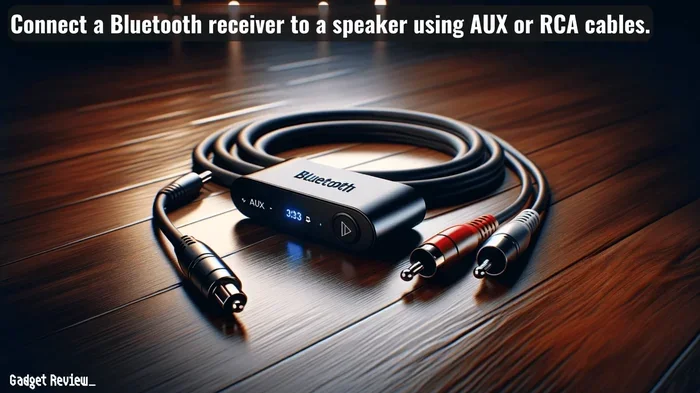
Method 4: Using a Bluetooth Transmitter
A Bluetooth transmitter is a small device that sends audio to multiple receivers. You plug it into your phone or music source, and it broadcasts the signal to two paired speakers. This method works with speakers of different brands.
This is a great option if your phone does not support dual audio and your speakers do not have a native pairing feature. You just need to buy a compatible transmitter, which costs between 15 and 40 dollars.
Which Speakers Can You Pair Together?
Speaker compatibility is the most important factor in successful dual pairing. Not every Bluetooth speaker can connect to another one, and mixing brands often causes problems.
Same-Brand Pairing
The easiest and most reliable pairing happens when both speakers are the same brand and model. JBL speakers pair with JBL speakers, Bose speakers pair with Bose speakers, and so on. The technology protocols match, and the apps support it natively.
Cross-Brand Pairing
Can you pair a JBL speaker with a Bose speaker? In most cases, no. The Bluetooth profiles and proprietary protocols differ between brands. However, using a Bluetooth transmitter or your phone’s dual audio feature can sometimes bridge the gap.
Speakers With the Same Bluetooth Version
Bluetooth versions matter more than people realize. Speakers using Bluetooth 5.0 or newer tend to pair more reliably with each other. Older Bluetooth versions (4.0 and below) may struggle with stable connections when two speakers are involved.
If you are buying speakers specifically for dual pairing, look for models that advertise stereo pairing or party mode in their product descriptions. These features are now standard on most mid-range and premium portable speakers.
Step-by-Step Guide to Pairing 2 Bluetooth Speakers
Ready to try it yourself? Here is a simple walkthrough that works for most setups.
Step 1: Charge Both Speakers Fully
Before you start, make sure both speakers have full battery. A low battery can cause pairing failures and audio dropouts. Plug them in for at least an hour if needed.
Step 2: Turn on Both Speakers and Set Them to Pairing Mode
Press and hold the Bluetooth button on each speaker until the LED light starts flashing. This tells the speaker it is ready to connect. Some speakers have a dedicated pairing button, while others require you to hold the power button.
Step 3: Connect the First Speaker to Your Phone
Go to your phone’s Bluetooth settings, find the first speaker, and tap to connect. Play a song to make sure the audio is working normally.
Step 4: Connect the Second Speaker
If your phone has a dual audio feature, go back to Bluetooth settings and connect the second speaker. If you are using a speaker brand app, open the app and follow the on-screen instructions for stereo pairing.
Step 5: Test the Audio
Play music and listen carefully. If both speakers are synced, you should hear clear audio from both. If one speaker is delayed or quieter, move them closer together and try again.
Quick tip: place the speakers about 3 to 5 feet apart for the best stereo effect. Too far apart and the sound can feel disconnected.
Common Mistakes When Pairing 2 Bluetooth Speakers
Even with the right setup, people run into problems. Here are the most common mistakes and how to avoid them.
Mixing Incompatible Brands
Trying to pair a JBL speaker with a Sony speaker using native Bluetooth often fails. The protocols do not match. Stick with the same brand or use a Bluetooth transmitter as a workaround.
Ignoring Bluetooth Range
Bluetooth has a limited range, usually about 30 feet. If your speakers are too far apart or too far from your phone, the connection drops. Keep all devices within range for stable performance.
Forgetting to Update Firmware
Speaker firmware updates fix bugs and improve Bluetooth compatibility. Check the manufacturer’s app for updates before you try pairing. An outdated firmware version can cause all sorts of connection issues.
Using Old Bluetooth Versions
Speakers with Bluetooth 4.0 or older were not designed for dual pairing. If you are having trouble, the Bluetooth version might be the culprit. Newer versions handle multiple connections much better.
Not Resetting the Speakers
If pairing fails, try resetting both speakers to factory settings. This clears any old connections that might be interfering. Most speakers have a reset button or a reset sequence you can find in the manual.
Expert Tips for the Best Dual Speaker Experience
Once you have two speakers paired, a few simple tips can make a big difference in sound quality and reliability.
Place the speakers at ear level when possible. Setting them on the ground or low tables muddies the sound. Elevating them on chairs or shelves improves clarity.
Keep your phone close to the speakers but not right on top of one. The phone’s battery and antenna can interfere with the Bluetooth signal if it is too close to a speaker.
Use lossless audio formats when possible. Bluetooth compresses audio, but higher-quality files still sound better than heavily compressed ones. If your phone supports it, use the highest quality Bluetooth codec available.
For outdoor use, position the speakers facing toward your listening area rather than outward. This focuses the sound where you want it and reduces wasted audio energy.
If you enjoy listening to the radio through Bluetooth, you can also pair your speakers with a Bluetooth radio receiver for even more flexibility. This opens up a wider range of audio sources beyond just your phone.
Some people like to use their paired speakers as a speakerphone for video calls. While this works in a pinch, the audio quality for voice calls is not as good as dedicated speakerphone devices. For music and media, paired speakers shine.
Frequently Asked Questions
Can you pair 2 Bluetooth speakers from different brands together?
It depends on the method you use. Native speaker-to-speaker pairing usually only works with matching brands. However, you can use your phone’s dual audio feature or a Bluetooth transmitter to connect two different brands. The results vary, so test before committing to a setup.
Does pairing 2 Bluetooth speakers reduce battery life?
Yes, running two speakers drains more battery than one. Each speaker uses power to maintain the Bluetooth connection and process audio. Plan to recharge them more often during extended use, especially at outdoor events.
Can you pair more than 2 Bluetooth speakers at once?
Some systems support connecting three or more speakers, but it depends on your phone and speaker brand. Samsung phones with Dual Audio support up to two connections. Certain speaker apps and party mode features allow linking multiple units, but setup becomes more complex with each added speaker.
Why is one speaker louder than the other when paired?
This usually happens when the speakers are different models or have different firmware versions. Volume imbalances can also result from placement. Try moving the speakers to equal positions in the room and check the volume balance in your phone’s Bluetooth audio settings.
Can you use paired Bluetooth speakers for phone calls?
Yes, paired speakers can handle phone calls, but the experience varies. Both speakers will output the caller’s voice, which can sound echoey. For music and videos, dual pairing works great. For calls, a single speaker usually provides clearer audio.
Do you need WiFi to pair 2 Bluetooth speakers?
No, Bluetooth pairing does not require WiFi. Bluetooth uses its own wireless signal to connect devices. However, some speaker apps may need WiFi for initial setup or firmware updates. The actual audio streaming between paired speakers happens over Bluetooth alone.
Final Thoughts
Pairing 2 Bluetooth speakers at once is a fantastic way to upgrade your audio experience without buying expensive equipment. Whether you want louder music for a party, stereo sound for a movie night, or just better coverage across a large room, dual speaker pairing delivers real results.
The key is understanding which method works best for your devices. If your phone supports dual audio, that is the easiest path. If you own speakers from the same brand, their app will likely offer a one-touch stereo pairing option. And if neither of those works, a Bluetooth transmitter can bridge the gap between different brands.
Remember to avoid the common mistakes we covered. Keep your speakers within range, update firmware, and match brands when possible. With the right setup, you will enjoy richer, louder, and more immersive sound wherever you go.
So grab your two favorite Bluetooth speakers, follow the steps in this guide, and start listening the way you always wanted. Once you experience the difference that dual pairing makes, you will never go back to a single speaker again.
Frequently Asked Questions
What is Can You Pair 2 Bluetooth Speakers At Once?
Can You Pair 2 Bluetooth Speakers At Once is an important topic with many practical applications.