How Do I Access Airport Wifi and Browse Without Limits
Accessing airport wifi is easier than you think. You can connect in seconds, browse without limits, and stay secure while traveling. This guide walks you through every step, from finding the right network to avoiding common pitfalls.
You just landed at a busy airport. Your phone shows no signal. Your laptop is dead. You need to check your flight status, reply to an email, or just kill time before boarding. This is where airport wifi becomes your best friend.
Accessing airport wifi is something every traveler should know how to do. It is not complicated. In fact, most airports make it easy to get online. But there are tricks to getting the best speed, staying secure, and browsing without limits. This guide covers everything you need.
Whether you travel often or just once a year, understanding how to use airport wifi properly saves you time and stress. You will learn how to find the network, connect quickly, avoid common problems, and keep your data safe. Let us get started.
Key Takeaways
- Airport wifi is widely available: Most airports offer free wifi, and connecting is usually straightforward.
- You can browse without limits: Using a VPN or choosing the right network helps you bypass restrictions.
- Security matters: Public wifi can expose your data, so always use protection.
- Portable wifi devices are a great backup: If airport wifi fails, you can still stay connected.
- Speed varies by airport: Knowing what to expect helps you plan your online activities.
📑 Table of Contents
- Why Airport Wifi Matters for Travelers
- How to Find and Connect to Airport Wifi
- Tips for Browsing Without Limits at the Airport
- Is Airport Wifi Safe? Understanding the Risks
- What to Do If Airport Wifi Is Not Working
- How Airport Wifi Compares to Other Wifi Options
- Expert Tips for the Best Airport Wifi Experience
- Final Thoughts
Why Airport Wifi Matters for Travelers
Airports are busy places. You wait for hours. You need to stay in touch with family. You might need to work on a presentation. Or you simply want to stream a movie while sitting at the gate. Airport wifi makes all of this possible.
Here is why airport wifi is so important:
- Flight updates: You can check your gate, departure time, and delays in real time.
- Work on the go: You can reply to emails, join video calls, or finish documents.
- Entertainment: You can stream shows, listen to music, or browse social media.
- Communication: You can message loved ones or make calls over wifi.
- Navigation: You can look up maps, directions, or local information.
Without airport wifi, you are stuck with a dead phone and a lot of waiting. With it, you turn dead time into productive time. And the good news is that most airports offer free wifi now. You do not need to pay extra to get online.
How to Find and Connect to Airport Wifi
Connecting to airport wifi is usually simple. But the exact steps depend on the airport and the network they use. Here is a general guide that works at most airports around the world.
Step 1: Turn on Your Wifi
First, make sure your wifi is turned on. On most devices, you can swipe down from the top of your screen or go to Settings and tap the wifi icon. Your phone or laptop will start scanning for available networks.
Step 2: Look for the Airport Network
Once wifi is on, look for a network name that mentions the airport. It might say something like “Airport Free Wifi” or “Airport Guest Network.” The name varies by airport, but it is usually easy to spot.
Sometimes you may see multiple networks. In that case, look for one that is labeled “free” or “guest.” Avoid networks with random names or ones that ask for a fee right away. If you are unsure, check the airport website or look for signage near the gates.
Step 3: Connect and Accept the Terms
Tap on the network name and hit connect. Most airports will redirect you to a login page. This page usually asks you to agree to terms and conditions. You might need to enter your email address or create a quick account.
Some airports use a simple click-to-connect system. You just click “Accept” and you are online. Others may show ads before giving you access. Either way, the process is fast.
Step 4: Test Your Connection
Once connected, open a browser and try loading a website. If the page loads, you are good to go. If not, try turning wifi off and on again. Sometimes restarting your device helps too.
Did you know that you can also get wifi without an internet provider in many cases? Airport wifi works independently of your home internet plan. You do not need a special data package to use it.
Tips for Browsing Without Limits at the Airport
Connecting to airport wifi is one thing. Browsing without limits is another. Many airports throttle speed or block certain websites. Here is how you can get the most out of your connection.
Use a VPN for Unrestricted Access
A VPN, or virtual private network, is a tool that encrypts your internet traffic. It also helps you bypass restrictions. Some airports block streaming sites or social media platforms. A VPN can help you access these sites without problems.
There are many free VPN apps available. Some popular ones include ProtonVPN, Windscribe, and TunnelBear. Install one before your trip so you are ready to go.
Choose the Right Time to Connect
Airport wifi can slow down during peak hours. If you need fast speeds, try connecting early in the morning or late at night. Fewer people means better wifi speed for you.
Download Content Before You Go
If you know the airport wifi will be slow, download movies, music, or documents before you leave home. This way, you have entertainment ready even if the connection is poor.
Use a Portable Wifi Device as a Backup
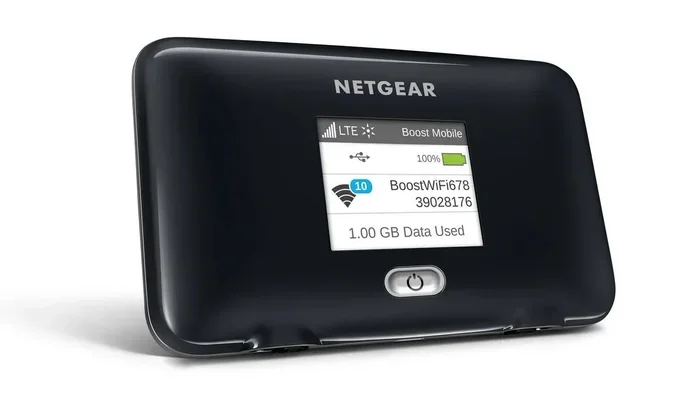
Sometimes airport wifi just does not work. In that case, having a portable wifi device can be a lifesaver. You can buy a portable hotspot or use your phone as a mobile hotspot. This gives you internet access even when the airport network is down.
Many travelers rely on portable wifi devices for consistent internet on the go. You can check out more about having a portable wifi setup to see if it is right for you. A portable device gives you control over your connection, which is especially helpful during busy travel days.
Clear Your Browser Cache
If you have trouble loading pages, try clearing your browser cache. Old data can slow down your connection. Clearing it often helps pages load faster on airport wifi.
Is Airport Wifi Safe? Understanding the Risks
This is a question many travelers ask. The short answer is: airport wifi can be risky. But with the right precautions, you can stay safe.
Why Public Wifi Can Be Dangerous
Public wifi networks, like those at airports, are open to everyone. This means hackers can potentially intercept your data. They might try to steal passwords, credit card numbers, or personal information.
Here are some common risks of using public wifi:
- Man-in-the-middle attacks: Someone intercepts your data between your device and the network.
- Fake networks: Hackers create fake wifi networks that look real.
- Malware: Your device can get infected through a compromised network.
- Data theft: Sensitive information like login credentials can be stolen.
How to Stay Safe on Airport Wifi
Follow these simple tips to protect yourself:
- Use a VPN: This encrypts your data and keeps it safe from prying eyes.
- Avoid banking sites: Do not access your bank account on public wifi. Use your mobile data instead.
- Turn off file sharing: Go to your device settings and disable file sharing on public networks.
- Check the network name: Make sure you are connecting to the official airport network. Ask airport staff if you are unsure.
- Use two-factor authentication: This adds an extra layer of security to your accounts.
- Keep your software updated: Updates often include security patches that protect you on public networks.
Following these steps makes a big difference. You can enjoy the convenience of airport wifi without putting your personal data at risk.
What to Do If Airport Wifi Is Not Working
Sometimes things go wrong. The network might not show up. You might connect but get no internet. Here is how to troubleshoot common airport wifi problems.
Basic Troubleshooting Steps
Try these steps in order:
- Turn wifi off and on again: This simple step fixes many connection issues.
- Restart your device: A quick reboot can clear up software glitches.
- Forget the network and reconnect: Go to your wifi settings, forget the network, and connect again.
- Check for a login page: Some airports require you to visit a specific URL to start the login process.
- Move closer to the router: Signal strength matters. Sit closer to the wifi router for a better connection.
When to Ask for Help
If none of the above works, ask airport staff for assistance. Most airports have information desks or customer service counters. They can help you find the right network and troubleshoot issues.
Alternative Ways to Get Online
If airport wifi is completely down, you have other options. You can use your mobile data plan. You can also connect to a portable wifi device if you have one. Some airports even offer paid wifi options for faster speeds.
And if you are wondering about getting wifi in other situations, you might be interested in learning more about getting wifi without an internet provider. The principles are similar, and the solutions often overlap.
How Airport Wifi Compares to Other Wifi Options
Not all wifi is the same. Here is how airport wifi compares to other common options you might use while traveling.
| Feature | Airport Wifi | Portable Wifi | Mobile Data |
|---|---|---|---|
| Cost | Usually free | Paid rental or purchase | Depends on your plan |
| Speed | Varies by airport | Generally fast | Depends on signal |
| Coverage | Limited to airport | Works anywhere | Works anywhere |
| Security | Lower (public) | Higher (private) | Higher (private) |
| Ease of Use | Very easy | Easy | Very easy |
As you can see, each option has its pros and cons. Airport wifi is great for free, quick access. Portable wifi gives you more control and better security. Mobile data is reliable but can be expensive if you exceed your data limit.
The best approach is to have a backup plan. Use airport wifi for basic browsing and have a portable wifi device or mobile data ready for when you need more speed or security.
Expert Tips for the Best Airport Wifi Experience
Here are some expert-level tips that will take your airport wifi experience to the next level:
- Download the airport app: Many airports have their own app. It often includes direct links to the wifi network and real-time flight updates.
- Bring your own ethernet adapter: Some airport lounges offer ethernet ports. A simple adapter lets you plug in for a faster, more stable connection.
- Use wifi analyzer apps: These apps show you which wifi channels are least crowded. You can pick the best one for faster speeds.
- Disable auto-connect to open networks: This prevents your phone from connecting to fake networks without your permission.
- Keep your device charged: Wifi uses battery power. Bring a portable charger so your device stays online.
These small tips can make a huge difference. They help you get better speeds, stay secure, and avoid frustration while using airport wifi.
Final Thoughts
Airport wifi is a powerful tool for every traveler. It keeps you connected, productive, and entertained while you wait. By following the tips in this guide, you can connect quickly, browse without limits, and stay safe online.
Remember to always use a VPN on public networks. Have a backup plan like a portable wifi device or mobile data. And never assume the first network you see is the right one. Take a moment to verify the network name and follow the proper connection steps.
The next time you are at the airport, you will know exactly what to do. You will connect in seconds and get online without any hassle. Safe travels and happy browsing.
Frequently Asked Questions
Is airport wifi free?
Most airports offer free wifi to travelers. However, some airports may have premium tiers that charge for faster speeds. Always check the airport’s website before your trip to confirm their wifi policy.
Can I use airport wifi without an internet provider?
Yes, you can. Airport wifi works independently of your home internet provider. You do not need any special plan or subscription to connect. Just turn on your wifi and look for the airport network.
Is it safe to do banking on airport wifi?
It is not recommended. Public wifi networks can be risky for sensitive transactions. If you need to do banking, use your mobile data or a VPN to protect your information.
How fast is airport wifi?
Speed varies greatly by airport. Some airports offer fast connections, while others are slow due to high usage. For best results, connect during off-peak hours or use a portable wifi device as a backup.
Can I get wifi on my flight?
Yes, many airlines now offer wifi on flights. You can connect to in-flight wifi similar to airport wifi. Check with your airline before your trip to see if they offer wifi and what it costs.
What should I do if airport wifi asks for my email?
Many airports require you to enter your email to access their free wifi. You can use a secondary email address for privacy. Just make sure it is a valid email so you receive the login instructions.