Does Bluetooth Work Through Walls What You Should Know
Bluetooth technology can pass through walls, but its effectiveness depends on several key factors like wall material, Bluetooth version, and signal strength. Understanding how Bluetooth penetration works helps you troubleshoot weak connections and improve your wireless experience at home. This guide covers everything from Bluetooth frequency basics to practical solutions for better connectivity.
Bluetooth has become a part of our daily lives. We use it to connect headphones, speakers, keyboards, and more. But one question keeps coming up: does Bluetooth work through walls? The short answer is yes, but with some important caveats. Your Bluetooth signal can pass through most common building materials, though it loses strength along the way.
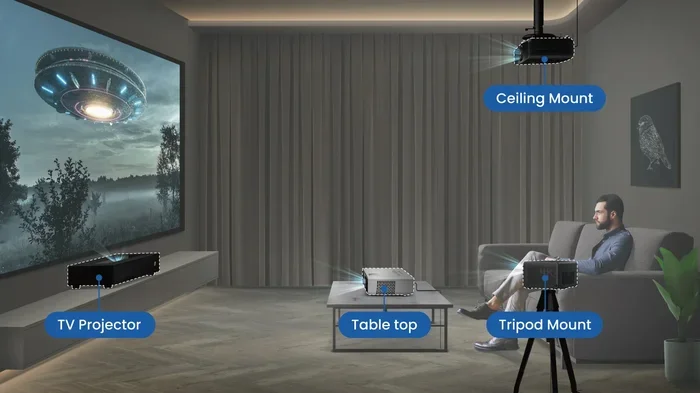
Whether you want to stream music from your phone to a speaker in another room or connect your laptop to a projector down the hall, understanding Bluetooth wall penetration helps a lot. This guide breaks down the science, the factors that matter, and the practical steps you can take to get better results. Let us dive in and explore everything you need to know about Bluetooth through walls.
Key Takeaways
- Bluetooth can work through walls: It uses radio waves that penetrate most common building materials, though with reduced signal strength.
- Wall material matters greatly: Concrete and metal walls block Bluetooth far more than drywall or wood partitions.
- Bluetooth 5.0 offers better range: Newer versions handle obstacles much better than older Bluetooth standards.
- Distance and interference play big roles: Even without walls, other wireless devices can weaken your Bluetooth connection.
- Simple fixes boost performance: Repositioning devices, using extenders, and reducing interference can significantly improve results.
📑 Table of Contents
How Bluetooth Works: The Basics
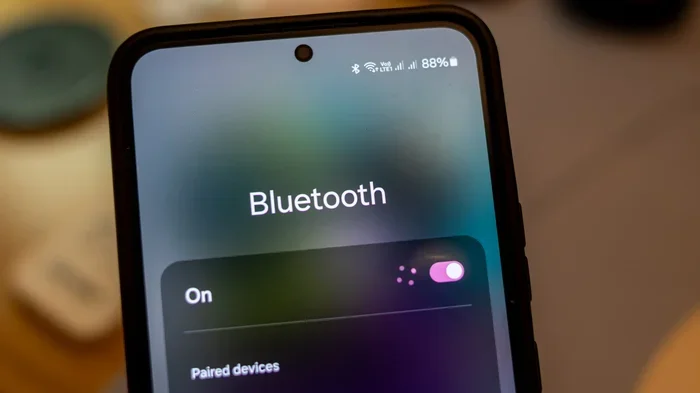
Before we talk about walls, let us understand what Bluetooth actually does. Bluetooth is a wireless technology that sends data between devices using radio waves. These waves travel through the air at a specific frequency. The standard Bluetooth frequency is 2.4 GHz, which is the same band used by Wi-Fi and microwaves.
Here is how it works in simple terms. One device acts as the transmitter. The other device acts as the receiver. The transmitter sends out radio signals. The receiver picks them up and decodes the information. This could be audio from your phone to your Bluetooth headphones, or a file from your laptop to a printer.
Bluetooth uses something called frequency-hopping spread spectrum. This means it constantly switches between different channels within the 2.4 GHz band. This helps reduce interference from other devices. It also makes the connection more stable. But this hopping does not make the signal immune to physical barriers.
Bluetooth Classes and Their Range
Not all Bluetooth devices are the same. They come in different classes that determine their power output and range. Class 1 devices have the strongest signal and can reach up to 100 meters in open space. Class 2 devices are the most common. They typically reach about 10 meters. Class 3 devices have the shortest range, around 1 meter.
Your device class affects how well Bluetooth penetrates walls. A Class 1 device will do much better through obstacles than a Class 3 device. Most smartphones and laptops use Class 2 Bluetooth. Many Bluetooth speakers and headsets also fall into this category. Knowing your device class gives you a realistic idea of what to expect.
Can Bluetooth Work Through Walls
Yes, Bluetooth can work through walls. Radio waves at the 2.4 GHz frequency can pass through most common building materials. But the signal weakens as it moves through each barrier. The question is not really whether Bluetooth goes through walls. The question is how much signal survives the journey.
Think of it like shining a flashlight through a curtain. Some light gets through. But it is dimmer on the other side. The same thing happens with Bluetooth signals. A thin drywall partition might barely reduce your signal. A thick concrete wall could block it almost entirely.
Many people use Bluetooth devices in different rooms without any problems. You might stream music from your phone to a speaker in the next room. You could connect your Bluetooth headphones to your TV in the living room while sitting in the bedroom. These scenarios work because the walls in a typical home are not thick enough to completely block the signal.
What Happens When Bluetooth Passes Through a Wall
When a Bluetooth signal hits a wall, several things happen. Some of the signal bounces back. Some passes through. Some gets absorbed by the material. The amount that gets through depends on the wall type and thickness. Here is a quick look at common wall materials and how they affect Bluetooth:
- Drywall: Very little signal loss. Bluetooth passes through easily.
- Wood panels: Minor signal reduction. Works well for most uses.
- Glass windows: Almost no loss. Bluetooth handles glass with ease.
- Brick: Moderate signal loss. Distance matters more here.
- Concrete: Significant signal loss. Thick concrete blocks Bluetooth effectively.
- Metal: Major signal blocker. Metal walls or large metal objects can kill the connection.
- Water pipes: Surprisingly effective at blocking signals. Water absorbs Bluetooth waves.
So if you have a house with mostly drywall and wooden studs, Bluetooth will easily pass through several walls. If your home has concrete or brick construction, you might notice problems sooner. This is why the answer to does Bluetooth work through walls varies from home to home.
Factors That Affect Bluetooth Through Walls
Several factors determine how well your Bluetooth signal gets through walls. Understanding these helps you troubleshoot connection problems. It also helps you set up your devices for the best possible performance.
Wall Thickness and Material
This is the biggest factor. A single layer of drywall poses almost no problem. But a thick brick exterior wall is a completely different story. The thicker the wall, the more signal it absorbs. The more dense the material, the harder it is for the radio waves to pass through.
If you have ever noticed your Bluetooth connection dropping when you move from one room to another, the wall between those rooms is likely the culprit. A standard interior wall might reduce your range by a few meters. A load-bearing wall with metal studs could reduce it by much more.
Distance Between Devices
Even without walls, distance matters. Bluetooth has a limited range. When you add walls into the mix, the effective range shrinks. A Bluetooth Class 2 device might work fine 10 meters away in open space. But through two thick walls, the same device might struggle at 5 meters.
Keep this in mind when placing your Bluetooth devices. If you want to use a Bluetooth speaker in the kitchen while your phone stays in the living room, measure the distance. Count the walls in between. This gives you a better sense of whether the connection will hold up.
Interference from Other Devices
Bluetooth shares the 2.4 GHz frequency band with many other devices. Wi-Fi routers, microwaves, baby monitors, and cordless phones all operate in this same band. When these devices are active, they create interference. This interference weakens your Bluetooth signal even more.
Imagine trying to have a conversation in a quiet room versus a crowded party. The Bluetooth signal is your voice. The other wireless devices are the noise around you. More walls already weaken your signal. Add interference on top of that, and your connection could drop entirely.
Bluetooth Version and Technology
Not all Bluetooth is created equal. Newer versions handle obstacles much better than older ones. Bluetooth 5.0, which launched in 2016, was a major leap forward. It offers four times the range of Bluetooth 4.2. It also handles interference better and delivers faster data speeds.
If you are struggling with Bluetooth through walls, check your device specifications. Older devices running Bluetooth 2.0 or 3.0 will have a much harder time. Upgrading to a Bluetooth 5.0 device can make a noticeable difference. Many modern smartphones, laptops, and Bluetooth headphones now support Bluetooth 5.0 or later.
Bluetooth Versions and Wall Penetration Compared
The version of Bluetooth your devices support plays a huge role in wall penetration. Here is a comparison of the most common Bluetooth versions and how they handle obstacles:
Bluetooth 4.0 and Earlier
These older versions have the shortest range and weakest wall penetration. Bluetooth 4.0 typically offers about 10 meters of range in open space. Through a single wall, that range might drop to 5 or 6 meters. Through multiple walls, the connection could become unstable or drop completely.
If you have older devices, you are not out of luck. There are still ways to improve performance. But you should set realistic expectations about what Bluetooth can do through walls with these older standards.
Bluetooth 4.2
Bluetooth 4.2 brought some improvements. Better energy efficiency and slightly improved range. It handles one or two interior walls reasonably well. But it still struggles with thick or dense materials. If your devices use Bluetooth 4.2, you should position them with fewer obstacles between them.
Bluetooth 5.0 and Later
Bluetooth 5.0 changed the game. It doubles the speed and quadruples the range compared to older versions. This means it handles walls much better. A Bluetooth 5.0 device might maintain a solid connection through two standard interior walls. It can also handle interference from other wireless devices more gracefully.
If you are buying new Bluetooth devices, look for Bluetooth 5.0 or later. This single upgrade can solve many of your wall penetration problems. Many modern devices now support Bluetooth 5.2 or even 5.3. These offer the best performance for getting through walls and obstacles.
| Bluetooth Version | Open Range | Through 1 Wall | Through 2 Walls | Interference Handling |
|---|---|---|---|---|
| Bluetooth 4.0 | 10 meters | 5-6 meters | 2-3 meters | Poor |
| Bluetooth 4.2 | 10 meters | 6-7 meters | 3-4 meters | Moderate |
| Bluetooth 5.0 | 40 meters | 20-25 meters | 10-15 meters | Good |
| Bluetooth 5.2+ | 40+ meters | 25+ meters | 15+ meters | Excellent |
Note: These ranges are estimates based on typical conditions. Actual performance varies depending on wall material and other factors.
How to Improve Bluetooth Through Walls
If you are struggling with Bluetooth connectivity through walls, do not worry. There are several practical steps you can take to improve your connection. Most of these are simple and do not require technical expertise.
Position Your Devices Strategically
The easiest fix is to change where your devices sit. Move your Bluetooth receiver closer to the transmitting device. Even a small change in position can make a big difference. Try to create a clear line of sight between the two devices whenever possible.
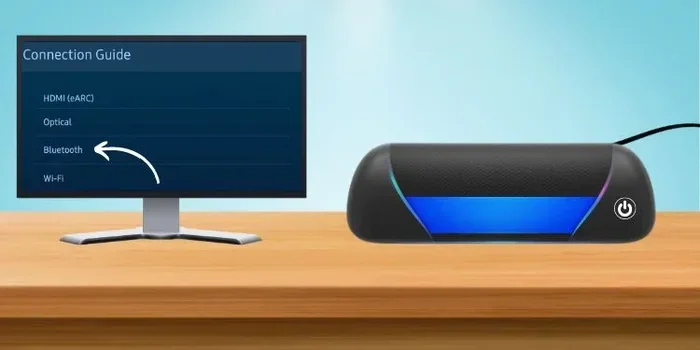
For example, if you want to use Bluetooth headphones with your TV in another room, place the Bluetooth transmitter near the wall that faces your listening area. This reduces the number of walls the signal has to pass through. Sometimes just moving a device a few feet can turn a frustrating experience into a smooth one.
Reduce Wireless Interference
Interference from other wireless devices can weaken your Bluetooth signal. To reduce interference, keep your Bluetooth devices away from Wi-Fi routers and microwaves. If possible, switch your Wi-Fi router to the 5 GHz band. This frees up space in the 2.4 GHz band for your Bluetooth devices.
You should also turn off Bluetooth devices you are not actively using. Every active Bluetooth device in your home creates a small amount of congestion. Fewer active devices means less competition for the wireless signal. This helps your Bluetooth connection stay strong even through walls.
Use a Bluetooth Range Extender
If repositioning does not solve your problem, consider a Bluetooth range extender. These small devices plug into a wall outlet and rebroadcast your Bluetooth signal. They effectively create a second Bluetooth access point on the other side of the wall.
A range extender can be a game-changer. Place it in a room between your transmitter and receiver. It picks up the Bluetooth signal and sends it forward. This bypasses the wall problem entirely. Some people also use smart devices like Alexa as a Bluetooth bridge to extend their wireless range across rooms.
Upgrade Your Bluetooth Hardware
Older Bluetooth hardware simply cannot compete with newer standards. If you have been dealing with weak connections through walls, upgrading might be the best solution. A Bluetooth 5.0 USB adapter for your computer can make a huge difference. Many modern Bluetooth adapters are affordable and easy to install.
The same goes for your other devices. If your phone or laptop has an older Bluetooth chip, a new Bluetooth 5.0 or 5.2 device will perform much better through walls. Look for the latest Bluetooth standard when purchasing any new wireless accessory.
Use a Bluetooth Mesh Network
For larger homes or offices, a Bluetooth mesh network might be the answer. Mesh networking uses multiple devices to create a web of connections. Each device relays the signal to the next one. This allows the Bluetooth signal to travel farther and through more obstacles.
Bluetooth mesh is especially useful for smart home setups. You can connect sensors, lights, and other devices across your entire home. The signal hops from device to device, bypassing walls and interference. This technology is becoming more common in smart home ecosystems.
Quick Tips for Better Bluetooth Through Walls
- Keep your Bluetooth devices away from large metal objects.
- Avoid placing devices near thick mirrors or fish tanks. Water blocks Bluetooth signals.
- Restart both devices if you notice a weak connection.
- Keep your device firmware and software up to date.
- Use the shortest Bluetooth version your devices support for better efficiency.
- Place your Bluetooth transmitter at a higher position. Signals travel better downward.
Common Myths About Bluetooth and Walls
There are many misconceptions about Bluetooth and walls. Let us clear up some of the most common ones.
Myth: Bluetooth Cannot Pass Through Any Walls
This is simply not true. Bluetooth radio waves pass through most common wall materials. Drywall, wood, and glass pose very little problem. It is only thick, dense, or metal-containing walls that significantly block Bluetooth signals.
Myth: Bluetooth and Wi-Fi Are the Same Thing
While they both use the 2.4 GHz frequency, they are different technologies. Wi-Fi is designed for high-speed data transfer over longer distances. Bluetooth is designed for short-range, low-power connections. They do not replace each other. But they can coexist in the same environment.
Myth: More Walls Always Mean No Connection
While each wall weakens the signal, it does not always kill it completely. Many Bluetooth devices work fine through two or three standard interior walls. The key factors are wall material, Bluetooth version, and device power. It is not just about the number of walls.
Myth: Bluetooth Through Walls Is Always Slow
A Bluetooth signal that passes through walls may be weaker, but it is not always slower. Bluetooth 5.0 and later maintain good speeds even with some signal loss. The connection might have a shorter range through walls. But the data transfer speed within that range remains solid.
When to Consider Alternatives to Bluetooth
Sometimes Bluetooth through walls just is not enough. If you have tried everything and still experience problems, it might be time to consider alternatives. There are several other wireless technologies that handle obstacles differently.
Wi-Fi based audio streaming works well for multi-room setups. Many modern smart speakers connect over Wi-Fi instead of Bluetooth. This gives them better range and wall penetration. You can also consider wired connections for critical setups. An HDMI cable or a 3.5mm audio cable will never have wall penetration issues.
For smart home devices, Zigbee and Z-Wave are worth exploring. These protocols are designed specifically for home automation. They handle walls and obstacles better than Bluetooth in many cases. Some people also use Bluetooth range extenders that plug into wall outlets to bridge the gap between rooms.
If you have ever tried to pair Bluetooth headphones to a TV or speaker system across multiple rooms, you know how frustrating weak signals can be. The good news is that most homes do not have a problem with Bluetooth through standard interior walls. The issue usually only comes up with thick exterior walls or unusual building materials.
Final Thoughts
So does Bluetooth work through walls? Yes, it absolutely does. But the quality of that connection depends on several factors. Wall material, thickness, Bluetooth version, distance, and interference all play a role. Understanding these factors empowers you to make smarter decisions about your wireless setup.
The good news is that modern Bluetooth technology handles walls better than ever. Bluetooth 5.0 and later devices can maintain strong connections through multiple standard walls. For older devices, simple positioning tricks and interference reduction go a long way.
If you are still having trouble, a Bluetooth range extender or a hardware upgrade can solve most problems. The key is to test your specific setup. Every home is different. What works in one house might not work in another. But with the right approach, you can enjoy seamless Bluetooth connectivity throughout your home.
Take some time to experiment with device placement. Try different positions and angles. You might be surprised at how much better your Bluetooth connection becomes through walls. A little patience and a few adjustments can make all the difference in your wireless experience.
Frequently Asked Questions
Can Bluetooth pass through concrete walls?
Bluetooth can pass through concrete, but the signal weakens significantly. Thick concrete walls can reduce your Bluetooth range by half or more. For best results through concrete, use Bluetooth 5.0 devices and keep the transmitting device as close as possible to the wall on your side.
How many walls can Bluetooth pass through?
Most Bluetooth devices can handle one to three standard interior walls without major issues. The exact number depends on wall material, Bluetooth version, and device class. Bluetooth 5.0 devices handle more walls than older versions. Dense materials like brick or concrete reduce the number of walls your signal can pass through.
Does Bluetooth 5.0 work better through walls than older versions?
Yes, Bluetooth 5.0 works significantly better through walls. It offers four times the range of Bluetooth 4.2 and handles obstacles much more effectively. If you frequently need Bluetooth to pass through walls, upgrading to Bluetooth 5.0 or later devices is one of the best investments you can make.
Why does my Bluetooth disconnect when I go through a wall?
Your Bluetooth disconnects through walls because the signal loses strength as it passes through the material. Dense walls absorb more of the radio waves. Interference from other wireless devices can make this worse. Try moving closer to the connecting device or reducing the number of walls between them.
Can I use a Bluetooth range extender to improve wall penetration?
Yes, a Bluetooth range extender is an excellent solution for wall penetration problems. It picks up your existing Bluetooth signal and rebroadcasts it on the other side of the wall. This effectively extends your Bluetooth range and bypasses obstacles. They are affordable and easy to set up.
Do Bluetooth signals get blocked by water?
Yes, water is very effective at blocking Bluetooth signals. Large bodies of water, fish tanks, and even water pipes can interfere with your Bluetooth connection. If you notice signal problems near water sources, try repositioning your devices away from them for better performance.