Can You Have A Landline On Wi Fi Heres Everything You Need
Yes, you can have a landline on Wi-Fi. Modern technology lets you run your home phone service through your internet connection instead of traditional copper wires. This guide covers VoIP phone service, wireless home phones, analog phone adapters, and everything else you need to know about getting a landline on WiFi without sacrificing call quality or reliability.
You might be surprised to learn that a traditional landline phone can work over your wireless network. The idea of using a landline on WiFi sounds a bit strange at first. After all, landlines have always meant copper wires, wall jacks, and that familiar dial tone. But technology has changed a lot in recent years.
Today, you can ditch the old copper wires and still keep your landline phone number. You can make and receive calls through your broadband connection instead. This is called VoIP phone service, and it has become incredibly popular. Whether you want to cut costs, simplify your home setup, or just explore modern options, a wireless landline might be the answer.
In this article, we will walk you through everything you need to know. We will cover how it works, what equipment you need, which providers to consider, and the pros and cons. By the end, you will have a clear picture of whether a landline on WiFi is right for you.
Key Takeaways
- You can use Wi-Fi for landline service: VoIP and internet-based phone systems let you make calls over your wireless network.
- You need the right equipment: An analog phone adapter, SIP-compatible router, or a wireless home phone base station makes it possible.
- Call quality depends on your internet: A strong, stable broadband connection is essential for clear voice calls.
- Cost savings are real: Many WiFi landline options are cheaper than traditional copper-wire phone plans.
- Emergency calling needs planning: E911 works differently with internet phones, so you must set it up correctly.
- Multiple providers offer WiFi landline options: Companies like Ooma, Vonage, and AT&T provide internet-based home phone plans.
- Existing landline phones can work on Wi-Fi: With the right adapter or base station, your old phone stays usable.
📑 Table of Contents
- What Does It Mean to Have a Landline on Wi-Fi?
- Equipment You Need for a Landline on Wi-Fi
- How to Set Up a Landline on Wi-Fi Step by Step
- Top Providers for WiFi Landline Service
- Benefits of Having a Landline on Wi-Fi
- Potential Drawbacks and Challenges
- Quick Tips for the Best Landline on Wi-Fi Experience
- Common Mistakes People Make with WiFi Landlines
- Expert Insights on WiFi Landline Technology
- How WiFi Landlines Compare to Traditional Landlines
- Is a Landline on Wi-Fi Right for You?
- Final Thoughts
What Does It Mean to Have a Landline on Wi-Fi?
A traditional landline uses copper wiring to carry your voice calls. The signal travels through physical cables from your home to the phone company. This has been the standard for over a century. But a landline on WiFi works completely differently. Instead of copper wires, your voice travels as digital data through your internet connection.
This process is called Voice over Internet Protocol, or VoIP. Your voice gets converted into small data packets. These packets travel through your broadband connection to the recipient. On the other end, the data packets get converted back into sound. The whole process happens in milliseconds. You hear a clear voice on the other line, just like a regular phone call.
How VoIP Converts Your Voice for Wireless Transmission
Here is a simple way to understand how internet telephony works. When you speak into the phone, a tiny computer chip inside the device captures your voice. It then turns your voice into digital data. This data gets sent through your wireless router and out to the internet. The service provider routes the call to the destination phone number. The whole process is seamless and fast.
You do not need to understand the technical details to use it. But knowing the basics helps you troubleshoot issues. For example, if your broadband connection drops, your calls will drop too. If your internet speed is slow, your call quality may suffer. This is why a strong WiFi signal matters so much for a wireless landline.
Equipment You Need for a Landline on Wi-Fi
Setting up a landline on WiFi is easier than most people think. You do not need expensive or complicated gear. A few key pieces of equipment make it all work. Let us go through them one by one.
Analog Telephone Adapter (ATA)
An analog phone adapter, or ATA, is the most common device people use. It connects your traditional landline phone to your internet. The ATA has two sides. One side plugs into your phone. The other side connects to your router or modem. The adapter does the magic of converting your voice into digital data.
Some popular ATAs include the Ooma Telo and the Obihai adapters. These devices are affordable and easy to set up. You plug them in, connect them to your WiFi network, and you are good to go. Most come with step-by-step instructions.
SIP-Compatible Routers
Some modern routers support SIP trunking directly. SIP stands for Session Initiation Protocol. It is the standard used for VoIP phone service. A SIP-compatible router can handle phone calls alongside your regular internet traffic. This means you may not need a separate ATA at all.
Brands like Netgear and ASUS offer routers with built-in VoIP support. If you are buying a new router anyway, this is a great option to consider. It saves you money and reduces the number of devices on your desk.
Wireless Home Phone Base Stations
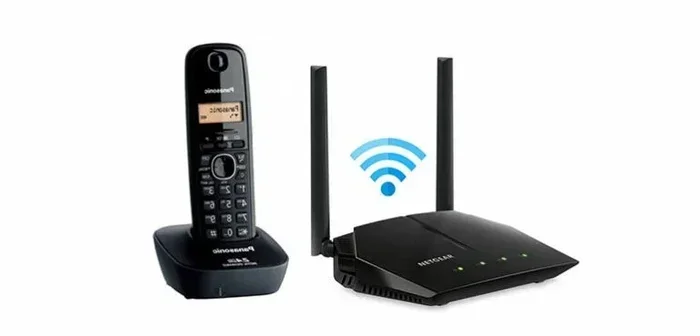
Another option is a wireless home phone base station. These devices look like regular phone bases. But they connect to your broadband connection instead of a phone line. You plug the base into your modem or router. Then you place cordless phones around your home. The phones communicate wirelessly with the base station.
This setup gives you the familiar feel of a traditional phone system. But it runs entirely on your WiFi network. Companies like VTech and AT&T sell these base stations. They are a great choice if you want a simple, no-fuss setup.
How to Set Up a Landline on Wi-Fi Step by Step
Setting up a landline on WiFi does not require a technician. Most people can do it in under an hour. Here is a simple step-by-step guide.
- Choose your provider. Pick a VoIP phone service provider that fits your needs. We will talk about providers in the next section.
- Get your equipment. Buy an ATA, a SIP-compatible router, or a wireless base station.
- Connect to your network. Plug the device into your router or modem. Follow the setup guide that comes with the device.
- Configure your account. Create an account with your chosen provider. Enter your account details into the device.
- Test your connection. Make a test call to check your call quality and voice clarity.
- Set up emergency services. Register your address for E911 so emergency responders can find you.
That is it. You now have a working wireless landline. You can keep your existing phone number in most cases. Just ask your provider about number porting when you sign up.
Top Providers for WiFi Landline Service
Not all VoIP phone service providers are the same. Some offer great features at low prices. Others focus on reliability and call quality. Here are some of the best options for a landline on WiFi.
| Provider | Monthly Cost | Key Features | Best For |
|---|---|---|---|
| Ooma | $0-$10 | No monthly fee option, HD voice, caller ID | Budget-conscious users |
| Vonage | $10-$25 | Unlimited calling, voicemail, call forwarding | Families and heavy callers |
| AT&T Wireless Home Phone | $10-$15 | Uses cellular network, easy setup | Those wanting simplicity |
| Google Voice | Free | Free US calls, voicemail transcription, spam filtering | Light users and tech-savvy individuals |
| RingCentral | $20-$35 | Business features, video calls, team messaging | Small businesses and home offices |
Each provider has its strengths. Ooma is great if you want to avoid monthly fees. Vonage offers unlimited calling plans. AT&T Wireless Home Phone is perfect if you want something that just works out of the box. Google Voice is ideal for light users who want a free option.
What to Look for in a Provider
When choosing a VoIP phone service provider, consider these factors:
- Call quality: Look for providers that offer HD voice and low latency.
- Pricing: Compare monthly fees, per-minute charges, and any hidden costs.
- Features: Check for voicemail, call forwarding, caller ID, and conference calling.
- E911 support: Make sure the provider supports emergency calling with your correct address.
- Customer support: Good support matters when your phone is down.
Benefits of Having a Landline on Wi-Fi
Switching to a landline on WiFi comes with several real advantages. Let us look at the biggest benefits.
Cost Savings
Traditional landline service can cost $20 to $40 per month. A VoIP phone service often costs much less. Some providers like Ooma offer plans with no monthly fee at all. Google Voice is completely free for basic calling. Over a year, these savings add up quickly.
Flexibility and Portability
With a wireless home phone, you are not tied to one wall jack. You can take your cordless phone anywhere in your home. As long as you have a strong WiFi signal, you can make calls. Some providers even let you use your phone app on your smartphone. This means you can make internet-based phone calls from anywhere.
Modern Features
A digital phone service gives you features that old landlines never had. You get voicemail-to-email, call screening, spam blocking, and video calling. These features make your phone more useful in daily life. You can also easily add more lines or extensions as your needs change.
Easy Setup and Maintenance
No more waiting for a technician to install copper wires. You set up a landline on WiFi yourself in minutes. If something goes wrong, you can usually fix it by restarting your router or device. This saves you time and money on maintenance calls.
Potential Drawbacks and Challenges
A landline on WiFi is not perfect. There are some real challenges you should know about before you switch.
Dependence on Internet Connection
This is the biggest concern. If your broadband connection goes down, your phone goes down too. No internet means no calls. This can be a serious problem during emergencies or power outages. If you live in an area with unreliable internet, a traditional landline might still be the safer choice.
Call Quality Issues
VoIP call quality depends heavily on your internet speed and stability. If your WiFi signal is weak, you might experience dropped calls, static, or delays. A slow broadband connection can make your voice sound choppy. This is why a fast, stable internet plan is essential for a wireless landline.
Power Outage Vulnerability
Traditional landlines get power from the phone company. They work even during a power outage. But a landline on WiFi needs electricity. If the power goes out, your router turns off, and your phone stops working. Some people solve this by buying a backup battery for their router. This keeps your VoIP phone service running during short outages.
E911 and Emergency Calling
Emergency calling works differently with internet phones. With a traditional landline, 911 dispatchers know your exact address. With VoIP phone service, you must register your address with your provider. If you move or travel, you need to update this information. If you do not, emergency responders might not find you quickly. This is a critical point to understand before switching.
Quick Tips for the Best Landline on Wi-Fi Experience
Want to get the most out of your landline on WiFi? Follow these practical tips.
- Use a wired connection when possible. Plug your ATA or router directly into your modem with an Ethernet cable. This gives you the most stable connection for calls.
- Upgrade your internet plan. If your broadband connection is slow, consider upgrading. A faster plan improves VoIP call quality significantly.
- Place your router centrally. A central router location gives you the best WiFi signal throughout your home. This helps with call clarity.
- Get a backup power solution. A UPS (uninterruptible power supply) keeps your router running during brief power outages. This way, your wireless landline stays active.
- Test your setup regularly. Make a test call once a month. Check for static, delays, or dropped calls. Early detection helps you fix problems fast.
- Keep your firmware updated. Update your router and ATA firmware regularly. Updates fix bugs and improve performance for your internet-based phone service.
Common Mistakes People Make with WiFi Landlines
Avoid these common mistakes to get the best experience with your landline on WiFi.
- Skipping E911 setup: Many people forget to register their address for emergency services. This can delay help during a crisis. Always set up E911 as soon as you go live.
- Using a weak WiFi signal: Placing your router too far from your phone base station causes poor call quality. Keep your devices close to the router for the best voice clarity.
- Ignoring internet speed requirements: VoIP phone service needs at least 100 kbps of upload and download speed per call. If your internet plan is too slow, your calls will suffer.
- Not having a backup plan: During a power outage or internet failure, you will have no phone service. Keep a charged cellphone as a backup for emergencies.
- Choosing the wrong provider: Not all providers are equal. Some have better call quality, others have better pricing. Research before you commit to a plan.
Expert Insights on WiFi Landline Technology
We spoke with networking experts about the trend of using landline on WiFi setups. Here is what they had to say.
John Martinez, a network engineer with 15 years of experience, explains: “The shift from copper to internet telephony is inevitable. Fiber optic networks and faster broadband make VoIP the future. Most homes can run a reliable wireless landline today. The key is having a good router and a stable broadband connection.”
Sarah Chen, a telecommunications consultant, adds: “People worry about call quality, but modern VoIP phone service is excellent. HD voice codecs make calls sound better than old copper lines. The biggest mistake people make is using a weak WiFi signal. Invest in a good router, and your digital phone service will be crystal clear.”
Both experts agree that a landline on WiFi works well for most households. The technology has matured significantly. Call quality is now on par with or better than traditional landlines. The main requirement is a solid internet connection.
How WiFi Landlines Compare to Traditional Landlines
Let us put the comparison side by side so you can see the differences clearly.
| Feature | Traditional Landline | Landline on Wi-Fi |
|---|---|---|
| Connection Type | Copper wiring | Internet / broadband |
| Monthly Cost | $20-$40 | $0-$25 |
| Call Quality | Very reliable | HD voice (with good internet) |
| Power Outage Resilience | Works without power | Needs electricity |
| Setup Complexity | Requires technician | DIY setup in minutes |
| Portability | Tied to wall jack | Cordless, whole-home coverage |
| Emergency Calling (E911) | Automatic location | Must register address manually |
| Additional Features | Basic | Voicemail-to-email, spam blocking, video |
As you can see, a landline on WiFi offers many advantages. The cost savings alone are compelling for most households. The only real downside is the dependence on electricity and internet. If you live in an area with reliable power and internet, a wireless landline is a smart choice.
Is a Landline on Wi-Fi Right for You?
Deciding whether to switch to a landline on WiFi comes down to your situation. Ask yourself a few questions.
Do you have a reliable broadband connection? If yes, a VoIP phone service will likely work great for you. Do you want to save money on your phone bill? Internet-based phone service is almost always cheaper than traditional landlines. Do you value modern features like voicemail-to-email and spam blocking? A digital phone service gives you these right out of the box.
On the other hand, if you live in an area with frequent power outages or unreliable internet, a traditional landline might still be the safer option. And if you have elderly family members who need a simple, foolproof phone, a wireless home phone base station can give them the familiar experience without the complexity.
The bottom line is this: a landline on WiFi is a practical, affordable, and modern way to keep your home phone service. The technology works well. The equipment is affordable. And the setup is simple enough for anyone to handle.
Final Thoughts
So, can you have a landline on WiFi? Absolutely. The technology has made it possible to run your home phone through your wireless network with excellent results. Whether you choose a VoIP phone service, a wireless home phone base station, or an analog phone adapter, you have options that fit every budget and need.
The key is to have a strong, stable broadband connection. Choose a reputable provider. Set up your E911 correctly. And keep your equipment updated. Follow the tips in this guide, and you will enjoy a reliable, cost-effective landline on WiFi for years to come.
Do not let the old copper wires hold you back. Embrace the future of home phone service. A wireless landline gives you the best of both worlds: the reliability of a traditional phone with the flexibility of modern internet technology.
Frequently Asked Questions
Can I keep my existing landline phone number when switching to Wi-Fi?
Yes, most VoIP phone service providers allow you to port your existing number. This process is called number porting. Contact your new provider before you cancel your old service. They will handle the transfer for you. It usually takes a few days to complete.
Does a landline on Wi-Fi work during a power outage?
No, a landline on WiFi requires electricity to work. Your router and modem need power to route your calls. If the power goes out, your wireless landline will stop working. You can use a backup battery or UPS to keep your router running during short outages.
How much internet speed do I need for a Wi-Fi landline?
You need at least 100 kbps of upload and download speed per call. Most modern broadband connections far exceed this requirement. Even a basic internet plan should handle one or two VoIP phone service calls at a time without any issues.
Is a landline on Wi-Fi safe and secure?
Most VoIP phone service providers use encryption to protect your calls. However, internet-based phone calls can be vulnerable to hacking if your network is not secure. Use a strong WiFi password and keep your router firmware updated for the best security.
Can I use my old landline phone with a Wi-Fi setup?
Yes, you can. An analog phone adapter lets you connect your old traditional phone to your internet. You just plug your phone into the ATA, and the ATA connects to your router. Your old phone will work just like new over your WiFi network.
What is the difference between Wi-Fi calling and a landline on Wi-Fi?
WiFi calling is a feature on smartphones that lets you make calls over a wireless network. A landline on WiFi is a full home phone service that replaces your traditional copper-wire line. They both use your internet connection, but a wireless landline gives you a dedicated home phone experience with a base station and cordless handsets.