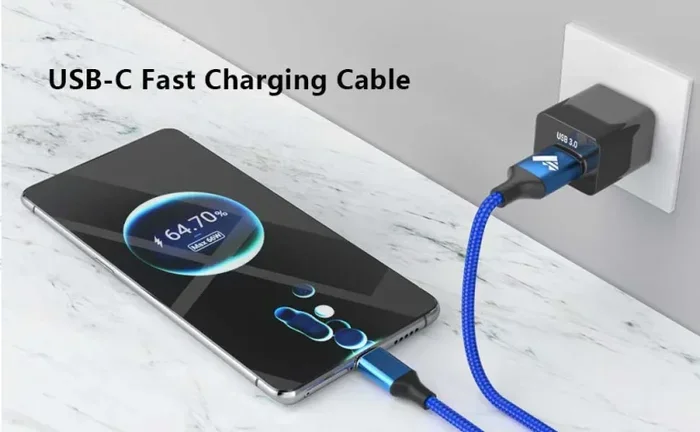
Can You Charge Usb C With Any Charger Without Damage
You can charge USB C with any charger, but not all chargers are safe or effective. The right USB-C charger matters for speed, safety, and device longevity. Understanding USB Power Delivery and wattage requirements helps you avoid damage. This guide breaks down everything you need to know about USB-C charger compatibility and how to charge your devices without worry.
We live in a world where one cable fits almost everything. Your phone, tablet, laptop, earbuds, and even some smart home gadgets all use the same USB-C connector. It is convenient. It is clean. But here is the question that keeps popping up: can you charge USB C with any charger without causing harm?
The short answer is yes, you can use most chargers with a USB-C port. But the full answer is a bit more nuanced. Not every USB-C charger is created equal. Some deliver fast charging speed safely. Others might be too weak or, worse, unsafe. In this guide, we will walk through everything you need to know about USB-C charger compatibility, power delivery, and how to keep your devices safe while charging.
Whether you are juggling a laptop, a smartphone, or multiple gadgets, understanding how USB-C charging works will save you time, money, and maybe even a broken device. Let us break it all down in simple terms.
Key Takeaways
- USB-C is universal, but not all chargers deliver the same power: Using the wrong charger can slow charging or potentially damage your device.
- USB Power Delivery (USB PD) is the key standard: It ensures your charger and device communicate safely to deliver the right amount of power.
- Wattage and amperage matter: Matching the voltage and current ratings protects your battery and speeds up charging.
- Cheap, uncertified chargers pose real risks: They can overheat, damage ports, or even harm your battery long-term.
- GaN chargers are a great option: They are compact, efficient, and deliver reliable USB-C charging across multiple devices.
- Always check your device’s charging specs: Knowing what your device needs helps you pick the right charger every time.
- Using a lower-wattage charger won’t break anything: It just charges slower. The real danger comes from mismatched voltage or unregulated power.
📑 Table of Contents
- What Is USB-C and Why Does It Matter for Charging?
- Can You Charge USB C With Any Charger Without Damage?
- How USB-C Charging Works: Voltage, Amperage, and Wattage
- Do You Need a Specific Charger for Your Device?
- Can You Use a GaN Charger for USB-C Charging?
- Common Mistakes People Make With USB-C Charging
- How to Choose the Right USB-C Charger
- Key Takeaways
- Conclusion
What Is USB-C and Why Does It Matter for Charging?
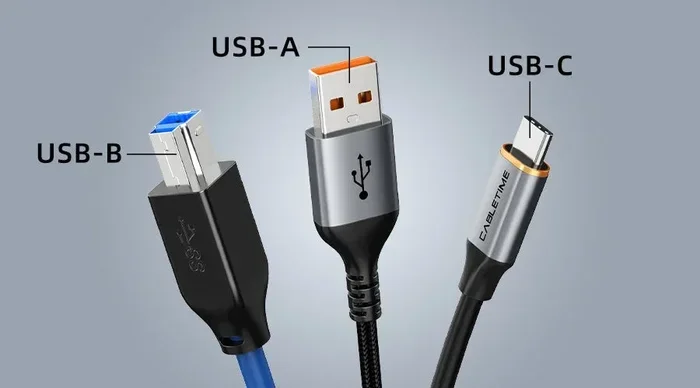
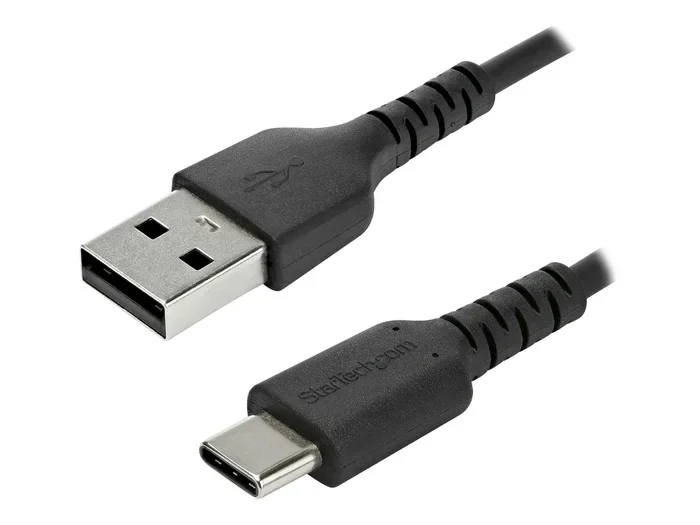
USB-C is a type of connector that has become the standard for modern devices. It is small, reversible, and can carry data, video, and power all through one cable. But the connector shape is only part of the story. What really matters is what happens inside the cable and charger when you plug in your device.
The USB-C Connector vs. USB-C Charging Protocol
Here is something many people miss. The USB-C connector is just the physical shape of the plug. The charging protocol is the language your device and charger use to talk to each other. When you plug in a USB-C cable, the device and charger negotiate things like voltage, amperage, and wattage. This negotiation is what determines how fast and safely your device charges.
If your charger does not support the right protocol, you might get slow charging. In rare cases, a completely incompatible charger could cause issues. That is why understanding USB Power Delivery matters so much.
What Is USB Power Delivery (USB PD)?
USB Power Delivery, or USB PD, is a universal standard that allows USB-C charging to deliver up to 240 watts of power. It is a smart system. When you plug a USB PD-compatible charger into a device, they communicate and agree on the safest, most efficient power level. Your phone might ask for 18 watts. Your laptop might ask for 65 watts. The charger adjusts accordingly.
This is the biggest reason why charger compatibility is not a one-size-fits-all situation. Not all chargers support USB PD. And not all devices require the same amount of power. Let us look at why that matters.
Can You Charge USB C With Any Charger Without Damage?
This is the core question, and the answer depends on a few factors. Let us get into the details.
When It Is Safe to Use Any USB-C Charger
Most of the time, using a different USB-C charger will not damage your device. Modern devices have built-in battery safety circuits. These circuits regulate how much power flows into your device. So if you plug your phone into a random USB-C adapter, the device will only draw the power it needs.
Here are situations where using any USB-C charger is generally safe:
- Using a higher-wattage charger: A 65-watt charger will not force 65 watts into a device that only needs 15 watts. The device controls the draw.
- Using a lower-wattage charger: Your device will simply charge more slowly. No damage occurs.
- Using a charger from a reputable brand: Trusted brands follow safety standards and offer reliable USB-C charging.
When It Is NOT Safe to Mix Chargers
Now for the part that matters most. There are situations where swapping USB-C chargers can be risky.
- Using a cheap, uncertified charger: No-name chargers from unknown brands often lack proper voltage regulation. They can deliver inconsistent power that stresses your battery over time.
- Using a charger with the wrong voltage: If a charger outputs a voltage that your device does not support, it can cause overheating or port damage.
- Using a damaged charger or cable: Frayed cables or swollen chargers are fire hazards and should never be used for USB-C charging.
- Using a charger that lacks USB PD when your device needs it: Some laptops and tablets require USB Power Delivery to charge at all. Without it, they may not charge or may charge extremely slowly.
The bottom line: USB-C charger compatibility depends on more than just the shape of the plug. It depends on the quality of the charger, the standards it supports, and how well it matches your device’s needs.
How USB-C Charging Works: Voltage, Amperage, and Wattage
To understand USB-C charger compatibility, you need to know three basic terms. Do not worry. We will keep this simple.
Voltage (Volts)
Voltage is the electrical pressure that pushes power through the cable. Think of it like water pressure in a hose. Most USB-C devices operate at 5 volts for standard charging. USB PD can bump this up to 9, 15, or even 20 volts for faster fast charging.
Amperage (Amps)
Amperage is the amount of electrical current flowing through the cable. More amps means more power can be delivered at once. A standard USB-C cable supports up to 3 amps. USB PD cables can handle up to 5 amps for even faster charging.
Wattage (Watts)
Wattage is the total power, calculated by multiplying voltage by amperage. A charger that outputs 5 volts at 3 amps delivers 15 watts. A USB PD charger at 20 volts and 3 amps delivers 60 watts. This is why laptop charging often requires a higher-wattage USB-C charger.
Quick Comparison Table
| Charging Level | Voltage | Amperage | Wattage | Typical Use |
|---|---|---|---|---|
| Standard | 5V | 3A | 15W | Smartphones, earbuds |
| Fast (USB PD) | 9V | 3A | 27W | Tablets, mid-size phones |
| Super Fast (USB PD) | 20V | 3A | 60W | Laptops, large tablets |
| Ultra Fast (USB PD 3.1) | 20V | 5A | 100W+ | Gaming laptops, workstations |
As you can see, not all USB-C charging setups are the same. Matching the right wattage to your device ensures the best charging speed without risking damage.
Do You Need a Specific Charger for Your Device?
The honest answer is: it depends on what you are charging. Different devices have different power requirements, and using the wrong charger can lead to frustration at best and damage at worst.
Smartphones and USB-C Charging
Most modern smartphones use USB-C charging and support USB PD or proprietary fast-charging protocols. Your phone will work with almost any USB-C charger rated at 15 watts or higher. But if you want the fastest charging speed, use the charger that came with your phone or one that matches its rated wattage.
Quick Tip: If your phone supports 18-watt fast charging, a 20-watt or 30-watt USB-C charger will charge it just as fast. The device will never draw more power than it needs.
Laptops and USB-C Charging
Laptop charging is where USB-C charger compatibility really matters. Many modern laptops use USB-C Power Delivery as their primary charging method. These laptops typically need at least 45 to 65 watts to charge properly.
Using a 15-watt USB-C charger on a laptop will not cause damage, but the laptop may charge very slowly or not at all while you are using it. In some cases, the battery may even drain while the laptop is plugged in if the charger cannot supply enough power.
Quick Tip: Always check your laptop’s charging requirements. Look for the wattage on the original charger or in the user manual. Choose a USB-C charger that meets or exceeds that number.
Tablets and Other Devices
Tablets fall somewhere in between. They need more power than a phone but less than most laptops. A USB-C charger rated at 20 to 30 watts works great for most tablets. Smaller accessories like earbuds and smartwatches use very little power and will charge safely with almost any USB-C adapter.
Can You Use a GaN Charger for USB-C Charging?
GaN chargers have taken the tech world by storm, and for good reason. GaN stands for gallium nitride, a material that allows chargers to be smaller and more efficient than traditional silicon-based chargers.
What Makes GaN Chargers Different?
A GaN charger delivers the same or more power as a larger traditional charger but in a much smaller size. They run cooler, waste less energy, and are great for travel. Most importantly, quality GaN chargers support USB Power Delivery and are fully compatible with all USB-C devices.
If you are looking for a versatile USB-C charger that works across your phone, laptop, and tablet, a GaN charger is one of the best options available today.
Are GaN Chargers Safe?
Yes. Reputable GaN charger brands include built-in safety features like over-voltage protection, over-current protection, and temperature control. These features ensure your devices are protected during USB-C charging. Just make sure you buy from a trusted brand with proper certifications.
Common Mistakes People Make With USB-C Charging
Even with the best intentions, many of us make charging mistakes that can shorten our device’s battery life or even cause damage. Here are the most common ones to avoid.
Using a Random Charger Without Checking Specs
The biggest mistake is grabbing any USB-C charger lying around and plugging it in without checking the output. If the charger does not meet your device’s voltage or wattage requirements, you risk slow charging or, in worst-case scenarios, battery damage over time.
Ignoring Cable Quality
A great USB-C charger paired with a cheap cable is a bad setup. Low-quality cables can limit charging speed, overheat, or fail to support the full wattage of your charger. Always use cables that are rated for the power level you need.
Leaving Devices on Cheap Chargers Overnight
While modern devices have battery management systems, leaving your phone or laptop on a low-quality charger for hours every night can degrade battery health over months. Invest in a reliable USB-C adapter with proper safety certifications.
Assuming All USB-C Cables Are the Same
Not all USB-C cables are built the same. Some only support 3 amps. Others support 5 amps. Using a 3-amp cable with a 60-watt charger will cap your charging speed and may cause the cable to heat up. Always match your cable to your charger’s output.
How to Choose the Right USB-C Charger
Shopping for a USB-C charger does not have to be confusing. Here is a simple guide to help you pick the right one.
Step 1: Check Your Device’s Charging Requirements
Look at the original charger that came with your device. Note the wattage, voltage, and amperage. This tells you exactly what your device needs for safe and fast USB-C charging.
Step 2: Look for USB PD Support
If your device supports USB Power Delivery, make sure your charger does too. This is especially important for laptops and tablets. A USB PD charger will automatically adjust the power output to match your device.
Step 3: Choose the Right Wattage
For smartphones, a 15 to 20-watt USB-C charger is plenty. For laptops, aim for 45 watts or higher. For multi-device setups, consider a multi-port USB-C charger that can power several devices at once.
Step 4: Stick With Reputable Brands
Brand matters when it comes to charger quality. Trusted brands like Anker, Apple, Samsung, Google, and Belkin invest in safety testing and quality control. They offer reliable USB-C charging with built-in protections.
Step 5: Consider a GaN Charger for Versatility
If you want one charger for all your devices, a GaN charger is the way to go. They are compact, powerful, and compatible with virtually all USB-C devices on the market today.
Key Takeaways
- USB-C is universal, but not all chargers are equal: The shape of the plug is the same, but the power delivery and safety standards vary widely between chargers.
- USB Power Delivery is the gold standard: It ensures safe, efficient communication between your charger and device for the best charging speed.
- Higher-wattage chargers are generally safe: Your device will only draw the power it needs. A 100-watt charger will not fry a 15-watt phone.
- Cheap, uncertified chargers are the real danger: They lack proper voltage regulation and safety features that protect your battery and port.
- Cable quality is just as important as the charger: A poor cable can limit charging speed and create heat or safety issues.
- GaN chargers offer the best balance of size and power: They are compact, efficient, and work reliably across all USB-C devices.
- Always match your charger to your device’s needs: Check the wattage and protocol support before you buy, and you will charge safely every time.
Conclusion
So, can you charge USB C with any charger without damage? The answer is yes, with some important caveats. Most of the time, plugging in a different USB-C charger will work just fine. Your device has built-in protections that regulate power intake. But not all USB-C chargers are created equal, and using a low-quality or incompatible charger can lead to slow charging, battery degradation, or even safety hazards.
The best approach is simple. Know what your device needs. Choose a USB-C charger that supports USB Power Delivery and matches the right wattage. Use high-quality cables from trusted brands. And if you want the most convenient setup, invest in a solid GaN charger that works across all your devices.
USB-C charging is designed to be easy and universal. With the right knowledge and a little care, you can enjoy fast, safe charging speed every single day. Your devices will thank you for it.
Frequently Asked Questions
Can I use any USB-C charger with my laptop?
Most laptops that use USB-C charging support USB Power Delivery. You can use a different USB-C charger as long as it meets or exceeds your laptop’s wattage requirement. Using a lower-wattage charger may result in slow charging or no charging while the laptop is in use.
Will a higher-wattage USB-C charger damage my phone?
No. Your phone controls how much power it draws. A 65-watt USB-C charger will not push more power into your phone than it can handle. The device and charger negotiate the safe power level automatically through USB PD.
Is it safe to use a cheap USB-C charger?
Cheap, uncertified chargers can be risky. They often lack proper voltage regulation and safety features. Over time, using a low-quality charger can degrade your battery, damage the USB-C port, or even pose a fire hazard. Stick with reputable brands for safe USB-C charging.
Do all USB-C cables support fast charging?
No. Not all USB-C cables are the same. Some only support up to 3 amps and 60 watts. If you want fast charging, make sure your cable is rated for the wattage and amperage your charger delivers. Look for cables that support USB PD and at least 5 amps for the best results.
Can I charge my iPad with a USB-C charger meant for my laptop?
Yes. iPads with USB-C ports can charge with a laptop USB-C charger. The iPad will draw only the power it needs. Using a higher-wattage USB-C adapter will not damage the iPad and may charge it faster than the original charger.
What is the difference between USB-C and USB Power Delivery?
USB-C refers to the physical shape of the connector and port. USB Power Delivery (USB PD) is a charging standard that allows devices to negotiate and receive the right amount of power through a USB-C connection. Not all USB-C chargers support USB PD, so check for this feature when buying a charger.