Can We Track a Lost Laptop And See Exactly Where It Went
Yes, you can track a lost laptop using built-in tools, third-party software, and GPS tracking features. Whether your laptop was stolen or simply misplaced, modern tracking technology makes it possible to find a lost laptop and see its exact location. This guide walks you through every method that actually works.
Losing a laptop feels like losing a piece of yourself. It holds your photos, your work, your passwords, and your life. The panic sets in fast. You wonder where it went and if you will ever see it again. The good news is that tracking a lost laptop is easier than most people think. You do not need to be a tech expert. With the right tools and a calm approach, you can find a lost laptop and see exactly where it went. This guide covers every method that works today.
Thousands of laptops get stolen or lost every single day. Many owners never recover them. But the ones who do usually act quickly and use the right tracking methods. Whether your laptop ran away on its own or someone took it, you have options. Let us walk through them together.
Key Takeaways
- Built-in tracking tools: Windows Find My Device and Apple Find My Mac can locate your laptop remotely.
- Third-party apps: Programs like Prey, Absolute Computrace, and Pebblebee offer powerful laptop tracking software.
- IP address tracking: You can estimate a lost laptop location using its IP address through simple online tools.
- GPS tracking laptops: Some devices come with built-in GPS or support external GPS trackers for precise location.
- Act fast: The sooner you start tracking, the better your chances of recovering a stolen laptop.
- Prevent future loss: Setting up tracking software and laptop security measures before you need them is essential.
📑 Table of Contents
- Can We Track a Lost Laptop And See Exactly Where It Went?
- Third-Party Laptop Tracking Software
- Tracking a Lost Laptop by IP Address
- GPS Tracking for Laptops
- What To Do When You Realize Your Laptop Is Lost
- Preventing Future Laptop Loss
- Real-Life Stories of Laptop Recovery
- Common Mistakes People Make When Tracking a Lost Laptop
- Expert Insights on Laptop Tracking
- Conclusion
Can We Track a Lost Laptop And See Exactly Where It Went?
The short answer is yes. Tracking lost laptop devices has become much more advanced in recent years. You can use built-in features, install tracking apps, or even trace your device through its IP address. Each method has its strengths. Some work best for lost laptops. Others shine when dealing with stolen laptops. Let us break them all down.
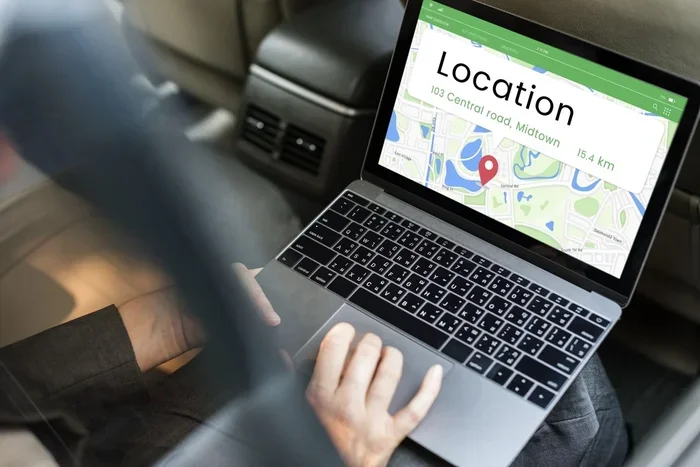
Modern laptops come with tracking features built right in. Apple laptops include Find My Mac. Windows laptops come with Find My Device. These tools use Wi-Fi signals, GPS data, and Bluetooth to pinpoint your laptop’s location. They work even when your laptop is offline, in most cases. You just need to set them up before something goes wrong.
How Built-In Tracking Works
Both Windows and macOS have native tracking systems. These systems run quietly in the background. They do not slow down your laptop. When you sign in to your account on another device, you can see your laptop’s last known location on a map.
Windows Find My Device uses your Microsoft account. It pings your laptop’s location using Wi-Fi and IP data. Apple Find My Mac uses iCloud and GPS when available. Both tools let you lock your laptop, play a sound, or erase it remotely. They are free and already installed on most devices.
Setting Up Tracking Before You Lose Your Laptop
The best time to set up tracking is before you lose your laptop. Here is how to do it for both platforms:
- Windows: Go to Settings > Update & Security > Find My Device. Turn it on and make sure location services are active.
- Mac: Open System Settings > Apple ID > iCloud > Find My Mac. Enable it and check “Find My network” for offline tracking.
- ChromeOS: Go to Settings > Security & Privacy > Find My Device and turn it on.
Once these are set up, you can track my laptop from any web browser. You do not need the laptop itself. This makes recovery much faster when you are in a panic.
Third-Party Laptop Tracking Software
Built-in tools are great, but they have limits. Third-party laptop tracking software offers more features. These apps give you real-time updates, screenshots, webcam captures, and detailed location history. Some even let you lock your laptop with a custom message.
Top Tracking Apps to Consider
Several third-party tools stand out in the market. Here are the ones worth looking at:
- Prey Anti-Theft: This free tool works on Windows, Mac, Linux, and Android. It lets you track your device, take screenshots, and lock it remotely. Many people use it as a backup to built-in tools.
- Absolute Computrace: This is a professional-grade solution often built into business laptops. It survives OS reinstalls and stays embedded in the BIOS. It is one of the most powerful laptop tracking systems available.
- LoJack for Laptops: This tool has been around for years. It works with law enforcement to recover stolen devices. It offers GPS tracking and remote data wipe.
- Cerberus: This Android-focused app also works with Chromebooks. It offers camera snapshots, location tracking, and alarm features.
- Pebblebee Tracker: This is a small hardware device you attach to your laptop. It uses a global network to track your device anywhere.
How to Choose the Right Tracking App
Not all tracking apps are the same. Here is what to look for when choosing laptop tracking software:
- Compatibility: Make sure the app works with your operating system.
- Real-time tracking: Look for apps that update location frequently.
- Remote lock and wipe: This protects your data if recovery is not possible.
- Stealth mode: Good tracking apps run quietly without the thief knowing.
- Price: Some apps are free. Others cost a small monthly fee. Decide what fits your budget.
Tracking a Lost Laptop by IP Address
One of the simplest ways to track lost laptop location is through its IP address. Every device connected to the internet has an IP address. This address can give you a general idea of where the laptop is. It is not as precise as GPS, but it can point you in the right direction.
How IP Tracking Works
When your laptop connects to the internet, it gets assigned an IP address by the internet service provider. This IP address is tied to a geographic area. You can use free online tools to look up this address and see the approximate location.
Here is how to do it:
- Sign in to your Microsoft account or iCloud dashboard.
- Find the last active session or IP address logged by your laptop.
- Copy that IP address.
- Paste it into an IP lookup tool like IPinfo.io or WhatIsMyIPAddress.com.
- The tool will show you the city, region, and sometimes the street address.
This method works best when the laptop is still connected to the internet. If the thief turns it off or disconnects, you will only see the last known IP address. But that last known location can still be very useful.
Limitations of IP Tracking
IP tracking is not perfect. Here are some things to keep in mind:
- It gives you an approximate location, not an exact address.
- VPNs and proxy servers can hide the real location.
- Some IP addresses map to the ISP’s central office, not the actual user.
- It works best in urban areas where ISPs have smaller coverage zones.
Despite these limits, IP tracking is a valuable first step. Many people have found their lost laptop using nothing more than an IP address lookup.
GPS Tracking for Laptops
GPS tracking is the most precise method available. It gives you exact coordinates and real-time movement. But not all laptops have built-in GPS chips. Here is what you need to know about GPS tracking laptops.
Laptops With Built-In GPS
Most consumer laptops do not come with GPS receivers. They rely on Wi-Fi positioning and IP-based location instead. However, some business-class and rugged laptops include GPS modules. These are often used by field workers, delivery drivers, and military personnel.
If your laptop has built-in GPS, tracking it is straightforward. You just use the GPS tracking feature in your operating system or a dedicated app. The location accuracy is usually within a few meters.
External GPS Trackers for Laptops
You can add GPS tracking to any laptop with an external device. Small GPS trackers plug into USB ports or attach to the laptop body. They send location updates to your phone or computer through cellular networks.
Popular options include:
- Tile Pro: A small Bluetooth tracker with a 400-foot range. It uses a community network to find lost devices.
- Apple AirTag: Works with the Find My network. Great for tracking laptops near Apple devices.
- Samsung SmartTag+: Uses Ultra-Wideband technology for precise tracking.
- Invoxia GPS Tracker: A dedicated GPS device that works anywhere with cellular coverage.
These trackers are small and easy to hide inside a laptop bag or attach to the laptop chassis. They give you another layer of protection for your device.
What To Do When You Realize Your Laptop Is Lost
Panic is normal. But acting fast and staying calm gives you the best chance of recovery. Here is a step-by-step plan to follow when you realize your laptop is gone.
Step 1: Log In to Your Tracking Account
Go to Find My Device (Windows), Find My Mac (Apple), or your tracking app dashboard. Check the last known location. If the laptop is still online, you will see its current position on a map.
Step 2: Lock Your Laptop Remotely
Even if you think you might recover the laptop, lock it immediately. This prevents anyone from accessing your files. Both Windows and Mac let you set a custom message on the lock screen. You can include a phone number so the finder can reach you.
Step 3: Play a Sound
If you think the laptop is nearby, use the sound feature. Both Windows and Mac can make your laptop play a loud noise, even if it is on silent. This works great if you left it at a cafe or office.
Step 4: Report to Authorities
File a police report with the last known location. Provide the serial number of your laptop. The serial number is usually on the bottom of the device or in your purchase receipt. Police may not always investigate, but having a report helps with insurance claims and tracking.
Step 5: Wipe Your Data If Needed
If you cannot recover the laptop and it contains sensitive data, erase it remotely. Windows lets you reset the device through your Microsoft account. Mac users can use Find My to erase the device. This protects your personal information from falling into the wrong hands.
Quick Tips for Faster Recovery
- Keep your serial number handy. Write it down and store it in a safe place online.
- Take photos of your laptop. Photos help prove ownership to police and insurance.
- Enable two-factor authentication. This adds a layer of security to your tracking accounts.
- Set up tracking before you need it. You cannot enable tracking after the laptop is gone.
- Check local pawn shops and online marketplaces. Thieves often try to sell stolen laptops quickly.
Preventing Future Laptop Loss
The best way to recover a lost laptop is to never lose it in the first place. While accidents happen, you can take steps to reduce the risk. Laptop security is not just about tracking. It is also about prevention.
Physical Security Measures
- Use a laptop lock when working in public spaces.
- Keep your laptop in a secure bag when traveling.
- Never leave your laptop unattended in a car or cafe.
- Use a laptop sleeve with a hidden compartment.
Digital Security Measures
- Laptop anti-theft software: Install tracking apps before you need them.
- Strong passwords: Use a complex login password and change it regularly.
- Full-disk encryption: Encrypt your hard drive so no one can access your data.
- Cloud backups: Store important files in the cloud so you do not lose them.
Taking these precautions means that even if your laptop disappears, your data stays safe. And your chances of recovering a stolen laptop go up significantly.
Real-Life Stories of Laptop Recovery
Tracking technology has helped thousands of people get their laptops back. Here are a few examples of how different methods work in real situations.
One user left a laptop at a coffee shop in Seattle. She used Find My Mac to locate it within 20 minutes. The laptop was still online and on a table near the entrance. She went back and picked it up before anyone else took it.
Another user had his laptop stolen from a car in Chicago. He used Prey Anti-Theft to track the device. The app took screenshots every few minutes. One screenshot showed the thief’s face. He shared the images with police, and they recovered the laptop within 48 hours.
A business owner used Absolute Computrace to track a fleet of stolen laptops. The software stayed embedded in the BIOS even after the thief reinstalled the operating system. The IT team recovered three out of five stolen devices and retrieved sensitive company data.
These stories show that tracking a lost laptop really works. The key is having the right tools set up before something goes wrong.
Common Mistakes People Make When Tracking a Lost Laptop
Many people make avoidable mistakes when trying to recover a lost device. Here are the most common ones:
- Waiting too long: The longer you wait, the harder it is to track the laptop. Thieves turn off devices quickly.
- Not setting up tracking beforehand: You cannot use Find My Device if you never enabled it.
- Ignoring IP address clues: IP tracking can give you a starting point for your search.
- Confronting the thief yourself: Never try to retrieve a stolen laptop on your own. Let the police handle it.
- Not reporting to insurance: If you have laptop insurance, file a claim as soon as possible.
Avoiding these mistakes can save you time, stress, and money. It also increases your chances of a successful recovery.
Expert Insights on Laptop Tracking
Cybersecurity experts agree that preparation is the most important factor in laptop recovery. According to industry professionals, the first 24 hours after a laptop goes missing are the most critical. During this window, the device is most likely still online and trackable.
Experts also recommend using multiple tracking methods together. A combination of built-in tools, third-party software, and IP tracking gives you the best coverage. No single method is perfect, but together they create a strong safety net.
Another expert tip is to register your laptop with the manufacturer. Many manufacturers maintain databases of stolen devices. If someone tries to get your laptop repaired or serviced, the serial number will flag it as stolen.
Conclusion
Can we track a lost laptop? Absolutely. You have more tools at your disposal than ever before. From built-in features like Find My Device and Find My Mac to third-party apps and IP tracking, you can find a lost laptop and see exactly where it went. The key is preparation. Set up tracking software today, and you will be ready if something goes wrong tomorrow.
Do not wait until your laptop is gone to figure this out. Take a few minutes right now to enable tracking on your device. Save your serial number. Install a backup tracking app. These small steps can make all the difference. Your laptop holds too much value, both sentimental and practical, to leave its recovery to chance.
Stay proactive, stay prepared, and know that tracking lost laptop devices is something you can do. The technology is there. You just need to use it.
Frequently Asked Questions
Can I track my laptop if it is turned off?
In most cases, you cannot track a laptop that is completely powered off. Tracking tools need the device to be connected to the internet or have battery power. However, some advanced systems like Absolute Computrace can survive a shutdown and report the location when the laptop is turned back on. Always make sure your tracking tools are enabled before your laptop goes missing.
How accurate is laptop GPS tracking?
Built-in GPS tracking is usually accurate within 10 to 30 feet when a GPS signal is available. Wi-Fi-based tracking is less precise, often showing a location within a few city blocks. IP address tracking is the least accurate and typically shows a general area or city. Using multiple tracking methods together gives you the best accuracy.
Is laptop tracking software free?
Many tracking tools come free with your operating system. Windows Find My Device and Apple Find My Mac are both free. Some third-party apps offer free basic plans with limited features. Premium versions usually cost between $3 and $10 per month. The free options are often enough for most users.
Can the police help track a stolen laptop?
Yes, police can help, especially if you provide the serial number and last known location. Some tracking tools like Absolute Computrace work directly with law enforcement agencies. However, police resources are limited, and not every case gets investigated. Always file a report, but do not rely solely on police to recover your device.
What should I do if I find my laptop online after it was stolen?
If you see your stolen laptop online, do not try to retrieve it yourself. Contact your local police department and provide them with the location information. Also, notify the tracking app’s support team. They may be able to assist with recovery. Keep screenshots of the location data as evidence for the police report and your insurance claim.
Can a thief remove tracking software from a stolen laptop?
Basic tracking apps can be removed if the thief knows how. However, advanced systems like Absolute Computrace are embedded in the laptop’s BIOS and survive operating system reinstalls. This is why experts recommend using multiple layers of protection. Combining built-in tools with professional-grade software gives you the best defense against removal.