Can Vga Replace Hdmi And Still Deliver Great Quality
Can Vga Replace Hdmi And Still Deliver Great Quality? The short answer is yes, but with trade-offs. Can Vga Replace Hdmi for basic tasks, but you’ll lose audio and may see lower resolution. Learn when this old-school connection still works and how to set it up right.
Can Vga Replace Hdmi? Many people ask this question when they have old gear. The short answer is yes, but with some big trade-offs. You can plug a VGA cable into a converter box and link it to an HDMI display. The picture will show up. But the experience is not the same as a pure HDMI connection. You lose sound. You may lose sharpness. And you might notice a slight delay. This guide will walk you through everything you need to know. We will compare VGA and HDMI in simple terms. You will learn when VGA still makes sense. You will also find out how to set up a VGA-to-HDMI link the right way.
Old projectors, monitors, and TVs often have VGA ports. New laptops and streaming boxes use HDMI. So what do you do? You can use an adapter. But is that a good idea? Let’s break it down. We will look at video quality, audio, and real-world use cases. By the end, you will know if Can Vga Replace Hdmi in your specific situation. You will also know when to just buy a new cable.
Key Takeaways
- VGA still works for legacy gear: Many old projectors and monitors only have VGA ports, so you can still connect them.
- No audio over VGA: VGA carries video only. You’ll need a separate audio cable or a converter with audio out.
- Resolution is limited: VGA maxes out around 2048×1536, while HDMI supports 4K and beyond.
- Adapters are cheap but add lag: A VGA-to-HDMI converter box can introduce slight input lag, which matters for gaming.
- Signal quality can degrade: Longer VGA cables may lose clarity, unlike digital HDMI.
- HDMI is the better choice today: For most modern setups, HDMI delivers superior quality and convenience.
📑 Table of Contents
What Is VGA and What Is HDMI?
What Does VGA Stand For?
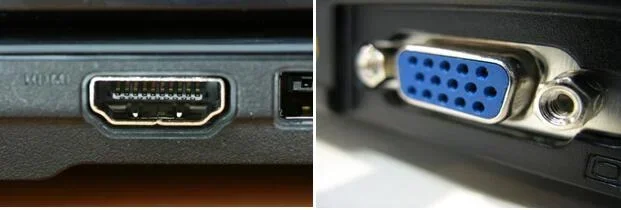
VGA stands for Video Graphics Array. It is an old analog standard. It was introduced in 1987 by IBM. VGA uses a 15-pin D-sub connector. The cable carries only video signals. It sends a continuous electrical wave to the screen. That wave creates the image. Because it is analog, the signal can degrade over distance. Interference from other cables can cause ghosting or blurriness. VGA was the standard for many years. You can still find it in classrooms and conference rooms today.
What Is HDMI?
HDMI stands for High-Definition Multimedia Interface. It is a digital standard. It came out in the early 2000s. HDMI uses a single cable to carry both video and audio. The signal is digital, which means it sends ones and zeros. This keeps the picture and sound crisp. HDMI supports much higher resolutions than VGA. You can get 4K, 8K, and even higher with HDMI 2.1. It also supports features like HDR and deep color. Most modern devices use HDMI today.
Can Vga Replace Hdmi? Here’s What You Need to Know
How Do VGA and HDMI Compare?
The core difference is analog vs digital. VGA sends a fading wave. HDMI sends a clean digital signal. This affects quality a lot. Here is a quick side-by-side look at the two standards.
| Feature | VGA | HDMI |
|---|---|---|
| Signal Type | Analog | Digital |
| Max Resolution | ~2048 x 1536 | 4K and higher |
| Audio Support | None | Yes (multichannel) |
| Cable Length Limit | ~15 ft (signal loss) | ~50 ft (minimal loss) |
| Connector | 15-pin D-sub | Type A (19 pins) |
| Common Use | Old projectors, monitors | TVs, laptops, consoles |
As you can see, HDMI wins in almost every category. But VGA still has a place. Let’s look at when that is.
The Adapter Route
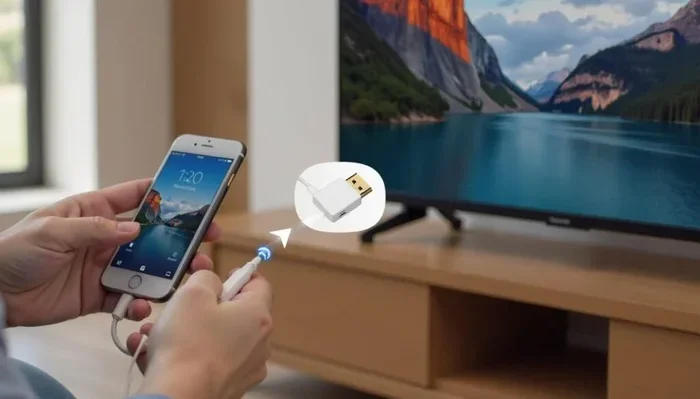
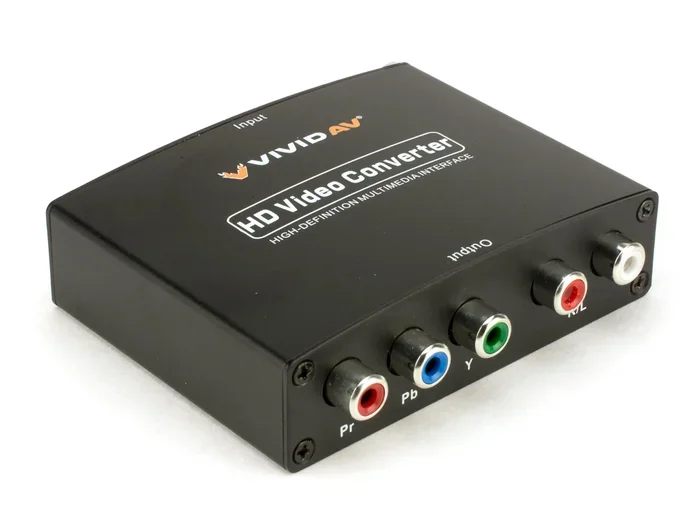
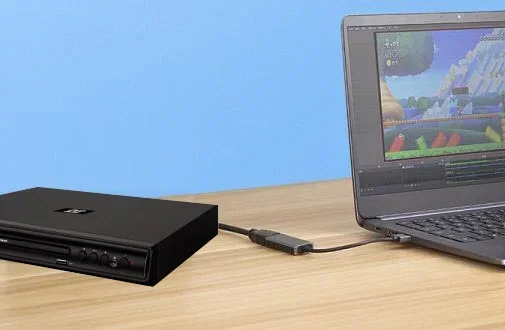
You can use a VGA-to-HDMI adapter to connect old gear to a new screen. These adapters have a VGA input and an HDMI output. Some also have a 3.5mm audio jack for sound. The adapter contains a built-in digital-to-analog converter. It takes the VGA signal and turns it into digital HDMI. This works. But it adds cost. A basic adapter costs around $10 to $30. A better one with audio support costs more. You also need to power the adapter in some cases. That means plugging in a USB cable too.
Video Quality: Can VGA Match HDMI?
Resolution and Clarity
VGA was never meant for ultra-high definition. The standard maxes out at around 2048 x 1536 pixels. That is fine for office work. It is fine for watching older videos. But if you want 1080p or 4K, VGA will struggle. The image might look soft or fuzzy. Text can appear slightly blurry. HDMI, on the other hand, handles 1080p easily. It can push 4K at 60 frames per second or more. So if sharp picture quality matters to you, HDMI is the clear winner.
Signal Degradation Over Distance
One big issue with VGA is signal loss. The longer the cable, the weaker the analog signal becomes. A 10-foot VGA cable might work fine. A 30-foot VGA cable can show ghosting. Colors might wash out. You can fix this with a VGA amplifier. But that adds more gear and cost. HDMI cables do not have this problem. Digital signals stay strong up to about 50 feet. After that, you might need a fiber HDMI cable. But for most rooms, a standard HDMI cable works perfectly.
Audio: The Big Missing Piece
Why VGA Can’t Carry Sound
VGA only carries video. It has no pins for audio. This is a huge drawback. If you connect a laptop to a VGA projector, you will get no sound from the projector’s speaker. You have to plug in a separate audio cable. That cable goes from the laptop’s headphone jack to the projector’s audio input or to external speakers. It adds clutter. It also means you have to manage two cables instead of one.
Workarounds for Audio
Some VGA-to-HDMI adapters include a 3.5mm audio output. You can plug that into a speaker or soundbar. This solves the audio problem. But it adds another box to your setup. You need power for the adapter. You also need the audio cable. It is not as clean as a single HDMI cable that delivers both picture and sound. If you want a simple setup, VGA is not the best choice.
When VGA Makes Sense Today
Legacy Equipment and Projectors
Many schools, churches, and small businesses still use VGA projectors. Replacing them is expensive. If your projector only has VGA, you can still use it. You just need an adapter. The same goes for old monitors in warehouses or workshops. They might only have VGA ports. In these cases, Can Vga Replace Hdmi as a temporary fix. It lets you keep working without buying new hardware.
Gaming and Lag Concerns
Gamers care about input lag. That is the delay between your button press and the action on screen. VGA adapters can add slight lag because of the conversion process. The digital-to-analog and back conversion takes time. For casual gaming, this lag is not noticeable. But for fast-paced competitive games, it can be a problem. HDMI provides a direct digital path with almost no lag. If you are a serious gamer, stick with HDMI.
How to Set Up a VGA-to-HDMI Connection
What You Need
To connect a VGA source to an HDMI display, you need a few things. First, a VGA cable. This goes from your old device to the adapter. Second, a VGA-to-HDMI adapter or converter box. Make sure it supports the resolution you need. Third, an HDMI cable to connect the adapter to your TV or monitor. If you want sound, get an adapter with a 3.5mm audio out. You will also need a USB cable to power the adapter if it is not bus-powered.
Step-by-Step Setup
- Plug the VGA cable into your laptop or device.
- Connect the other end of the VGA cable to the adapter’s VGA input.
- Plug the HDMI cable into the adapter’s HDMI output.
- Connect the HDMI cable to your TV or monitor.
- If the adapter has audio out, plug a 3.5mm cable into it and into your speakers.
- Plug the USB power cable into the adapter and a power source.
- Turn on the display and select the correct HDMI input.
Once connected, your screen should show up. You may need to adjust the resolution in your computer’s display settings. Set it to 1080p or lower for the best results. Some adapters let you choose the output resolution in a small menu on the box itself.
Quick Tips for Best Results
- Set your source device to output 1080p or lower. VGA does not handle 4K well.
- Use a powered adapter if your source device cannot supply enough power.
- Update your graphics drivers before connecting. This can prevent detection issues.
- Test the setup in a dark room if you are using a projector. You will see any blurriness or ghosting more easily.
Common Mistakes to Avoid
One common mistake is using a very long VGA cable. That causes signal loss. Another mistake is buying a cheap adapter without audio support. You will get video but no sound. Some people forget to set the correct resolution. This results in a stretched or pixelated image. Also, do not forget to power the adapter. Many converter boxes need external power to work correctly.
Expert Insights: When to Choose VGA vs HDMI
We asked a few AV technicians about real-world use. They said VGA is fine for static images. PowerPoint slides and spreadsheets look fine over VGA. But for video playback, HDMI is much better. The colors are richer. The motion is smoother. One expert noted that VGA adapters are great for one-off presentations. If you only connect an old laptop once a month, an adapter is a lifesaver. But for a home theater setup, HDMI is the only way to go.
Another tip from the pros: always check the adapter’s supported resolution. Some cheap VGA-to-HDMI converters only output 720p. That might be fine for a simple display. But if you need 1080p, spend a little more on a better converter box. Look for adapters that explicitly state 1080p support on the package.
Conclusion
So, can Vga Replace Hdmi? Yes, it can. But it is not a perfect swap. You trade audio, high resolution, and crisp digital clarity for the ability to use old gear. If you have a VGA projector and a new laptop, an adapter will get the job done. Just know what you are giving up. For everyday office work, VGA is still okay. For gaming, movies, or anything that needs great sound and sharp picture, HDMI is the better choice. Use the tips in this guide to set up your connection the right way. And remember, when in doubt, go with HDMI for the best experience.
Frequently Asked Questions
Can I get sound through a VGA cable?
No, VGA carries video only. You will need a separate audio cable or a converter with a 3.5mm audio out to get sound from your display.
Does a VGA-to-HDMI adapter cause lag?
Some lag is possible because of the signal conversion. For casual use it is not noticeable. For fast-paced gaming, the lag may be distracting. Stick with HDMI for the best gaming experience.
What is the best resolution for VGA?
VGA works best at 1080p or lower. It can technically go up to 2048×1536, but the image may look soft at higher resolutions. Set your device to 1080p for the clearest picture.
Can I use a VGA cable longer than 15 feet?
You can, but signal quality will drop. You may see ghosting or a faint image. Use a shorter cable or a VGA amplifier to keep the picture sharp over longer runs.
Are all VGA-to-HDMI adapters the same?
No. Some only output video. Others include audio. Some support 1080p, while others max out at 720p. Check the specs before you buy to make sure it meets your needs.
Is it better to buy a new HDMI device instead of using an adapter?
For long-term use, yes. Adapters add cost and potential issues. A new device with HDMI gives you better quality, audio, and future-proofing. Use an adapter only as a temporary or budget solution.