Can I Charge My Iphone From A Usb Wall Socket Safely
Yes, you can charge your iPhone from a USB wall socket, and it is completely safe when you use the right equipment. Modern iPhones support USB wall charging through Lightning or USB-C cables, and using a proper USB wall adapter ensures fast, reliable power. Whether you have an older iPhone or the latest iPhone 15, this guide covers everything you need to know about iPhone charging from a standard wall outlet.
Have you ever been in a rush and realized your iPhone battery is dying? You look around and spot a USB wall socket nearby. But wait, can you actually plug your iPhone into a wall socket USB safely? The short answer is yes. But the full story is a lot more interesting, and it matters more than most people think.
Charging your iPhone from a USB wall socket is one of the most common ways people power up their devices every single day. It is convenient, fast, and generally safe. But not all wall chargers are created equal, and not every charging cable will work the way you want. In this guide, we will walk through everything you need to know about iPhone charging from a USB power outlet, including safety tips, speed factors, and common mistakes to avoid.
Whether you own an iPhone 15 with USB-C or an older model with a Lightning cable, this article has you covered. We will look at how USB wall sockets work, what kind of wall plug adapter you need, and how to keep your iPhone battery health in top shape. Let us dive right in.
Key Takeaways
- USB wall sockets work safely: You can charge your iPhone from any standard USB wall socket using the correct adapter and cable.
- Use Apple-certified accessories: Always choose MFi-certified charging cables and wall chargers to protect your device.
- Charging speed varies: The wattage of your USB wall adapter directly affects how fast your iPhone charges.
- Avoid cheap knockoffs: Low-quality wall plug adapters can damage your battery or pose safety risks.
- iPhone battery health matters: Proper charging habits from a USB outlet help extend your battery lifespan.
- USB-C vs Lightning: Newer iPhones use USB-C, while older models use Lightning for wall socket charging.
- Safety features are built in: iPhones have internal safeguards that regulate power from any USB power outlet.
📑 Table of Contents
- What Is a USB Wall Socket and How Does It Work?
- Can You Safely Charge Your iPhone From a USB Wall Socket?
- What You Need to Charge Your iPhone From a USB Wall Socket
- How Fast Does iPhone Charging Work From a USB Wall Socket?
- Common Mistakes People Make When Charging From a USB Wall Socket
- Expert Tips to Improve Your iPhone Battery Health
- USB Wall Socket Charging for Different iPhone Models
- Conclusion
What Is a USB Wall Socket and How Does It Work?
A USB wall socket is simply a wall outlet that has a built-in USB port. Instead of using a separate wall charger block, you plug a cable directly into the wall. These USB outlets have become very popular in homes, hotels, and offices. They save space and reduce clutter on your nightstand or desk.
The way it works is simple. The USB power outlet converts AC power from your wall into DC power that your iPhone can use. Inside the wall socket, there is a small circuit board that regulates the voltage and current. This keeps the power steady and safe for your device.
Types of USB Wall Sockets
Not all USB wall sockets are the same. Here are the most common types you will encounter:
- Single USB-A outlets: These have one older-style USB-A port. They work fine for basic iPhone charging but tend to be slower.
- Single USB-C outlets: These are newer and faster. They are ideal for iPhone 15 and iPhone 14 models that use USB-C.
- Dual USB outlets: These have two ports, so you can charge multiple devices at once from one wall socket USB.
- Smart USB outlets: These detect your device and deliver the right amount of power automatically. Great for fast charging.
When choosing a USB wall socket, look for ones that support at least 12 watts for standard iPhone charging. If you want fast charging, go for 20 watts or higher. The wattage of the outlet matters a lot for speed.
Can You Safely Charge Your iPhone From a USB Wall Socket?
This is the big question, and the answer is a clear yes. iPhone charging from a USB wall socket is completely safe as long as you use the right equipment. Apple designs iPhones with built-in safety features that manage how power flows into the battery. These protections work whether you use a USB wall adapter, a computer, or a wall socket USB.
Built-In Safety Features in iPhones
Your iPhone has several safety mechanisms that kick in during wall socket charging:
- Battery management system: This monitors voltage and temperature to prevent overheating.
- Overcharge protection: Your iPhone stops drawing power once the battery reaches 100%.
- Heat regulation: If the device gets too warm, it slows down charging speed or pauses charging.
- Voltage regulation: The iPhone only accepts the correct amount of power from any USB power outlet.
These features mean you do not need to worry about damaging your phone when using a proper wall charger. The iPhone handles the rest. Just make sure your accessories are in good condition and certified.
When USB Wall Socket Charging Might Not Be Safe
There are situations where iPhone charging from a USB outlet could cause problems. Here are a few red flags to watch out for:
- Damaged cables: Frayed or exposed wires can cause short circuits. Always inspect your charging cable before plugging it in.
- Uncertified adapters: Cheap, uncertified wall plug adapters may deliver unstable power. This can harm your battery over time.
- Wet conditions: Never use a USB wall socket with wet hands or in damp environments. Water and electricity do not mix.
- Overheating outlets: If a wall socket USB feels hot to the touch, stop using it immediately and inspect it.
As long as you avoid these issues, USB wall socket charging is one of the safest ways to power up your iPhone.
What You Need to Charge Your iPhone From a USB Wall Socket
Getting started with iPhone charging from a USB wall socket is easy. You only need a few things, and most people already have them at home. Let us break down exactly what you need.
The Right Cable
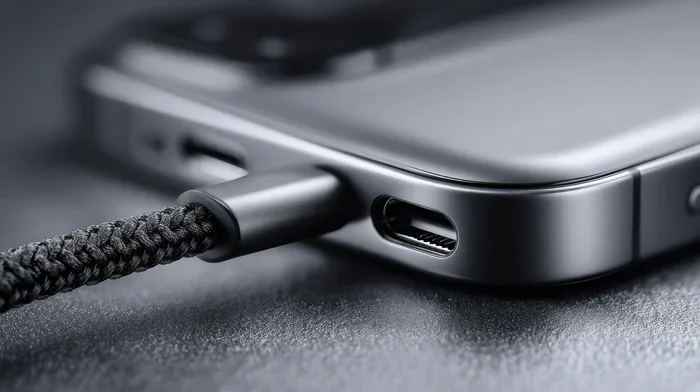
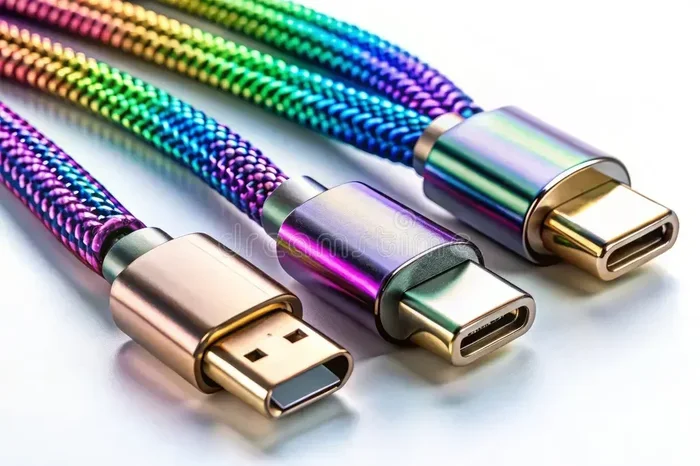
Your cable is the most important piece of the puzzle. If you have an iPhone 15 or iPhone 14, you need a USB-C cable. If you have an older model, you need a Lightning cable. Make sure your cable is in good shape with no fraying or bending near the connectors.
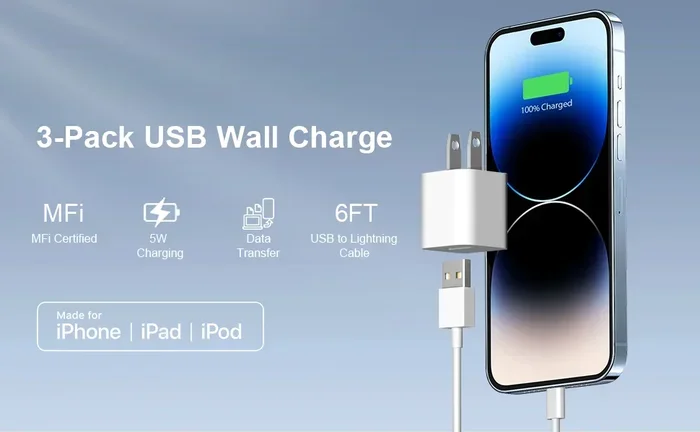
For the best results, use an Apple-certified or MFi-certified cable. MFi stands for Made for iPhone, and it means the cable meets Apple’s quality standards. Non-certified cables can cause slow charging speed or even damage your device.
The Wall Adapter or Built-In USB Port
If your wall has a built-in USB outlet, you can plug your cable directly in. If not, you will need a separate USB wall adapter. This is the small brick that plugs into the wall and has a USB port on the other end.
When picking a USB wall adapter, consider the wattage. Here is a quick guide:
- 5 watts: Standard charging. Slow but safe for overnight iPhone charging.
- 12 watts: Fast enough for most daily use. A solid choice for any iPhone model.
- 20 watts or higher: Best for fast charging on supported models like iPhone 15 and iPhone 14.
Quick Tips for Choosing the Right Setup
- Always check that your wall plug adapter matches your iPhone’s port type.
- Buy wall chargers from reputable brands like Apple, Anker, or Belkin.
- If you travel often, carry a compact USB wall adapter in your bag.
- Avoid using charging cables that came with unknown or off-brand devices.
How Fast Does iPhone Charging Work From a USB Wall Socket?
One of the most common questions about iPhone charging from a USB wall socket is about speed. How fast will your iPhone charge compared to other methods? The answer depends on several factors.
Factors That Affect Charging Speed
Your charging speed is not just about the wall socket USB. Several things work together to determine how quickly your iPhone powers up:
- Wattage of the adapter or outlet: Higher wattage means faster charging speed. A 20-watt USB wall adapter will charge your iPhone much faster than a 5-watt one.
- Cable quality: A good charging cable delivers power efficiently. Cheap cables may limit the current and slow things down.
- iPhone model: Newer models like the iPhone 15 support faster USB-C charging than older Lightning-based models.
- Background activity: Apps running in the background can slow down charging speed. Turn on Airplane Mode while charging for the best results.
- Battery temperature: If your iPhone is too hot or too cold, it will slow down wall socket charging to protect the battery.
USB Wall Socket vs. Traditional Wall Charger
You might wonder if there is any difference between using a built-in USB outlet and a traditional wall charger. In most cases, the speed is the same. It all comes down to the wattage output. A high-quality USB wall socket that delivers 20 watts will charge your iPhone just as fast as a 20-watt wall charger block.
The real difference is convenience. A USB power outlet eliminates the need for a bulky adapter block. You just plug in and go. This makes USB wall socket charging a great option for bedrooms, kitchens, and hotel rooms.
Common Mistakes People Make When Charging From a USB Wall Socket
Even though USB wall socket charging is safe and easy, people make mistakes that can hurt their iPhone battery health over time. Let us look at the most common errors and how to avoid them.
Using the Wrong Cable
This is the number one mistake. Using a cable that is not designed for your iPhone model can lead to slow charging or no charging at all. Make sure your charging cable matches your port. If you have an iPhone 15, use a USB-C cable. If you have an older model, use a Lightning cable.
Ignoring Wattage Requirements
Some people plug their iPhone into a low-power USB outlet and wonder why it takes forever to charge. If you want fast iPhone charging, make sure your USB wall adapter or built-in outlet provides enough wattage. Look for at least 12 watts for everyday use and 20 watts or more for fast charging.
Charging in Extreme Temperatures
Your iPhone battery health suffers when you charge in very hot or very cold environments. Avoid placing your iPhone near heaters, radiators, or direct sunlight while it charges from a USB power outlet. The ideal charging temperature is between 62 and 72 degrees Fahrenheit.
Using Damaged or Cheap Accessories
That cheap wall plug adapter from an unknown brand might save you a few dollars, but it could cost you more in the long run. Poor-quality wall chargers can deliver inconsistent power, which stresses your battery and may even create a safety hazard. Always invest in quality charging cables and certified wall chargers.
Leaving Your iPhone Plugged In Overnight
Modern iPhones have overcharge protection, so leaving your device plugged in overnight is generally safe. However, it is still better for your iPhone battery health to unplug it once it reaches 100%. If you do charge overnight, use a smart USB outlet or enable Optimized Battery Charging in your settings.
Expert Tips to Improve Your iPhone Battery Health
Charging your iPhone from a USB wall socket is only one part of the equation. How you charge matters just as much as where you charge. Here are some expert-backed tips to keep your iPhone battery health strong for years.
Keep Your Battery Between 20% and 80%
Lithium-ion batteries, like the one in your iPhone, last longest when they are not fully drained or fully charged all the time. Try to keep your battery level between 20% and 80% for optimal iPhone battery health. This is especially important if you use a USB wall adapter for daily charging.
Enable Optimized Battery Charging
Apple has a built-in feature called Optimized Battery Charging that learns your daily routine. It slows down charging past 80% until you need to use your phone. This reduces the time your battery spends at 100%, which helps preserve battery health over time.
Remove Thick Cases While Charging
If you use a thick or insulated case, it can trap heat while your iPhone charges from a wall socket USB. Heat is the enemy of lithium-ion batteries. Removing the case during charging allows heat to dissipate and keeps your battery cooler.
Update Your iPhone Software
Apple regularly releases software updates that include improvements to battery management and charging efficiency. Keeping your iPhone updated ensures that your device gets the best performance from any USB power outlet or wall charger.
USB Wall Socket Charging for Different iPhone Models
Not all iPhones charge the same way from a USB wall socket. Here is a quick look at how different models handle wall socket charging.
iPhone 15 and 15 Pro Models
The latest iPhones use USB-C, which is a big improvement over Lightning. USB-C supports faster fast charging and higher wattage delivery. You can charge an iPhone 15 from a USB wall socket at up to 27 watts, which is significantly faster than older models.
iPhone 14 and 13 Models
These models still use the Lightning port but support fast charging with a 20-watt USB wall adapter. You can get about 50% charge in around 30 minutes. A built-in USB outlet with sufficient wattage works perfectly for these models.
Older iPhone Models (iPhone 12 and Earlier)
Older iPhones with Lightning ports charge at standard speeds from any USB power outlet. They typically support up to 12 watts of charging. Using a 5-watt wall charger will work but will be slower. For the best experience, upgrade to a 12-watt or 20-watt USB wall adapter.
Conclusion
Charging your iPhone from a USB wall socket is safe, convenient, and perfectly normal. As long as you use the right charging cable and a quality USB wall adapter or built-in USB outlet, you can power up your device without any worries. The key is to pay attention to wattage, cable quality, and your charging habits.
Remember to protect your iPhone battery health by avoiding extreme temperatures, using certified accessories, and keeping your battery between 20% and 80% when possible. With the right approach, wall socket USB charging can be just as effective as any other method. So go ahead, plug in your iPhone to that USB wall socket, and enjoy the peace of mind that comes with knowing you are doing it safely.
Take a moment today to check your charging cable and wall plug adapter. If they are worn out or low quality, consider upgrading to certified accessories. Your iPhone will thank you with better performance, longer battery life, and safer charging every single day.
Frequently Asked Questions
Is it safe to leave my iPhone charging overnight on a USB wall socket?
Yes, it is generally safe. Modern iPhones have built-in overcharge protection that stops the battery from charging past 100%. However, for the best iPhone battery health, consider enabling Optimized Battery Charging in your settings to reduce battery wear over time.
Can I use any USB wall adapter to charge my iPhone?
You can, but it is best to use a certified USB wall adapter from a reputable brand. Cheap, uncertified wall chargers may deliver unstable power that can harm your battery or slow down charging speed. Always look for MFi certification or Apple-approved accessories.
Why is my iPhone charging slowly from a USB wall socket?
Several factors can cause slow charging speed, including a low-wattage USB wall adapter, a damaged charging cable, or background apps using power. Make sure your wall charger provides enough wattage, use a high-quality charging cable, and try enabling Airplane Mode while charging for faster results.
Do I need a special cable to charge my iPhone from a USB wall socket?
Yes, you need the right cable for your iPhone model. If you have an iPhone 15 or newer, you need a USB-C cable. If you have an older model, you need a Lightning cable. Always use a certified cable to ensure safe and efficient iPhone charging from any USB power outlet.
Can a USB wall socket damage my iPhone battery?
A quality USB wall socket will not damage your iPhone battery. In fact, iPhones have built-in safety features that regulate power from any wall socket USB. The risk comes from using cheap, uncertified wall plug adapters or damaged cables that deliver inconsistent power.
What is the best wattage for charging an iPhone from a USB wall socket?
For standard charging, a 12-watt USB wall adapter works well. For fast charging, look for a 20-watt or higher wall charger. The wattage of your USB outlet directly affects how quickly your iPhone powers up, so choose accordingly based on your needs.