Can I Get HDTV Through Coaxial Cable and How to Watch
Yes, you can absolutely get HDTV through a coaxial cable. This guide will show you how to set up your cable TV provider connection for HD resolution. We will walk you through the steps, equipment needed, and how to avoid common setup mistakes. You will learn how to get the best picture quality from your existing wiring. Keep reading to master your HDTV setup today.
Key Takeaways
- Coaxial works for HD: Modern coaxial cables can carry HDTV signals effectively.
- Check your gear: You need an RG6 cable and a TV tuner or cable box.
- Avoid splitters: Too many splitters weaken your signal strength.
- Compare connections: Coaxial is reliable, but HDMI offers the best quality.
- Troubleshoot easily: Most issues come from old cables or bad outlets.
📑 Table of Contents
Can I Get HDTV Through Coaxial Cable?
The short answer is yes. You can get HDTV through a coaxial cable. Many people still use this type of wire to bring high-definition channels into their homes. It is a reliable way to connect your digital television to the wall outlet. If you have a coaxial outlet in your living room, you are already halfway there.
People often wonder if their old wiring can handle HD resolution. The good news is that modern coaxial cable systems are built for this. They carry a digital signal that brings sharp, clear pictures. You do not always need fancy new wires to enjoy your favorite shows. A standard RG6 cable works perfectly for this task.
However, the setup matters a lot. You cannot just plug any wire into the wall and expect perfect picture quality. You need the right equipment and a bit of knowledge. This article will guide you through the whole process. We will help you understand how coaxial cable delivers an HDTV signal to your screen.
In the past, analog signals carried standard definition TV. These signals faded and got snowy if the wiring was bad. Today, digital signals work differently. They either work perfectly or they do not work at all. This is called the digital cliff. When you use a coaxial cable for HDTV, you get a clean, crisp picture. There is no fading or snow. As long as the signal strength is good, you will love the picture quality.
Many folks ask if they need a fancy new setup to watch HDTV. The answer is no. Your existing coaxial cable wiring might be all you need. You just need to know how to use it correctly. Let us look at exactly how to do this. We will walk you through the setup step by step.
Your cable TV provider sends the HDTV signal from their headend to your home. This signal travels through the copper center of the coaxial cable. The outer shielding protects the data from outside interference. This is why coaxial cable is so reliable for digital television. Even over long distances, the signal stays strong if you use the right wire.
How to Watch HDTV Through Coaxial Cable
Watching HDTV through a coaxial cable is easier than you think. You just need to follow a few simple steps. First, let us look at what you need to get started. Then, we will walk through the actual setup process.
Step-by-Step Setup Guide
Here is how you can set up your digital television for HD resolution using a coaxial cable:
- Find the coaxial outlet on your wall. Make sure it is clean and tight. A loose outlet causes signal loss.
- Take your RG6 cable and plug one end into the wall outlet. Push it firmly until the F-connector clicks.
- Connect the other end of the cable to your TV or cable box. Make sure the connection is snug.
- Turn on your digital television and go to the channel scan menu. This is usually in the setup or tools section.
- Run the auto-program feature. This will find all available HDTV signal channels in your area. It takes a few minutes.
Once the scan is complete, you should see your local channels in full HD resolution. If you do not see them, do not worry. Check your connections and try again. Sometimes a simple re-seat fixes the problem. You can also unplug the cable box for ten seconds and plug it back in.
If your TV says “no signal,” check the input source. Make sure your TV is set to the right input for the coaxial cable. Many TVs call this input “Cable” or “Antenna.” If you still see nothing, the wall outlet might be bad. Try a different coaxial outlet in your home.
If your TV does not have a built-in tuner, you will need a cable box. A cable box decodes the HDTV signal for your digital television. Some cable TV providers give you a box for free. Others require you to rent one. Check with your provider to see what you need. A TV tuner inside the box or TV does the heavy lifting of converting the digital signal into video.
Equipment You Will Need
Having the right gear makes a big difference. You want your picture quality to be as sharp as possible. Here is a quick list of what you need to watch HDTV via a coaxial cable:
- RG6 Coaxial Cable: This is the standard for modern digital signal transmission. Avoid older RG59 cables. They cannot carry high-bandwidth HD resolution well.
- Cable Box or TV Tuner: Some TVs have built-in QAM tuners. Others need a cable box from your cable TV provider. Check your TV manual to see what you have.
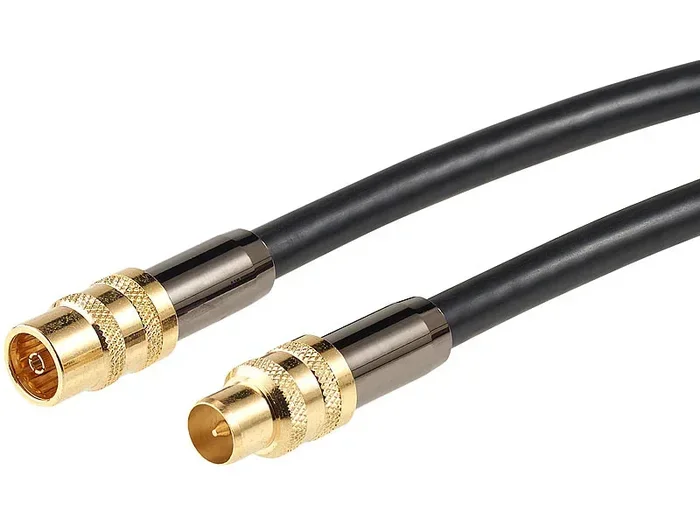
- F-connectors: These are the metal caps on the ends of your wire. Make sure they are secure and not bent. A bad F-connector ruins the signal strength.
- Signal Amplifier: If your house is big, you might need this to boost your HDTV signal. This helps when the wire runs a long way from the provider’s box.
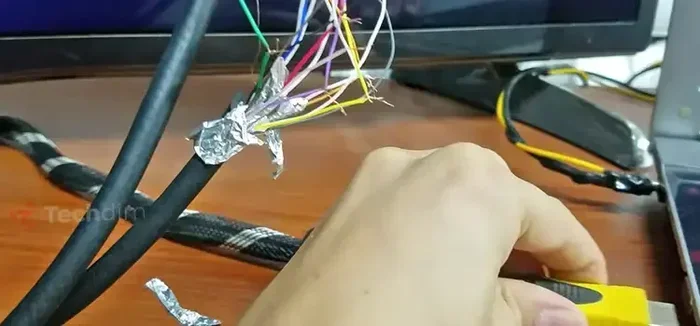
- Cable Stripper: This tool helps you properly prepare the coaxial cable for the F-connector. It makes clean cuts every time.
Coaxial Cable vs. Other HDTV Connections
How does a coaxial cable compare to other ways of watching HDTV? Many people use HDMI cables today. But coaxial cable still has its place. Let us look at the differences between these connection types.
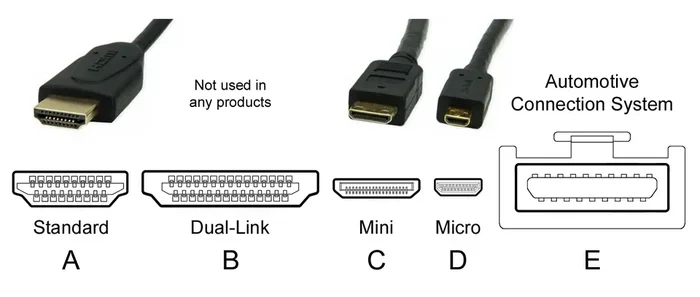
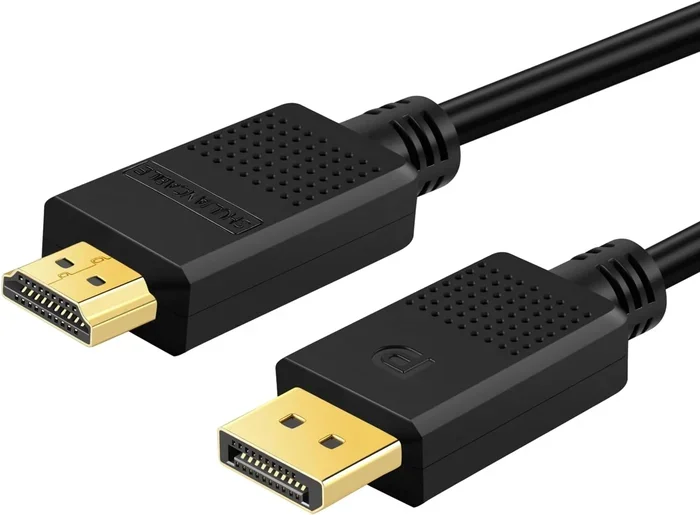
HDMI cables carry both audio and video in one wire. They offer the best picture quality for modern TVs. They support 4K and even 8K resolutions. However, not every room has an HDMI port ready to go. That is where the coaxial cable shines. It is already inside your walls.
Coaxial wiring is very common in older homes. It runs through the walls from a central point. You can use it to connect a cable modem or a cable box. It is also great for antenna setups if you watch over-the-air TV. You just need a signal splitter to share the connection.
In the early days of cable TV, coaxial cable was the only option. It carried analog signals to our digital television sets. Back then, the picture was not as sharp. Today, the same coaxial cable carries high-bandwidth digital signals. It supports HD resolution and even some streaming box connections. The technology has evolved, but the wire remains the same.
Here is a quick comparison of these connection types:
| Connection Type | Best For | Picture Quality | Ease of Use |
|---|---|---|---|
| Coaxial Cable | Older homes, cable TV, modems | Very Good (HD) | Easy |
| HDMI | Modern TVs, gaming, streaming | Excellent (4K) | Very Easy |
| Component Video | Older HDTVs without HDMI | Good (Up to 1080p) | Moderate |
| Composite Video | Very old TVs | Poor (Standard Def) | Easy |
As you can see, coaxial cable is a solid choice. It might not be the newest tech, but it works very well for HDTV. Do not underestimate the power of this simple wire. It brings a clear channel lineup right to your digital television.
Many people also use a streaming box with their coax setup. You can plug an HDMI cable from a streaming device into your TV. Then, use the coaxial cable just for the internet or basic channels. This gives you the best of both worlds. You get fast internet and high-definition TV on the same wire.
Common Mistakes to Avoid When Using Coaxial Cable
Many people run into trouble when setting up their HDTV with a coaxial cable. Most of these problems are easy to fix. Here are the common mistakes you should avoid to keep your picture quality sharp.
Using Old Splitters
A signal splitter lets you plug the coaxial cable into multiple TVs. But old splitters can hurt your signal strength. They reduce the digital signal before it reaches your digital television. If you notice fuzzy channels, your splitter might be the culprit. Always buy a high-quality splitter if you need one. A cheap splitter will degrade your HDTV signal quickly.
Ignoring the Cable Rating
Not all wires are the same. Using an old RG59 cable instead of a modern RG6 cable is a big mistake. RG59 wires cannot carry HD resolution signals very far. They will cause you to lose picture quality over distance. Always check the label on your coaxial cable before buying. Look for “RG6” on the jacket to be safe.
Forgetting to Scan for Channels
When you first connect a coaxial cable to your TV, you must scan for channels. If you skip this step, you will not see any HDTV signal. Go into your TV settings and run a full channel auto-program. This tells your set-top box or TV what channels are available. Without this scan, your TV remains blind to the channel lineup.
Using Damaged Cables
Never use a coaxial cable with a bent pin or a torn jacket. Damage to the outer shielding lets in interference. This interference creates a poor digital signal. You will see sparkles or freezing on your screen. Replace any damaged wires right away to keep your signal strength high.
Skipping the Grounding
This is a mistake many people make. Coaxial cable systems need proper grounding. Without it, static electricity can build up. This can damage your cable box or TV. It can also cause a slight electric shock when you touch the metal parts. Always make sure your coaxial outlet is properly grounded. This keeps your digital signal safe and your equipment protected.
Quick Tips for the Best HDTV Picture Quality
You have your coaxial cable connected. Now you want the best possible picture quality. Follow these simple quick tips to make your HDTV look amazing. These small changes make a huge difference in your viewing experience.
- Keep cables short: Longer runs mean more signal loss. Try to keep your coaxial cable run under 50 feet. This ensures the digital signal stays strong.
- Check your connections: Loose F-connectors cause sparkles and dropouts. Make sure every connection is tight. Use a wrench if needed to snug them up.
- Avoid sharp bends: Bending the wire too much damages the inner shield. This ruins your analog signal or digital signal flow. Keep the wire runs smooth and gentle.
- Use a surge protector: Power surges can fry your cable box or TV. Plug everything into a good surge protector. It keeps your digital television safe.
- Keep away from power cords: Running your coaxial cable parallel to power cords causes interference. Cross them at right angles instead. This stops the picture quality from getting noisy.
- Secure the cables: Use cable clips to keep the coaxial cable flat against the wall. This prevents accidental pulls and keeps the coaxial outlet safe.
These small steps make a huge difference. They help maintain strong signal strength across your home. Your channel lineup will look much better with these simple habits. Take a few minutes to check your setup today.
Expert Insights on Coaxial HDTV Signals
Why Coaxial Still Matters
Experts agree that coaxial cable is still a great way to deliver HDTV. The copper center conductor carries the digital signal very efficiently. It also has great shielding against outside interference. This means fewer ghosting artifacts on your screen. Even with newer technologies, coaxial cable remains a backbone of home entertainment.
Many cable TV providers still rely on coaxial cable for their channel lineup. Even with the rise of fiber-optic internet, coax remains vital. Understanding how it works gives you an edge. You can troubleshoot problems faster. You can also save money by not calling a technician for simple fixes.
The Role of the Cable Modem
Your cable modem uses the same type of wiring. It brings high-speed internet into your home. Sometimes, the same coaxial outlet powers both your internet and your TV. This is called a shared drop. Make sure your signal splitter is rated for HDTV signal if you share the line. A bad splitter will slow down your internet and hurt your TV picture.
Modern coaxial cable standards like DOCSIS 3.1 can handle massive amounts of data. This is the same coaxial cable that brings HDTV into your home. The technology is incredibly versatile. It just needs the right equipment on each end to work its best.
The Future of Coaxial Cable
You might wonder if coaxial cable will become obsolete. The truth is that it is still evolving. New standards allow for faster speeds and better signal strength. As long as cable TV providers use this infrastructure, coaxial cable will stay relevant. It is a proven technology that works hard for you every day.
By following these insights, you can trust your setup. You will enjoy crisp HD resolution every time you turn on your digital television. The coaxial cable is a workhorse. It just needs a little respect and care to perform its best.
So, can you get HDTV through a coaxial cable? Absolutely. It is a reliable, easy, and effective way to enjoy your favorite shows. With the right RG6 cable and a bit of care, you can achieve excellent picture quality. Remember to avoid old splitters and always run a channel scan. Your home entertainment setup is in your hands. Now go enjoy your HDTV through that coaxial cable!
Frequently Asked Questions
Can I use a regular coaxial cable for HDTV?
Yes, but you need a modern RG6 cable. Older RG59 cables do not support HD resolution well. Always check the label to make sure you have the right coaxial cable for your digital television.
Do I need a cable box to get HDTV through coaxial?
It depends on your TV and provider. Many new TVs have built-in tuners for HDTV signal. However, some cable TV providers require a cable box to descramble premium channel lineup content.
Why is my HDTV picture fuzzy on coaxial?
Fuzzy pictures usually mean weak signal strength. Check your F-connectors to ensure they are tight. Also, avoid using too many signal splitters in a row, as they reduce the digital signal.
Can I run a coaxial cable outdoors for HDTV?
Yes, you can use outdoor-rated coaxial cable. This type of wire has extra shielding to handle weather. Just make sure you use weatherproof F-connectors to keep the HDTV signal strong.
Does a coaxial cable carry both internet and TV?
Yes, a single coaxial outlet can carry both. Your cable modem uses the wire for internet, while your TV uses it for HDTV. A good signal splitter keeps both working without losing picture quality.
What is the difference between analog and digital coaxial signals?
Analog signals carry standard definition pictures. Digital signals carry HDTV with crisp HD resolution. Modern coaxial cables are designed to handle the digital channel lineup that providers offer today.