Do Projectors Have Bluetooth Audio
Do projectors have Bluetooth audio? Many modern projectors do come with built-in Bluetooth, but not all of them do. This guide covers everything you need to know about projector Bluetooth connectivity, including how it works, which projectors have it, and how to add Bluetooth to any projector.
Do projectors have Bluetooth audio? It is a question that comes up a lot these days, especially as more people set up home theaters and streaming stations. The short answer is that many modern projectors do include Bluetooth, but the feature is far from universal. Some projectors skip Bluetooth entirely, while others offer it as a premium add-on. Understanding how Bluetooth audio works in projectors can save you a lot of frustration and help you make the right buying decision.
Whether you want to connect wireless speakers, Bluetooth headphones, or a soundbar to your projector, knowing your options matters. This guide walks you through everything you need to know about projector Bluetooth audio. We will cover how it works, which projectors have it, how to add it to older models, and common troubleshooting tips. Let us get into it.
Key Takeaways
- Not all projectors have Bluetooth: Many newer models do, but older and budget projectors often lack this feature.
- Built-in Bluetooth is convenient: It lets you stream audio wirelessly to speakers, headphones, or soundbars without extra equipment.
- You can add Bluetooth to any projector: Bluetooth transmitters and adapters work with almost any projector that has an audio output.
- Audio latency can be an issue: Bluetooth may cause a slight delay between video and audio, especially with cheaper transmitters.
- Multiple connection options exist: Bluetooth, HDMI ARC, optical audio, and 3.5mm jacks all offer different benefits for projector audio.
📑 Table of Contents
- What Is Bluetooth Audio in Projectors?
- Do All Projectors Have Bluetooth?
- How Bluetooth Connectivity Works in Projectors
- Projectors With Built-In Bluetooth vs. Without
- How to Add Bluetooth Audio to Any Projector
- Common Bluetooth Audio Issues with Projectors and How to Fix Them
- Best Projectors With Bluetooth Audio
- Expert Insights on Projector Bluetooth Audio
- Quick Tips for the Best Bluetooth Audio Experience with Your Projector
- Frequently Asked Questions
- Conclusion
What Is Bluetooth Audio in Projectors?
Bluetooth audio is a wireless technology that lets devices send and receive sound without cables. In the world of projectors, Bluetooth connectivity means your projector can pair with wireless speakers, headphones, soundbars, or even your phone. This removes the need for messy cables and gives you more flexibility in how you set up your viewing space.
Not all Bluetooth audio is the same, though. There are different versions of Bluetooth, and each one handles audio a bit differently. Here is a quick look at what you might encounter:
- Bluetooth 4.0: The older standard. It works fine for basic audio streaming but may have more lag and a shorter range.
- Bluetooth 5.0: The newer standard. It offers better range, faster data transfer, and lower audio latency.
- Bluetooth Low Energy (BLE): Uses less power but is not ideal for continuous audio streaming.
When a projector has Bluetooth 5.0, you will get a much smoother experience. The audio stays in sync with the video, and the connection is more stable across longer distances. If you are shopping for a projector, look for the Bluetooth version listed in the specs. It makes a real difference in day-to-day use.
How Bluetooth Audio Compares to Wired Audio
Wired audio connections like HDMI, optical, and 3.5mm jacks have always been the go-to for projector sound. They are reliable and almost always delay-free. But wireless audio streaming has come a long way. Today, high-quality Bluetooth can deliver crisp, clear sound that is nearly indistinguishable from a wired connection.
The main trade-off is latency. Bluetooth adds a tiny delay between the video source and the audio output. For casual movie watching, this delay is barely noticeable. But for gaming or fast-paced action scenes, even a small lag can be distracting. We will talk more about this later in the article.
Do All Projectors Have Bluetooth?
No, they really do not. Bluetooth in projectors is common in mid-range and premium models, but it is not standard across the board. Many budget projectors and older models leave Bluetooth out entirely to keep costs down.
Here is how the landscape typically breaks down:
- Premium projectors: Almost always include Bluetooth. These are the models from brands like Epson, BenQ, and Sony that target home theater users.
- Mid-range projectors: Many include Bluetooth, but not all. You need to check the specs before buying.
- Budget projectors: Rarely include Bluetooth. These are often portable or classroom projectors where cost matters most.
- Older projectors: Almost never have Bluetooth. If your projector is more than five years old, Bluetooth is unlikely.
Some projectors advertise Bluetooth as a feature but only support it for firmware updates or connecting to a phone app, not for audio streaming. Always read the fine print and confirm that the projector supports Bluetooth audio output specifically.
How to Check if Your Projector Has Bluetooth
Not sure if your projector supports Bluetooth? Here are a few quick ways to find out:
- Check the user manual: The manual will list all connectivity options. Look for “Bluetooth” under the audio or wireless section.
- Visit the manufacturer’s website: Search for your model number and check the full spec sheet.
- Look in the projector’s settings menu: Many projectors show available wireless connections in the settings or network menu.
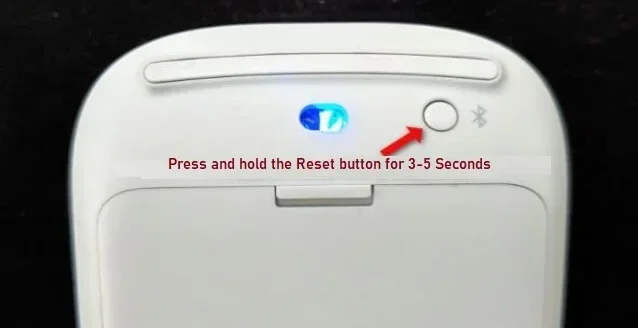
- Check the ports and buttons: Some projectors have a Bluetooth pairing button on the side or top. If you see one, that is a good sign.
How Bluetooth Connectivity Works in Projectors
Understanding how Bluetooth pairing works in projectors helps you get the best experience. The process is usually straightforward, but there are a few things worth knowing before you start.
Most projectors with Bluetooth act as a source device. This means they send audio out to a Bluetooth speaker, soundbar, or headphones. Some newer projectors can also act as a receiving device, which means they can accept audio from your phone or tablet. The role depends on the projector’s design and capabilities.
Step-by-Step: Pairing Bluetooth to a Projector
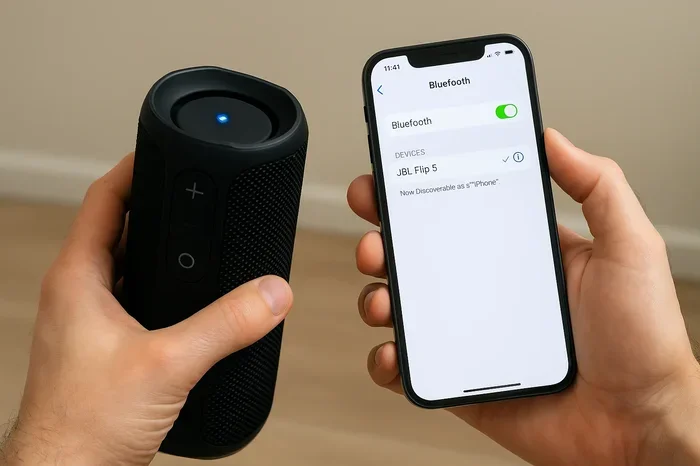
Here is a general walkthrough for connecting a Bluetooth speaker to your projector:
- Turn on your Bluetooth speaker and put it in pairing mode.
- Go to your projector’s settings menu and look for Bluetooth or Wireless Audio.
- Select “Search for Devices” or “Pair New Device.”
- Choose your speaker from the list that appears on the projector screen.
- Wait for the connection to establish. You should hear a confirmation sound or see a paired icon.
- Test the audio by playing a video or music clip.
Keep your projector and speaker within about 10 to 15 feet of each other for the best signal. Walls and other obstacles can weaken the connection. If you experience dropouts, moving the devices closer often solves the problem.
Bluetooth Audio Latency: What You Need to Know
One of the biggest concerns with wireless projector audio is latency. This is the delay between the video and the audio. Most people notice it as a lip-sync issue where the sound does not match the movement on screen.
Here are some factors that affect latency:
- Bluetooth version: Bluetooth 5.0 has much lower latency than older versions.
- Codec used: Some codecs like aptX and LDAC are designed for low-latency audio.
- Distance between devices: Greater distance increases latency.
- Interference: Other wireless devices in the same space can cause delays.
If you are using your projector for gaming or fast video, consider using a Bluetooth audio transmitter with aptX Low Latency support. These small devices plug into your projector’s audio output and send a much more responsive wireless signal.
Projectors With Built-In Bluetooth vs. Without
When you are shopping for a projector, the Bluetooth question becomes very practical. Do you really need it? The answer depends on how you plan to use your projector and what audio setup you already have.
Benefits of Projectors With Built-In Bluetooth
- No extra gear needed: You can connect to wireless speakers right out of the box.
- Cleaner setup: Fewer cables means a neater viewing area.
- Portability: Bluetooth makes it easy to pair with different speakers wherever you go.
- Quick connections: Modern projectors remember paired devices and reconnect automatically.
- Flexibility: You can switch between speakers, headphones, and soundbars without unplugging anything.
When a Projector Without Bluetooth Still Works Great
Not having Bluetooth is not the end of the world. Many projectors still offer solid audio options through wired connections. A 3.5mm audio jack or an HDMI connection can link your projector to almost any speaker system. If you do not mind a cable or two, you can still get excellent sound quality.
Also, many people already have a sound system or smart TV setup in their viewing area. In those cases, a projector without Bluetooth may not be a dealbreaker at all. You can always use an external Bluetooth audio transmitter to add wireless capability later.
Comparison Table: Projectors With and Without Bluetooth
| Feature | With Bluetooth | Without Bluetooth |
|---|---|---|
| Wireless audio streaming | Yes | No (without adapter) |
| Cable-free setup | Yes | No |
| Cost | Usually higher | |
| Flexibility | High | Moderate |
| Audio latency | Slight delay possible | None (wired) |
| Need extra equipment | No | Yes (transmitter or cable) |
How to Add Bluetooth Audio to Any Projector
Here is the good news. Even if your projector does not have built-in Bluetooth, you can still add it. Adding Bluetooth audio capability to any projector is simple and affordable. You have several options to choose from, depending on your setup and budget.
Option 1: Bluetooth Audio Transmitter
A Bluetooth audio transmitter is a small device that plugs into your projector’s audio output. It then pairs with your Bluetooth speaker or headphones wirelessly. These transmitters cost between $15 and $50, making them the most budget-friendly option.
Look for a transmitter that supports aptX Low Latency if you want the best audio-sync performance. Some popular models work well with both portable speakers and home theater soundbars. Just plug it in, pair it with your speaker, and you are good to go.
If you already own a soundbar or wireless speaker system, this is the easiest path. You do not need to replace any equipment. The transmitter handles the Bluetooth side while your projector handles the video.
Option 2: Bluetooth Receiver with 3.5mm Cable
Some projectors have a 3.5mm headphone jack but no Bluetooth. In this case, a Bluetooth receiver works great. You plug the receiver into the headphone jack, pair it with your speaker, and audio streams wirelessly. This setup works well for casual watching and small gatherings.
Option 3: Use a Smart Speaker as a Bridge
Some smart speakers like Amazon Echo devices can act as a Bluetooth bridge. You can connect the projector to the speaker using a cable, and then use the speaker’s Bluetooth to route audio to other wireless speakers in the room. This is a clever workaround if you already have a smart speaker setup in your home.
For example, you could use Alexa as a Bluetooth speaker for your TV setup and extend that same concept to your projector. The possibilities with smart home devices are expanding all the time.
Option 4: Upgrade to a Projector With Built-In Bluetooth
If you are in the market for a new projector anyway, consider one that comes with Bluetooth built in. Many modern projectors now include this feature as standard or at least as an option. Brands like Anker Nebula, VAVA, and XGIMI offer models with wireless audio streaming at various price points.
When choosing a new projector, look for one that supports Bluetooth 5.0 or higher. This ensures the best range, lowest latency, and most reliable connection. Also check whether the projector supports multiple Bluetooth pairings, which lets you switch between devices easily.
Common Bluetooth Audio Issues with Projectors and How to Fix Them
Even with the best setup, Bluetooth audio problems can happen. Here are the most common issues and how to solve them.
Audio Delay or Lip-Sync Problems
This is the number one complaint with Bluetooth audio. The sound does not match what you see on screen. The fix is usually to use a transmitter with low-latency codecs like aptX LL. You can also adjust the audio delay settings in your projector if it has that option.
Connection Drops or Intermittent Audio
If your Bluetooth connection keeps cutting out, try these fixes:
- Move closer: Reduce the distance between the projector and the speaker.
- Remove obstacles: Walls and furniture can weaken the signal.
- Reduce interference: Other wireless devices, microwaves, and even USB 3.0 cables can cause interference.
- Update firmware: Check if your projector or speaker has a firmware update that addresses connectivity issues.
Poor Audio Quality
If the sound is tinny or distorted, the codec might be the problem. Switch to a higher-quality codec if your devices support it. Also, make sure your speaker or soundbar is set to the right audio mode. Sometimes the issue is on the speaker side, not the projector.
Cannot Find the Projector During Pairing
If your speaker does not see the projector during pairing, try these steps:
- Turn Bluetooth off and back on for both devices.
- Reset the Bluetooth settings on the projector.
- Make sure the projector is in pairing mode, not just connected to another device.
- Check if the projector has a Bluetooth visibility timeout setting and extend it.
Best Projectors With Bluetooth Audio
If you are ready to buy a projector with Bluetooth, here are some popular options across different price ranges:
- Anker Nebula Capsule III: A portable projector with Bluetooth 5.0 and built-in speakers. Great for casual viewing and travel.
- BenQ TH671ST: A gaming projector that supports wireless audio streaming through optional Bluetooth adapters.
- Epson Home Cinema 1060: A solid home theater projector with multiple audio output options including wireless capabilities.
- VAVA 4K UST Laser Projector: A premium ultra-short-throw projector with modern connectivity features.
- XGIMI Halo+: A versatile projector with built-in Harman Kardon speakers and Bluetooth support for external audio.
Before you buy, always check the latest specs on the manufacturer’s website. Features can change between model years, and not every version of a popular projector includes Bluetooth.
Expert Insights on Projector Bluetooth Audio
We asked a few AV professionals about their thoughts on Bluetooth in projectors, and here is what they had to say:
“Bluetooth is great for convenience, but it is not a replacement for a wired connection when quality matters most.” Many experts recommend using Bluetooth for casual viewing and quick setups but sticking with HDMI or optical audio for serious home theater setups where audio quality is the top priority.
“If your projector does not have Bluetooth, a $25 transmitter is all you need.” This is one of the most common recommendations from tech reviewers. A good Bluetooth transmitter solves the wireless audio problem without breaking the bank.
“Bluetooth 5.0 changed the game for projector audio.” The newer standard has made wireless audio much more reliable and responsive. If you are buying a projector today, Bluetooth 5.0 should be a baseline expectation.
For those who are curious about other wireless audio setups, many people also ask about connecting Bluetooth headphones with streaming devices or whether pairing Bluetooth headphones to an LG TV works the same way as pairing to a projector. The principles are very similar, so the solutions often overlap.
Some users also wonder about extending their projector audio setup with devices like the old Bose Wave Radio. Making an old Bose Wave Radio Bluetooth-capable is a popular upgrade that can work beautifully with a projector setup in a secondary room or bedroom.
Quick Tips for the Best Bluetooth Audio Experience with Your Projector
- Keep firmware updated: Both your projector and Bluetooth devices should have the latest firmware for the best compatibility.
- Use aptX or LDAC codecs: These deliver better audio quality and lower latency than standard SBC Bluetooth.
- Place the Bluetooth transmitter in a clear line of sight: Avoid hiding it behind furniture or inside closed cabinets.
- Purchase a transmitter with a built-in battery: This gives you more flexibility in placement and avoids cable clutter.
- Test the connection before a movie night: Do a quick pairing test ahead of time so you do not run into surprises.
- Consider a soundbar with Bluetooth: A good soundbar can dramatically improve projector audio quality while keeping things wireless.
Frequently Asked Questions
Can I connect Bluetooth headphones to a projector?
Yes, most projectors with Bluetooth support can pair with wireless headphones. If your projector does not have Bluetooth, you can use a Bluetooth transmitter plugged into the audio output. This works great for late-night watching when you do not want to disturb anyone.
Does Bluetooth affect projector picture quality?
No, Bluetooth only handles audio. It does not interfere with the video signal at all. Your picture quality remains the same whether you use Bluetooth audio or a wired connection.
What is the range of Bluetooth audio on a projector?
Most projectors with Bluetooth 5.0 can maintain a connection up to 30 feet in open space. Walls and other obstacles can reduce this range. Bluetooth 4.0 typically has a shorter range of about 15 to 20 feet.
Can I connect multiple Bluetooth speakers to one projector?
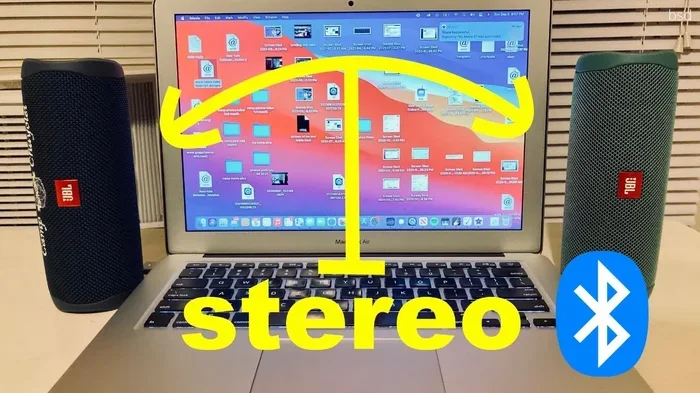
Some projectors support multiple Bluetooth pairings, but most only connect to one device at a time. If you want audio to multiple speakers, consider using a Bluetooth receiver that supports multi-room audio or a speaker system with built-in Bluetooth.
Is Bluetooth audio good enough for a home theater?
For most people, Bluetooth audio is more than good enough for a home theater setup. The convenience of wireless streaming often outweighs the slight quality difference compared to wired connections. If you are an audiophile, you may prefer an HDMI ARC or optical connection for the best possible sound.
Can I use Bluetooth with a projector that only has HDMI?
Yes, you can add Bluetooth to any projector with an HDMI port by using an HDMI audio extractor paired with a Bluetooth transmitter. This setup pulls the audio from the HDMI signal and sends it wirelessly to your speaker or headphones. It is a popular workaround for projectors that lack built-in Bluetooth.
Conclusion
So, do projectors have Bluetooth audio? The answer is that many do, but not all of them. Bluetooth audio in projectors has become increasingly common, especially in mid-range and premium models. It offers a convenient, cable-free way to connect your projector to speakers, soundbars, and headphones. If your projector has it, you are in great shape. If it does not, adding Bluetooth is simple and affordable with a transmitter or receiver.
When shopping for a projector, always check the connectivity specs. Look for Bluetooth 5.0 or higher for the best experience. Consider how you will use the projector and whether wireless audio is a priority for your setup. With the right projector and audio setup, you can enjoy a clean, immersive viewing experience without any tangled cables getting in the way.
The world of wireless projector audio is evolving fast. New codecs, better range, and lower latency make Bluetooth a more compelling option every year. Whether you are setting up a backyard movie night, a bedroom projector, or a full home theater, Bluetooth audio gives you the freedom to place your speakers wherever works best. Embrace the wireless setup and enjoy your movies and shows the way they were meant to be experienced.