Can You View A Security Camera Without Wi Fi At All
Yes, you can view a security camera without Wi-Fi, but your options depend on the camera type and setup. Local storage, cellular data, and direct connections all let you watch security footage offline. This guide breaks down every method so you can pick the right one for your needs.
Can you view a security camera without Wi-Fi? The short answer is yes. But the longer answer depends on what kind of camera you have, how it stores footage, and what you mean by “viewing.”
Maybe your internet went down. Maybe you live in a rural area where broadband is spotty. Or maybe you just want a simple setup that does not rely on a wireless connection. Whatever the reason, you are not alone in asking this question. Security camera without Wi-Fi setups are more common than you might think.
In this guide, we will walk through every way you can monitor your home or property even when there is no wireless network. From SD card recordings to hardwired systems, we have you covered. Let us dig in.
Key Takeaways
- Offline Viewing Is Possible: Many security cameras work without Wi-Fi using SD cards, direct cables, or cellular networks.
- Local Storage Matters: Cameras with onboard or SD card storage let you review footage without an internet connection.
- Cellular Security Cameras Exist: Some systems use a SIM card and mobile data instead of Wi-Fi to send alerts and video.
- Wired Cameras Offer Reliability: Hardwired surveillance camera setups bypass Wi-Fi entirely and still deliver clear footage.
- Remote Viewing Has Limits: Without Wi-Fi, remote access usually requires a cellular or wired network setup.
📑 Table of Contents
- Why Would You Need a Security Camera Without Wi-Fi?
- Types of Security Cameras That Work Without Wi-Fi
- How to View Footage From a Security Camera Without Wi-Fi
- Setting Up a Security Camera System Without Wi-Fi
- Common Mistakes People Make With Offline Security Cameras
- Expert Insights on Offline Security Camera Viewing
- Comparing Offline vs Online Security Camera Viewing
- Final Thoughts
Why Would You Need a Security Camera Without Wi-Fi?
Before we get into the how, let us talk about the why. Understanding your situation helps you pick the right solution. Not everyone has reliable Wi-Fi, and not every setup needs it.
Rural or Remote Locations
If you live on a large property or in a remote area, Wi-Fi might not reach your cameras. A wireless security camera that depends on a router may not work at all. In these cases, you need a system that does not lean on Wi-Fi to function.
Internet Outages and Reliability
Internet goes down. It happens to everyone. If your home security camera only works when the Wi-Fi is on, you are left blind during outages. A security camera system that works offline gives you peace of mind no matter what.
Privacy Concerns
Some people prefer not to send video over the internet. A camera without internet keeps footage local. This means no cloud storage, no third-party access, and fewer worries about someone stealing your information through your Wi-Fi. Local-only setups give you full control.
Cost Savings
Cloud storage plans cost money every month. A surveillance camera that stores footage locally can save you hundreds of dollars over time. No subscription fees, no monthly uploads, just raw footage on your terms.
Types of Security Cameras That Work Without Wi-Fi
Not all cameras are the same. Some need Wi-Fi to function. Others were built to work entirely offline. Here are the main types you should know about.
Analog CCTV Cameras
Analog cameras are the old-school option. They connect directly to a DVR (Digital Video Recorder) using coaxial cables. There is no Wi-Fi involved at all. The DVR records everything to a hard drive. You can view live footage on a connected monitor or even remotely if the DVR has internet access, but the camera itself does not need Wi-Fi.
These systems are reliable and straightforward. They do not drop signals or suffer from bandwidth issues. The trade-off is that you need physical cables running from each camera to the DVR. Installation takes more effort, but the results are solid.
IP Cameras with Local Storage
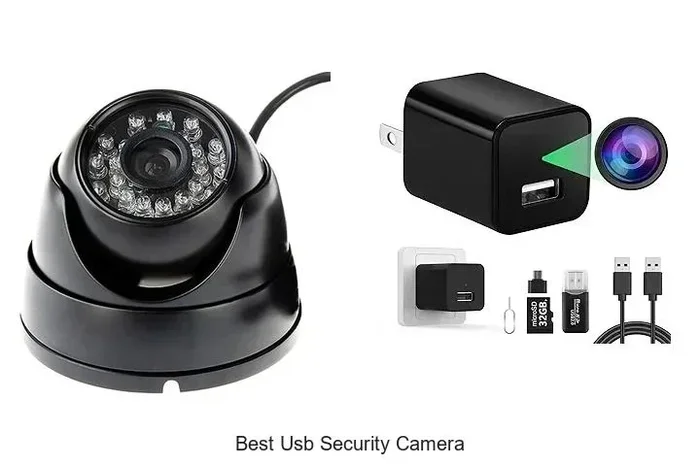
IP cameras are digital and usually connect to a network. But many models also support SD card storage. When you remove the Wi-Fi dependency, the camera records directly to the card. You can then pull the card out and view footage on a computer or TV.
Some IP cameras also connect via Ethernet cable. This gives you a wired network connection without relying on wireless signals. It is a great middle ground between full Wi-Fi setups and completely offline systems.
Cellular Security Cameras
Cellular cameras use a SIM card, just like a phone. They connect to a mobile network instead of Wi-Fi. You get alerts and live feeds through a mobile app. These cameras are perfect for places where Wi-Fi is weak or nonexistent.
The downside is that you need a data plan. Some cellular wireless security cameras come with prepaid data included. Others let you use your own SIM card. Either way, you get coverage wherever there is cell service.
Battery-Powered Cameras with Bluetooth
Some cameras use Bluetooth to connect directly to your phone. They do not need Wi-Fi or even a router. You can view the camera feed through a dedicated app. The range is limited, usually within about 30 feet, but for a backyard or garage, that may be enough.
Think of this like the same idea as screen mirroring without a traditional network. The device connects directly to your phone, no router needed.
How to View Footage From a Security Camera Without Wi-Fi
So you have a camera that works offline. Now how do you actually see the footage? There are several ways to view what your camera captures without an internet connection.
Viewing on a Local Monitor
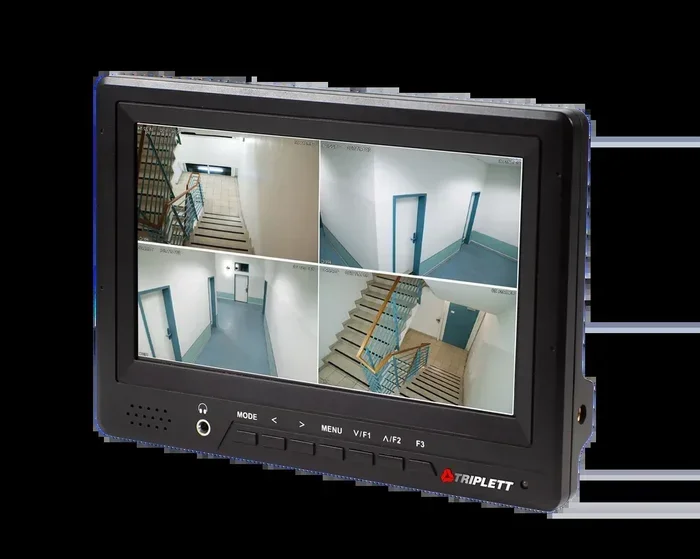
The simplest method is to connect your camera directly to a monitor. Analog CCTV systems use a DVR with an HDMI or VGA output. Just plug the DVR into a TV or monitor, and you can see live and recorded footage. No Wi-Fi required.
For IP cameras with SD cards, you can remove the card and insert it into a card reader on your computer. Most cameras record in standard formats like MP4, so any media player will work. This is one of the easiest camera without internet setups you can build.
Viewing on Your Phone via Direct Connection
Some cameras let you plug them directly into your phone using a USB cable. For example, you can plug a USB camera into your phone and view the feed in real time. This works best with cameras that have a USB output or a USB OTG adapter.
Bluetooth cameras take this even further. You pair the camera with your phone through the app, and the feed streams directly over Bluetooth. The quality may not be as high as Wi-Fi streaming, but it works when you need it.
Viewing Through a Network Video Recorder (NVR)
An NVR is similar to a DVR but works with digital IP cameras. Many NVRs have their own local network. You can connect your phone or computer to the NVR through a router or directly via Ethernet. This gives you access to live and recorded footage without needing internet.
NVRs are popular in larger home security camera setups. They handle multiple cameras and store hours of footage on local hard drives. If you want a professional-grade offline system, an NVR is the way to go.
Using a Portable Monitor or TV
If you want to view footage on the go, a portable monitor is a great option. Many security cameras output video through HDMI or composite cables. You can plug them into a small portable TV or a handheld monitor. This works well for checking your camera feed at a cabin, a job site, or a garage.
Setting Up a Security Camera System Without Wi-Fi
Ready to set up your own offline security camera system? Here is a step-by-step look at what you need and how to put it together.
Step 1: Choose the Right Camera
Start by picking a camera that does not require Wi-Fi. Look for models that support SD card storage, Ethernet connections, or cellular data. Some popular brands offer hybrid cameras that can switch between Wi-Fi and wired modes. Read the specs carefully to make sure offline viewing is supported.
Step 2: Decide on Storage
Without Wi-Fi, you cannot upload to the cloud. You need local storage. SD cards are the most common option. They are cheap, easy to swap, and hold anywhere from 32GB to 512GB of footage. For longer recordings, consider a camera that supports external hard drives or a dedicated NVR with a large internal drive.
Step 3: Set Up the Connection
If you are using wired cameras, run Ethernet or coaxial cables from each camera to your recorder or monitor. For cellular cameras, insert the SIM card and activate the data plan. For Bluetooth cameras, pair them with your phone through the manufacturer’s app.
Step 4: Test the System
Once everything is connected, test it thoroughly. Check that footage is recording, that you can view it on your chosen device, and that playback works smoothly. It is also smart to check your Wi-Fi signal strength in case you decide to add wireless features later.
Quick Tips for Offline Setup
- Label your cables. When you have multiple cameras, it is easy to get confused. Label each cable at both ends so you know which camera is which.
- Use high-quality SD cards. Cheap cards can fail and lose your footage. Buy from reputable brands and format them in the camera before use.
- Check battery levels regularly. If you use battery-powered cameras, low power means missed recordings. Set a reminder to check them monthly.
- Keep spare parts on hand. SD cards, cables, and batteries can wear out. Having extras saves you from downtime.
Common Mistakes People Make With Offline Security Cameras
Setting up a security camera system without Wi-Fi has its own pitfalls. Here are some common mistakes to avoid.
Assuming All Wireless Cameras Work Offline
The word “wireless” can be misleading. Many wireless cameras still need Wi-Fi to function. They use a wireless connection to your router, not a standalone wireless signal. Always check whether the camera can record and store footage locally without a network.
Skipping Firmware Updates
Even offline cameras need updates. Firmware fixes bugs, improves performance, and patches security holes. Some cameras let you update via USB or SD card. Do not skip this step, especially if you care about keeping your footage safe.
Ignoring Storage Management
Without cloud backup, you are responsible for managing your storage. SD cards fill up. Old footage gets overwritten. Set a schedule to review and back up important clips. You do not want to lose critical footage because the card got recycled.
Placing Cameras in Poor Locations
Offline cameras do not have the same flexibility as cloud-connected ones. If a camera is hidden in a dark corner or pointed at a wall, the footage will not help you. Place cameras where they capture what matters most, and test the view before finalizing the setup.
Expert Insights on Offline Security Camera Viewing
We spoke with several security professionals about offline surveillance camera setups. Here is what they had to say.
Pro tip from a home security installer: “The best offline setup I have seen uses a wired IP camera connected to an NVR with a large hard drive. The homeowner can view live feeds on a tablet connected to the same local network. No internet needed, no monthly fees, and the footage is always there when they need it.”
Another expert shared: “Cellular cameras are a game-changer for properties without broadband. Just make sure you pick a data plan that fits your usage. A camera that streams continuously will eat through data fast. Look for models that send motion-triggered clips instead.”
A technology reviewer added: “If you are worried about privacy, an SD card-based camera is your best friend. The footage never leaves your property. You can view it on your phone through a direct connection or pull the card out and review it on a computer.”
One thing all the experts agreed on: offline security cameras are not a compromise. They are a smart choice for people who value reliability, privacy, and control over their own data.
Comparing Offline vs Online Security Camera Viewing
Still not sure whether an offline or online setup is right for you? Here is a quick comparison.
| Feature | Offline Viewing | Online Viewing |
|---|---|---|
| Internet Required | No | Yes |
| Cloud Storage | No | Yes |
| Remote Access | Limited | Full |
| Monthly Fees | None | Often required |
| Privacy Level | High | Moderate |
| Setup Complexity | Moderate | Simple |
| Reliability During Outages | High | Low |
As you can see, offline viewing has real advantages. It is more private, more reliable during outages, and cheaper in the long run. Online viewing offers more convenience and remote access, but at a cost. The best choice depends on your priorities.
If you are still weighing your options, consider that some systems let you do both. You can set up a camera with local storage and add Wi-Fi later if you decide you want remote access. This gives you flexibility without locking you into one approach.
Final Thoughts
Can you view a security camera without Wi-Fi? Absolutely. Whether you choose analog CCTV, IP cameras with SD cards, cellular setups, or Bluetooth-connected devices, you have options. The key is knowing what you need and picking the right equipment for your situation.
Offline security cameras give you reliability, privacy, and control. They work when the internet does not. They save you money on subscriptions. And they keep your footage safe on your own terms.
Take some time to evaluate your property, your needs, and your budget. With the right setup, you can monitor your home or business 24/7 without ever depending on a Wi-Fi connection. The technology is there, and it works better than most people think.
Start with one camera. Test it. See how it fits into your routine. Then expand from there. A security camera without Wi-Fi might just be the simplest and smartest choice you make for your home this year.
Frequently Asked Questions
Can I view my security camera feed on my phone without Wi-Fi?
Yes, you can. Cellular security cameras send footage through a mobile data network. Some cameras also connect directly to your phone via Bluetooth or USB. You do not need Wi-Fi to see what your camera sees on your mobile device.
Do security cameras record without internet?
Most security cameras with local storage, such as SD cards or NVR/DVR systems, will record whether or not you have internet. The camera only needs power and a storage medium. Internet access is only required for remote viewing or cloud uploads.
What is the best security camera for no Wi-Fi?
The best choice depends on your needs. For simplicity, an SD card-based IP camera works well. For larger setups, a wired analog CCTV system with a DVR is very reliable. For remote properties, a cellular security camera with a SIM card gives you coverage wherever cell service is available.
Can I add Wi-Fi to my security camera later?
In many cases, yes. Some cameras support both wired and wireless modes. You can start with a direct connection and add Wi-Fi capability later by using a Wi-Fi adapter or by connecting the camera to a router via Ethernet. This lets you upgrade your system without replacing hardware.
How long can a security camera record without Wi-Fi?
Recording time depends on your storage capacity and camera settings. A 64GB SD card can hold anywhere from a few days to a few weeks of footage, depending on resolution and frame rate. Higher resolution uses more space, so adjust settings based on how long you need to keep recordings.
Is offline security camera viewing less secure than cloud viewing?
Not necessarily. In fact, offline viewing can be more secure because your footage never leaves your property. Cloud systems are convenient but introduce risks like data breaches or unauthorized access. Local storage keeps everything under your control.