Can You Add Bluetooth To An Old Stereo And Stream Music
Yes, you can add Bluetooth to an old stereo and bring it into the modern age. Whether you own a vintage receiver or a classic analog stereo system, a few affordable accessories let you stream music from your phone or tablet. This guide covers every method, from Bluetooth adapters to FM transmitters, so you can enjoy wireless streaming without replacing your favorite sound system.
There is something special about an old stereo system. The warm sound, the chunky knobs, and the classic design make it a beloved piece of any home. But let us face it. Technology has moved on. We all want to stream music from our phones, tablets, and laptops. So what do you do when your trusty stereo does not have Bluetooth? The good news is that you can add Bluetooth to an old stereo and bring it up to date. You do not need to be a tech expert. You do not even need to spend a lot of money. In this guide, we will walk you through every method, every tip, and every mistake to avoid. By the end, you will know exactly how to make your retro stereo wireless and ready to play your favorite tunes.
Adding Bluetooth to an old stereo is one of the best sound system upgrades you can make. It lets you enjoy wireless streaming without giving up the rich sound your vintage gear delivers. Whether you have a classic receiver, a tube amplifier, or a simple bookshelf player, there is a way to connect it to modern devices. Let us dive into the details and explore your options.
Key Takeaways
- Bluetooth adapters are the easiest way to make any old stereo wireless and ready to stream music from your phone.
- FM transmitters work well for stereos without any aux input or audio output options.
- A Bluetooth receiver with RCA or 3.5mm input gives the best audio quality for your old stereo system.
- Upgrading costs very little compared to buying a whole new sound system.
- Pairing your device is simple and takes just a few minutes once you have the right adapter.
- Common mistakes to avoid include choosing the wrong adapter type and ignoring signal range limits.
📑 Table of Contents
Why Add Bluetooth To An Old Stereo
You might wonder why you should bother adding Bluetooth to a stereo that already works fine. The answer is simple. Convenience and versatility. Here is why this upgrade matters so much.
Stream Music From Any Device
With Bluetooth, you can stream music from your phone, tablet, or laptop directly to your stereo. No cables. No fuss. Just pick a song and let it play through your speakers. This opens up a world of music apps like Spotify, Apple Music, YouTube Music, and Amazon Music. You get access to millions of songs instantly.
Keep Your Vintage Gear Alive
Old stereos are built to last. The speakers, amplifiers, and circuits are often of higher quality than what you find in cheap modern gear. By adding Bluetooth, you keep using that great hardware while enjoying modern wireless technology. It is the best of both worlds.
Save Money
Replacing an old stereo with a new Bluetooth-ready model can cost hundreds or even thousands of dollars. Adding Bluetooth to your existing system costs a fraction of that. Most Bluetooth adapters and receivers are under $50. Some cost as little as $15. That is a tiny price for a big upgrade.
Quick Tips
- Check your stereo first. Look for any aux input, RCA ports, or headphone jack before buying an adapter.
- Know your budget. You can find great Bluetooth options at every price point.
- Think about range. Most Bluetooth devices work well within 30 feet. Make sure your setup allows for that.
Methods To Add Bluetooth To An Old Stereo
There are several ways to make your old stereo wireless. Each method has its own benefits. Let us look at them all so you can pick the best one for your setup.
Method 1: Bluetooth Receiver
A Bluetooth receiver is the most popular and reliable way to add wireless streaming to an old stereo. This small device connects to your stereo through an aux input, RCA cables, or a headphone jack. It receives the Bluetooth signal from your phone and sends the audio to your speakers.
Here is how it works. You plug the receiver into your stereo. Then you pair your phone with the receiver. After that, any music you play on your phone goes straight through your stereo. It is that simple.
Best for: Stereos with aux input or RCA ports. This gives the cleanest audio quality of all the methods.
Method 2: Bluetooth Adapter
A Bluetooth adapter is similar to a receiver but often smaller and more compact. Some adapters plug directly into a USB port if your stereo has one. Others connect via a 3.5mm audio output. These are great for stereos that already have some digital or aux capabilities.
Best for: Stereos with a USB port or a standard 3.5mm audio output. They are easy to set up and usually very affordable.
Method 3: FM Transmitter
An FM transmitter is a clever workaround for stereos that do not have any aux or RCA input at all. It broadcasts your phone audio as a radio signal. Your stereo picks up that signal on an empty FM frequency and plays it through the speakers.
You set the FM transmitter to a frequency like 88.1 or 107.9. Then you tune your stereo to that same frequency. Your music plays wirelessly. The audio quality is not as good as a direct connection, but it works well in a pinch.
Best for: Older stereos with no audio input options at all. Also great for cars and portable setups.
Method 4: Bluetooth Speaker as a Bridge
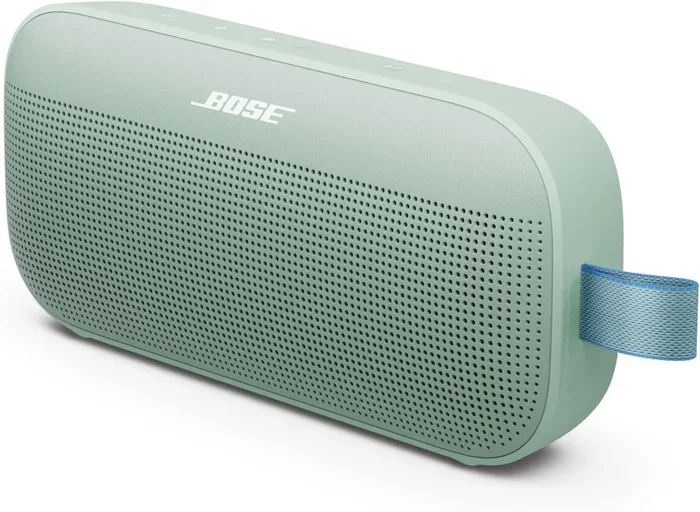
This is a creative hack. You place a Bluetooth speaker near your old stereo. The Bluetooth speaker receives the audio from your phone. Then you play the speaker at a high volume. The stereo picks up the sound from the speaker and amplifies it further.
This method is not ideal for the best audio quality. But it works in a pinch and costs nothing extra if you already own a Bluetooth speaker.
Best for: Quick and temporary setups. Also useful when you cannot modify the stereo at all.
Comparison Table: Which Method Is Right for You
| Method | Audio Quality | Ease of Setup | Cost Range | Best For |
|---|---|---|---|---|
| Bluetooth Receiver | Excellent | Very Easy | $20 – $50 | Stereos with aux or RCA input |
| Bluetooth Adapter | Very Good | Easy | $15 – $40 | Stereos with USB or 3.5mm output |
| FM Transmitter | Good | Easy | $10 – $30 | Stereos with no audio input |
| Bluetooth Speaker Bridge | Fair | Very Easy | Free (if you own a speaker) | Quick temporary setups |
How To Choose The Right Bluetooth Device
Not all Bluetooth adapters and receivers are the same. Choosing the right one for your old stereo makes a big difference in sound quality and ease of use. Here is what to look for.
Check Your Stereo’s Inputs
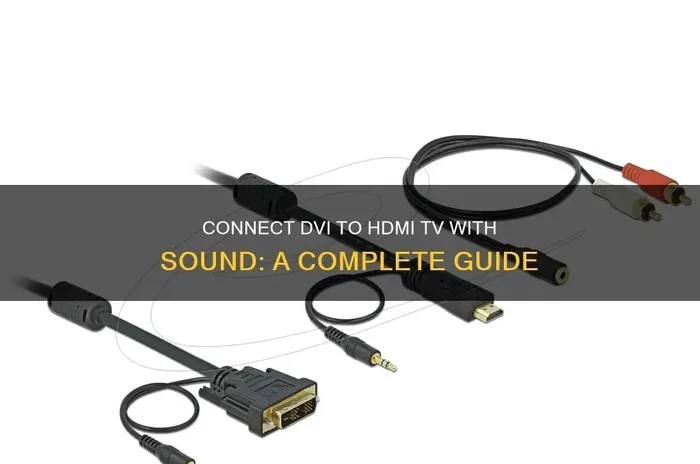
Before you buy anything, open the back panel of your stereo. Look for an aux input, RCA ports, a headphone jack, or a USB port. This tells you which type of Bluetooth device you need. If you see RCA ports, get a receiver with RCA cables. If you see a 3.5mm jack, get one with a 3.5mm plug.
Look for Audio Quality Specs
Not every Bluetooth device delivers the same sound. Look for adapters that support aptX or AAC codecs. These provide better audio quality than basic Bluetooth streaming. If you care about sound quality, this matters a lot.
Consider Range and Battery Life
Most Bluetooth devices work within a 30-foot range. If your stereo is in one room and your phone is in another, make sure the range covers that distance. For battery-powered receivers, check how long they last on a single charge. Some last 10 hours or more, which is great for long listening sessions.
Quick Tips
- Read reviews before buying. Look for models with at least 4 stars and plenty of user feedback.
- Buy from reputable brands. Companies like TaoTronics, Mpow, and Avantree make reliable Bluetooth adapters.
- Test the range first. Set up your device and walk around your room to check for dropouts.
Step-by-Step Setup Guide
Now let us walk through the actual setup process. We will cover the most common method, which is using a Bluetooth receiver with a 3.5mm or RCA connection.
Step 1: Gather Your Tools
You will need your Bluetooth receiver or adapter, the right cables (RCA or 3.5mm), and your old stereo. Most receivers come with cables included. If not, grab the right ones from your local electronics store or order them online.
Step 2: Connect the Receiver to Your Stereo
Plug the Bluetooth receiver into the correct input on your stereo. If your stereo has an aux input, use a 3.5mm cable. If it has RCA ports, use RCA cables. Make sure the connection is secure and the cable is not loose.
Step 3: Power On the Receiver
Turn on your stereo and switch to the correct input source. If you plugged into the aux port, select Aux on your stereo. If you used RCA, select the corresponding input like CD or Tape. The receiver should power on and enter pairing mode.
Step 4: Pair Your Phone
Go to Bluetooth settings on your phone or tablet. Turn on Bluetooth and search for available devices. You should see the name of your Bluetooth receiver. Tap on it to pair. Some receivers require you to enter a PIN like 0000 or 1234. Check the manual if prompted.
Step 5: Start Streaming
Once paired, open your music app and play a song. The sound should come through your stereo speakers. Adjust the volume on both your phone and your stereo for the best balance. You are now streaming music wirelessly to your old stereo.
Common Mistakes to Avoid:
- Forgetting to switch the stereo input. This is the number one reason people think the setup did not work.
- Using low-quality cables. Cheap cables can cause static and sound issues. Invest in decent ones.
- Placing the receiver too far from your phone. Stay within 30 feet for the best connection.
Improving Audio Quality With Bluetooth
One concern people have is that Bluetooth will lower the audio quality of their old stereo. The truth is that modern Bluetooth technology has come a long way. But there are still things you can do to get the best possible sound.
Use a Receiver with aptX Support
aptX is a Bluetooth codec that delivers higher quality audio than standard Bluetooth. If your receiver supports aptX, you will notice a clearer, richer sound. This is especially important for music with a lot of detail like classical or jazz.
Keep Your Connections Clean
Dust and dirt on audio ports can cause crackling and static. Take a soft cloth and gently clean the aux input or RCA ports on your stereo before connecting the receiver. This small step makes a big difference.
Position Your Receiver Well
Place the Bluetooth receiver close to your stereo and away from other electronics that might cause interference. Wi-Fi routers, microwaves, and cordless phones can all disrupt the Bluetooth signal. A clear line of sight between your phone and the receiver helps too.
Expert Insights
According to audio engineers, the biggest factor in sound quality is the connection type. A wired connection like RCA or 3.5mm always beats a wireless one in pure audio fidelity. However, with a good Bluetooth receiver that supports modern codecs, the difference is barely noticeable for most listeners. If you are an audiophile, consider a receiver with aptX HD or LDAC support for the closest thing to a wired experience.
Quick Tips
- Update your Bluetooth firmware. Some receivers have firmware updates that improve performance.
- Use lossless music formats. FLAC or ALAC files sound better over Bluetooth than compressed MP3s.
- Turn off other Bluetooth devices. This reduces interference and keeps the connection stable.
Common Problems And How To Fix Them
Even with the best setup, you might run into some issues. Here are the most common problems and how to solve them quickly.
Bluetooth Will Not Pair
If your phone will not connect to the receiver, try turning Bluetooth off and on again. Also, make sure the receiver is in pairing mode. Most receivers have a flashing light when they are ready to pair. If that does not work, reset the receiver by holding the power button for 10 seconds.
Audio Keeps Cutting Out
Interference is the most common cause of audio dropouts. Move your phone closer to the receiver. Stay away from Wi-Fi routers and other wireless devices. Also, check that nothing is blocking the signal between your phone and the receiver.
Poor Audio Quality or Static
Static usually comes from a loose connection or a low-quality cable. Check all cables and make sure they are firmly plugged in. Try a different cable if the static continues. Also, make sure your phone is not too far from the receiver.
Stereo Does Not Recognize the Input
If you do not hear any sound, double-check that your stereo is on the right input source. Use the input selector button or dial on your stereo to switch to Aux, CD, or whatever port you used. This sounds obvious, but it is the most overlooked fix.
Expert Insight: Audio technicians recommend restarting both your phone and the Bluetooth receiver if you experience any connection issues. A simple restart clears most Bluetooth glitches and gets everything working again in under a minute.
Can You Add Bluetooth To An Old Stereo: Final Thoughts
Adding Bluetooth to an old stereo is one of the smartest upgrades you can make. It brings modern wireless streaming to a classic piece of audio equipment. You get the warm, rich sound of your vintage stereo with the convenience of playing music from your phone, tablet, or laptop. The whole process is simple, affordable, and takes less than 15 minutes.
Whether you choose a Bluetooth receiver, an adapter, or an FM transmitter, the goal is the same. You want to enjoy wireless music through speakers you already love. The right method depends on what inputs your stereo has and how much you are willing to spend. But no matter which route you take, you will be amazed at how good your old stereo sounds with a modern wireless connection.
So go ahead. Give your old stereo a new life. Add Bluetooth, stream your favorite playlists, and rediscover the joy of listening to music through quality speakers. You will wonder why you did not do it sooner.
Frequently Asked Questions
Can you add Bluetooth to any old stereo?
Yes, you can add Bluetooth to almost any old stereo. The method depends on what inputs your stereo has. Most stereos have either an aux input, RCA ports, or a headphone jack. If your stereo has none of these, you can still use an FM transmitter to add wireless streaming. Every old stereo can be upgraded with Bluetooth in some way.
Does adding Bluetooth reduce audio quality?
Modern Bluetooth technology has minimal impact on audio quality. If you use a receiver that supports aptX or AAC codecs, the sound quality is very close to a wired connection. Standard Bluetooth does compress audio slightly, but most listeners cannot tell the difference. Using a quality Bluetooth receiver ensures you get the best possible sound from your old stereo.
How much does it cost to add Bluetooth to an old stereo?
The cost is very low. A basic Bluetooth adapter costs between $10 and $20. A better Bluetooth receiver with aptX support runs between $25 and $50. FM transmitters start at around $10. Compare that to the cost of buying a new Bluetooth stereo, which can run $200 or more. Adding Bluetooth to your existing stereo is a budget-friendly upgrade.
How do I know which Bluetooth device to buy for my stereo?
Check the back of your stereo for available inputs. If you see RCA ports, buy a Bluetooth receiver with RCA cables. If you see a 3.5mm aux input, get one with a 3.5mm plug. If your stereo has no audio input at all, an FM transmitter is your best option. Matching the device to your stereo’s inputs is the key to a successful setup.
Is it hard to set up Bluetooth on an old stereo?
Not at all. Most Bluetooth receivers and adapters are plug and play. You connect the device to your stereo, turn it on, pair your phone, and you are done. The whole process takes about five minutes. Even if you are not tech-savvy, you can handle it easily. The setup guides that come with most devices are very clear and simple to follow.
Can I use Bluetooth with a tube stereo or vintage amplifier?
Yes, you can use Bluetooth with tube stereos and vintage amplifiers. The same methods apply. Use a Bluetooth receiver with RCA cables or a 3.5mm adapter to connect to the amplifier. Tube stereos often have classic RCA inputs, which makes them a perfect match for Bluetooth receivers. Just make sure the receiver does not produce too much power for your tube amplifier to handle.