How Do I Connect Bluetooth To My Car The Simple Way
Connecting Bluetooth to your car is easier than you think. This guide walks you through every step, from checking compatibility to troubleshooting common issues. You will learn how to pair your phone, stream music, and make calls safely.
You hop into your car, drop your phone in the cup holder, and want to hear your favorite playlist through the speakers. No cords. No hassle. Just pure wireless sound. How do I connect Bluetooth to my car? The answer is simpler than most people think, and this guide will show you exactly how.
Bluetooth car connectivity has been around for years, yet many drivers still struggle with the setup process. Maybe you bought a used car and never set it up. Perhaps your phone updated and broke the old connection. Whatever the reason, this guide covers everything you need to know. We will walk through the steps, answer common questions, and give you tips that actually work.
By the end of this article, you will know how to pair your phone in under five minutes. You will understand why your car stereo shows “Bluetooth Available” and what to do when it does not. You will also learn how to fix the most common Bluetooth problems drivers face every day. Let us get started.
Key Takeaways
- Bluetooth Setup Is Simple: Most cars made after 2010 support Bluetooth, and the pairing process takes just a few minutes.
- Hands-Free Safety: Bluetooth lets you make calls and use voice commands without taking your hands off the wheel.
- Multiple Devices Work: You can pair more than one phone to your car stereo, making sharing easy for passengers.
- Troubleshooting Is Quick: Most Bluetooth problems have simple fixes like restarting devices or clearing old pairings.
- Wireless Audio Streams Smoothly: Once paired, you get high-quality music and podcast streaming directly to your car speakers.
- Older Cars Can Get Bluetooth Too: FM transmitters and Bluetooth adapters bring wireless capability to any vehicle.
📑 Table of Contents
- What Is Bluetooth And Why Connect It To Your Car?
- How Do I Connect Bluetooth To My Car Step By Step
- Bluetooth Compatibility: Which Cars Support It?
- Hands-Free Calling And Voice Commands Through Bluetooth
- Troubleshooting Common Bluetooth Connection Problems
- Managing Multiple Paired Devices
- Safety Tips For Using Bluetooth While Driving
- Can I Use Other Bluetooth Devices In My Car?
- Conclusion
What Is Bluetooth And Why Connect It To Your Car?
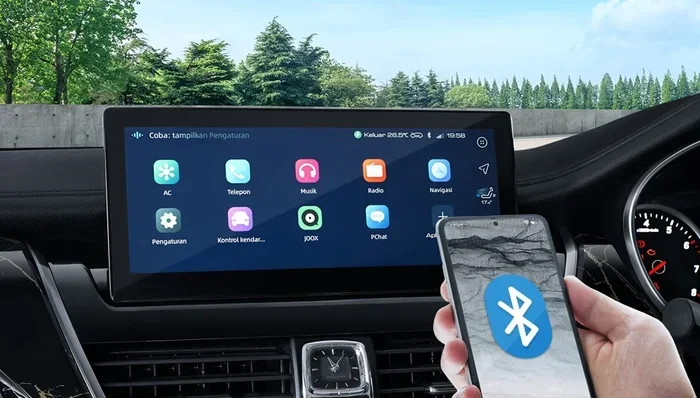
Bluetooth is a short-range wireless technology that lets devices talk to each other without cables. When you pair your phone to your car, you create a direct wireless link between the two. This connection lets you stream music, make calls, and use voice commands all through your car speakers.
The beauty of Bluetooth car connectivity is the freedom it gives you. No more fumbling with aux cords or holding your phone while driving. You keep your hands on the wheel and your eyes on the road. That is not just convenient. It is safer too.
Most modern cars come with built-in Bluetooth support. If your car has a touchscreen infotainment system, there is a very good chance it supports wireless audio streaming. Even some older vehicles can get Bluetooth with a simple adapter. We will cover all of these options below.
How Bluetooth Works In Vehicles
Your car stereo and your phone both have Bluetooth chips inside them. When you turn on pairing mode, these chips start searching for each other. Once they find a match, they create a secure encrypted connection. This connection stays active as long as both devices are powered on and within range.
The typical Bluetooth range is about 30 feet. That means your phone can sit in your pocket or on the passenger seat, and the connection still works perfectly. Some cars also support Bluetooth 5.0 or newer, which offers a longer range and better audio quality.
How Do I Connect Bluetooth To My Car Step By Step
Now for the part you have been waiting for. The actual setup process. Follow these steps and you will be listening to music wirelessly in no time.
Step 1: Turn On Bluetooth On Your Phone
Start with your phone. Open your Bluetooth settings and make sure the toggle is switched on. On iPhone, go to Settings and tap Bluetooth. On Android, swipe down from the top of your screen and tap the Bluetooth icon. You can also find it in Settings under Connections or Network.
Once Bluetooth is on, your phone starts scanning for nearby devices. Make sure your phone is not in Airplane Mode. Airplane Mode turns off all wireless connections, including Bluetooth. This is one of the most common reasons pairing fails.
Step 2: Put Your Car Stereo Into Pairing Mode
Next, you need to tell your car stereo to look for new devices. The exact steps depend on your car make and model, but here is what to look for:
- Press the “Phone” or “Bluetooth” button on your stereo or steering wheel controls.
- Navigate to Settings and select “Bluetooth” or “Phone Connection.”
- Choose “Add New Device” or “Pair New Device.”
- The stereo should now show “Searching” or “Pairing Mode Active.”
Some car systems display a PIN code on the screen. You may need to enter this PIN on your phone to complete the connection. If no PIN appears, the pairing usually happens automatically.
Step 3: Select Your Car From The Phone’s Device List
Go back to your phone. Under Available Devices or Other Devices, you should see your car stereo name listed. Tap on it to select it. Your phone and car will now exchange information and create a secure connection.
You may see a confirmation prompt on both your phone and your car screen. Accept the pairing request on both devices. Once accepted, your phone shows “Connected” and your car stereo displays the phone name or Bluetooth icon.
Step 4: Test The Connection
Play a song on your phone and check if the sound comes through your car speakers. Try making a call to test the hands-free microphone. Adjust the volume using your car stereo controls to make sure everything works smoothly.
If you hear music and the call audio comes through clearly, congratulations. You are now wirelessly connected and ready to drive. If something does not work, do not worry. We will cover troubleshooting in a later section.
Bluetooth Compatibility: Which Cars Support It?
Not every car has Bluetooth built in, but the vast majority do these days. Here is how to figure out if your car supports Bluetooth audio streaming and wireless calling.
Cars With Factory Bluetooth
Most cars made after 2012 come with Bluetooth as a standard feature. If your car has a touchscreen display or a multifunction steering wheel, it almost certainly supports Bluetooth. Check your owner’s manual or look for a Bluetooth icon on the stereo face.
Popular brands like Ford, Toyota, Honda, Chevrolet, and BMW all include Bluetooth in their base models nowadays. Even some budget-friendly cars from brands like Kia and Hyundai offer Bluetooth as standard equipment. The feature has become so common that it is hard to find a new car without it.
Older Cars And Aftermarket Options
What if your car is older and does not have Bluetooth? You still have options. You can add wireless connectivity to any vehicle with an aftermarket solution. These options work with both old and new cars alike.
A Bluetooth FM transmitter plugs into your car’s cigarette lighter or USB port. It broadcasts your phone’s audio over an empty FM radio frequency. You tune your car stereo to that frequency, and your music plays through the speakers. These transmitters cost between $15 and $50 and are an easy fix for older vehicles.
Another option is a Bluetooth car adapter that connects directly to your car’s auxiliary input or CD changer port. These adapters provide a cleaner connection than FM transmitters and often include a built-in microphone for hands-free calls.
If your car has an AUX port, you can use a Bluetooth receiver that plugs right into it. These small devices cost around $20 and turn any car with an AUX input into a Bluetooth-ready system. It is one of the simplest upgrades you can make.
Hands-Free Calling And Voice Commands Through Bluetooth
One of the biggest benefits of car Bluetooth pairing is hands-free calling. When your phone connects to your car, the car’s microphone picks up your voice. You can answer calls through your steering wheel buttons or the car stereo interface.
Most car systems also support voice assistants. You can use Siri on iPhone or Google Assistant on Android to make calls, send texts, or get directions. All without ever touching your phone. This feature keeps your attention on the road and your hands on the wheel.
Here are some tips to get the most out of hands-free calling:
- Make sure your car microphone is not blocked by a phone mount or other object.
- Position your phone close to the car’s Bluetooth antenna for the best call quality.
- Use voice commands to start calls instead of dialing manually.
- Keep your phone charged. A low battery can affect Bluetooth performance.
If you are wondering whether other Bluetooth devices work in your car, the answer is usually yes. You can connect wireless headphones, speakers, and even some smart home devices. For example, you can pair Bluetooth headphones to your car for private listening during long drives or when you do not want to wake up passengers.
Troubleshooting Common Bluetooth Connection Problems
Bluetooth connections are generally reliable, but sometimes things go wrong. Here are the most common issues and how to fix them quickly.
Your Phone Does Not Find The Car Stereo
This is the most common Bluetooth problem. If your phone does not see your car in the list of available devices, try these steps:
- Make sure Bluetooth is turned on on both your phone and your car.
- Turn off Bluetooth on both devices and turn them back on.
- Check if your car is in pairing mode. Some systems exit pairing mode after a few minutes of inactivity.
- Restart your phone. A simple reboot often fixes connection issues.
- Move your phone closer to the car stereo. Being too far away can prevent detection.
If none of these steps work, try forgetting the old pairing on both devices and start fresh. Sometimes old connection data causes conflicts. Clearing it gives you a clean slate.
Poor Audio Quality Or Intermittent Connection
If your music keeps cutting out or sounds choppy, a few things could be causing this:
- Interference from other devices: USB chargers, other Bluetooth devices, and even Wi-Fi routers can interfere with your Bluetooth signal. Move away from these sources and see if the quality improves.
- Outdated Bluetooth version: Older Bluetooth versions have weaker connections. Check if your phone and car support the same Bluetooth version for the best results.
- Too many paired devices: If your car has multiple devices stored in memory, it can slow down the connection. Delete old pairings you no longer use.
For more on connectivity issues, check out our guide on how to connect to Wi-Fi without a security key if you are also having trouble with your home network. Similar troubleshooting principles apply to Bluetooth connections.
Audio Only Plays From One Speaker
If you notice that sound only comes from the front speakers or just one side, your car stereo may be set to a specific audio output mode. Go into your car stereo settings and look for “Audio Output” or “Sound Balance.” Make sure it is set to “All Speakers” or “Stereo” mode.
Managing Multiple Paired Devices
One of the great things about car Bluetooth is that you can pair more than one phone. This is perfect for families or couples who share a car. Here is how to manage multiple paired devices.
Most car stereos can store between five and twenty paired devices. When you get in the car with your phone, it usually connects automatically if Bluetooth is turned on. Some cars let you set a priority device that connects first whenever you start the engine.
If you want to add a new device, follow the same pairing steps we covered earlier. Just make sure the old device is not actively connected, or it may interfere with the new pairing process. You can also delete devices you no longer use to keep your car stereo’s memory clean and organized.
Keep in mind that only one phone can stream audio at a time in most car systems. If your passenger wants to play their own music, they will need to pause your connection first. This is a small limitation, but it is worth knowing before you get frustrated.
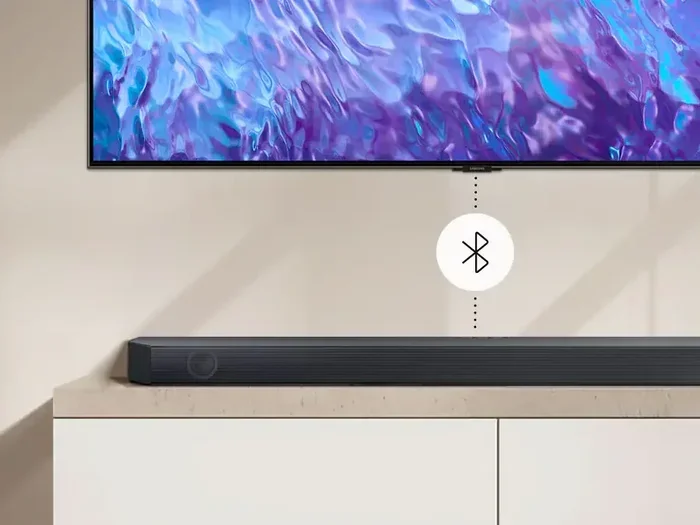
For more Bluetooth setup tips across different devices, you might want to read our article on how to make your TV Bluetooth capable. The pairing process is very similar to what we covered for cars.
Safety Tips For Using Bluetooth While Driving
Bluetooth makes driving safer by keeping your hands on the wheel and your eyes on the road. But there are still some important safety rules to follow.
- Set up your connection before you start driving. Do not try to pair your phone while the car is moving.
- Use voice commands whenever possible. This lets you control your phone without touching it.
- Keep your phone charged. A dead phone means no Bluetooth connection and no navigation or music.
- Do not over-rely on Bluetooth. Even hands-free calls can distract you. Keep conversations short and focus on driving.
- Regularly update your phone and car software. Updates often include Bluetooth fixes and improvements. Just like you would update your car software for better performance, keeping your phone updated ensures the best Bluetooth experience.
Remember that Bluetooth is a tool to help you drive more safely. It is not a reason to take your attention away from the road. Use it wisely, and it will make every drive more enjoyable and less stressful.
Can I Use Other Bluetooth Devices In My Car?
Absolutely. Your car’s Bluetooth connection is not limited to just phones. You can connect a variety of Bluetooth devices to enhance your driving experience.
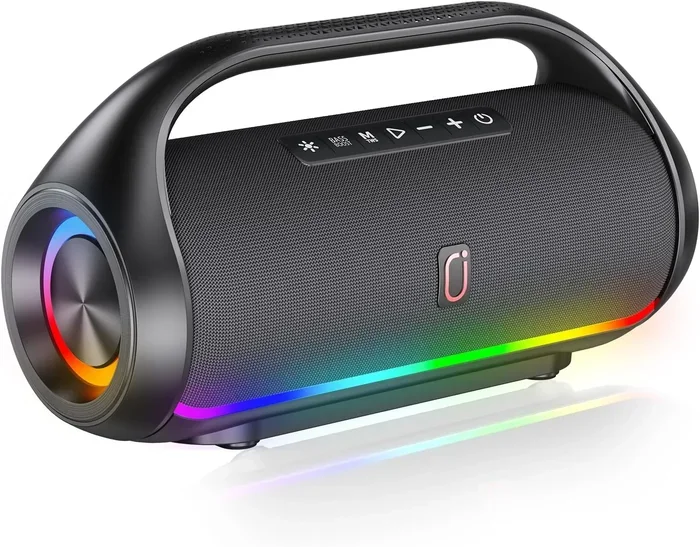
Bluetooth speakers can give you louder, richer sound if your car stereo is not up to par. You can also connect a Bluetooth keyboard for easier text input if your car supports messaging through the stereo display. Some drivers even connect fitness trackers or smartwatches to their car systems for health monitoring during long trips.
For those who enjoy listening to music from older devices, you might be interested in learning how to play your record player through Bluetooth. The same Bluetooth principles apply, and you can bring your vinyl collection into the car wirelessly.
Just remember that not every device works perfectly with every car stereo. Compatibility varies based on the Bluetooth profiles your car supports. If you run into issues with a specific device, check the user manual or contact the car manufacturer for support.
Conclusion
Connecting Bluetooth to your car does not have to be complicated. With the steps outlined in this guide, you can go from zero to wireless audio in just a few minutes. Whether you have a brand new car with a touchscreen or an older vehicle with an AUX port, there is a way to get Bluetooth working for you.
Start by checking your car’s compatibility. Then follow the simple pairing steps we covered. If you run into trouble, the troubleshooting tips will help you get back on track. And remember, once your phone is connected, you unlock hands-free calling, wireless music streaming, and voice command control.
Take a few minutes today to set up your Bluetooth connection. You will wonder how you ever drove without it. Safe travels and happy listening.
Frequently Asked Questions
Can I connect Bluetooth to any car?
Most cars made after 2012 have built-in Bluetooth support. If your car is older, you can still add Bluetooth using an FM transmitter, a Bluetooth adapter, or a Bluetooth receiver that plugs into your AUX port. These affordable accessories work with virtually any vehicle.
Why does my Bluetooth keep disconnecting from my car?
Intermittent disconnections usually happen due to interference, outdated software, or too many paired devices stored in memory. Try turning Bluetooth off and back on, restarting both devices, or deleting old pairings. Keeping both your phone and car stereo updated also helps maintain a stable connection.
Can I pair more than one phone to my car’s Bluetooth?
Yes, most car stereos can store multiple paired devices. When you get in the car with a new phone, it usually connects automatically if Bluetooth is on. However, only one phone can stream audio at a time in most systems, so passengers may need to pause your connection to play their own music.
How do I know if my car supports Bluetooth audio streaming?
Check your car’s infotainment system for a Bluetooth or Phone menu. Look for options like “Add New Device” or “Pair New Device.” You can also check your owner’s manual or look for a Bluetooth icon on the stereo face. Most cars made after 2012 support both calling and audio streaming.
Is Bluetooth connection in cars safe for driving?
Yes, Bluetooth keeps your hands on the wheel and eyes on the road. Hands-free calling and voice commands reduce distractions significantly. However, it is still important to keep conversations brief and stay focused on driving. Bluetooth is a helpful tool, but it does not eliminate all distractions.
What is the difference between Bluetooth calling and Bluetooth audio streaming?
Bluetooth calling lets you make and receive phone calls through your car speakers and microphone. Bluetooth audio streaming lets you play music, podcasts, and other audio from your phone through your car stereo. Most modern cars support both features, but some older systems may only support calling and not audio streaming.
=== META TITLE ===
How Do I Connect Bluetooth To My Car The Simple Way
=== URL SLUG ===
/how-do-i-connect-bluetooth-to-my-car-the-simple-way
=== SEO TITLE ===
How Do I Connect Bluetooth To My Car The Simple Way