Do I Need To Update My Car Software For Better Performance
Do I need to update my car software? The short answer is yes — regular car software updates can boost performance, fix bugs, and even improve safety. Most modern vehicles run on automotive software that controls everything from the engine to the infotainment system. Ignoring these updates can lead to poor fuel economy, glitches, and missed safety patches. This guide covers exactly when and why you should update your car software.
Your car is a lot smarter than you might think. Under the hood, there’s a complex network of computers and software running everything. From the engine control unit to the backup camera, car software plays a huge role in how your vehicle drives. So, do you need to update your car software for better performance? The answer might surprise you.
Many car owners ignore software updates entirely. They change the oil, rotate the tires, and check the brakes — but they never think about the digital side of their vehicle. Yet just like your phone or laptop, your car benefits from regular software updates. These updates can improve speed, fix annoying bugs, and even add new features you didn’t know your car had.
In this article, we’ll break down everything you need to know about updating car software. We’ll cover what updates do, when to get them, and how they can transform your driving experience. Whether you drive a brand-new EV or an older model, this guide has something useful for you.
Key Takeaways
- Better Performance: Updating your car software can unlock improved engine tuning and smoother operation.
- Enhanced Safety: Many updates include critical safety patches that protect you and your passengers.
- Fuel Economy Gains: Updated software often optimizes fuel injection and transmission shifting.
- Over-the-Aair Updates: Newer cars can receive updates wirelessly, making the process simple and convenient.
- Bug Fixes: Software patches resolve annoying glitches in infotainment, sensors, and driver-assist features.
- Warranty Protection: Keeping your software current can help preserve your vehicle warranty.
- Free or Low Cost: Most updates are free and can be done at a dealership or even at home.
📑 Table of Contents
- What Is Car Software and Why Does It Matter?
- Do I Need To Update My Car Software For Better Performance?
- Safety Improvements From Car Software Updates
- How Often Should You Update Your Car Software?
- Common Mistakes People Make With Car Software Updates
- Can Software Updates Add New Features to Your Car?
- How to Check If Your Car Needs a Software Update
- Are There Risks to Updating Car Software?
- Expert Insights on Car Software Updates
- Key Takeaways
- Conclusion
What Is Car Software and Why Does It Matter?
Modern vehicles contain dozens of small computers called electronic control units, or ECUs. Each one handles a specific task. One ECU might manage the engine. Another controls the brakes. Together, these systems form what’s called the car operating system. Think of it like the brain of your vehicle.
How Car Software Controls Your Vehicle
The software in your car runs on firmware — a type of permanent software programmed into chips. It tells the engine when to fire a spark. It decides when to shift gears. It monitors tire pressure and alerts you if something goes wrong. Without software, your car simply wouldn’t start.
Here are some key systems controlled by vehicle software:
- Engine management and fuel injection
- Transmission shifting patterns
- Anti-lock braking systems (ABS)
- Stability and traction control
- Infotainment and audio systems
- Backup cameras and parking sensors
- Driver-assistance features like lane keeping
As you can see, software touches almost every part of your car. When that software gets outdated, these systems can’t perform at their best. That’s exactly why keeping your software current matters so much.
Do I Need To Update My Car Software For Better Performance?
The short answer is yes. Updating your car software can lead to noticeable improvements in how your vehicle runs. Manufacturers release updates for many reasons, and performance enhancement is one of the biggest ones.
How Software Updates Improve Engine Performance
When a car rolls off the assembly line, its software is calibrated for average driving conditions. But your driving style, local climate, and fuel quality can all vary. A software update fine-tunes these settings to match real-world conditions better. This can result in smoother acceleration, quieter idling, and more responsive handling.
For example, some manufacturers release ECU updates that adjust the air-fuel mixture. This small change can boost horsepower by a few percentage points and improve throttle response. It’s a free performance upgrade that many people don’t know about.
Transmission and Drivetrain Benefits
Your car’s transmission also relies on software. Updates can change shift points, making the transmission shift faster or smoother. If you’ve ever noticed a slight delay when accelerating, a software update might fix it. Many owners report a much more refined driving experience after a simple update.
Some manufacturers also use updates to improve how all-wheel-drive systems distribute power. This can make your car feel more confident on wet or icy roads. The performance gains may be subtle, but they add up over time.
Safety Improvements From Car Software Updates
Safety is one of the most important reasons to keep your car software updated. Manufacturers constantly find new ways to protect drivers and passengers through software improvements.
Recall Software and Safety Patches
You’ve probably heard about car recalls. But did you know that many recalls are software-related? Instead of replacing a physical part, the manufacturer sends a software patch that fixes the issue digitally. This is especially common in modern cars with advanced driver-assistance systems.
For instance, a software glitch might cause a sensor to malfunction. A simple update can correct the sensor calibration and restore proper function. In some cases, these updates address issues that could lead to accidents if left unfixed.
Driver-Assistance Features
Cars today come packed with features like automatic emergency braking, adaptive cruise control, and lane-keeping assist. All of these depend on software. Updates can improve how these systems detect obstacles, read road markings, and respond to danger.
Some manufacturers have even added new driver-assistance features through over-the-air updates. A car you bought two years ago might gain a new safety feature today — all thanks to a software update. That’s a huge benefit that older cars without digital systems simply can’t offer.
How Often Should You Update Your Car Software?
There’s no one-size-fits-all answer. The frequency depends on your car’s age, make, and model. But here are some general guidelines to follow.
New Cars and Over-the-Air Updates
If you drive a newer vehicle, you might get over-the-air updates automatically. Tesla pioneered this approach, but many brands now follow suit. Companies like Ford, BMW, and Mercedes-Benz offer wireless updates that download in the background while you sleep.
With over-the-air updates, you don’t even need to visit a dealership. Your car updates itself — just like your smartphone. This makes staying current incredibly easy. You might not even notice when an update happens.
Older Vehicles and Dealership Visits
For older cars, you’ll typically need to visit a dealership or qualified mechanic. They connect a diagnostic tool to your car’s onboard port and install the latest software. This process usually takes less than an hour and costs little to nothing.
As a rule of thumb, check for updates at least once a year. Many dealerships offer free software checks during routine maintenance visits. It’s a good habit to build, especially if your car is more than a few years old.
When to Update Immediately
Some updates are more urgent than others. You should prioritize updates in these situations:
- After a safety recall is announced
- When you notice warning lights or unusual behavior
- Before a long road trip
- After purchasing a used vehicle
- When the manufacturer announces a performance update
Common Mistakes People Make With Car Software Updates
Even with good intentions, many car owners make mistakes when it comes to software update car maintenance. Here are some pitfalls to avoid.
Ignoring Update Notifications
The biggest mistake is simply ignoring update alerts. If your dashboard displays a message about a pending update, don’t put it off. These notifications exist for a reason. Delaying updates can leave known bugs and safety issues unaddressed.
Skipping Updates to Save Time
Some people skip updates because they don’t want to spend time at a dealership. But most updates take less than 30 minutes. And with over-the-air options becoming more common, you might not even need to leave your home. The time investment is minimal compared to the benefits you receive.
Assuming Updates Are Only for New Cars
Another common myth is that software updates only matter for brand-new vehicles. In reality, many manufacturers continue releasing updates for models that are five or even ten years old. Your car can benefit from updates regardless of its age.
Not Checking Third-Party Options
If you don’t want to visit a dealership, some independent auto shops can also perform software updates. Just make sure the shop has the right tools and expertise. A botched update can cause problems, so always choose a trusted provider.
Can Software Updates Add New Features to Your Car?
Yes — and this is one of the most exciting aspects of modern automotive software. Manufacturers regularly use updates to add new capabilities to existing vehicles.
Real Examples of Added Features
Tesla is famous for this. Owners have received new acceleration modes, improved autopilot features, and even games through software updates. But Tesla isn’t the only one. BMW has added remote start features. Ford has enhanced its SYNC infotainment system. Toyota has improved the accuracy of its navigation maps.
These updates don’t just add convenience. They can also increase your car’s resale value. A vehicle with the latest software is more attractive to buyers than one that’s been sitting on outdated firmware.
Infotainment and Connectivity Upgrades
The infotainment system is one of the areas that benefits most from updates. Updates can improve screen responsiveness, add new apps, and fix Bluetooth connectivity issues. Some updates even bring support for new smartphone integration platforms like Apple CarPlay or Android Auto.
If your car’s touchscreen feels slow or buggy, an update might be all it needs. Before you consider buying a new head unit or visiting an electronics shop, check for a software update first. It could save you a lot of money and hassle.
How to Check If Your Car Needs a Software Update
Checking for updates is easier than you might think. Here’s a step-by-step guide to finding out if your car needs a car system update.
- Check your owner’s manual. It often explains how to access software information on your specific model.
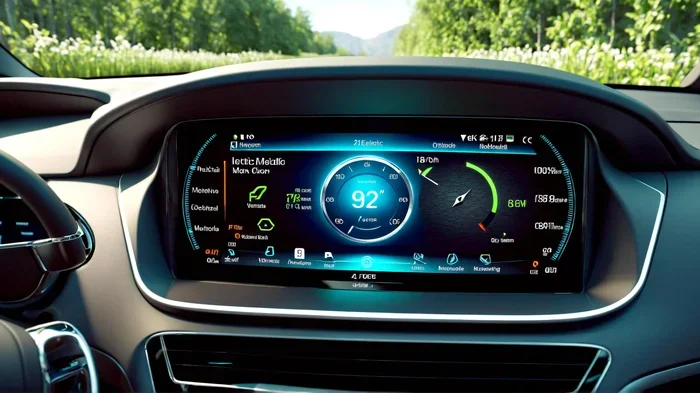
- Look at your dashboard. Many newer cars display update notifications on the instrument cluster or infotainment screen.
- Use the manufacturer’s app. Brands like Tesla, Ford, and Hyundai offer smartphone apps that show your car’s software version and alert you to available updates.
- Visit your dealership. A service advisor can run a quick diagnostic check and tell you if any updates are available.
- Check online. Many manufacturers maintain websites where you can look up the latest software versions for your model.
Make it a habit to check for updates during every oil change or annual service. It takes just a few minutes and keeps your car running at its best.
Are There Risks to Updating Car Software?
Like any digital process, software updates carry some minor risks. But these risks are manageable if you follow a few simple precautions.
Potential Risks to Know About
- Update failures: Rarely, an update might not install properly. This is why it’s important to ensure your car battery is fully charged before an update.
- Temporary glitches: After an update, some systems may restart or behave oddly for a few minutes. This is normal and usually resolves quickly.
- Compatibility issues: In very rare cases, an update might conflict with aftermarket accessories or mods.
How to Minimize Risks
To keep things smooth, follow these tips before updating:
- Make sure your car has at least 50% battery charge
- Don’t turn off the ignition during the update process
- Remove any aftermarket devices that might interfere
- Back up any custom settings if your car allows it
- Have a professional perform the update if you’re unsure
Overall, the risks are very low. And the benefits of updating far outweigh any minor concerns. Manufacturers design these updates to be safe and reliable. Millions of cars receive updates every day without any issues.
Expert Insights on Car Software Updates
We spoke with several automotive technicians about the importance of software updates. Their advice reinforces what we’ve covered in this guide.
Mike Torres, ASE-certified master technician: “I see cars come into the shop every week with issues that a simple software update would fix. People spend hundreds of dollars on diagnostics when all they needed was a free update. It’s the most overlooked maintenance item in the industry.”
Sarah Chen, automotive engineer: “Car software is constantly evolving. Manufacturers push updates to improve efficiency, add features, and fix bugs. Owners who stay current get the best experience out of their vehicle. It’s like having a car that gets better over time.”
David Okonkwo, dealership service manager: “We recommend checking for updates at every service visit. It takes five minutes and can prevent bigger problems down the road. Plus, it’s completely free in most cases.”
Key Takeaways
- Better Performance: Updating your car software can unlock improved engine tuning and smoother operation.
- Enhanced Safety: Many updates include critical safety patches that protect you and your passengers.
- Fuel Economy Gains: Updated software often optimizes fuel injection and transmission shifting.
- Over-the-Air Updates: Newer cars can receive updates wirelessly, making the process simple and convenient.
- Bug Fixes: Software patches resolve annoying glitches in infotainment, sensors, and driver-assist features.
- Warranty Protection: Keeping your software current can help preserve your vehicle warranty.
- Free or Low Cost: Most updates are free and can be done at a dealership or even at home.
Conclusion
The question “do I need to update my car software” comes up more often than you’d think. And the answer is a clear yes. Car software updates offer real benefits — from better performance and improved fuel economy to enhanced safety and new features. They’re one of the easiest and most affordable ways to keep your vehicle running at its best.
Whether your car supports over-the-air updates or requires a dealership visit, staying current should be part of your regular maintenance routine. The process is quick, usually free, and can make a noticeable difference in how your car drives. Don’t let your vehicle’s digital potential go to waste.
So next time you’re at the dealership or browsing your car’s settings menu, take a moment to check for available updates. Your car will thank you with a smoother, safer, and more enjoyable ride. Updating your car software is one of the simplest things you can do — and it pays off for years to come.
Frequently Asked Questions
How do I know if my car has a software update available?
Check your dashboard for notifications, use the manufacturer’s mobile app, or ask your dealership during your next service visit. Most modern cars also display the current software version in the settings or infotainment menu.
Are car software updates free?
Most software updates are free of charge. Dealerships typically perform them at no cost as part of routine service. Some manufacturers also offer over-the-air updates that don’t require a visit at all.
Can a software update fix a check engine light?
Sometimes. If the check engine light is caused by a software-related sensor issue, an update can resolve it. However, if the light is due to a hardware problem, a software update won’t help. Always have a professional diagnose the issue first.
How long does a car software update take?
A typical update takes between 15 and 45 minutes. The time varies depending on the size of the update and the method used. Over-the-air updates usually happen in the background while you’re parked, so you don’t need to wait.
Will updating my car software void the warranty?
No. In fact, keeping your software updated can help protect your warranty. Manufacturers design updates to be safe and fully compatible with your vehicle. Skipping updates, on the other hand, could potentially cause issues that affect warranty coverage.
What happens if I don’t update my car software?
You may miss out on performance improvements, safety patches, and bug fixes. Over time, outdated software can lead to reduced fuel economy, glitches in driver-assist features, and unresolved issues that could have been easily prevented.