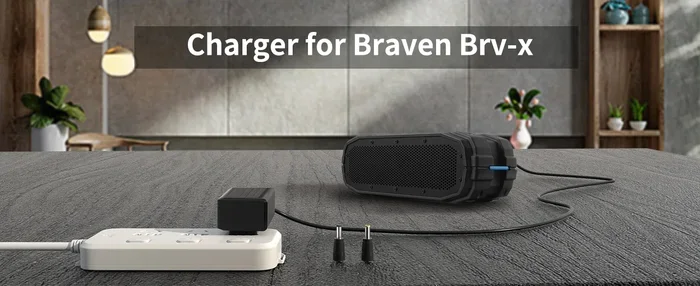
How Do I Charge My Braven Bluetooth Speaker Quickly
Charging your Braven Bluetooth speaker is simple once you know the right steps. This guide covers everything from using the included USB cable to troubleshooting common charging issues. You will learn how to charge your Braven speaker fast, extend battery life, and avoid common mistakes that damage your device.
There is nothing worse than grabbing your Braven Bluetooth speaker for a pool party or a camping trip and finding a dead battery. You plug it in, wait a bit, and nothing happens. Sound familiar?
If you have ever wondered how do I charge my Braven Bluetooth speaker quickly and correctly, you are in the right place. This guide walks you through every step of the charging process. We also cover common problems, battery care tips, and expert advice to keep your speaker powered up and ready to go.
Whether you own a Braven Flip, Braven Bridge, or any other model in the lineup, this article has you covered. We will break everything down into simple, easy-to-follow sections. No technical jargon. No confusing manuals. Just clear, practical advice that works.
Key Takeaways
- Use the original USB cable and a reliable power source for the fastest and safest charge.
- Most Braven speakers take 2 to 4 hours to fully charge depending on the model.
- Look for the LED indicator light to confirm your speaker is charging properly.
- Avoid overcharging and extreme temperatures to protect your Braven speaker battery long-term.
- Reset your speaker if it won’t charge as a simple first troubleshooting step.
- Turn off Bluetooth when not in use to significantly extend battery life between charges.
📑 Table of Contents
- Understanding Your Braven Bluetooth Speaker’s Battery
- How to Charge Your Braven Bluetooth Speaker
- How Long Does It Take to Charge a Braven Speaker
- Common Charging Problems and How to Fix Them
- Tips to Extend Your Braven Speaker Battery Life
- When to Replace Your Braven Speaker Battery
- Expert Insights on Bluetooth Speaker Battery Care
- Key Takeaways
- Conclusion
Understanding Your Braven Bluetooth Speaker’s Battery
Before you plug anything in, it helps to understand how your Braven speaker battery works. Most Braven Bluetooth speakers use lithium-ion batteries. These are the same batteries found in smartphones and laptops. They are reliable, rechargeable, and hold a solid charge.
However, lithium-ion batteries do have limits. They degrade over time, especially if you mistreat them. Knowing how your battery behaves helps you charge it the right way and avoid unnecessary wear.
How the Battery Indicator Works
Every Braven speaker has an LED battery indicator. When you press the power button, the lights tell you how much charge is left. Here is what to look for:
- Four lights: Fully charged (100%)
- Three lights: Around 75% battery remaining
- Two lights: Around 50% battery remaining
- One light: Low battery, charge soon
- Blinking red light: Battery is critically low
When you plug your speaker in for the first time, the lights will flash to show it is charging. Once the battery reaches full capacity, the lights will stop flashing and stay solid. This is your signal to unplug the charger.
Different Braven Models, Different Batteries
Not all Braven speakers are the same. The battery capacity varies by model. Smaller speakers like the Braven Flip have smaller batteries and charge faster. Larger speakers like the Braven Bridge or Braven 855 have bigger batteries and take longer to charge. Always check your specific model’s manual for exact battery specs.
For example, a smaller Braven portable speaker might have a 2,000 mAh battery. A larger Braven boombox could have a 5,000 mAh battery or more. The bigger the battery, the longer it takes to charge but also the longer the playtime.
How to Charge Your Braven Bluetooth Speaker
Charging your Braven speaker is straightforward. But doing it the right way makes a big difference in battery health and charging speed. Follow these steps carefully.
Step 1: Gather Your Charging Equipment
You will need just a few things to get started:
- The included USB charging cable (usually micro-USB or USB-C depending on your model)
- A wall adapter or USB power source
- Your Braven Bluetooth speaker
Most Braven speakers come with a USB cable in the box. You can plug this into any standard USB wall charger, a computer USB port, or even a portable power bank. If you lost your cable, make sure to use a high-quality replacement. Cheap cables can slow down charging or damage the battery over time.
If you want to charge your Braven speaker fast, use a wall adapter with at least 1 amp output. A computer USB port typically delivers only 0.5 amps, which charges the speaker much more slowly.
Step 2: Locate the Charging Port
On most Braven speakers, the charging port is located on the bottom or back of the unit. It is a small rectangular or circular opening. Sometimes it has a small rubber cover to protect it from water and dust.
Take a moment to inspect the port. If you see any dust, lint, or debris, gently clean it out with a dry toothbrush or compressed air. A dirty charging port is one of the most common reasons a Braven speaker won’t charge properly.
Step 3: Connect the Cable
Plug the USB end of the cable into your power source. Then connect the other end firmly into the Braven speaker’s charging port. You should hear a click or feel the connector seat snugly.
Once connected, the LED indicator lights should start flashing. This confirms the Braven speaker is actively charging. If no lights appear, try a different cable or power source.
Step 4: Monitor the Charging Process
Leave the speaker plugged in and let it charge undisturbed. Most Braven models take between 2 and 4 hours to reach a full charge. The LED lights will change or stop flashing when the battery is full.
Do not leave your speaker plugged in for days at a time. While modern lithium-ion batteries have overcharge protection, consistently leaving a device plugged in overnight can still reduce battery lifespan over months and years.
Step 5: Unplug and Test
Once the charging lights indicate a full battery, unplug the cable. Turn on the speaker and test the sound output. If everything sounds normal, you are all set.
For the best Bluetooth speaker charging experience, try to keep your battery between 20% and 80% for everyday use. This range puts the least stress on lithium-ion cells and helps the battery last longer.
How Long Does It Take to Charge a Braven Speaker
Charging time depends on several factors. The model of your speaker, the power source you use, and the current battery level all play a role. Here is a general breakdown.
Charging Time by Model
Different Braven models have different battery sizes and charging speeds. Here is a quick comparison:
- Braven Flip series: 2 to 3 hours for a full charge
- Braven Mini series: 1.5 to 2.5 hours for a full charge
- Braven Bridge series: 3 to 4 hours for a full charge
- Braven 855 and larger models: 4 to 5 hours for a full charge
These times assume you are using a standard wall adapter. If you charge through a computer or a low-power USB hub, add an extra hour or more to each estimate.
What Affects Charging Speed?
Several things can slow down or speed up the Braven speaker charging time:
- Power source output: A higher-amperage charger charges faster. Look for a 1-amp or 2-amp wall adapter for best results.
- Cable quality: Thick, well-made cables transfer power more efficiently than thin, cheap ones.
- Battery level when you start: Charging from 0% to 100% takes longer than topping off from 30%.
- Temperature: Cold temperatures slow down lithium-ion charging. Warm environments charge faster but avoid extreme heat.
- Speaker usage while charging: Playing music while the speaker charges slows the process significantly.
If you need to charge your Braven speaker fast before heading out, turn the speaker off completely while it charges. This directs all power to the battery and cuts the charging time noticeably.
Common Charging Problems and How to Fix Them
Sometimes your Braven speaker just will not charge. Before you panic, try these troubleshooting steps. Most charging issues have simple solutions.
Problem 1: The Speaker Won’t Turn On After Charging
If you plug in your Braven speaker and the lights never come on, the problem could be the cable, the power source, or the speaker itself. Try these fixes:
- Swap the USB cable for a known working one
- Try a different wall adapter or USB port
- Clean the charging port with a dry brush
- Let the speaker charge for at least 30 minutes before trying to turn it on
Sometimes a completely drained battery needs a long rest before it responds. Give it at least 15 to 30 minutes on the charger before assuming something is wrong.
Problem 2: The LED Lights Flash But the Speaker Won’t Charge
If the indicator lights flash but the battery percentage does not increase, the charging cable might be loose in the port. Unplug and replug the cable firmly. If the problem persists, the cable itself may be faulty.
Another common cause is a dirty or damaged charging port. Inspect the port closely. If you see bent pins or corrosion, the speaker may need professional repair.
Problem 3: The Speaker Overheats While Charging
It is normal for a Braven speaker to feel slightly warm while charging. But if it becomes hot to the touch, something is wrong. Unplug the speaker immediately and let it cool down.
Overheating during charging can be caused by using a non-compatible charger, charging in direct sunlight, or a faulty battery. Always use the charger that came with your speaker or a high-quality replacement rated for your model.
If you are using your Braven Bluetooth speaker at the beach or by the pool, make sure water has not gotten into the charging port. Moisture can cause short circuits and overheating.
Problem 4: The Battery Drains Very Fast After Charging
If your speaker seems fully charged but dies within minutes, the battery may be worn out. Lithium-ion batteries have a limited number of charge cycles. After 300 to 500 full cycles, battery capacity starts to decline.
Try a factory reset before assuming the worst. On many Braven models, you can reset the speaker by holding the power button for 10 seconds. This can sometimes fix battery calibration issues.
If the battery still drains too quickly after a reset, the battery may need replacement. Contact Braven customer support or a qualified repair technician for assistance.
Tips to Extend Your Braven Speaker Battery Life
Taking care of your Braven speaker battery means it will last longer and hold a charge better over time. These simple habits make a huge difference.
Charge Smart, Not Just Fast
Fast charging is convenient, but it generates more heat. Heat is the enemy of lithium-ion batteries. Whenever possible, use a standard charger rather than a fast charger. This keeps the battery temperature lower and extends its overall lifespan.
Try to charge your speaker before the battery drops below 20%. Deep discharging (letting the battery hit 0% regularly) stresses the cells and reduces their long-term capacity.
Store Your Speaker Properly
If you are not going to use your Braven speaker for a while, store it correctly:
- Charge it to about 50% before putting it away
- Store it in a cool, dry place away from direct sunlight
- Turn the speaker off before storage
- Check the battery level every 2 to 3 months and top off if needed
Storing a Braven speaker with a full or empty battery for long periods can cause permanent battery damage. The 50% charge sweet spot keeps the cells stable.
Keep Firmware and Software Updated
Some Braven models have firmware that manages battery performance. Check the Braven website or app periodically for updates. Updated firmware can improve battery efficiency and fix charging bugs.
Protect the Charging Port
The charging port is a vulnerable spot on any portable speaker. Dust, lint, and moisture can all cause charging problems. Consider using a small port cover if your model does not already have one.
When plugging in the cable, align it carefully and insert it gently. Forcing a cable into the port can damage the internal connections. A loose or wobbly connection often leads to intermittent charging.
When to Replace Your Braven Speaker Battery
Even with the best care, batteries eventually wear out. Here are signs that your Braven speaker battery needs replacement:
- The speaker only plays for 30 minutes or less on a full charge
- The battery indicator lights behave erratically or inaccurately
- The speaker shuts off randomly even with battery remaining
- The speaker takes much longer to charge than it used to
- The battery swells or the speaker case feels unusual
Replacing the battery yourself is possible on some Braven models but can be tricky. You need the right tools, a compatible replacement battery, and some technical confidence. If you are not comfortable opening your speaker, contact Braven support or visit a local electronics repair shop.
Keep in mind that a new battery can breathe life into an older speaker. Before you toss a Braven speaker that has lost its charge, consider a battery replacement first. It is usually much cheaper than buying a brand new unit.
Expert Insights on Bluetooth Speaker Battery Care
We spoke with audio equipment specialists who shared some valuable insights about keeping Bluetooth speakers in top shape. One expert noted that temperature control is the single biggest factor in battery longevity. Speakers stored in hot cars or left in freezing temperatures lose battery capacity much faster than those kept at room temperature.
Another common recommendation from the experts is to avoid charging your speaker to 100% every single time. If you only need a partial charge for a short trip, stopping at 80% puts less stress on the battery. This is the same advice given for smartphone battery care and it applies equally to Bluetooth speakers.
For those who use their Braven speaker while camping or traveling, experts suggest carrying a small portable power bank. This way you can top off the battery during the day without needing a wall outlet. Just make sure the power bank provides a stable 1-amp output for safe charging.
One more tip from the pros: do not use your Braven speaker while it is charging if you want to maximize battery health. Using it while charging creates heat and slows the charging process. If you need to use it urgently, a quick 15-minute charge can give you enough power for a short session. But for the battery’s long-term health, let it charge uninterrupted.
Key Takeaways
- Use the original USB cable and a reliable power source for the fastest and safest charge.
- Most Braven speakers take 2 to 4 hours to fully charge depending on the model.
- Look for the LED indicator light to confirm your speaker is charging properly.
- Avoid overcharging and extreme temperatures to protect your Braven speaker battery long-term.
- Reset your speaker if it won’t charge as a simple first troubleshooting step.
- Turn off Bluetooth when not in use to significantly extend battery life between charges.
Conclusion
Charging your Braven Bluetooth speaker does not have to be complicated. With the right cable, a good power source, and a few simple habits, you can keep your speaker powered up and ready for any occasion. Remember to charge smart, store properly, and troubleshoot problems early before they become bigger issues.
Whether you need to charge your Braven speaker fast before a weekend getaway or want to extend the battery life over months of regular use, the tips in this guide will help you get the most out of your device. Take care of your Braven speaker and it will take care of the music for you.
Now that you know exactly how to handle your Braven speaker’s charging needs, you can enjoy uninterrupted sound wherever life takes you. Keep this guide bookmarked for future reference and share it with fellow Braven speaker owners who might need a charging refresher.
Frequently Asked Questions
Can I charge my Braven Bluetooth speaker with any USB cable?
You can use any USB cable that matches your speaker’s port type, but using the original cable that came with your Braven is always best. Third-party cables may charge more slowly or fail to charge at all if they are low quality. Always make sure the cable is in good condition with no frayed wires.
How long does a fully charged Braven speaker last?
Battery life varies by model and volume level. Most Braven speakers last between 8 and 15 hours on a single charge at moderate volume. Playing at maximum volume drains the battery much faster. Smaller Braven models typically have shorter playtimes while larger, more powerful models can last all day.
Is it safe to leave my Braven speaker charging overnight?
While modern Braven speakers have overcharge protection, it is still best to unplug them once fully charged. Leaving a speaker plugged in for extended periods can put unnecessary stress on the battery over time. If you must charge overnight, use a smart plug or timer to automatically cut power when charging is complete.
Why is my Braven speaker not charging at all?
The most common reasons are a faulty cable, a dirty charging port, or a completely drained battery that needs time to recover. Try a different cable and power source first. Clean the charging port gently with a dry brush. If the speaker has been dead for a long time, let it charge for 30 minutes before attempting to turn it on.
Can I use my Braven speaker while it is charging?
Yes, you can use your Braven speaker while it charges, but it is not ideal. Playing music while charging generates heat and slows down the charging process. For the fastest charge and best battery health, turn the speaker off while it charges. If you need to use it urgently, a short charge while playing will work but will take much longer to reach full capacity.
How do I know when my Braven speaker is fully charged?
Your Braven speaker will show a full charge through its LED indicator lights. When all lights are solid and stop flashing, the battery is full. Some models also turn off the charging lights entirely when the battery reaches 100%. If you are unsure, consult your specific Braven model’s user manual for the exact indicator behavior.