How Can I Get My Wi Fi To Reach My Garage Right Now
Getting your Wi-Fi to reach your garage is easier than you think. Whether you have a detached garage or an attached one, weak signals and dead zones are common problems. In this guide, you will learn the best ways to extend your wireless network, boost your signal strength, and enjoy reliable internet in your garage without paying for expensive plans.
Do you love working in your garage but hate that your Wi-Fi signal drops the moment you walk in? You are not alone. A lot of homeowners deal with this exact problem every single day. Your garage sits at the edge of your property, and the walls between your house and garage can kill your wireless signal fast.
The good news is that there are several simple and affordable ways to fix this. Whether you want to stream music while working on your car or monitor your garage door with your phone, you need a strong and steady connection. This guide walks you through every option so you can pick the best one for your home. Let us dive in and get your garage Wi-Fi sorted out right now.
Key Takeaways
- Mesh Wi-Fi systems are one of the most effective ways to extend your network to the garage.
- Wi-Fi extenders and repeaters offer a budget-friendly fix for garage dead zones.
- Router placement matters a lot. Moving your router closer to the garage can improve signal strength.
- Adding an external antenna or a 2.4GHz band helps your signal travel farther through walls.
- Wired solutions like wireless bridges give you the most stable connection for smart garage devices.
- Powerline adapters use your home’s electrical wiring to deliver internet to your garage.
📑 Table of Contents
- Why Does Your Wi-Fi Struggle to Reach the Garage?
- How to Get Wi-Fi to Your Garage Using Mesh Systems
- Wi-Fi Extenders and Repeaters for Garage Coverage
- Boosting Your Outdoor Wi-Fi Signal
- Wired and Powerline Solutions for a Rock-Solid Garage Connection
- Smart Garage Devices That Need Reliable Wi-Fi
- Common Mistakes People Make When Trying to Reach Their Garage
- Which Solution Is Right for You?
- Final Thoughts
Why Does Your Wi-Fi Struggle to Reach the Garage?
Before we jump into solutions, it helps to understand why your Wi-Fi signal has trouble reaching the garage in the first place. Once you know the cause, fixing the problem becomes much easier.
Distance and Walls
The farther your garage is from your router, the weaker the signal gets. Wi-Fi signals lose strength as they travel through the air. But things get worse when the signal has to pass through walls, doors, and other obstacles. A detached garage can be 30 to 60 feet away from your house. That is a long way for a wireless signal to travel.
Interference from Other Devices
Many household devices can interfere with your wireless coverage. Microwaves, baby monitors, and even your neighbor’s router can cause problems. The 2.4GHz band is especially vulnerable to interference because it is used by so many devices. If your garage sits near a busy street or other homes, the competition for Wi-Fi signals can be intense.
Old or Weak Router Equipment
Some routers simply do not have the power to push a signal that far. Older routers often lack the range needed for a detached garage. Even newer routers may struggle if they are buried in a closet or hidden behind furniture. Your network coverage depends heavily on the quality of your equipment.
How to Get Wi-Fi to Your Garage Using Mesh Systems
A mesh Wi-Fi system is one of the best ways to solve the garage dead zone problem. Instead of relying on one single router, a mesh system uses multiple nodes placed around your home. Each node talks to the others and creates one big, seamless network.
Here is why mesh systems work so well for garages:
- Whole-home coverage: Mesh nodes spread your signal evenly throughout your property.
- Easy setup: Most mesh systems come with simple phone apps that guide you through the process.
- Smart switching: Your devices automatically connect to the strongest node, so you never lose connection.
- Scalable: You can add more nodes if your garage is very far from your house.
If you already have a Wi-Fi 5 router, you might wonder if a mesh system is worth the investment. The answer is yes if your current router struggles to reach the garage. You can also connect Wi-Fi 6 mesh to a Wi-Fi 5 router in many cases, which gives you faster speeds without replacing your entire setup.
When choosing a mesh system, look for one that supports both 2.4GHz and 5GHz bands. The 2.4GHz band travels farther and penetrates walls better, making it ideal for reaching your garage. Brands like Google Nest, Eero, and TP-Link Deco all offer reliable mesh options at various price points.
Wi-Fi Extenders and Repeaters for Garage Coverage
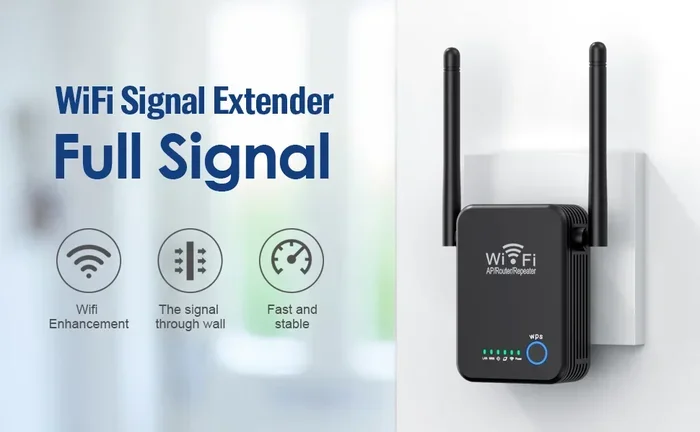
If a full mesh system feels like overkill, a Wi-Fi extender or repeater can be a great alternative. These devices pick up your existing Wi-Fi signal and rebroadcast it to areas where the signal is weak, like your garage.
How Extenders Work
A Wi-Fi extender sits between your router and your garage. It receives the signal from your router and sends it further. Think of it like a relay runner passing a baton. The extender takes the signal and runs it the extra distance your router cannot cover on its own.
Where to Place Your Extender
Placement is everything when using an extender. You want to put it halfway between your router and your garage. If you place it too far from the router, it will not pick up a strong enough signal. If you place it too close, it will not reach far enough into the garage.
Here are some quick tips for placement:
- Place the extender in a central location between your router and garage.
- Keep it away from thick walls and metal objects.
- Avoid placing it near microwaves or cordless phones.
- Test the signal strength in the garage after moving the extender.
Many extenders cost under $50, making them one of the most affordable ways to fix a Wi-Fi dead zone in your garage. Just keep in mind that extenders can sometimes cut your speed in half because they use the same radio to receive and send data.
Boosting Your Outdoor Wi-Fi Signal
Sometimes the problem is not just your garage but your entire outdoor wireless coverage. If you want stronger signals everywhere outside your home, there are a few powerful steps you can take.
Upgrade Your Router Antenna
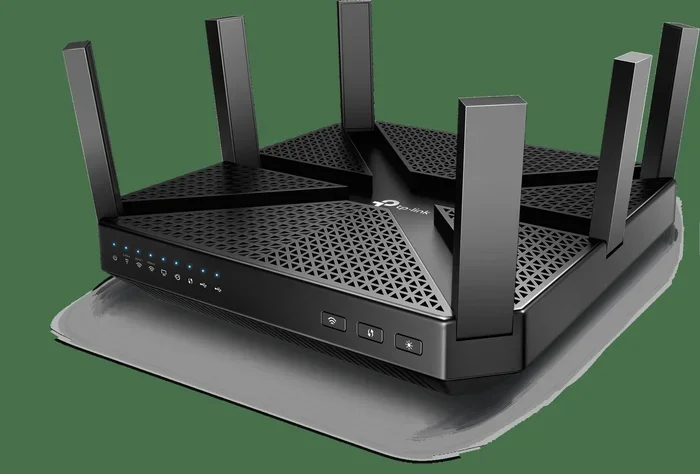
Many routers come with small internal antennas that do not push the signal very far. You can add an external antenna to your router to boost the range significantly. External antennas are designed to send signals farther and with more strength. Look for a high-gain antenna that is compatible with your router model.
Add a 2.4GHz Band to Your Router
The 2.4GHz frequency band is better at traveling long distances and passing through walls compared to the 5GHz band. If your router supports dual-band or tri-band, make sure the 2.4GHz band is enabled. You can also add a 2.4GHz band to your router if it only supports 5GHz. This single change can make a huge difference in how far your signal reaches.
Move Your Router to a Better Location
This might sound simple, but many people never think about it. If your router is in the basement or a back room, the signal has to fight its way through multiple floors and walls to reach the garage. Moving your router to a more central location, or closer to the garage side of your house, can dramatically improve your signal strength outdoors.
For homeowners who need even more outdoor power, you can also boost your Wi-Fi signal outside using specialized outdoor access points or weatherproof range extenders. These devices are built to handle the elements and push your signal across larger properties.
Wired and Powerline Solutions for a Rock-Solid Garage Connection
Wireless solutions are convenient, but they are not always the most reliable. If you need a fast and stable connection in your garage for things like security cameras or smart home devices, a wired approach might be the way to go.
Powerline Adapters
Powerline adapters use your home’s existing electrical wiring to carry internet signals. You plug one adapter near your router and another in your garage. The signal travels through the wiring, bypassing walls and obstacles entirely. This is a fantastic option for garages that are too far for a strong wireless signal.
Powerline adapters are easy to set up and do not require any drilling or wiring. They typically cost between $40 and $100 for a pair. Just make sure your garage is on the same electrical circuit or breaker panel for the best results.
Wireless Bridges
A wireless bridge connects two networks using a wireless link. You place one unit near your router and the other in your garage. The bridge creates a dedicated wireless link between the two points, giving you a fast and stable connection. This is a popular choice for homeowners who want to run smart devices in the garage without running cables.
Running an Ethernet Cable
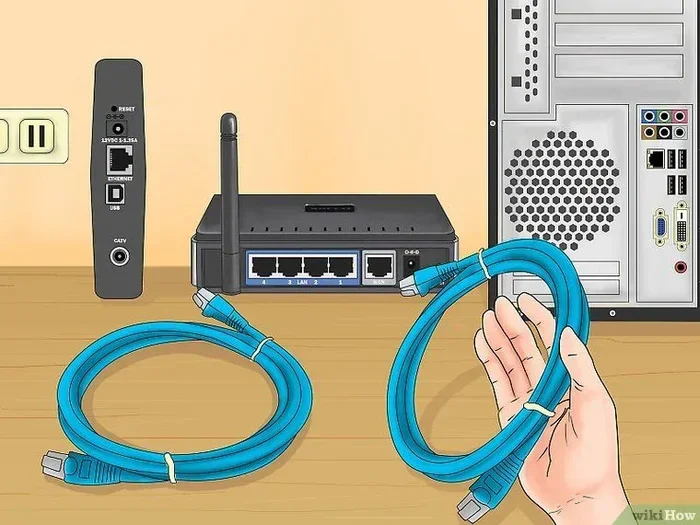
If you are willing to do a little work, running a long Ethernet cable from your router to the garage is the most reliable option. You get the fastest possible speeds with zero interference. You can then connect a wireless access point in the garage to share the connection with all your devices.
Smart Garage Devices That Need Reliable Wi-Fi
Why do you even need Wi-Fi in the garage? Many modern garage devices rely on a strong wireless connection to work properly. Here are some common examples:
- Smart garage door openers: You can open and close your garage door from your phone using apps like MyQ. If your Wi-Fi is weak, the app may not connect when you need it most.
- Security cameras: Wireless security cameras in the garage need a steady connection to stream video to your phone or cloud storage.
- Smart lights and sensors: Motion sensors, smart bulbs, and temperature monitors all depend on a working Wi-Fi connection.
- Weather stations: Many outdoor weather stations transmit data to your phone or smart home hub via Wi-Fi.
If you are looking to upgrade your garage door opener to a smart model, you might want to check out how to convert your garage door opener to MyQ. A smart opener works best when it has a reliable Wi-Fi connection to communicate with your phone and smart home system.
Common Mistakes People Make When Trying to Reach Their Garage
Avoid these common mistakes that can make your garage Wi-Fi problem worse:
- Placing the extender too far from the router: The extender needs a strong signal from the router to rebroadcast effectively. If the extender itself is in a weak signal area, it will just repeat that weak signal to the garage.
- Ignoring the 2.4GHz band: Many people switch their devices to 5GHz for faster speeds, but 5GHz does not travel as far. For garage coverage, 2.4GHz is your best friend.
- Using outdated equipment: Old routers and extenders may not support modern Wi-Fi standards. Upgrading to a newer router or mesh system can solve range issues quickly.
- Not testing signal strength: Walk around your garage with your phone and check the signal bars in different spots. This tells you exactly where the signal is strong and where it is weak.
- Forgetting about your neighbors: If your neighbors have routers close to your garage, their signals can interfere with yours. Changing your Wi-Fi channel can help reduce this interference.
Which Solution Is Right for You?
Choosing the right solution depends on your budget, the distance to your garage, and how you use the garage. Here is a quick comparison to help you decide:
- Mesh Wi-Fi system: Best for whole-home coverage and large properties. Costs more upfront but gives you the most reliable and scalable solution.
- Wi-Fi extender: Best for a quick and affordable fix. Easy to set up but may reduce speeds slightly.
- Powerline adapter: Best for stable, interference-free connections. Works well when wireless signals struggle to penetrate walls.
- External antenna or 2.4GHz upgrade: Best for boosting your existing router’s range without buying new equipment.
- Ethernet cable + access point: Best for maximum speed and reliability. Requires more effort to set up but delivers the best results.
For most homeowners, a combination approach works best. Start with a mesh system or extender for basic coverage. Then add a powerline adapter or wired access point if you need more stability for smart devices and cameras.
Final Thoughts
Getting your Wi-Fi to reach your garage is totally doable with the right approach. You do not need to be a tech expert to make it happen. Whether you choose a mesh system, a Wi-Fi extender, a powerline adapter, or a simple router upgrade, the key is to test your signal and find the solution that fits your home and budget.
Start by identifying where your signal is weak. Then try the simplest fix first, like moving your router or enabling the 2.4GHz band. If that does not work, invest in an extender or mesh system. The goal is to make your garage a place where you can connect to the internet without frustration. With the tips in this guide, you will be streaming, monitoring, and smart-controlling your garage in no time.
Take action today. Pick one solution from this list, set it up this weekend, and enjoy full wireless coverage from your house to your garage. Your future self will thank you every time you open the garage door from your phone or check your security camera while sitting on the couch.
Frequently Asked Questions
Can I get Wi-Fi in my detached garage without running cables?
Yes, you absolutely can. A mesh Wi-Fi system or a wireless extender can deliver internet to a detached garage without any cables. Place a mesh node or extender in a window or wall facing the garage for the best results. The 2.4GHz band works especially well for covering longer distances through open space.
Why does my Wi-Fi signal drop when I go to the garage?
Your Wi-Fi signal weakens as it travels farther from the router. Walls, doors, and even metal garage doors can block or absorb the signal. If your garage is far from your router, the signal may not be strong enough to maintain a connection. A Wi-Fi extender or mesh node placed between the house and garage can fix this problem.
What is the cheapest way to get Wi-Fi in my garage?
The cheapest option is a Wi-Fi extender, which typically costs between $20 and $50. Another budget-friendly option is to move your existing router closer to the garage or switch your devices to the 2.4GHz band. Both of these steps cost nothing and can sometimes solve the problem entirely.
Will a Wi-Fi extender slow down my internet speed?
A Wi-Fi extender can reduce your speed slightly because it rebroadcasts the signal. However, the speed loss is usually small and not noticeable for everyday tasks like browsing, streaming, and checking emails. For the least speed loss, choose a dual-band extender that matches your router’s capabilities.
Can I use my existing router to get Wi-Fi in the garage?
Yes, but it depends on how far your garage is from the router. If the garage is within about 30 feet and there are not too many walls in the way, your existing router might reach it. You can boost the signal by adding an external antenna, enabling the 2.4GHz band, or repositioning the router closer to the garage side of your home.
Is a mesh Wi-Fi system worth it for garage coverage?
If you have a detached garage or a large property, a mesh Wi-Fi system is absolutely worth it. Mesh systems provide strong, reliable coverage across your entire property. They are easy to set up, scalable, and offer better performance than single extenders. Many mesh systems also support the latest Wi-Fi standards, giving you faster speeds for all your smart garage devices.