How Can I Boost My Wi Fi Signal in My Basement Now
A weak Wi-Fi signal in your basement is a common frustration, but it is fixable. You can boost your basement Wi-Fi signal using several proven methods, from simple router adjustments to mesh networks and signal boosters. This guide walks you through every option so you can choose the best fix for your home and get strong, reliable internet downstairs.
Did you know that basements are one of the hardest places in a home to get a good Wi-Fi signal? Concrete walls, metal beams, and the simple fact that your router lives upstairs all work against you. If you have ever tried to stream a movie or join a video call down in your basement and gotten stuck on a loading screen, you are not alone.
The good news is that fixing a weak basement Wi-Fi signal is absolutely doable. You do not need to be a tech expert. In this guide, we will walk you through every method that works, from quick free fixes to more advanced solutions like mesh networks and signal boosters. By the end, you will know exactly what to do to get strong internet in your basement.
Key Takeaways
- Router placement matters: Moving your router higher and closer to the basement door can improve signal strength significantly.
- Mesh Wi-Fi systems are the best long-term fix: They blanket your home with seamless coverage, including basements.
- Wi-Fi extenders and powerline adapters offer budget-friendly alternatives: They work well for smaller basements.
- Physical barriers like concrete and metal weaken signals: Understanding what blocks your signal helps you choose the right solution.
- Upgrading your router can make a big difference: Newer routers with better antennas and bands handle basement challenges more effectively.
📑 Table of Contents
- Why Your Basement Wi-Fi Signal Is So Weak
- Free and Quick Fixes to Boost Basement Wi-Fi
- Best Hardware Solutions for Basement Wi-Fi
- Mesh Wi-Fi Systems: The Best Long-Term Solution
- Upgrading Your Router for Better Basement Coverage
- Common Mistakes That Make Basement Wi-Fi Worse
- Quick Comparison: Which Solution Is Right for You?
- Final Thoughts
Why Your Basement Wi-Fi Signal Is So Weak
Before you fix the problem, it helps to understand why it exists. Your Wi-Fi signal travels through the air, and it does not like certain materials. Basements are notorious for killing wireless signals, and here is why.
Concrete and Masonry Walls
Most basements have thick concrete walls. These walls block wireless signals far more than drywall or wood. If your router is on the main floor, the signal has to pass through multiple floors and concrete before it reaches your basement. By the time it gets there, it is already very weak.
Metal and Structural Beams
Many homes have metal support beams in the basement. Metal reflects Wi-Fi signals instead of letting them pass through. This creates dead zones where the signal simply cannot reach. If your basement has pipes, ductwork, or electrical panels, these can also interfere with your connection.
Distance from the Router
The farther you are from your router, the weaker the signal. If your router is in the living room upstairs and your basement is at the opposite end of the house, the signal strength drops a lot. This distance alone can cause slow speeds and dropped connections.
Interference from Other Devices
Your basement might have appliances like washing machines, dryers, or even old wiring that creates electromagnetic interference. This interference competes with your wireless signal and makes it even weaker.
Free and Quick Fixes to Boost Basement Wi-Fi
You do not need to spend money right away. Try these free methods first. They take just a few minutes and can make a surprising difference in your basement internet strength.
Move Your Router to a Better Location
This is the single easiest thing you can do. If your router is tucked away in a closet or behind a TV, move it. Place it in a central, open area on the main floor, preferably on the same side of the house as the basement entrance. The closer the router is to the basement door, the better the signal will penetrate downward.
Also, try to keep the router elevated. Put it on a shelf or mount it on a wall. Wi-Fi signals spread outward and downward, so height helps. Avoid placing the router on the floor or inside cabinets.
Change the Wi-Fi Channel
Your neighbors might be using the same Wi-Fi channel as you, which causes congestion. Think of it like two people trying to talk on the same radio frequency. Logging into your router settings and switching to a less crowded channel can boost your signal strength. Most modern routers have an auto-select feature that picks the best channel for you.
Restart Your Router Regularly
It sounds too simple, but restarting your router clears its memory and refreshes its connection. Unplug it for 30 seconds, plug it back in, and wait a minute. This small habit can improve your wireless coverage and speed over time.
Update Your Router Firmware
Router manufacturers release updates that improve performance and fix bugs. Check your router’s admin panel or app to see if a firmware update is available. Keeping your router updated ensures it runs at its best for signal penetration through walls.
Best Hardware Solutions for Basement Wi-Fi
If the free fixes do not give you the result you want, it is time to consider hardware. There are several options, and each works differently for different types of basements.
Wi-Fi Range Extenders
A Wi-Fi range extender picks up your existing signal and rebroadcasts it into the basement. These devices are affordable and easy to set up. You plug one in near the basement stairs, and it creates a second network that reaches into the lower level.
However, extenders have a downside. They typically cut your speed in half because they have to receive and retransmit the signal. They also create a separate network name, which means your devices might not switch smoothly between the main and extended networks.
Powerline Adapters
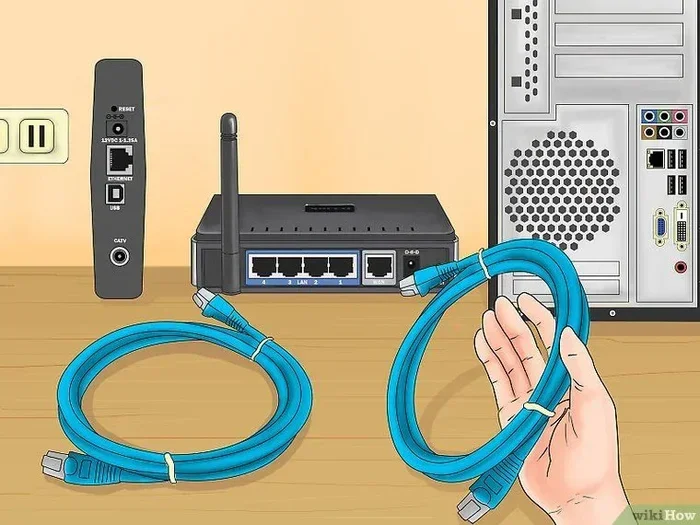
A powerline adapter uses your home’s existing electrical wiring to carry the internet signal. You plug one adapter near your router and connect it with an Ethernet cable. Then you plug the second adapter in your basement and connect it to a second router or access point.
This method bypasses walls entirely. It works well in basements where wireless signals simply cannot reach. Powerline adapters are more reliable than extenders for thick-walled basements, and they do not reduce your speed as much.
Access Points
An access point is a dedicated device that connects to your router via Ethernet and broadcasts a new Wi-Fi network in the basement. This is the most reliable option for a permanent setup. Access points give you full speed and a strong, stable connection in the basement.
The downside is that you need to run an Ethernet cable from your router to the basement. If that is not possible, you can use a powerline adapter to bridge the connection instead of running a cable.
Mesh Wi-Fi Systems: The Best Long-Term Solution
If you want the best possible Wi-Fi signal throughout your entire home, a mesh system is the way to go. A mesh network uses multiple nodes placed around your home that work together to create one seamless network.
How Mesh Networks Work
You place one node near your modem, and then add satellite nodes in areas with weak signal, including your basement. Each node talks to the others and to your devices, creating a strong, blanket-like coverage that eliminates dead zones. Unlike extenders, mesh systems use a single network name, so your devices switch automatically as you move around the house.
If you already have a Wi-Fi 5 router and want to add mesh capability, you can explore options to connect Wi-Fi 6 mesh to your existing Wi-Fi 5 router for an affordable upgrade path. This lets you get the benefits of mesh without replacing your entire setup.
Why Mesh Is Great for Basements
Mesh systems are especially effective for basements because you can place a node right at the top of the basement stairs or even inside the basement itself. The node communicates with the main router wirelessly, so you do not need to run cables. The result is a strong, fast wireless signal that reaches every corner of the basement.
Top Mesh Systems to Consider
When shopping for a mesh system, look for ones with at least three nodes for whole-home coverage. Popular options include systems from brands like Google Nest, Eero, and Netgear Orbi. Choose a system that supports the latest Wi-Fi standards for the best performance.
Upgrading Your Router for Better Basement Coverage
Sometimes the problem is simply that your router is too old or too weak to push a signal down into the basement. Upgrading can be a worthwhile investment, especially if your current router is several years old.
Look for Routers with External Antennas
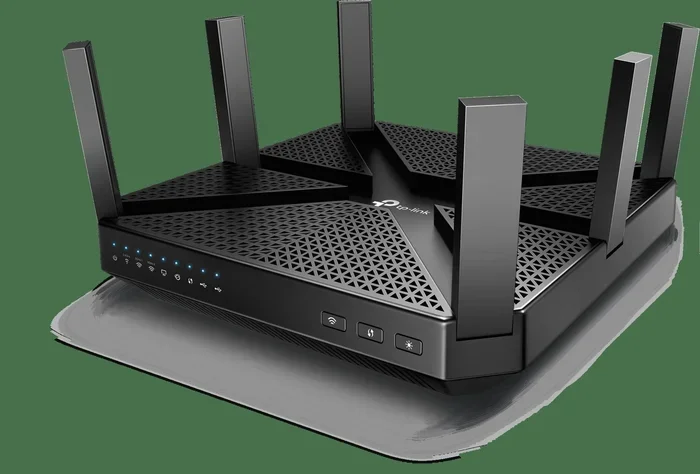
Routers with large external antennas send stronger signals in multiple directions. If your current router has small internal antennas, upgrading to one with external antennas can improve signal penetration through concrete and metal. The stronger broadcast helps reach your basement more effectively.
Consider a Router With a Guest Network Feature
Some modern routers let you create a separate network just for the basement. This can help you manage bandwidth and prioritize the internet speed you need downstairs. You can dedicate more resources to the basement network without affecting the rest of the house.
Can You Buy Your Own Router and Save Money?
Yes! Many people pay their internet provider a monthly fee for a rental router. Buying your own router outright can save you money over time. If you are wondering about the costs, check out whether you can buy your own router for internet and still keep your service plan. It is a smart way to get better hardware without extra monthly charges.
Common Mistakes That Make Basement Wi-Fi Worse
Avoiding these mistakes can save you time and frustration when trying to boost your basement Wi-Fi signal.
- Placing the router in the basement: This sounds backwards, but putting the router in the basement means the signal has to travel up through multiple floors to reach the rest of the house. Keep the router on the main floor instead.
- Hiding the router behind furniture: Couches, cabinets, and appliances block wireless signals. Always keep your router in an open, visible spot.
- Using an old or cheap extender: Budget extenders often reduce your speed and create lag. Invest in a quality device or use a powerline adapter instead.
- Ignoring interference: Baby monitors, microwaves, and cordless phones operate on the same frequency as Wi-Fi signals. Keep your router away from these devices.
- Not testing your setup: After making changes, always walk around your basement and test the signal in different spots. What works in one corner may not work in another.
Quick Comparison: Which Solution Is Right for You?
| Solution | Cost | Ease of Setup | Best For |
|---|---|---|---|
| Router Repositioning | Free | Very Easy | Mild signal issues |
| Channel Change | Free | Easy | Congested networks |
| Wi-Fi Range Extender | Low ($20-$50) | Easy | Small basements on a budget |
| Powerline Adapter | Medium ($40-$80) | Moderate | Thick-walled basements |
| Access Point | Medium ($50-$100) | Moderate | Permanent, high-speed setup |
| Mesh Wi-Fi System | Higher ($150-$400+) | Easy | Whole-home coverage, large homes |
As you can see, there is a solution for every budget and every type of basement. Start with the free fixes, and if they do not work, move up to hardware solutions. The right choice depends on how bad your signal strength is and how much you are willing to spend.
Final Thoughts
Boosting your Wi-Fi signal in the basement does not have to be complicated or expensive. Whether you try free fixes first or invest in a mesh system, the key is to take action. A weak signal in the basement does not have to be a permanent problem in your home.
Start with the quick tips: move your router, change the channel, and restart your device. If those do not work, consider a range extender, powerline adapter, or mesh network. Each option brings you closer to strong, reliable internet in the basement.
Remember, every home is different. What works for one basement might not work for another. Test different solutions and find the one that fits your space and budget. Once you get that strong wireless signal flowing downstairs, you will wonder why you did not fix it sooner. Get started today and enjoy seamless connectivity from top to bottom of your home.
If you are dealing with signal issues beyond the basement, you might also want to check out our guide on boosting your Wi-Fi signal outside for additional tips that apply to outdoor coverage and extended range challenges.
Frequently Asked Questions
Can I boost my Wi-Fi signal in the basement without buying any equipment?
Yes, you can try repositioning your router to a more central location on the main floor, changing the Wi-Fi channel to reduce congestion, and restarting your router regularly. These free methods can improve signal strength significantly without any cost.
What is the best mesh Wi-Fi system for basement coverage?
Systems like Google Nest, Eero, and Netgear Orbi are popular choices for whole-home coverage. Look for a system with at least three nodes, and place one satellite node near the top of your basement stairs for the best results in pushing the signal downstairs.
Do Wi-Fi extenders really work in basements?
Yes, they can work, but they come with trade-offs. Extenders rebroadcast your signal, which often cuts your speed in half. They work best for light internet use like browsing and email, but may not be ideal for streaming or gaming in the basement.
Will a powerline adapter work in my basement?
Powerline adapters use your home’s electrical wiring to carry the internet signal, which makes them effective even through thick concrete walls. They are a great choice for basements where wireless signals struggle to reach, especially if you cannot run an Ethernet cable directly.
How can I check my basement Wi-Fi signal strength?
Use a free app like Wi-Fi Analyzer on your phone. Walk around your basement and check the signal bars and dBm readings. The closer you are to zero dBm, the stronger the signal. This helps you identify the best spot for a range extender or access point.
Should I upgrade my router to improve basement coverage?
If your router is more than four or five years old, upgrading to a newer model with external antennas and support for the latest Wi-Fi standards can make a big difference. Newer routers handle signal penetration through walls and floors much better than older models.