How Can I Boost My Spectrum WiFi Signal Right Away
Boosting your Spectrum WiFi signal is easier than you think. With a few simple adjustments, you can enjoy faster speeds and stronger coverage throughout your home. This guide covers quick fixes, router placement tips, equipment upgrades, and advanced techniques to eliminate dead zones and improve your WiFi performance right away.
Your Spectrum WiFi signal should be strong in every corner of your home. But let’s be honest. Sometimes it isn’t. You might notice slow speeds in the bedroom, dropped connections in the kitchen, or a WiFi dead zone in the basement. These problems are frustrating, but they are also fixable.
This guide walks you through everything you need to know about boosting your Spectrum WiFi signal. From quick free fixes to hardware upgrades, you will find practical solutions that work. I have helped countless people improve their home network, and the tips here are tried and tested.
The best part? You do not need to be a tech expert. Most of these steps take just a few minutes. And the results can be noticeable right away. Let us dive in and get your WiFi running at its best.
Key Takeaways
- Router placement matters: Centrally locating your router can dramatically improve your Spectrum WiFi signal strength.
- Free fixes work fast: Simple changes like restarting your router and switching WiFi channels can boost your signal immediately.
- Hardware upgrades help: Adding an external antenna or upgrading to a mesh system can solve persistent coverage issues.
- Interference is a real problem: Household devices like microwaves and baby monitors can weaken your WiFi signal significantly.
- Frequency choice is key: Switching between 2.4GHz and 5GHz bands can optimize your speed and range based on your needs.
- Spectrum support is available: If DIY fixes don’t work, Spectrum offers free troubleshooting and equipment replacements.
📑 Table of Contents
Understanding Your Spectrum WiFi Signal
Before you fix a problem, it helps to understand what is happening. Your Spectrum WiFi signal travels from your router to your devices through the air. The strength of that signal depends on several factors, including distance, obstacles, and interference.
Think of your WiFi signal like water from a garden hose. The farther you stretch it, the weaker the flow becomes. Walls, furniture, and even floors can block or weaken the signal. Understanding this basics helps you see why signal boosting is so important.
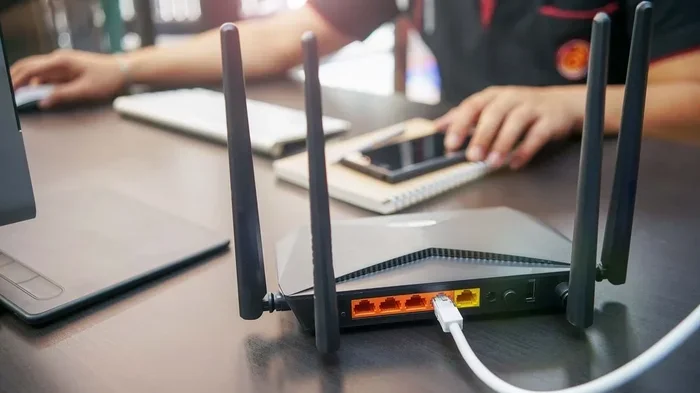
Spectrum provides you with a modem and often a router. The modem connects to the internet through your cable line. The router then takes that internet connection and turns it into a wireless signal your devices can use. When either device is not working at its best, your WiFi suffers.
How WiFi Signal Strength Works
WiFi signal strength is measured in decibels, or dBm. The closer the number is to zero, the stronger your signal. A signal of -30 dBm is excellent. A signal of -70 dBm is acceptable. Anything below -80 dBm is weak and will cause slow speeds or disconnections.
You can check your signal strength on your phone or computer. Most devices show a WiFi indicator with bars. But for more detail, try a free app like WiFi Analyzer. It shows you exactly how strong your Spectrum WiFi signal is in every room.
Common Reasons Your Signal Drops
Several things can cause your WiFi signal to drop or weaken. Here are the most common culprits:
- Distance from the router: The farther you are, the weaker the signal gets.
- Thick walls and floors: Concrete, brick, and metal block WiFi signals.
- Electronic interference: Microwaves, cordless phones, and baby monitors can disrupt your signal.
- WiFi congestion: Too many devices on the same network slows things down.
- Outdated equipment: Older routers may not support the latest WiFi standards.
- Poor channel selection: Your router might be using a crowded WiFi channel.
Once you identify the cause, you can pick the right fix. Let us move on to the solutions.
Quick Fixes to Boost Your Spectrum WiFi Signal
Not every fix requires buying new equipment. Some of the most effective solutions are completely free. Try these quick wins first.
Restart Your Router
This sounds too simple, but it works. Restarting your router clears its memory and refreshes its connection to the network. Unplug it, wait 30 seconds, and plug it back in. Within a few minutes, your WiFi signal should be stronger.
I recommend restarting your router once a week. It keeps things running smoothly and prevents buildup that slows down your WiFi speed. Set a reminder on your phone if you tend to forget.
Move Your Router to a Better Spot
Where you place your router has a huge impact on your WiFi coverage. Many people hide their router in a closet or behind a TV. This blocks the signal and weakens it everywhere.
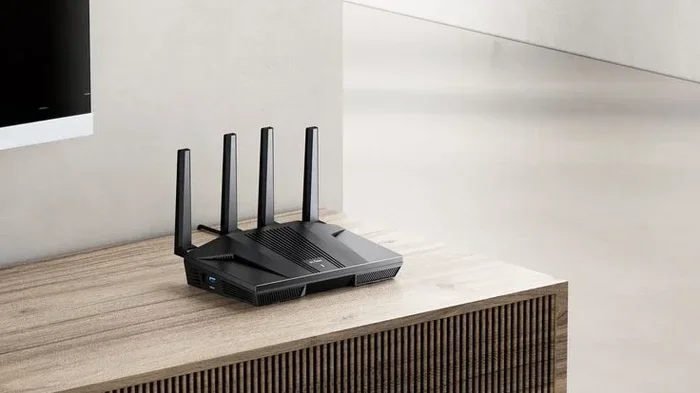
Instead, place your router in a central location. Put it on a high shelf, not on the floor. Keep it away from walls and metal objects. The more open space around your router, the better your signal will travel.
Switch Your WiFi Channel
Your router broadcasts on a specific WiFi channel. If your neighbors are using the same channel, there can be interference. This is called WiFi congestion, and it slows down your connection.
You can change your channel through your router settings. Log into your router’s admin panel and look for the wireless settings. Try switching to a less crowded channel. This small change can make a big difference in your WiFi performance.
Update Your Router Firmware
Router manufacturers release firmware updates to fix bugs and improve performance. Check if your router has a pending update. Most modern routers have an auto-update feature, but it never hurts to double-check.
Updating your firmware can improve your Spectrum WiFi signal and fix connection issues you did not even know you had. It takes just a few minutes and can make your network run much smoother.
Reduce the Number of Connected Devices
Every device connected to your WiFi uses bandwidth. Smart TVs, phones, tablets, smart speakers, and security cameras all compete for the same signal. If too many devices are connected, your WiFi speed drops for everyone.
Disconnect devices you are not using. Turn off WiFi on devices that do not need it right now. This frees up bandwidth and can immediately improve your connection.
Optimizing Router Placement for Better Coverage
Proper router placement is one of the most overlooked ways to boost your WiFi signal. A few inches of adjustment can make a noticeable difference.
The Golden Rules of Router Placement
Follow these rules to get the best WiFi coverage from your Spectrum router:
- Place it centrally: Your router should be in the middle of your home, not in a corner.
- Keep it elevated: A shelf or table is better than the floor.
- Avoid walls and obstacles: Do not tuck it behind furniture or inside cabinets.
- Stay away from electronics: Keep it away from microwaves, cordless phones, and baby monitors.
- Point the antennas straight up: Vertical antennas broadcast signal horizontally, which is what you want.
If you live in a larger home, even the best router placement may not reach every room. In that case, you may need to consider additional solutions. Some homeowners find that extending their WiFi to areas like a garage or shed helps distribute the signal more evenly throughout the property.
What to Avoid
There are also things you should never do with your router. Do not place it near a fish tank. Water absorbs WiFi signals. Do not put it on the floor. The signal travels downward and gets blocked. And do not hide it inside a closed cabinet. The enclosure blocks the signal and can cause your router to overheat.
Take a few minutes to look at where your router sits right now. If it violates any of these rules, move it. You might be surprised at how much better your WiFi signal becomes.
Upgrading Your Equipment for a Stronger Signal
Sometimes free fixes are not enough. If you have tried everything and your Spectrum WiFi signal is still weak, it might be time to upgrade your equipment.
Add an External Antenna
If your router has detachable antennas, you can replace them with stronger ones. An external antenna can significantly boost your WiFi range and signal strength. Look for a high-gain antenna that is compatible with your router model.
This upgrade is affordable and easy to install. You simply unscrew the old antenna and screw on the new one. It is one of the best ways to improve your WiFi coverage without buying a whole new system.
Switch to the 2.4GHz Band
Most dual-band routers broadcast on both 2.4GHz and 5GHz frequencies. The 2.4GHz band has a longer range but slower speeds. The 5GHz band has faster speeds but a shorter range.
If you need coverage in a far room, switch to the 2.4GHz band. You can add a 2.4GHz band to your router settings to extend your reach. This is especially helpful for devices that are far from the router, like smart home devices or outdoor cameras.
Consider a WiFi Range Extender
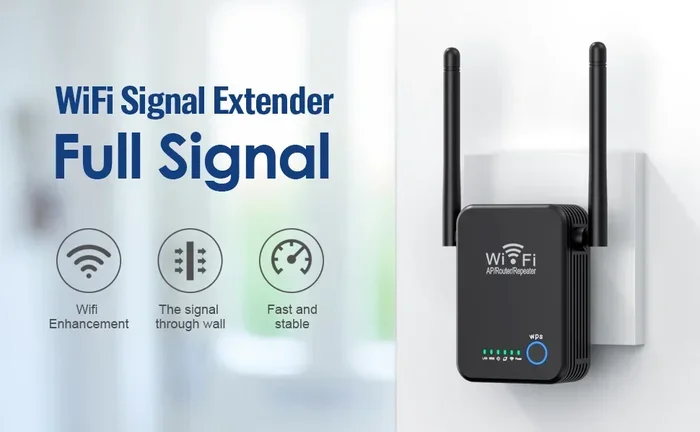
A WiFi range extender picks up your existing signal and rebroadcasts it to areas your router cannot reach. It is an affordable way to eliminate WiFi dead zones in your home.
Place the extender halfway between your router and the weak area. This way, it gets a strong signal from the router and passes it along to the far room. Extenders are easy to set up and work with most Spectrum routers.
For a more seamless experience, some homeowners choose to set up a mesh WiFi system. A mesh system uses multiple nodes to create one unified network throughout your home. It eliminates dead zones without the speed loss that some extenders cause. If you are interested in exploring outdoor signal solutions, you can also look into options for boosting your WiFi signal outside your home.
Buy Your Own Router
Spectrum provides a router, but you are not required to use it. Buying your own router gives you more control over your WiFi performance. Look for a router that supports the latest WiFi standards, like WiFi 6 or WiFi 6E.
These newer routers offer faster speeds, better range, and improved handling of multiple devices. They are a worthwhile investment if you have a large home or many connected devices. You can also buy your own router for internet service, which may save you money in the long run by avoiding monthly rental fees.
Advanced Tips to Improve WiFi Performance
Ready to go beyond the basics? These advanced tips can take your Spectrum WiFi signal to the next level.
Use WiFi Analyzer Tools
A WiFi analyzer app shows you which channels are crowded in your area. Use it to find the clearest channel for your router. Switching to a less congested channel can dramatically improve your WiFi speed and stability.
These apps are free and easy to use. Simply download one, scan for networks, and note which channels are least crowded. Then log into your router and change the channel. It is one of the most effective WiFi optimization techniques available.
Enable QoS Settings
Quality of Service (QoS) settings let you prioritize certain devices or activities on your network. For example, you can give your work laptop priority over your smart TV during video calls.
This ensures that important tasks get the bandwidth they need. You can find QoS settings in your router’s admin panel. Enabling QoS is a simple way to improve network performance for the devices that matter most to you.
Keep Your Router Cool
Overheating can slow down your router and weaken your signal. Make sure your router has plenty of airflow around it. Do not stack other devices on top of it.
If your router feels hot to the touch, give it a break. Turn it off for a few minutes and let it cool down. Keeping your router at a safe temperature helps it perform at its best and extends its lifespan.
Secure Your Network
An unsecured network lets neighbors and strangers use your WiFi. This slows down your connection and creates security risks. Make sure your network is password-protected and uses WPA3 encryption if your router supports it.
Changing your password regularly also helps. It keeps unauthorized users off your network and ensures your WiFi speed stays fast. This is a simple but often overlooked step in WiFi optimization.
When to Contact Spectrum Support
If you have tried all of these tips and your Spectrum WiFi signal is still weak, it is time to call for help. Spectrum offers free technical support, and they can troubleshoot issues you cannot fix on your own.
They can run remote diagnostics on your modem and router. They can also send a technician to your home if needed. In some cases, they will replace your equipment for free if it is malfunctioning.
Do not hesitate to reach out. A weak WiFi signal should not be something you just live with. Spectrum wants your service to work, and they have the tools to make it right.
Before you call, gather some information. Note when the problem started, which rooms are affected, and what steps you have already tried. This helps the support team diagnose the issue faster and get your WiFi back to full strength sooner.
Conclusion
Boosting your Spectrum WiFi signal does not have to be complicated. Start with the quick fixes: restart your router, move it to a central spot, and switch to a less crowded channel. These steps take minutes and often deliver immediate results.
If those do not work, consider hardware upgrades like an external antenna, a range extender, or a new router. And remember, Spectrum support is always there to help if you get stuck.
The right combination of placement, settings, and equipment can transform your home network. You deserve fast, reliable WiFi in every room. Use the tips in this guide, and you will be on your way to a stronger, faster connection right away.
Frequently Asked Questions
Why is my Spectrum WiFi signal weak in certain rooms?
Weak signals in certain rooms are usually caused by distance, thick walls, or interference from other electronics. Moving your router to a more central location can often solve this problem. You can also use a WiFi range extender to boost the signal to those hard-to-reach areas.
How can I check my Spectrum WiFi signal strength?
You can check your signal strength using the WiFi indicator on your device or by downloading a free WiFi analyzer app. These apps show you the exact dBm level of your signal in every room. A signal between -30 and -50 dBm is excellent, while anything below -80 dBm is considered weak.
Does restarting my router really boost my WiFi signal?
Yes, restarting your router clears its memory and refreshes its connection. This simple step can resolve many temporary signal issues and improve your overall WiFi performance. It is recommended to restart your router at least once a week.
What is the difference between 2.4GHz and 5GHz WiFi bands?
The 2.4GHz band offers a longer range but slower speeds, while the 5GHz band provides faster speeds but a shorter range. For devices far from your router, the 2.4GHz band works better. For devices close to the router, the 5GHz band delivers faster performance.
Can I boost my WiFi signal without buying new equipment?
Absolutely. Many signal-boosting techniques are completely free. Adjusting your router placement, switching WiFi channels, reducing connected devices, and updating firmware can all improve your signal without spending a dime.
When should I contact Spectrum about my WiFi issues?
Contact Spectrum support if you have tried all the basic fixes and your signal is still weak. They can run remote diagnostics, replace faulty equipment, and send a technician if needed. It is always worth reaching out before assuming you need to buy new hardware.