How Can I Get Free Wi Fi Everywhere Without Paying
Learning how to get free Wi-Fi everywhere is easier than you think. You can access wireless internet at home, on the go, and in public spaces without spending money. This guide shares proven methods, handy apps, and smart tips to stay connected for free.
Staying connected is no longer a luxury. It is a daily need. Whether you are working remotely, streaming shows, or just browsing the web, you need free Wi-Fi more than ever. But paying for internet every month adds up fast. The good news? You can get wireless access almost anywhere without spending a penny.
This guide walks you through every practical way to find free internet access in your home, neighborhood, and beyond. We will cover apps, hardware tricks, public spaces, and clever workarounds that actually work. By the end, you will know exactly how to stay online without opening your wallet.
Key Takeaways
- Free Wi-Fi is everywhere: Libraries, cafes, malls, and public spaces offer open networks you can use anytime.
- Your phone can be a hotspot: Tethering lets you share your cellular data with other devices at no extra cost.
- Apps make finding free Wi-Fi easy: Tools like Wi-Fi Map and Instabridge help you locate open networks fast.
- Neighbor networks can work: You may access a nearby network without a password using simple methods.
- Stay safe on public Wi-Fi: Always use a VPN and avoid sensitive tasks on open networks.
📑 Table of Contents
- Why Free Wi-Fi Matters More Than Ever
- Get Free Wi-Fi at Home Without an Internet Provider
- Free Wi-Fi Options When You Are Out and About
- Use Your Phone or Device as a Free Hotspot
- Apps and Tools That Help You Find Free Wi-Fi
- Boost and Extend Your Free Wi-Fi Signal
- Stay Safe on Free Wi-Fi Networks
- Quick Tips for Getting Free Wi-Fi Anywhere
- Common Mistakes People Make When Seeking Free Wi-Fi
- Final Thoughts
Why Free Wi-Fi Matters More Than Ever
Internet costs keep rising. The average American household pays over $60 a month for broadband. That adds up to more than $700 a year. Many people simply cannot afford this expense. Free Wi-Fi offers a lifeline for students, freelancers, travelers, and anyone on a tight budget.
Beyond saving money, free wireless access keeps you connected to important services. You can check emails, apply for jobs, video call family, and access health resources. During emergencies, having internet access can make a real difference. Knowing where to find open networks is a valuable life skill.
The Rise of Public Wireless Networks
Businesses and governments have expanded free internet access in recent years. Coffee shops, fast food chains, and bookstores now offer open networks. Airports, train stations, and hotels provide guest Wi-Fi too. Many cities have started installing municipal Wi-Fi in parks and downtown areas. This trend means you have more options than ever before.
However, not all free networks are created equal. Some are fast and reliable. Others are slow or limited. Understanding how each type works helps you make smarter choices. Let us explore the best ways to find and use free internet access in every situation.
Get Free Wi-Fi at Home Without an Internet Provider
You do not need a paid internet plan to get wireless service at home. Several methods let you connect to the web without monthly bills. Here are the most effective approaches.
Use a Neighbor’s Open Network
Many homes in neighborhoods broadcast open Wi-Fi networks without passwords. If you live in an apartment or close housing area, you may see several networks from your window. Some of these may not be secured. You can try connecting to them directly.
To find these networks, go to your device settings and scan for available connections. If a network shows no lock icon, it is open. Keep in mind that using someone else’s network without permission raises ethical questions. Always try to ask your neighbor first or look for networks that are intentionally shared.
Another approach is to check whether your neighbor has a guest network. Many people set up a separate network for visitors. These guest networks often have no password or use a simple default one. You can also explore connecting to your neighbor’s Wi-Fi without a password for more details on this method.
Look for Free Community Networks
Some communities build free wireless networks for residents. These community Wi-Fi projects are often run by local organizations or nonprofits. Check with your city government or local library to see if any free networks exist in your area.
Several cities across the US have launched municipal Wi-Fi programs. These networks cover parks, public squares, and sometimes entire neighborhoods. They are completely free to use. Search online for free Wi-Fi in your city to see what is available near you.
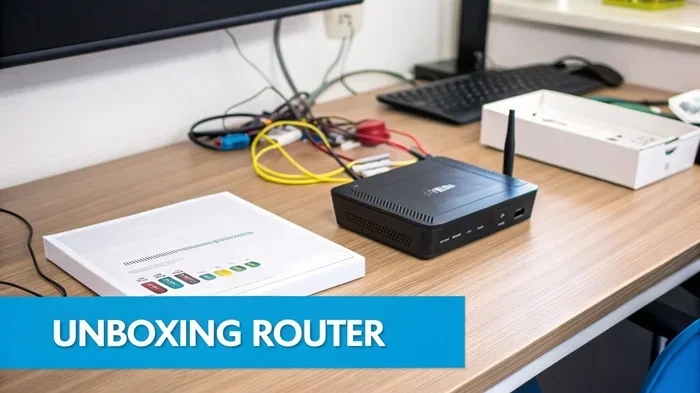
Leverage Devices Like Wi-Fi Routers From ISPs
Some internet service providers offer free routers to customers. If you qualify for certain programs, you may receive a router at no cost. Programs like the FCC’s Affordable Connectivity Program have helped many families get connected for free or at reduced rates.
Even if you do not have an active internet plan, some providers leave their routers broadcasting. You may pick up a signal from a nearby house. While this is not guaranteed, it is worth checking your surroundings. You can also learn more about getting Wi-Fi without an internet provider through alternative methods.
Free Wi-Fi Options When You Are Out and About
Getting wireless access outside your home is surprisingly easy. Many businesses and public spaces offer open networks for everyone. Here is where to look.
Libraries and Community Centers
Public libraries are goldmines for free internet. Almost every library in the US offers free Wi-Fi access to visitors. You can sit down, connect, and use their computers or your own device. Many libraries also offer extended hours, making them a great spot for remote work.
Community centers, churches, and non-profit organizations often follow the same model. They provide free internet as a public service. These spaces are usually quiet and comfortable, making them ideal for focused work or study sessions.
Coffee Shops and Fast Food Chains
Most major coffee chains offer free wireless internet to customers. Starbucks, Dunkin, and McDonald’s all have open networks. You do not even need to make a purchase in many cases. Simply walk in, connect, and start browsing.
Fast food restaurants like Taco Bell, Wendy’s, and Burger King also provide guest Wi-Fi. These networks tend to be reliable enough for browsing, emails, and light streaming. Just be respectful and consider buying something if you plan to stay for a while.
Malls, Airports, and Transit Hubs
Shopping malls often have free networks throughout the property. Airports provide guest Wi-Fi in terminals and lounges. Many bus and train stations now offer wireless access too. These networks are designed for travelers, so they tend to be fairly fast.
Some transit systems even offer Wi-Fi on buses and trains. Amtrak and certain city bus lines provide onboard wireless internet. This makes commuting time productive instead of wasted. You can also check out how to get Wi-Fi on your flight for tips on staying connected while traveling.
Use Your Phone or Device as a Free Hotspot
Your smartphone is one of the most powerful tools for getting wireless access anywhere. By sharing your cellular data, you can create a personal hotspot for laptops, tablets, and other devices.
Tethering Without Extra Costs
Most modern phones support tethering built into the operating system. You simply go to settings, enable hotspot, and connect your other devices. The data comes from your cellular plan, so there is no extra fee if you already have a data allowance.
Some carriers offer unlimited data plans that include hotspot use. Others may throttle speeds after a certain amount of data. Check your plan details to understand your limits. If your plan restricts hotspot usage, you may want to explore other options.
Portable Wi-Fi Devices
Portable Wi-Fi devices, also called mobile hotspots, let you carry internet with you. Some of these devices work with prepaid plans that cost very little. You can also find used or refurbished units online at low prices.
These devices are small enough to fit in your pocket. They create a personal Wi-Fi bubble wherever you go. If you are curious about portable options, you can explore getting a portable Wi-Fi device for more ideas on staying connected on the move.
Share Wi-Fi From a Friend or Family Member
If someone you know has a strong Wi-Fi connection, you can share it with your devices. Many routers allow you to add guest users or share the password with trusted friends. This is a simple and legal way to access wireless internet without paying separately.
Some modern routers also support mesh networking. This means you can extend a friend’s network to your location using compatible devices. It is a win-win situation where both parties benefit from the connection.
Apps and Tools That Help You Find Free Wi-Fi
Technology makes finding open networks easier than ever. Several apps and websites map out free Wi-Fi locations in real time.
Top Wi-Fi Finder Apps
Wi-Fi Map is one of the most popular free Wi-Fi finder apps. It crowdsources network locations from users worldwide. You can see open networks near you on an interactive map. The app also shows passwords for many secured networks that users have shared.
Instabridge is another excellent option. It works similarly to Wi-Fi Map but focuses on verified connections. The app has a clean interface and offline mode, so you can access saved networks even without data. Both apps are free to download and use.
Google Maps and Apple Maps
You can also use Google Maps to find businesses that offer free Wi-Fi. Simply search for “free Wi-Fi near me” and the map will show results. Many coffee shops, restaurants, and libraries appear in these results.
Apple Maps works in a similar way on iPhone and iPad. Both platforms make it easy to locate nearby spots with wireless access. This is a quick method when you are in an unfamiliar area and need internet fast.
Browser Extensions and Websites
Several websites maintain databases of free Wi-Fi locations. Wi-Fi Free Spot and OpenSignal are popular options. These sites let you search by city or zip code to find nearby access points. Some also offer browser extensions that show free networks as you browse.
Using these tools together gives you the best coverage. No single app has every network mapped. Combining multiple sources ensures you always find a connection when you need one.
Boost and Extend Your Free Wi-Fi Signal
Sometimes you find a free network but the signal is too weak to use. You can improve reception with a few simple techniques and tools.
Use a Wi-Fi Extender or Repeater
A Wi-Fi extender picks up an existing signal and rebroadcasts it. These small devices cost between $15 and $50. You place them halfway between the source and your location. The extender receives the signal and amplifies it, giving you better coverage.
Extenders work great for reaching networks in parks, parking lots, or outdoor areas. They are compact and easy to set up. If you want to extend a free signal outside your home or office, this is a practical solution. Learn more about boosting your Wi-Fi signal outside for additional tips.
Position Yourself Strategically
Sometimes the simplest trick works best. Move closer to the source of the network. Stand near a window if the router is inside a building. Avoid walls, metal objects, and other obstacles that block signals.
Higher ground also helps. Standing on a balcony or upper floor can improve your connection. Even small adjustments in position can make a big difference in signal strength.
Use a USB Wi-Fi Adapter
Laptops often have weak Wi-Fi antennas. A USB Wi-Fi adapter can boost reception significantly. These adapters plug into a USB port and provide a stronger antenna than your laptop’s built-in one.
Many adapters cost under $20 and work instantly. They are especially useful when you are trying to connect to a distant or weak network. Look for adapters that support the latest Wi-Fi standards for the best performance.
Stay Safe on Free Wi-Fi Networks
Free networks are convenient, but they come with risks. Open networks are not encrypted, which means others can potentially see your activity. Taking precautions keeps your data safe.
Use a VPN
A virtual private network encrypts your internet traffic. It creates a secure tunnel between your device and the internet. Even on open networks, a VPN keeps your data private from hackers and snoopers.
Many VPN services offer free tiers. ProtonVPN and Windscribe are popular options that do not cost money. Using a VPN should be your first step whenever you connect to a public network.
Avoid Sensitive Transactions
Do not access bank accounts or enter credit card numbers on free Wi-Fi. Wait until you are on a secure, trusted network. If you must transact online, use a VPN and make sure the website uses HTTPS.
Turn off file sharing and auto-connect features on your devices. These settings can expose you to security risks on open networks. A few minutes of preparation can save you from serious problems later.
Forget Networks After Use
After using a public Wi-Fi network, go to your settings and forget it. This prevents your device from auto-connecting to fake networks that mimic real ones. It is a small habit that improves your security significantly.
Quick Tips for Getting Free Wi-Fi Anywhere
- Always carry a portable hotspot device as a backup option.
- Download offline maps and content before you lose connection.
- Keep your Wi-Fi finder app updated for the latest network data.
- Ask staff at businesses if they offer free guest Wi-Fi.
- Check your phone settings to ensure you are not accidentally connected to a paid network.
- Use HTTPS websites whenever possible for added security.
- Turn off auto-connect to prevent unwanted network connections.
Common Mistakes People Make When Seeking Free Wi-Fi
Many people waste time or risk their security when searching for open networks. Avoid these common pitfalls.
- Connecting to fake networks: Hackers sometimes create networks with names similar to real ones. Always verify the exact network name with staff or signage.
- Ignoring security settings: Leaving file sharing or auto-connect on makes you vulnerable. Always adjust these settings before using public networks.
- Assuming all free networks are safe: Free does not mean secure. Treat every open network with caution and use a VPN whenever possible.
- Not checking data limits: Some free networks throttle speeds after a certain usage threshold. Be aware of these limitations to avoid frustration.
- Forgetting to forget networks: Your device remembers every network it has connected to. Regularly clean up your saved networks to avoid accidental connections.
Final Thoughts
Getting free Wi-Fi everywhere is completely doable with the right knowledge and tools. From public libraries and coffee shops to neighbor networks and mobile hotspots, you have many options at your fingertips. The key is to stay prepared and know where to look.
Use the apps and tips in this guide to find open networks quickly. Protect your data with a VPN and safe browsing habits. And remember, you do not need to pay for internet access to stay connected. With a little effort, you can enjoy free wireless internet almost anywhere you go.
Start exploring these methods today. You will be surprised at how many free networks are already around you. Stay connected, stay smart, and never pay for Wi-Fi again.
Frequently Asked Questions
Can I really get Wi-Fi without an internet provider?
Yes, you absolutely can. Many public spaces like libraries, cafes, and community centers offer free wireless access. You can also connect to open neighbor networks or use your phone’s hotspot with your existing cellular data. There are multiple ways to get online without a paid internet plan.
Is free public Wi-Fi safe to use?
Public Wi-Fi can be risky because open networks are not encrypted. However, you can stay safe by using a VPN, avoiding sensitive transactions, and sticking to HTTPS websites. Taking these precautions greatly reduces your risk when using free networks.
What is the best app for finding free Wi-Fi?
Wi-Fi Map and Instabridge are two of the best free apps for finding open networks. They crowdsource data from users and show real-time availability. Google Maps also works well for locating businesses that offer free guest Wi-Fi.
Can I use my phone as a free Wi-Fi hotspot?
Yes, most smartphones support tethering and hotspot features built into the operating system. You share your cellular data with other devices at no extra cost. Just check your data plan to understand any limits or speed restrictions that may apply.
How can I boost a weak free Wi-Fi signal?
You can use a Wi-Fi extender or repeater to amplify weak signals. Positioning yourself closer to the source also helps. A USB Wi-Fi adapter can improve your device’s reception significantly. These are affordable solutions that make a big difference.
Are there any completely free internet options for home use?
Yes, some communities offer free municipal Wi-Fi networks. Libraries and community centers also provide free internet access. Additionally, some ISPs offer free routers and limited data plans through government assistance programs. These options can help you stay connected at home without a monthly bill.