Does A Wifi Box Need A Router To Connect To Internet
Yes, a wifi box typically needs a router to deliver internet to your devices. A wifi box alone cannot create a wireless network without a router to manage the connection. Understanding this difference helps you set up a strong home network and avoid unnecessary equipment costs.
Have you ever stared at the small box blinking on your shelf and wondered, “Does a wifi box need a router?” It is a really common question, and the answer is simpler than you think. Whether you just moved into a new place or you are tired of slow internet speeds, understanding how your home network works makes a huge difference.
A wifi box and a wireless router are not the same thing, even though many people use the words interchangeably. The box brings the internet into your home, and the router shares that connection with all your devices. Let us walk through exactly what each piece does, why it matters, and how to set things up the right way.
Key Takeaways
- A wifi box is not the same as a router: The box receives the signal, but the router distributes it wirelessly.
- Most ISPs bundle a modem and router: Many internet providers give you a gateway device that handles both jobs.
- You can use your own router: Buying a separate wireless router gives you more control and better internet speed.
- Mesh systems work with existing setups: You can connect Deco mesh WiFi to an existing router for better coverage.
- Setup is simple: Connecting a router to a wifi box takes just a few minutes with an ethernet cable.
📑 Table of Contents
What Is A Wifi Box?
A wifi box is just a nickname people use for the device their internet service provider gives them. Some call it a gateway, a modem, or an ONT. Whatever the name, its job is to take the internet signal from outside your home and bring it inside. Think of it as the front door for your broadband service.
Most internet providers send a technician to install this box. It connects to a phone line, a cable line, or a fiber connection. Once it is set up, it can send data to a single device using an ethernet cable. But here is the catch. A wifi box by itself does not create a wireless network.
That is where the router comes in. Without a router, your laptop, phone, and smart TV cannot connect to the internet over WiFi. The box just opens the door, but the router decides who walks through it and where they go.
What Does A Router Actually Do?
A wireless router takes the internet signal from your wifi box and turns it into a wireless network. It creates the WiFi signal that your phone, tablet, and laptop connect to every day. Without a router, you would need to plug every single device directly into the box with a cable.
Routers also do a lot of behind-the-scenes work. They assign IP addresses to your connected devices. They manage traffic so your video call does not freeze when someone starts streaming a movie. They also provide a layer of security by acting as a firewall between your home network and the wider internet.
Some people buy a separate router because the one their ISP provides is slow or outdated. A better wireless router can improve WiFi coverage and internet speed throughout your home. If you are wondering whether you can avoid monthly rental fees, you might want to look into whether you can buy a Wi-Fi router and not pay monthly for your equipment.
Router vs. Modem: What Is The Difference?
People often mix up the terms modem and router. A modem is the box that connects to your ISP. A router is the device that spreads the WiFi signal. In many homes today, these two are combined into one device. That combined unit is what most people call a wifi box.
When the two are separate, you have more flexibility. You can upgrade your router without touching the modem. You can also use a mesh WiFi system with your existing modem for much better coverage around the house.
Does A Wifi Box Need A Router To Work?
The short answer is yes. A wifi box needs a router to create a wireless network that your devices can use. The box receives the signal, but it cannot broadcast it wirelessly on its own. You need a wireless router to turn that wired connection into WiFi.
That said, many ISPs now offer combo units. These gateway devices have both a modem and a router built into one box. So technically, the wifi box already has a router inside it. You just do not know it because everything is hidden inside a single device.
If you have a combo unit and it works fine for your needs, you do not need to buy anything else. But if you find that your WiFi signal is weak in certain rooms, or if you have too many devices for one router to handle, adding a separate router or a mesh system can make a big difference.
When Do You Need A Separate Router?
You might need a separate wireless router if your ISP gateway is more than a few years old. Older routers struggle with modern internet speeds and multiple devices. You also need a separate router if you want better WiFi coverage in a large home.
Another reason is control. ISP-provided routers often have limited settings. A third-party router lets you customize your network, set up guest networks, and choose the best WiFi frequency bands for your needs.
How To Connect A Router To Your Wifi Box
Setting up a router with your wifi box is easier than most people think. You do not need to be a tech expert. Here is a simple step-by-step guide to get everything working.
- Turn off your wifi box. Unplug it from the power source. Wait about 30 seconds.
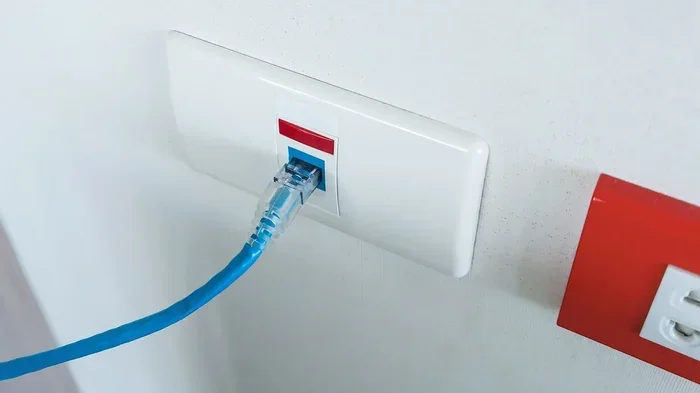
- Connect an ethernet cable. Plug one end into the ethernet port on your wifi box. Plug the other end into the WAN or internet port on your router.
- Power on the wifi box. Wait for it to fully start up. The lights should become steady.
- Power on your router. Wait for it to boot up completely.
- Test your connection. Use a phone or laptop to connect to the WiFi network your router is broadcasting.
That is it. In just a few minutes, you have a working home network with a wireless connection. If you run into issues, try restarting both devices. This fixes most network setup problems right away.
Can You Use A Mesh System With A Wifi Box?
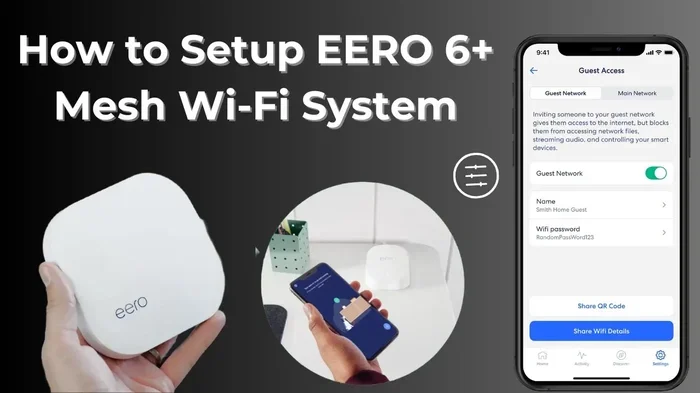
Yes, you absolutely can. Mesh WiFi systems are a great way to cover your entire home with a strong signal. You connect the main mesh unit to your wifi box using an ethernet cable, and then place satellite nodes around your house.
Many people ask, can I connect Deco mesh WiFi to an existing router? The answer is yes. Deco mesh systems work with most existing routers and gateways. They extend your WiFi coverage without replacing your current setup. This is especially helpful for larger homes where a single router just cannot reach every room.
Common Mistakes People Make With Wifi Boxes And Routers
There are a few mistakes that trip up a lot of people when setting up their home network. Avoiding these simple errors can save you a lot of frustration.
- Confusing the wifi box with the router. Your ISP box handles the incoming signal. The router shares it. Know which one is which.
- Placing the router in a bad spot. Walls, metal objects, and microwaves can weaken your WiFi signal. Keep the router in a central, open area.
- Using outdated equipment. Old routers cannot handle modern internet speeds. Check with your provider about upgrades or buy your own.
- Forgetting to restart devices. A simple restart fixes most connectivity issues. Make it a habit to power cycle your equipment once a month.
- Ignoring the ethernet connection. Even if you use WiFi, a wired connection to your router gives the best speed for gaming and streaming.
One of the biggest mistakes is thinking you do not need a router at all. Some people believe the wifi box from their ISP does everything. It does not. Without a router, you have no wireless network and no way to connect multiple devices at once.
Can You Get A Router For Free From Your ISP?
Many internet providers offer a router for free or at a reduced cost when you sign up for a plan. However, there is usually a catch. You either pay a monthly rental fee, or the upfront cost is baked into your plan price over time. If you are curious about whether you can get a free router from your provider, it is worth checking your current plan details or calling customer service.
Free routers from ISPs are often basic models. They work fine for light browsing and email, but they may struggle with heavy streaming, gaming, or large households with many connected devices. If you want better WiFi coverage and faster speeds, investing in your own router is usually the better long-term choice.
How To Decide What You Need
Ask yourself a few simple questions. How many devices connect to your network? Do you game or stream in 4K? How big is your home? Your answers will tell you whether the free ISP router is enough or if you need something stronger.
For a small apartment with a few devices, the ISP gateway might be all you need. For a larger home with smart TVs, security cameras, and multiple users, a dedicated wireless router or a mesh system is a much better investment.
Final Thoughts
So, does a wifi box need a router to connect to the internet? Yes, it really does. The box brings the internet into your home, but the router is what makes it wireless and shareable. Without a router, you are stuck plugging devices in with cables.
The good news is that setting up a router is simple and affordable. Whether you use the gateway your provider gave you or buy your own wireless router, you now know exactly how your home network works. Take a few minutes to check your setup, make sure everything is connected properly, and enjoy a faster, more reliable internet experience.
Your internet connection is only as good as the equipment behind it. Understanding the difference between a wifi box and a router puts you in control. You can make smart choices about your setup, troubleshoot problems faster, and get the most out of your broadband service every single day.
Frequently Asked Questions
Can I use my wifi box without a router?
You can use a wifi box without a router, but only with a wired connection. You would need to plug each device directly into the box using an ethernet cable. This setup does not provide WiFi, so it is not practical for most homes.
What is the difference between a wifi box and a router?
A wifi box, also called a modem or gateway, receives the internet signal from your provider. A router takes that signal and creates a wireless network your devices can connect to. Many modern devices combine both functions into one unit.
Do I need to buy a router if my ISP gave me a wifi box?
It depends on your needs. If the ISP-provided box is a combo unit with a built-in router, you may not need to buy anything extra. But if you want better internet speed, wider WiFi coverage, or more control over your network, buying a separate router is a smart move.
Can a mesh WiFi system replace my router?
Yes, a mesh WiFi system can replace your current router. The main mesh unit connects directly to your wifi box and acts as the router. Satellite nodes placed around your home extend the signal for full WiFi coverage without dead zones.
How can I improve my WiFi signal at home?
You can improve your WiFi signal by placing your router in a central location, away from walls and electronics. Upgrading to a better wireless router or adding a mesh system also helps. Reducing the number of connected devices on one band can improve internet speed too.
What happens if I do not have a router at all?
Without a router, you can still access the internet, but only through a wired connection. You would need to plug your computer directly into the wifi box with an ethernet cable. No other devices can connect wirelessly, and you lose the convenience of a home network.