Can We See Your Search History On The Home Wifi Bill
Your home wifi bill does not show your search history or the websites you visit. It only lists data usage, connected devices, and billing details. However, your internet service provider may still track your online activity behind the scenes. Understanding what appears on your wifi bill helps you protect your browsing privacy and avoid unnecessary worry.
Key Takeaways
- Wifi bills do not display browsing history: Your home wifi bill shows data usage, not the websites you visit or searches you made.
- Your ISP may still track your activity: Internet service providers can log your browsing data on their own servers, even if it never appears on your bill.
- Router admin panels show more detail: Anyone with access to the router can view connected devices and some network logs, but not full search history.
- DNS queries reveal partial info: Your wifi bill may show domain requests, but not the specific pages or searches within those sites.
- VPNs and privacy tools help: Using a VPN, HTTPS sites, and private browsing mode adds layers of protection to your online activity.
- Check your router settings regularly: Reviewing connected devices and network logs helps you spot unauthorized users.
- Laws vary by country: Data retention rules differ globally, affecting how long your ISP stores your browsing records.
📑 Table of Contents
- Can Someone See Your Search History On The Home Wifi Bill?
- What Exactly Shows Up On Your Home Wifi Bill?
- What Your Internet Service Provider Can Actually See
- What Can The Wifi Router Owner See?
- How To Protect Your Search Privacy On Home Wifi
- Common Myths About Wifi Bills And Browsing History
- What Happens If Someone Requests Your Data?
- How To Read Your Wifi Bill Like A Pro
- Final Thoughts
Can Someone See Your Search History On The Home Wifi Bill?
Let us clear this up right away. No, your home wifi bill does not show your search history. If you are worried that someone — a parent, a roommate, or a partner — can read your browsing activity on the monthly bill, you can breathe a little easier. The bill simply does not include that kind of detail.
But here is the catch. Just because your search history does not appear on the bill does not mean nobody is watching. Your internet service provider, or ISP, may still keep records of the websites you visit. And someone with access to your router might see more than you think.
This article breaks down exactly what shows up on a wifi bill, what your ISP can see, and how you can protect your privacy. We will walk through practical steps you can take today.
What Exactly Shows Up On Your Home Wifi Bill?
Most people never look closely at their wifi bill. They pay it and move on. But if you have ever wondered what information is actually printed on that document, you are not alone.
Basic Billing Information
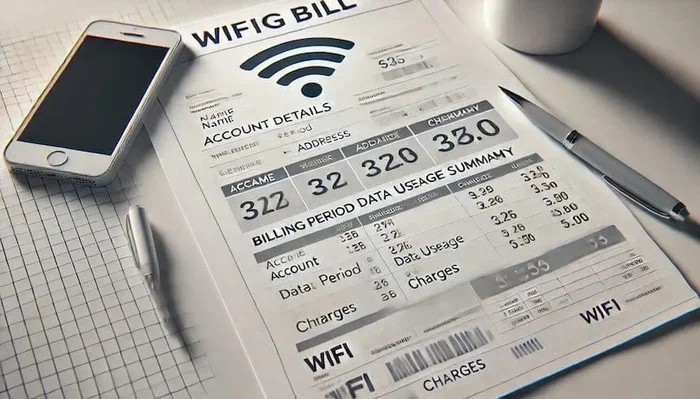
Your wifi bill includes standard account details. You will see your name, billing address, account number, and the billing period. It also lists the monthly service fee, any taxes, and the total amount due.
Beyond that, the bill typically shows a summary of your data usage. This is usually expressed in gigabytes or terabytes. Some bills break this down by day or by week, but most give a single monthly total.
Connected Devices
Some internet providers list the devices connected to your network. This might include the number of devices or, in more detailed bills, the names or MAC addresses of those devices. However, this still does not reveal what those devices were doing online.
What Does NOT Appear
Here is the important part. Your wifi bill will not show:
- The specific websites you visited
- Your search queries on Google or other engines
- The videos you watched on YouTube
- Your social media activity
- The content of messages or emails
In short, your browsing history stays off the bill. The bill is a financial document, not a browsing log.
What Your Internet Service Provider Can Actually See
Even though the wifi bill keeps your browsing private, your ISP has a much bigger picture. Understanding what they can see helps you make better choices about your online privacy.
How ISPs Track Activity
Your ISP controls the connection between your home network and the internet. Every time you visit a website, that request passes through their servers. This means they technically have the ability to log that activity.
What they can see includes:
- The domain names you visit (like google.com or youtube.com)
- The time and duration of your visits
- The amount of data transferred
- Your IP address and the IP addresses of sites you visit
However, they generally cannot see the exact pages within a site or the specific searches you type, especially if those sites use HTTPS encryption. Most modern websites now use HTTPS, which scrambles the content of your traffic.
Data Retention Policies
Different countries have different rules about how long ISPs must store this data. In the United States, there is no federal law requiring ISPs to keep browsing logs. But in the European Union, data retention laws vary by country. Some nations require ISPs to store connection data for months or even years.
This means that while your wifi bill does not reveal your history, your ISP might still hold records somewhere on their servers. And those records could be shared with law enforcement if legally required.
Can Your ISP Sell Your Data?
In some regions, ISPs are allowed to sell aggregated browsing data to advertisers. This is not personal information tied to your name. But it does mean your browsing habits can influence the ads you see across the web.
What Can The Wifi Router Owner See?
If you are using someone else’s wifi network, the person who owns the router may have access to more information than what appears on the bill. Let us look at what a router admin can and cannot see.
Router Admin Panel Information
Anyone with the router password can access the admin panel. From there, they can typically see:
- A list of all devices connected to the network
- The bandwidth each device uses
- The connection times for each device
- DNS query logs (the domain names requested)
Some advanced routers also keep a log of URLs visited. But this is not common for most home routers. And even when it happens, the router owner still cannot see the specific search terms you typed or the content you read on a page.
DNS Logs Explained
DNS stands for Domain Name System. When you type a website address into your browser, your device sends a DNS request to find that site. These requests can be logged by the router.
So a router owner might see that a device visited google.com or amazon.com. But they would not see what you searched for on Google or what product you looked at on Amazon. The actual content remains encrypted.
How To Check Your Own Router Logs
Want to see what your router sees? Here is a quick way to check.
- Open a web browser on a device connected to your wifi.
- Type your router’s IP address into the address bar. Common addresses are 192.168.1.1 or 192.168.0.1.
- Log in with your admin username and password.
- Look for a section called “Logs,” “Activity,” or “DNS Settings.”
- Review the logs to see domain requests and connected devices.
If you have not changed your router password from the default, do that right away. A weak router password is a security risk.
How To Protect Your Search Privacy On Home Wifi
If you want to keep your browsing activity truly private, there are several steps you can take. These range from simple habits to more advanced tools.
Use A VPN Service
A Virtual Private Network, or VPN, is one of the most effective tools for protecting your online privacy. A VPN encrypts all the data leaving your device before it reaches your router or ISP.
When you use a VPN, your ISP can only see that you are connected to a VPN server. They cannot see which websites you visit or what you search for. This is a powerful layer of protection.
Popular VPN services include NordVPN, ExpressVPN, and Surfshark. Most cost between five and twelve dollars per month.
Browse With HTTPS Everywhere
Always look for the padlock icon in your browser’s address bar. This means the site uses HTTPS encryption. When a site uses HTTPS, your ISP cannot see the specific pages you visit — only the domain name.
You can also install the HTTPS Everywhere browser extension. It automatically forces websites to use the secure HTTPS connection whenever possible.
Use Private Browsing Mode
Most browsers offer a private or incognito mode. This prevents your browser from saving your history, cookies, and search queries locally. However, private browsing does not hide your activity from your ISP or the wifi network owner.
Think of it this way. Private browsing keeps your history off your own device. It does not stop your ISP or router from seeing your traffic.
Use A Private Search Engine
Search engines like Google track your search queries and build a profile based on your habits. If you want more privacy, consider switching to a private search engine like DuckDuckGo or Startpage.
These search engines do not store your search history or track you across the web. They give you clean results without the targeted ads.
Secure Your Home Network
Strong network security is the foundation of browsing privacy. Here are some quick tips:
- Change your router’s default admin password
- Use WPA3 or WPA2 encryption on your wifi
- Keep your router firmware up to date
- Create a separate guest network for visitors
- Disable remote management on your router
These steps make it much harder for anyone to snoop on your network activity.
Common Myths About Wifi Bills And Browsing History
There is a lot of misinformation floating around about what wifi bills can reveal. Let us clear up some of the most common myths.
Myth 1: The Wifi Bill Shows Every Website You Visit
This is simply not true. The wifi bill is a billing statement. It shows how much data you used, not which websites you accessed. No internet provider includes a browsing history report on the bill.
Myth 2: Deleting Your Browser History Erases All Traces
Deleting your browser history only removes the local record from your device. Your ISP may still have records of your activity. And if someone has access to the router, they may have their own logs.
Myth 3: Incognito Mode Makes You Completely Anonymous
Incognito mode is helpful, but it is not magic. It only prevents your browser from saving your history, cookies, and form data. Your ISP, your employer (if using work wifi), and the wifi network owner can still see your traffic.
Myth 4: Only Illegal Activity Gets Tracked
ISPs track all traffic, not just suspicious activity. This is often for network management and billing purposes. Your browsing data has commercial value, which is why some ISPs sell aggregated data to advertisers.
What Happens If Someone Requests Your Data?
Law enforcement agencies can request browsing records from ISPs through legal processes like subpoenas or court orders. If your ISP keeps logs, they may be required to hand them over.
This is another reason why many privacy-conscious users choose to use VPNs. A VPN reduces the amount of data an ISP can log, which limits what can be handed over in response to a legal request.
It is worth noting that some ISPs have faced legal challenges over their data collection practices. In 2017, the United States repealed broadband privacy rules that would have required ISPs to get user consent before selling browsing data. Since then, the regulatory landscape has remained complex and varies widely.
How To Read Your Wifi Bill Like A Pro
Now that you know what to expect, here is a quick guide to reading your wifi bill effectively.
Start with the billing period dates. Make sure the dates match the period you are reviewing. Next, check the data usage section. If you notice a sudden spike, it could mean someone else is using your network or a device is running in the background.
Look at the list of connected devices if your bill includes one. Compare the device names with the devices you own. If you see an unfamiliar device, it may be time to change your wifi password.
Finally, review any additional fees or charges. These can include equipment rental fees, early termination fees, or overage charges for exceeding your data cap.
Reading your bill regularly helps you catch unauthorized use and understand your actual data consumption patterns.
Final Thoughts
Your home wifi bill is not a window into your browsing history. It shows data usage, connected devices, and billing details — nothing more. But that does not mean your online activity is completely invisible.
Your ISP can see more than what appears on your bill. Router admins can access logs. And in some cases, your data can be requested by authorities.
The good news is that you have options. Using a VPN, browsing on HTTPS sites, and securing your router are all practical steps you can take right now to protect your privacy. Taking control of your search privacy starts with understanding how your data flows through your home network.
Stay informed, stay proactive, and browse with confidence.
Frequently Asked Questions
Can my parents see my search history on the wifi bill?
No, your wifi bill does not include your search history or the websites you visit. It only shows data usage and billing information. However, if your parents have access to the router admin panel, they might see some domain requests in the logs.
Does my internet provider save my browsing history?
Many ISPs can technically log the domains you visit, but whether they actually do depends on their privacy policies and local laws. Some ISPs keep records for network management, while others minimize logging. Using a VPN prevents your ISP from seeing your browsing activity.
Can the wifi owner see what I search in incognito mode?
Incognito mode only hides your history from your own browser. The wifi owner can still see that your device connected to the network and which domains you visited. Incognito does not make you invisible on someone else’s network.
What does my wifi bill show besides data usage?
Your wifi bill typically shows your account details, billing period, service fees, taxes, total amount due, and sometimes a list of connected devices. It never shows the specific content of your browsing or search activity.
How can I stop my ISP from tracking my browsing?
The most effective way is to use a reputable VPN service. A VPN encrypts your traffic before it leaves your device, so your ISP cannot see which websites you visit. You should also use HTTPS sites and consider a private search engine like DuckDuckGo.
Is it legal for ISPs to sell my browsing data?
In many regions, ISPs can sell aggregated browsing data without your explicit consent. The rules vary by country and state. In the United States, there is no federal law preventing ISPs from selling your data, but some states like California have enacted their own privacy protections.