Does Aa Have Free Inflight Wi Fi On Every American Flight
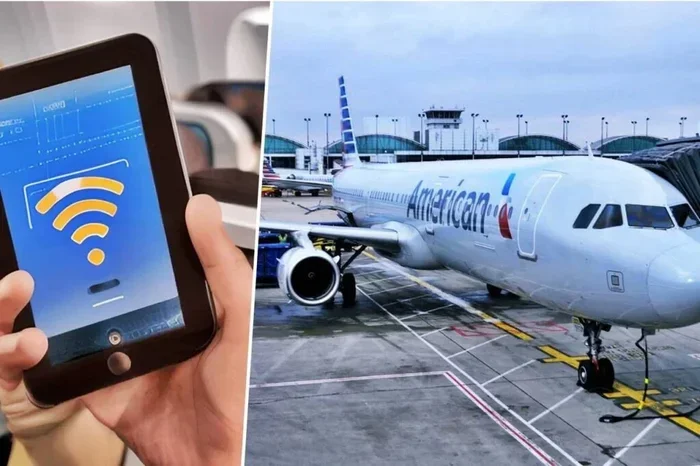
Does AA have free inflight Wi-Fi on every American flight? Not exactly. American Airlines provides free Wi-Fi on many domestic routes, but international flights and some domestic routes may require a paid plan. This guide covers everything you need to know about AA inflight Wi-Fi, including coverage, speed, and how to connect.
Key Takeaways
- AA offers free Wi-Fi on most domestic flights: You can browse, email, and message without paying on many U.S. routes.
- International flights often require a paid plan: Long-haul routes may use a different pricing model.
- Connecting is simple: Enable airplane mode, turn on Wi-Fi, and open the AA Wi-Fi portal.
- Speed varies by route and aircraft: Viasat and Gogo systems deliver different performance levels.
- A portable Wi-Fi hotspot is a great alternative: It gives you independent internet anywhere.
- Boost your home Wi-Fi before travel: You can boost your Wi-Fi signal outside to test your setup.
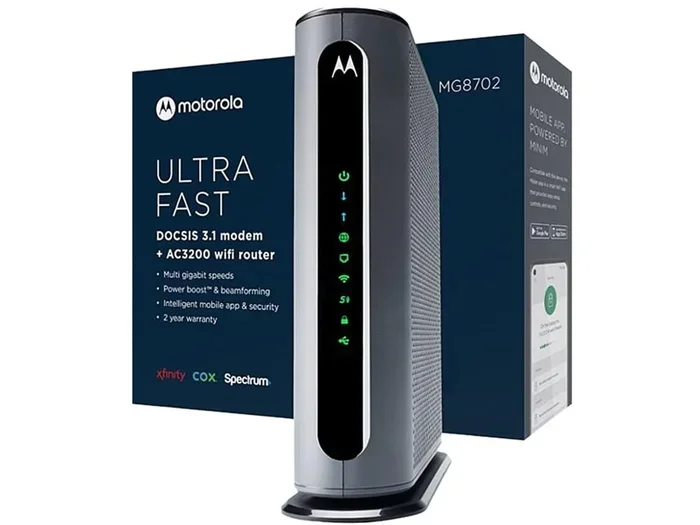
- Consider a newer router: Some users ask if they should change their Wi-Fi router for better performance at home.
📑 Table of Contents
- What You Need to Know About AA Inflight Wi-Fi
- Does AA Offer Free Inflight Wi-Fi on Every Flight?
- How to Connect to American Airlines Wi-Fi
- Wi-Fi Speed and Performance on AA Flights
- Alternatives to AA Inflight Wi-Fi
- Tips for Getting the Best Wi-Fi Experience on AA
- Common Mistakes People Make with AA Wi-Fi
- Expert Insights on Airline Wi-Fi
- Conclusion
What You Need to Know About AA Inflight Wi-Fi
Traveling with American Airlines means you might want to stay online. Whether you are checking emails or streaming a movie, inflight Wi-Fi matters. American Airlines has invested in internet technology over the years. Today, most planes offer some form of connectivity. But does that mean it is always free? The answer is more nuanced than you might think.
AA uses two main systems for inflight internet. The first is Viasat, which provides high-speed satellite-based Wi-Fi. The second is Gogo, an older air-to-ground system. Both have their strengths. Viasat tends to be faster and more reliable. Gogo can work well over land but struggles over oceans. Knowing which system your flight uses helps you set the right expectations.
Not every flight offers the same experience. A short hop from New York to Chicago will have different Wi-Fi than a transatlantic flight to London. The type of aircraft also matters. Newer planes are more likely to have the latest Viasat equipment. Older planes might still rely on Gogo or have no Wi-Fi at all. This guide will walk you through every detail.
We will cover pricing, speed, how to connect, and alternatives if AA Wi-Fi does not meet your needs. You will also learn common mistakes to avoid. By the end, you will know exactly what to expect from AA inflight Wi-Fi.
Does AA Offer Free Inflight Wi-Fi on Every Flight?
The short answer is no. American Airlines does not provide free Wi-Fi on every single flight. However, many domestic routes do offer complimentary access. The policy has changed several times over the years. American Airlines has tested free Wi-Fi on select routes. They have also offered free tiers with limited data. The current landscape is a mix of free and paid options.
Free Wi-Fi on Domestic Routes
Most domestic flights within the United States now include a free basic Wi-Fi tier. This tier allows you to browse the web, check email, and use messaging apps. Streaming video is usually not included in the free tier. You may see ads or experience slower speeds during peak times. The free tier is perfect for staying in touch with friends and family.
American Airlines has rolled out free Wi-Fi on a growing number of domestic routes. They aim to make connectivity a standard feature. Some routes offer a faster paid tier for those who need more speed. The free tier is often enough for light users. If you only need to send messages or check weather, you will be fine.
Wi-Fi on International Flights
International flights are a different story. Many long-haul routes charge for Wi-Fi access. The pricing can vary by region and airline partnership. Some international flights offer a free limited tier. Others require you to purchase a day pass or a monthly subscription. The speed on international routes can also be slower due to satellite distance.
If you are flying from the U.S. to Europe or Asia, check the Wi-Fi details before booking. American Airlines lists Wi-Fi availability on each route. You can find this information on the flight details page. Some international aircraft have newer Viasat equipment that offers better speeds. Always verify the Wi-Fi type for your specific flight.
Which Fare Classes Get Free Access
Your fare class can also affect Wi-Fi access. First Class and Business Class passengers often get complimentary Wi-Fi. Some premium economy seats include free access too. Main Cabin passengers may need to pay for faster tiers. The free basic tier is usually available to everyone. But premium features like high-speed streaming might require a purchase.
American Airlines occasionally runs promotions. They may offer free Wi-Fi for all passengers on certain routes. They also partner with credit card companies. Some co-branded cards provide free Wi-Fi as a perk. Check your card benefits before you fly. This can save you money on inflight internet.
How to Connect to American Airlines Wi-Fi
Connecting to AA Wi-Fi is straightforward. Follow these steps to get online quickly.
- Enable airplane mode on your device.
- Turn on your Wi-Fi adapter.
- Select the network named “AA Wi-Fi” or “American Airlines Wi-Fi”.
- Open your web browser. You will be redirected to the AA Wi-Fi portal.
- Choose your plan or accept the free tier if available.
- Log in with your American Airlines account if prompted.
- Start browsing.
The portal is easy to use. It shows your data usage and remaining time. You can purchase a day pass or a monthly plan if needed. The free tier usually requires no payment. Just click accept and you are connected.
Some devices may not auto-redirect. If the portal does not open, type “aa.com” or “aawifi.com” into your browser. This will trigger the login page. Make sure your device has enough battery. Inflight Wi-Fi can drain power faster than normal.
Wi-Fi Speed and Performance on AA Flights
Speed is a big factor when choosing inflight Wi-Fi. American Airlines uses two main networks. Viasat offers the fastest speeds. It can handle streaming and video calls in many cases. Gogo is slower but still works for basic tasks. The speed you get depends on the aircraft, the route, and the number of users.
Download Speeds You Can Expect
On Viasat-equipped planes, download speeds often range from 10 to 20 Mbps. That is enough for email, social media, and standard-definition video. On Gogo-equipped planes, speeds might be 3 to 5 Mbps. That is fine for browsing and messaging. Streaming high-definition video can be tricky on either system.
Peak times slow down the network. If everyone on the plane is streaming, speeds drop. Morning flights and red-eye flights are usually less crowded. You may get better speeds on those flights. Weekday flights also tend to have fewer users than weekend routes.
Streaming and Video Calls
Can you watch Netflix on AA Wi-Fi? It depends. The free tier usually blocks streaming services. The paid tiers often allow streaming but with limits. Video calls like Zoom can work on Viasat. They may struggle on Gogo or during busy flights. Test your connection early in the flight. If it is slow, you can switch to offline activities.
| Network | Typical Speed | Best For | Free Tier |
|---|---|---|---|
| Viasat | 10-20 Mbps | Streaming, video calls, browsing | Yes (basic) |
| Gogo | 3-5 Mbps | Email, messaging, light browsing | Yes (basic) |
Alternatives to AA Inflight Wi-Fi
Sometimes AA Wi-Fi is not enough. You might be on a route without free access. Or you may need faster speeds than what the airline provides. In those cases, you have several alternatives. These options give you control over your internet connection.
One popular alternative is a portable Wi-Fi hotspot. A portable hotspot is a small device that creates your own Wi-Fi network. It uses cellular data from a SIM card. You can buy a global SIM card before your trip. This gives you internet anywhere there is cell coverage. It works on planes too, if the airline allows cellular use. Some passengers use their phone as a hotspot instead. Check with your carrier about in-flight hotspot policies.
Another option is to boost your Wi-Fi signal outside before you leave home. A signal booster can improve your home network. This helps you test your device and VPN setup before travel. It also ensures you have a strong signal when you return. A boost your Wi-Fi signal outside with a quality repeater. This keeps your home network strong and ready for travel.
Some travelers prefer to download content before the flight. Download movies, podcasts, and ebooks to your device. This way you do not need Wi-Fi at all. You can still enjoy entertainment without relying on the airline. Offline apps like Spotify and Netflix allow downloads. Plan ahead and you will never be bored.
Tips for Getting the Best Wi-Fi Experience on AA
You can take steps to improve your AA Wi-Fi experience. Small adjustments make a big difference. Here are some practical tips to follow.
Pre-Flight Preparation
- Check Wi-Fi availability on your specific flight before you book.
- Charge your device fully before heading to the airport.
- Bring a portable charger or power bank.
- Download offline content in advance.
- Log in to your AA account before you board.
- Close unnecessary apps to save battery and bandwidth.
Device Settings
Your device settings can affect Wi-Fi performance. Turn off automatic updates before the flight. Disable background app refresh. These steps save data and reduce slowdowns. Use a lightweight browser for faster page loading. Avoid opening too many tabs at once. One tab for the portal and one for your email is enough.
Some users ask if they should change their Wi-Fi router at home. A newer router can improve your home network. It does not directly affect inflight Wi-Fi. But it helps you test your devices and VPNs before travel. A strong home setup builds good habits for travel.
Quick Tips for AA Wi-Fi
- Connect as soon as the seatbelt sign turns off.
- Use the free tier first to see if it meets your needs.
- Purchase a day pass only if you need streaming.
- Try a different browser if the portal is slow.
- Use a VPN for security on public Wi-Fi networks.
Common Mistakes People Make with AA Wi-Fi
Avoid these common pitfalls to save time and money.
- Assuming all flights have free Wi-Fi: Always check the route details. Some flights charge for all tiers.
- Forgetting to enable airplane mode: This prevents your device from connecting properly.
- Not logging into the portal: The auto-redirect sometimes fails. Manually type the portal URL.
- Overlooking data limits: The free tier may have data caps. Watch your usage to avoid surprises.
- Ignoring device battery life: Wi-Fi drains battery fast. Bring a charger.
- Using outdated apps: The AA app and portal may need updates for smooth performance.
Expert Insights on Airline Wi-Fi
Industry experts say airline Wi-Fi is improving fast. Viasat and Gogo continue to upgrade their networks. American Airlines is part of this evolution. The goal is to make inflight internet as reliable as home Wi-Fi. Some experts predict free unlimited Wi-Fi on all flights within five years. Others believe a hybrid model will persist. Free basic access with paid premium tiers seems likely to remain.
From a technical standpoint, satellite technology is the future. Low-earth orbit satellites promise faster speeds and lower latency. American Airlines is already testing some of these new systems. Passengers can expect better performance on international routes soon. The days of slow, expensive inflight Wi-Fi are fading.
Travelers should also consider their own habits. If you only need email, the free tier is perfect. If you need to work, a portable hotspot may be better. Understanding your needs helps you choose the right option. Do not rely solely on airline Wi-Fi for critical tasks.
Conclusion
So, does AA have free inflight Wi-Fi on every American flight? The answer is no, but it is close. Most domestic routes offer a free basic tier. International flights often require a paid plan. The quality of the connection depends on the aircraft and the network. American Airlines continues to invest in better technology. Passengers can expect faster and more reliable Wi-Fi in the future.
You now know how to connect, what speeds to expect, and when Wi-Fi is free. You also have alternatives like a portable hotspot or offline content. Use these tips to stay connected in the sky. Plan ahead, check your route, and enjoy your flight. AA inflight Wi-Fi is a valuable tool. Use it wisely and you will stay productive and entertained throughout your journey.
Frequently Asked Questions
Is AA Wi-Fi completely free on domestic flights?
Most domestic flights offer a free basic tier. This tier covers email, messaging, and light browsing. Streaming and high-speed access may require a paid plan. Always check your specific flight details before you assume it is free.
Can I stream Netflix on American Airlines Wi-Fi?
Streaming is possible on paid Wi-Fi tiers. The free tier usually blocks video streaming services. Viasat-equipped planes handle streaming better than Gogo planes. Download content before your flight if you want to watch offline.
How do I know if my AA flight has Wi-Fi?
Check the Wi-Fi details on the American Airlines website or app. Look at the flight route page. It lists the Wi-Fi type and availability. You can also ask the flight attendants after boarding.
Does AA Wi-Fi work over oceans?
Yes, but it depends on the aircraft. Viasat satellite systems work over oceans. Gogo air-to-ground systems do not. International flights are more likely to have satellite Wi-Fi. Speeds may be slower over remote oceanic areas.
Can I use a VPN on AA Wi-Fi?
Yes, you can use a VPN on AA Wi-Fi. A VPN adds security and privacy. It can also help bypass some portal restrictions. Choose a lightweight VPN to avoid slowing down your connection.
What should I do if AA Wi-Fi is not working?
First, make sure airplane mode is on and Wi-Fi is enabled. Try connecting to the AA network again. Clear your browser cache or use a different browser. If the portal does not open, type “aa.com” manually. Ask a flight attendant if the system is down.