Do Some Wifi Routers Have Better Range Than Others
Do some wifi routers have better range? Absolutely. The router coverage area depends on hardware, antenna design, and frequency bands. Choosing the right one can eliminate wifi dead zones and boost your wireless signal coverage across the entire home.
Yes, do some wifi routers have better range than others. The difference comes down to hardware, antenna design, frequency bands, and the technology packed inside the device. A wifi router with better range can cover a larger home, reach farther rooms, and cut down on annoying wifi dead zones. Not all routers are built the same, and cheaper models often struggle to push a strong signal through walls and floors. In this guide, we will break down exactly what gives certain routers an edge and how you can find one that fits your home.
Have you ever walked into a room and lost your wifi connection? That frustrating experience happens to millions of people every day. The truth is, your router plays a huge role in how well your wireless signal travels through your space. Some devices are simply designed to send data farther and stronger than others. Let us explore why that is and what you can do about it.
Key Takeaways
- Hardware matters: Better processors and antennas directly improve range
- Frequency bands play a big role: Dual-band and tri-band routers cover more area
- Mesh systems excel: They spread coverage throughout large homes
- Placement is critical: Even the best router suffers from poor positioning
- Beamforming technology focuses the signal where you need it most
- WiFi 6 routers offer improved range and efficiency over older standards
📑 Table of Contents
Why Do Some Wifi Routers Have Better Range Than Others?
The short answer is that not all routers are created equal. Some are built with premium components and advanced features that allow them to push a wireless signal much farther. Others are basic models meant for small spaces and light use. Understanding the differences helps you make a smarter buying decision.
The Role of Hardware in Wifi Range
The internal hardware of a router has a direct impact on its wifi range. More powerful processors can handle data more efficiently. Better router antennas send and receive signals more effectively. High-end models often include multiple antennas and stronger amplifiers. These components work together to extend your network coverage far beyond what a budget router can offer.
Think of it like a car engine. A bigger, more powerful engine pushes the car farther and faster. Similarly, a router with better internal hardware pushes your wireless signal farther through your home. The router processor also matters because it handles multiple devices at once without slowing down the signal.
Antenna Design and Signal Power
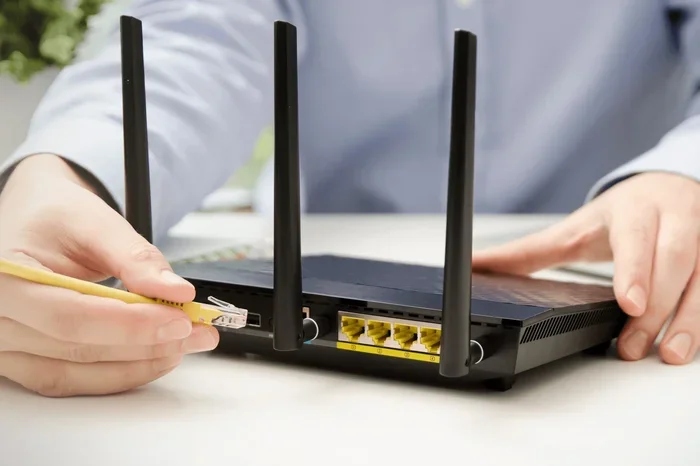
Router antennas are one of the most visible factors in range. Some routers have internal antennas hidden inside the body. Others have external antennas you can see and even adjust. External antennas often provide better signal strength because they can be positioned for optimal coverage.
The number of antennas also matters. Most standard routers have two or four antennas. Higher-end models may have six or more. More antennas mean the router can handle more data streams and reach farther distances. This is especially true when using beamforming technology, which focuses the signal directly toward your devices instead of spraying it everywhere.
What Factors Determine a Router’s Range?
Several key factors determine how far your wifi signal can travel. Let us look at each one closely so you understand what really matters.
Frequency Bands and Their Impact
Most modern routers operate on two or three frequency bands. The 2.4GHz band travels farther but offers slower speeds. The 5GHz band provides faster speeds but has a shorter range. A dual band router gives you both options, while a tri band router adds a second 5GHz band for even more capacity.
If you need wifi range to reach a distant part of your home, the 2.4GHz band is your best friend. It penetrates walls and floors much better than 5GHz. But if you want speed in the same room as your router, 5GHz is the way to go. The best wireless routers let you switch between bands automatically based on what you need.
The Importance of Router Placement
Even the most expensive router will struggle if you place it in the wrong spot. Router placement is one of the simplest ways to improve your network coverage. Put your router in a central location in your home. Keep it elevated, like on a shelf or mounted on a wall. Avoid placing it near thick walls, metal objects, or appliances that cause interference.
Many people hide their router in a closet or behind a TV. This blocks the wireless signal and reduces your coverage area. Instead, keep it out in the open where it can broadcast freely. A little thought about placement can make a big difference in your daily internet speed and connection quality.
Wireless Protocol Standards
The wireless protocol your router uses also affects its range. Older standards like WiFi 4 (802.11n) and WiFi 5 (802.11ac) still work well but lack the range and efficiency of newer tech. WiFi 6 (802.11ax) is the latest standard and offers improved range, better signal strength, and greater efficiency when multiple devices are connected.
WiFi 6 routers use advanced techniques like OFDMA and better beamforming to push signals farther. If you are buying a new router, look for WiFi 6 or WiFi 6E support. These standards represent the best wireless range available to consumers today. They also future-proof your network for years to come.
Types of Routers and Their Range Capabilities
Not all routers fall into the same category. Different types serve different needs and offer different levels of router coverage. Let us break down the main types you will encounter.
Standard Single-Band Routers
Single-band routers operate only on the 2.4GHz frequency. They are affordable and work fine for small apartments or studios. However, they have limited wireless signal coverage and slower speeds. If you live alone or with one other person in a small space, a single-band router may be enough.
But for larger homes or households with multiple devices, single-band routers quickly become a bottleneck. They struggle with wifi dead zones and often cannot push a strong signal past a few walls. For most families, a better option exists.
Dual-Band and Tri-Band Routers
Dual band routers offer both 2.4GHz and 5GHz bands. This gives you flexibility to connect devices on the band that works best for them. Smart home gadgets and IoT devices do well on 2.4GHz, while streaming and gaming devices thrive on 5GHz.
Tri band routers add a second 5GHz band. This is ideal for homes with many devices competing for bandwidth. The extra band reduces congestion and keeps your internet speed strong even when multiple people are streaming, gaming, or working from home. Tri-band models generally have better range because they use more powerful hardware and better antennas.
| Router Type | Frequency Bands | Typical Range | Best For |
|---|---|---|---|
| Single-Band | 2.4GHz only | Up to 1,500 sq ft | Small apartments |
| Dual-Band | 2.4GHz + 5GHz | Up to 2,500 sq ft | Medium homes |
| Tri-Band | 2.4GHz + 2x 5GHz | Up to 3,500+ sq ft | Large homes and heavy users |
| Mesh System | Varies (usually tri-band) | Up to 5,000+ sq ft | Very large homes |
Mesh Wifi Systems
Mesh wifi systems represent the best solution for whole-home network coverage. Instead of one router doing all the work, a mesh system uses multiple nodes placed around your home. Each node acts as a mini router, creating a seamless web of wireless signal throughout your space.
Mesh systems are especially powerful because they eliminate wifi dead zones. If one node cannot reach a certain room, the next node picks up the signal and extends it. Popular mesh brands like Google Nest Wifi, Eero, and TP-Link Deco make setup easy through simple phone apps. They are the go-to choice for large homes, multi-story buildings, and spaces with thick walls that block signals.
Mesh Routers vs Traditional Routers for Better Range
The debate between mesh wifi and traditional routers comes down to your home size and needs. Both options have strengths, and understanding them helps you choose wisely.
When to Choose Mesh Over Traditional
If your home is larger than 2,000 square feet or has multiple floors, a mesh system is usually the better choice. Traditional routers can struggle to cover large spaces evenly. You may find that one corner of your house gets a strong signal while another room barely connects at all.
Mesh systems solve this problem by distributing network coverage across multiple points. The result is a consistent wireless signal everywhere you go in your home. You can walk from the basement to the attic without losing your connection. For most people in larger homes, mesh wifi delivers a better experience than any single traditional router can match.
Expert Insights
Networking experts agree that mesh wifi systems are the future of home connectivity. According to industry professionals, the average home now has over 15 connected devices. A single traditional router often cannot handle that many devices while maintaining strong signal strength across the entire coverage area.
Experts also recommend looking for routers with beamforming technology and WiFi 6 support. These features focus the signal where it is needed most and improve efficiency. When paired with a mesh system, they deliver the best possible wireless range for any home size.
How to Choose a Router With Better Range
Shopping for a router with better range can feel overwhelming. There are so many options and technical terms to sort through. Here is a straightforward guide to help you pick the right one.
First, measure your home. Know the square footage and the number of floors. This tells you what level of router coverage you need. A small apartment needs a different router than a three-story house with a basement and attic.
Second, consider how many devices you have. Each phone, laptop, smart TV, and smart home device connects to your router. More devices mean you need a router with a powerful processor and multiple bands to keep everything running smoothly.
Third, think about your internet usage. Do you stream 4K videos? Do you game online? Do you work from home with video calls? Heavy usage demands a router with strong signal strength and fast speeds. Look for WiFi 6 or WiFi 6E models for the best performance.
Quick Tips to Boost Your Router’s Range
- Place your router centrally in your home for the most even coverage
- Keep it elevated on a shelf or mounted on a wall
- Avoid walls and metal objects that block the wireless signal
- Update your router’s firmware regularly for the best performance
- Use the 2.4GHz band for devices far from the router
- Enable beamforming if your router supports it
- Restart your router periodically to clear its memory and refresh connections
Common Mistakes That Kill Your Wifi Range
Many people unknowingly hurt their wifi range with simple mistakes. One of the biggest errors is hiding the router behind furniture or inside a cabinet. This blocks the signal strength and creates wifi dead zones in your home.
Another common mistake is placing the router near interfering devices. Microwaves, baby monitors, cordless phones, and Bluetooth devices all operate on the same 2.4GHz frequency. When these devices run, they can weaken your wireless signal and slow down your internet speed.
Some people also never update their router’s firmware. Outdated software can cause poor performance and security issues. Finally, using an old router with an outdated wireless protocol limits your range and speed. If your router is more than five years old, it may be time for an upgrade.
Common Mistakes That Kill Your Wifi Range
- Hiding the router behind walls, furniture, or in closed cabinets blocks the wireless signal
- Placing it near interfering devices like microwaves, baby monitors, and Bluetooth gadgets
- Skipping firmware updates which keeps your router running outdated software
- Using an old router with an outdated wireless protocol that limits both range and speed
- Overloading a single router with too many devices without upgrading to a mesh or tri-band system
Key Takeaways
- Hardware matters: Better processors, more antennas, and stronger amplifiers directly improve wifi range
- Frequency bands play a big role: Dual-band and tri-band routers offer more flexibility and greater network coverage
- Mesh wifi systems excel: They spread wireless signal throughout large homes and eliminate dead zones
- Placement is critical: Even the best router suffers from poor positioning near walls or interfering devices
- Beamforming technology focuses the signal strength directly toward your devices for better reach
- WiFi 6 routers offer improved range and efficiency compared to older wireless standards
- Avoid common mistakes like hiding the router or skipping updates to keep your coverage area strong
Conclusion
The answer to the question do some wifi routers have better range than others is a clear yes. The router coverage area, signal strength, and overall wireless range depend on hardware, antenna design, frequency bands, and the wireless protocol the router supports. A well-chosen router can transform your home network and eliminate frustrating wifi dead zones for good.
Whether you choose a powerful dual band router, a tri band router, or a full mesh wifi system, the key is to match the router to your home size and usage needs. Place it thoughtfully, keep it updated, and take advantage of features like beamforming and WiFi 6 technology.
Do not settle for weak signals and slow internet speed in parts of your home. With the right router and a little effort, you can enjoy strong, reliable wireless connectivity in every room. Start by assessing your space, consider your device count, and invest in a router that delivers the network coverage your household deserves.
Frequently Asked Questions
Do mesh wifi systems really provide better range than traditional routers?
Yes, mesh wifi systems provide significantly better range than traditional single routers. They use multiple nodes placed around your home to create a seamless web of wireless signal. Each node extends the network, eliminating wifi dead zones and ensuring consistent coverage area even in large or multi-story homes. This makes mesh systems the top choice for whole-home connectivity.
Can a wifi range extender help if my router has poor range?
A range extender can help boost your signal strength in areas where the router’s reach falls short. However, extenders often reduce internet speed because they rebroadcast the signal rather than creating a new one. For the best results, consider upgrading to a mesh wifi system instead. Mesh nodes work together more efficiently and maintain full speed throughout your home.
Does the 2.4GHz band really travel farther than the 5GHz band?
Yes, the 2.4GHz band travels farther and penetrates walls better than the 5GHz band. However, it offers slower internet speed. The 5GHz band provides faster speeds but has a shorter wireless range. The best approach is to use a dual band router that lets devices connect to the band that suits their needs, balancing range and speed effectively.
How does beamforming technology improve router range?
Beamforming technology focuses the wireless signal directly toward your connected devices instead of broadcasting it in all directions. This targeted approach strengthens the signal strength where it matters most. It improves network coverage and reduces interference from nearby devices. Most modern WiFi 6 routers include beamforming as a standard feature for better range.
What is the best router brand for maximum range?
Several brands are known for excellent range, including ASUS, Netgear, TP-Link, and Linksys. The best choice depends on your home size, budget, and device count. For large homes, look for tri band routers or mesh wifi systems from these manufacturers. Reading reviews and checking coverage area specifications before buying helps you find the right fit.
Does router placement really affect wifi range that much?
Yes, router placement has a huge impact on your wireless signal and overall coverage area. Placing your router in a central, elevated location gives the best network coverage. Hiding it behind walls or furniture blocks the signal and creates dead zones. Simple placement adjustments can often improve your signal strength more than upgrading to a more expensive router.