Does Wifi Come Through The Internet Explained Simply
Does wifi come through the internet? Not exactly. WiFi is a local wireless signal that connects your devices to a router. The internet is the broader network that reaches your home through a modem. Many people confuse the two, but understanding the difference helps you fix slow speeds, boost coverage, and choose the right setup for your home.
Have you ever asked yourself, does wifi come through the internet? It is a very common question. Many people use the words WiFi and internet like they mean the same thing. But they do not. They are two different things that work together. Once you understand how they connect, everything about your home network makes more sense.
Think of it this way. The internet is like water in a big city pipe. WiFi is like the pipes inside your house that carry water to your faucet. You need both to get water. You need both to get online. This simple idea changes the way you think about your wireless connection and your broadband connection. It helps you fix problems faster. It helps you get better internet speed too.
In this guide, we will break it all down. You will learn what WiFi really is. You will learn what the internet really is. You will see how they work together. You will also learn tips to boost your WiFi signal and improve your home network performance. Let us get started.
Key Takeaways
- WiFi and the internet are not the same thing. WiFi is a local wireless connection, while the internet is the global network that provides data.
- Your router creates a WiFi network. It connects to a modem, which pulls the internet into your home from an internet service provider.
- You can have WiFi without internet. Devices can connect to your local network even when the internet is down.
- Weak WiFi signals do not always mean bad internet. The problem might be with your router placement or WiFi range, not your internet speed.
- Mesh WiFi systems can extend your wireless network. They help cover larger homes and reduce dead zones.
- Understanding this difference saves money. You can troubleshoot problems faster and avoid unnecessary service calls.
📑 Table of Contents
What Is WiFi?
WiFi is a wireless technology. It uses radio waves to send data between your device and a router. It does not need cables. That is the whole point. Your phone, laptop, and smart TV can all connect without wires. This is why it is called a wireless network.
How WiFi Works in Your Home
Your router sends out a radio signal. This signal creates a small local network. Your devices connect to that network. They can talk to each other. They can also reach the internet. But here is the key point. WiFi does not give you the internet by itself. It just moves data back and forth. The internet comes from somewhere else.
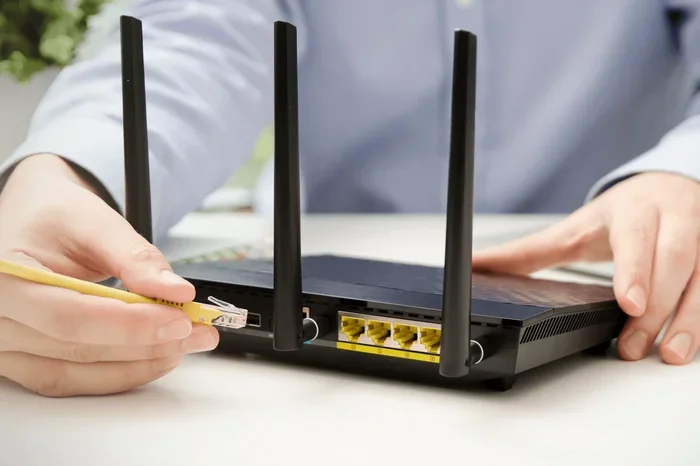
Think about a wireless router setup in a typical home. The router plugs into a modem. The modem connects to your internet service provider. That ISP brings the internet to your house through a cable, fiber, or phone line. The router then turns that wired connection into a wireless signal. Your devices pick up that signal. Now they can browse, stream, and game.
Here is something many people do not know. You can turn on your router and create a WiFi network even when the internet is off. Your devices will still connect. They will still share files. They will still talk to smart home devices on the same network. But they cannot reach websites or online services. This proves that WiFi and the internet are separate.
What Is the Internet?
The internet is a massive global network. It connects millions of computers and servers around the world. When you visit a website, your request travels through this giant web of connections. It goes from your router to your modem. Then it travels through your ISP to bigger networks. Finally it reaches the server that hosts the website you want.
How the Internet Reaches Your Home
There are several ways the internet enters your home:
- Cable internet: Uses the same coaxial cables that bring TV. It is widely available and fast.
- Fiber internet: Uses glass fibers to send data with light. It is the fastest option available today.
- DSL internet: Uses phone lines. It is slower but still common in many areas.
- Satellite internet: Uses a dish to connect to satellites in space. It reaches rural areas where other types cannot.
- Fixed wireless: Uses radio towers to beam internet to a receiver on your home.
No matter which type you have, the internet comes into your home through a modem. The modem then talks to your router. The router creates the WiFi network that your devices use. So the internet does not come through WiFi. WiFi just carries the internet to your devices wirelessly.
If you want to learn more about getting online without a traditional setup, check out our guide on can I get internet in my home without a phone line. It covers alternative ways to bring the internet into your space.
Does WiFi Come Through the Internet?
Now we answer the big question. Does wifi come through the internet? The short answer is no. WiFi does not come through the internet. The internet comes through WiFi. Let us explain this more clearly.
Imagine a delivery truck. The truck is the internet. It carries packages full of data. The WiFi signal is like a loading dock. The truck drives up to the dock. The packages get unloaded. Then they go to different houses in your neighborhood. The dock does not create the packages. It just helps move them from the truck to your door.
In the same way, your router does not create the internet. It receives internet data from the modem. Then it sends that data out through the air as a WiFi signal. Your phone or laptop catches that signal. It uses the data to load websites, show videos, and send messages.
This distinction matters for troubleshooting. If your internet is slow, the problem might not be your WiFi. It could be your modem. It could be your ISP. It could be the server hosting the website. If you assume the problem is WiFi, you might waste time moving your router around for no reason.
When WiFi and the Internet Act Connected
Here is where things get confusing. Sometimes WiFi problems look like internet problems. For example, if your WiFi signal is weak, your internet speed might feel slow. But the internet itself might be fine. The weak signal just cannot carry data fast enough. This is a WiFi problem, not an internet problem.
Another example. If your neighbor is streaming a lot of videos, it might slow down your wireless connection. This happens because many people share the same internet infrastructure in an area. It is not really a WiFi issue. It is an internet congestion issue.
Understanding this difference helps you fix problems the right way. You do not waste time on the wrong solution. You go straight to the real cause.
How to Improve Your WiFi and Internet Setup
Now that you know how WiFi and the internet work, let us talk about making your setup better. A few simple changes can boost your network performance a lot.
Place Your Router in the Right Spot
Your router sends out a WiFi signal in all directions. If you hide it behind a TV or inside a closet, the signal gets blocked. Walls, metal, and even water can weaken the signal. Try to put your router in a central, open spot in your home. This gives you the best WiFi coverage throughout your space.
Use an Ethernet Cable for Key Devices
Not everything needs to be wireless. Your desktop computer or gaming console can plug directly into the router with an ethernet cable. This gives you a wired connection that is faster and more stable than WiFi. It takes the load off your wireless network too.
Consider a Mesh WiFi System
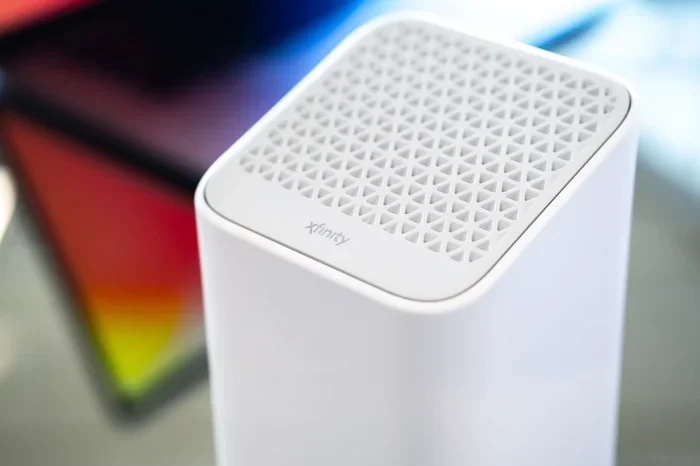
If you have a large home, one router might not be enough. Dead zones are areas where the WiFi signal is too weak to work well. A mesh WiFi system uses multiple nodes to spread the signal everywhere. Each node talks to the others. They create one seamless network.
If you are interested in extending your current setup, our article on can I extend my WiFi to my shed has practical tips for reaching outbuildings and distant areas of your property.
Update Your Router Firmware
Router manufacturers release updates that improve performance and security. Check your router settings once a month. Look for a firmware update option. This simple step keeps your home network running smoothly and safely.
Choose the Right Internet Plan
Your WiFi can only be as fast as your internet plan allows. If you pay for slow internet, no router will fix that. Check your internet speed with an online test. Compare it to what your plan promises. If they do not match, contact your ISP.
Want to explore your options for buying your own equipment? Read our guide on can I buy my own router for internet to save money and avoid rental fees.
Common WiFi and Internet Problems
Even with a great setup, problems happen. Here are the most common issues and how to fix them.
Slow Internet Speed
Slow speeds can come from many places. First, run a speed test. If the wired connection is slow too, the problem is not WiFi. It is your internet plan or modem. If the wired speed is fine but WiFi is slow, move closer to the router. Check for interference from other devices.
WiFi Keeps Disconnecting
This is frustrating. Often it happens because your router is too old. Older routers do not handle modern wireless devices well. They also lack the latest wireless technology standards. Upgrading to a newer router can solve this problem completely.
Can Not Connect to WiFi at All
First, check if other devices can connect. If none can, restart your router and modem. If only one device will not connect, the problem is with that device. Forget the network and reconnect. Update the WiFi adapter driver if needed.
Quick Tips for Better WiFi
- Restart your router once a week to clear its memory.
- Use the 5GHz band for faster speeds over short distances.
- Use the 2.4GHz band for better range through walls.
- Keep your router away from microwaves and baby monitors.
- Change your WiFi password regularly for security.
- Name your network something unique to avoid confusion.
Conclusion
Does wifi come through the internet? No. WiFi and the internet are two different things that work together. WiFi is the wireless signal that connects your devices to your router. The internet is the global network that brings data to your home through your modem and ISP. Understanding this simple difference makes you smarter about your home network. It helps you troubleshoot faster. It helps you get the most out of your setup.
Take a few minutes today to check your router placement. Run a speed test. See if your WiFi signal reaches everywhere you need it. Small changes can make a big difference. Your wireless connection will be faster and more reliable. You will wonder why you did not figure this out sooner.
Frequently Asked Questions
Can I have WiFi without internet?
Yes, you can. WiFi is just a local wireless network. Your router can create a WiFi signal even when the internet is off. Devices on that network can still share files and connect to smart home devices. They just cannot reach websites or online services.
Why is my WiFi slow even though my internet speed is fast?
This usually happens because of a weak WiFi signal or interference. Walls, distance, and other electronics can weaken the signal. Try moving closer to your router. Also check if your router supports the 5GHz band, which is faster for close-range connections.
Do I need both a modem and a router?
Yes, you need both for most home setups. The modem brings the internet into your home. The router turns that connection into a WiFi signal. Some devices combine both into one unit called a gateway. But separate devices often give you better performance and control.
Can I use my own router instead of renting one?
Absolutely. Buying your own router can save you money over time. It also gives you more features and control over your wireless network. Just make sure the router is compatible with your internet service provider before you buy.
What is the difference between WiFi and the internet?
WiFi is a local wireless technology that connects devices to a router. The internet is the global network that connects computers and servers worldwide. WiFi carries internet data to your devices, but WiFi itself is not the internet. They work together but serve different purposes.
How can I extend my WiFi range without buying new equipment?
You can move your router to a central location in your home. Avoid placing it near walls or metal objects. Keep it elevated and in the open. Also, switch to the 2.4GHz band for better range. If these steps do not help, a WiFi extender or mesh system may be the next step.