Can Wifi Owner See My Deleted Search History Online
Can the WiFi owner see your deleted search history? The short answer is yes, in many cases. Even after you delete your browsing data, the WiFi router, network administrator, or internet service provider may still have records of your online activity. Understanding how this works helps you take control of your digital privacy.
Key Takeaways
- WiFi routers can log your browsing activity: Most routers store data about websites you visit, even after you delete your history.
- Deleting history only removes it from your device: The router and network admin can still see your internet traffic.
- DNS queries reveal your searches: Every time you visit a website, the router logs the domain name request.
- VPNs and HTTPS encryption help protect your privacy: These tools make it harder for others to see what you do online.
- Incognito mode does not hide your activity from the WiFi owner: Many people misunderstand what private browsing actually does.
- Router logs can be cleared but require admin access: The network owner can delete logs, but they may still have backups.
- Using a VPN is the most effective way to shield your browsing: It encrypts all your internet traffic before it leaves your device.
📑 Table of Contents
- Can Wifi Owner See My Deleted Search History Online?
- How WiFi Networks Track Your Online Activity
- What Happens When You Delete Your Search History?
- Can the WiFi Owner Really See Deleted History?
- Does Incognito Mode Hide Your Activity from the WiFi Owner?
- How to Protect Your Privacy on Shared WiFi
- Common Myths About Deleted Search History
- Final Thoughts on WiFi Privacy and Deleted History
Can Wifi Owner See My Deleted Search History Online?
You deleted your search history. You cleared your browser cache. You even used incognito mode. But here is the question that keeps many people up at night: can the WiFi owner see my deleted search history?
The truth might surprise you. When you connect to a WiFi network, your internet activity passes through that router. And the router can keep a record of where you go online. Deleting your browsing history on your phone or laptop does not erase the data stored on the router itself.
This article breaks down exactly how WiFi tracking works. We will look at what the network owner can and cannot see. We also share practical tips to protect your privacy. Whether you use home WiFi or public WiFi, this guide will help you understand your digital footprint.
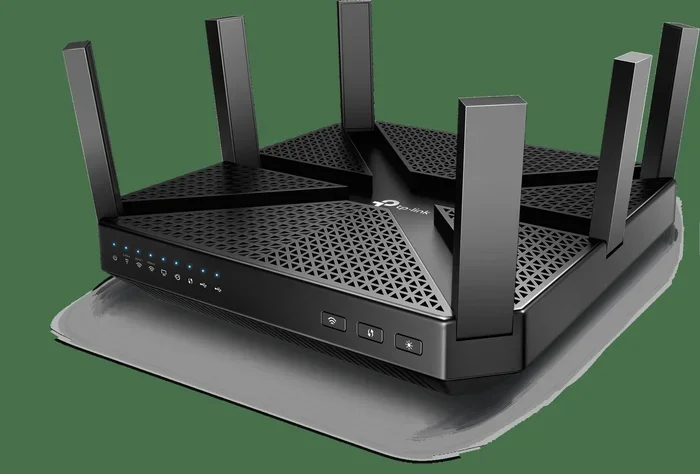
Let us start with the basics. Your WiFi router acts as a gateway between your devices and the internet. Every request you make goes through it. That means the router sees a lot more than you might think.
How WiFi Networks Track Your Online Activity
Every time you open a webpage or run a search, your device sends a request to the router. The router then forwards that request to the internet. This process creates a trail of data. That trail is called a log.
Most WiFi routers store some form of log data. This can include the websites you visited, the time you spent online, and the devices connected to the network. Some routers keep these logs for days. Others keep them for weeks or even months.
What Is a Router Log?
A router log is a record of all the traffic that passes through the router. Think of it like a receipt for every website you visit. The log typically includes:
- The domain names you visited
- The time and date of each visit
- The IP address of your device
- The amount of data transferred
- The duration of each session
These logs are stored in the router’s memory or on a connected server. Even if you clear your browsing history, these logs can still exist. The WiFi owner can access them by logging into the router’s admin panel.
DNS Queries: The Hidden Tracker
One of the most important ways WiFi owners track activity is through DNS queries. DNS stands for Domain Name System. It is the system that translates website names into IP addresses.
When you type a website into your browser, your device sends a DNS query. The router sees this query. It knows exactly which website you are trying to reach. This happens before the website even loads.
Even if you use HTTPS encryption, the router can still see the domain name. It just cannot see the specific pages or content. So while encrypted sites offer some protection, they do not make you invisible.
What Happens When You Delete Your Search History?
When you delete your search history, you are only removing data from your own device. Your browser clears the local records. But the data that traveled through the router remains untouched.
Think of it this way. Deleting your search history is like throwing away your personal notes. But the post office still has a record of every letter you sent. The WiFi owner is like the post office in this analogy.
Browser History vs. Router Logs
There is a big difference between browser history and router logs:
- Browser history is stored on your device. You control it. You can delete it anytime.
- Router logs are stored on the router or network server. You do not control them.
When you ask “can the WiFi owner see my deleted search history,” the answer depends on what type of log they are checking. Your browser history is gone once you delete it. But the router log is still there.
Does Clearing Cache Help?
Clearing your browser cache removes temporary files stored on your device. It can speed up your browser and free up space. But it does not affect the data logged by the router.
The cache is local. The router log is not. So clearing the cache will not hide your activity from the WiFi owner. This is a common misconception that many people still believe.
Can the WiFi Owner Really See Deleted History?
Yes, in most cases, the WiFi owner can see your browsing activity even after you delete it. But what exactly can they see? Let us break it down.
What the WiFi Owner Can See
The WiFi owner can typically see:
- Which domains you visited
- When you visited them
- How long you stayed on each site
- Which devices were connected to the network
- The total amount of data used
They generally cannot see the specific pages you viewed on HTTPS sites. They also cannot see your search queries on encrypted search engines. But the domain-level data is usually visible.
What the WiFi Owner Cannot See
There are some things the WiFi owner cannot easily see:
- The exact search terms you typed on HTTPS search engines
- The specific pages you visited within a secure site
- The content of your encrypted messages
- Your passwords on HTTPS websites
This is because HTTPS encryption protects the content of your traffic. But the domain names are still visible. So the WiFi owner knows you visited Google, but they may not know exactly what you searched for.
Can Deleted History Be Recovered from the Router?
If the WiFi owner has access to the router logs, yes, they can see your browsing history even after you deleted it from your device. The router stores this data independently. You have no way to delete router logs from your own device.
Some advanced routers allow the owner to export these logs. Others keep them in a simple dashboard. Either way, the data persists even after you clear your local history.
Does Incognito Mode Hide Your Activity from the WiFi Owner?
Many people believe that incognito mode or private browsing hides their activity from the WiFi owner. This is not true. Incognito mode only prevents your browser from saving history locally.
When you use incognito mode, your browser does not save cookies, history, or cache data. But your internet traffic still passes through the router. The WiFi owner can still see which domains you visited.
Incognito mode is useful for keeping your activity private from other people who use the same device. But it does nothing to hide your activity from the network owner.
Private Browsing vs. Network Privacy
It is important to understand the difference:
- Private browsing keeps your history off your device.
- Network privacy keeps your traffic hidden from the network owner.
These are two completely different things. Incognito mode handles the first one. It does not handle the second one at all.
How to Protect Your Privacy on Shared WiFi
If you are concerned about your privacy on shared WiFi, there are several steps you can take. These methods range from simple to advanced. Let us look at the most effective ones.
Use a VPN
A VPN or Virtual Private Network is the most effective tool for protecting your privacy on shared WiFi. A VPN encrypts all your internet traffic before it leaves your device.
When you use a VPN, the WiFi owner can only see that you are connected to a VPN server. They cannot see which websites you visit or what you search for. This is because the VPN creates an encrypted tunnel between your device and the VPN server.
Some reliable VPN services include NordVPN, ExpressVPN, and Surfshark. They offer strong encryption and fast speeds. Most cost between five and twelve dollars per month.
Use HTTPS-Only Websites
Always look for the padlock icon in your browser address bar. This means the site uses HTTPS encryption. HTTPS protects the content of your traffic from being seen by the WiFi owner.
You can also use browser extensions that force HTTPS connections. This adds an extra layer of protection when browsing on shared networks.
Use Your Mobile Data Instead
If you are worried about privacy, consider using your mobile data instead of shared WiFi. When you use cellular data, the WiFi router is not involved in your connection.
Your mobile carrier can still see your activity, but the WiFi network owner cannot. This is a simple but effective way to protect your privacy on the go.
Use the Tor Browser
The Tor Browser routes your traffic through multiple servers around the world. This makes it very difficult for anyone to track your online activity.
Tor is free and open-source. It is a great option if you want strong privacy without paying for a VPN. However, it can be slower than a regular browser.
Check Your Router Settings
If you own the router, you can check its logging settings. Many routers allow you to disable or limit logging. Go to your router’s admin panel and look for the logging or monitoring section.
Keep in mind that disabling logs may violate the terms of service for some networks. If you are using a public or workplace WiFi, check the rules before making changes.
Quick Tips for Protecting Your Privacy
- Always use a VPN on public WiFi
- Check for HTTPS before entering any personal information
- Avoid logging into sensitive accounts on shared networks
- Use your phone’s mobile data for private browsing
- Regularly update your router’s firmware
- Change your router’s default admin password
- Disable remote management on your router
Common Myths About Deleted Search History
There are many myths surrounding deleted search history and WiFi privacy. Let us clear up the most common ones.
Myth 1: Deleting History Makes It Disappear Forever
This is the biggest myth. Deleting your history only removes it from your device. The router and internet service provider may still have records. Always assume that your activity can be seen by the network owner.
Myth 2: Incognito Mode Makes You Invisible
Incognito mode only hides your activity from other users of your device. It does not hide your activity from the WiFi owner or the internet service provider.
Myth 3: WiFi Owners Cannot See Anything on HTTPS Sites
HTTPS protects the content of your traffic. But the WiFi owner can still see the domain names you visit. They know which sites you go to, even if they cannot see what you do on those sites.
Myth 4: Only Big Companies Can Monitor WiFi Traffic
Any WiFi owner can monitor traffic with basic tools. You do not need to be a tech company or government agency. Even a home router owner can see the domains visited by connected devices.
Myth 5: Using a Search Engine’s Privacy Mode Protects You
Search engines like DuckDuckGo or Google’s incognito search still send DNS queries through the router. The WiFi owner can see that you visited the search engine’s domain.
Final Thoughts on WiFi Privacy and Deleted History
So, can the WiFi owner see your deleted search history? The answer is yes, in most cases. Your browsing activity leaves traces on the router that you cannot erase from your own device.
Understanding this is the first step toward protecting your digital privacy. You do not need to stop using WiFi. You just need to be smart about how you use it.
The most effective way to protect your privacy is to use a VPN. It encrypts your traffic and hides your activity from the WiFi owner. Combine this with HTTPS websites and smart browsing habits, and you can browse with confidence.
Remember, your internet activity is never truly private on a shared network. Always assume someone can see what you do. This mindset will help you make better choices about your online behavior.
Take control of your privacy today. Use the tips in this guide to protect yourself. Stay safe, stay informed, and browse with confidence.
Frequently Asked Questions
Can the WiFi owner see my deleted browsing history?
Yes, the WiFi owner can see your browsing activity through the router logs, even after you delete it from your device. Router logs store domain-level data independently of your browser history.
Does incognito mode hide my activity from the WiFi owner?
No, incognito mode only prevents your browser from saving history locally. The WiFi owner can still see which domains you visited through the router logs.
Can a VPN prevent the WiFi owner from seeing my browsing history?
Yes, a VPN encrypts all your internet traffic before it reaches the router. The WiFi owner can only see that you are connected to a VPN server, not which websites you visit.
How long do WiFi routers keep browsing logs?
It depends on the router model and settings. Some routers keep logs for a few days, while others store them for weeks or months. Many consumer routers have limited storage and overwrite old logs.
Can the WiFi owner see my search queries on Google?
If you use Google with HTTPS, the WiFi owner cannot see your specific search queries. They can only see that you visited Google.com. The actual search terms are encrypted.
Is it legal for a WiFi owner to monitor browsing activity?
This depends on your country and the network’s terms of service. In most places, the WiFi owner can monitor activity on their own network. However, using that data for malicious purposes may be illegal.
=== CONCLUSION ===
Can the WiFi owner see my deleted search history? Yes, they often can. Deleting your browsing history on your device does not erase the data stored on the router. The WiFi owner has access to router logs that track your online activity independently of your browser settings.
The good news is that you have tools to protect yourself. A VPN is the most effective solution. HTTPS websites add another layer of protection. And understanding how WiFi tracking works helps you make smarter choices online.
Take your digital privacy seriously. Use the tips from this guide every time you connect to a shared WiFi network. Your online activity deserves to stay private.