Does A Cable Modem Give You Wifi
A cable modem by itself does not provide WiFi. It only delivers a wired internet connection. You need a separate WiFi router or a modem-router combo to create a wireless network. Understanding this distinction saves time, money, and frustration when setting up your home internet.
This is a comprehensive guide about Does A Cable Modem Give You Wifi.
Key Takeaways
- A cable modem only provides a wired connection. It cannot broadcast a WiFi signal on its own.
- A router is what creates your wireless network. It takes the internet from the modem and shares it wirelessly.
- Combo modem-router units do both jobs. They save space and simplify setup but may limit customization.
- Your ISP may rent you a modem or router. Buying your own equipment can save money over time.
- Setup is straightforward. You just connect the modem to the coaxial outlet and then link it to a router.
- WiFi signal strength depends on placement. Keep your router in a central, open location for the best coverage.
[FEATURED_IMAGE_PLACEHOLDER]
Does A Cable Modem Give You Wifi?
The short answer is no. A cable modem does not give you WiFi. It takes the internet signal from your Internet Service Provider (ISP) through a coaxial cable and turns it into a data signal your devices can read. But that signal stays wired. You cannot connect a phone or laptop wirelessly to a modem alone.
To get WiFi in your home, you need a wireless router. The router takes the wired signal from the modem and broadcasts it through the air. This is how you can walk around your house with a phone or tablet and stay online.
Many people confuse modems and routers because the two devices work together so closely. Some even think the little box their ISP gave them does everything. But understanding the difference matters. It helps you troubleshoot problems, choose the right gear, and sometimes even save money each month.
In this guide, we break down exactly how a cable modem works, why it cannot provide WiFi, and what you need to add to get a full wireless internet connection. We also cover combo devices, setup tips, and common mistakes people make.
What Does A Cable Modem Actually Do?
A cable modem is a bridge between your home and your ISP. It receives data through a coaxial cable — the same kind of cable that brings cable TV into your house. The modem then translates that signal into data your computer or other devices can understand.
Think of it like a translator. Your ISP speaks one language, and your devices speak another. The modem sits in the middle and converts the signal so everyone can communicate. But it only does this through a physical cable. It does not create a wireless network.
How The Modem Connects To Your Home
Here is how the connection process works step by step:
- Step 1: Your ISP sends a signal through a coaxial cable line into your home.
- Step 2: The cable modem receives that signal and decodes it.
- Step 3: The modem sends the data out through an ethernet cable to a device or router.
- Step 4: Your device receives the wired internet signal and you can browse the web.
Notice that there is no wireless step in that process. The modem only outputs a wired connection. If you want to go wireless, you must add a router to the mix.
Common Modem Light Indicators
Most modems have small lights on the front that tell you the status of your connection. A solid green light usually means everything is working. A blinking light may mean the modem is trying to connect. A red or off light often signals a problem. If your modem lights look unusual, it may be time to check whether you can get internet without a phone line or contact your ISP.
Why A Modem Alone Cannot Provide WiFi
A cable modem lacks the internal hardware needed to create a wireless network. WiFi requires a radio transmitter and antenna. These components send data through the air using specific frequencies. A standard cable modem simply does not have this equipment.
Some people try to make a modem work wirelessly by buying a USB WiFi adapter. While this can work in rare cases, it is not a reliable or practical solution. The modem is not designed to manage wireless connections, multiple devices, or network traffic.
The Role Of The Router
A WiFi router fills the gap. It connects to the modem (usually through an ethernet cable) and creates a local network. This network is wireless, meaning devices can connect without any cables. The router also manages traffic between your devices and the modem, making sure data flows smoothly.
Without a router, you can only connect one device at a time using a cable. That is not practical for most households. A router lets your phone, laptop, smart TV, and gaming console all go online at the same time — without any wires.
Modem Vs Router: What Is The Difference?
People often use the words modem and router interchangeably, but they are two different devices with different jobs:
- Modem: Connects your home to the internet through your ISP. It provides a wired connection only.
- Router: Takes the wired signal and shares it wirelessly with all your devices.
- Combo Unit: A single device that acts as both a modem and a router.
If you only have a modem, you have internet — but only for one wired device at a time. Add a router, and suddenly every device in your home can connect wirelessly.
What You Need For WiFi At Home
Getting WiFi in your home requires two things: a modem and a router. Here is how each setup option works.
Option 1: Separate Modem And Router
This is the most common setup for homes with good internet coverage. You buy a cable modem and a standalone WiFi router separately. You connect them with an ethernet cable, and the router broadcasts WiFi throughout your home.
This option gives you the most control. You can choose a high-quality router that matches your needs. If your WiFi signal is weak in one part of the house, you can upgrade just the router without touching the modem.
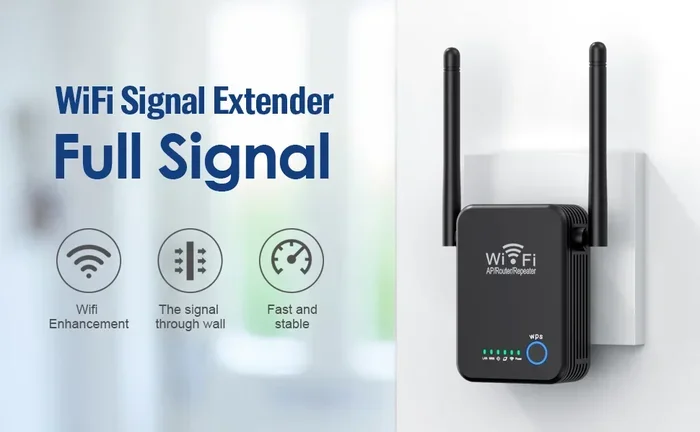
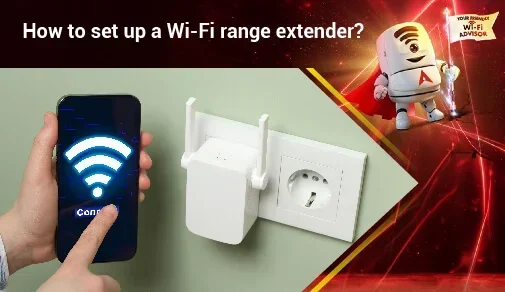
Many people also extend their WiFi to outbuildings or distant rooms using range extenders or mesh systems. This works best when you have a separate modem and router setup.
Option 2: Modem-Router Combo (Gateway)
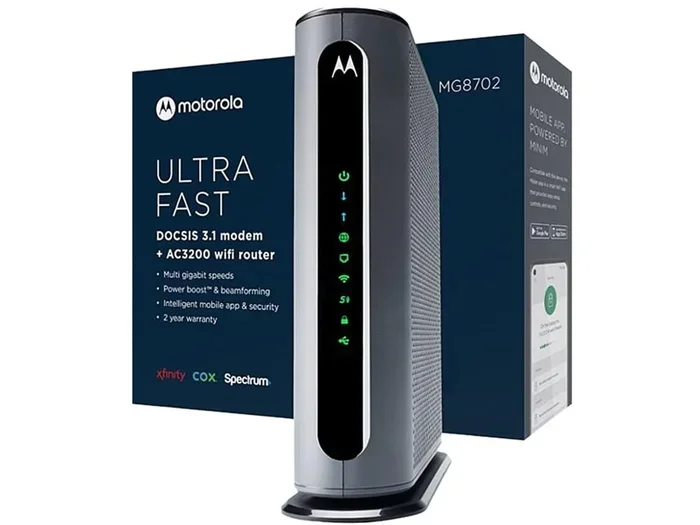
A modem-router combo — also called a gateway — is a single device that handles both jobs. Your ISP may provide one of these as part of your monthly service plan. It connects to the coaxial cable and broadcasts WiFi all in one box.
Gateways are convenient. They take up less space and require less setup. But they often come with limitations. The built-in router may not be as powerful as a standalone option. You also cannot upgrade one part without replacing the whole unit.
Option 3: ISP-Provided Equipment
Many ISPs offer to rent you a modem or gateway for a monthly fee. This is easy because the equipment is already configured for your service. But over time, rental fees add up. You can often save money by buying your own compatible modem and router.
If you are considering this route, check with your ISP first. They usually have a list of approved modem models that work with their service. You can also ask your ISP if they offer free or discounted routers as part of a promotion.
How To Set Up WiFi With A Cable Modem
Setting up WiFi with a cable modem is easier than most people think. Here is a simple walkthrough of the process.
Step 1: Connect The Modem
Plug the coaxial cable from your wall outlet into the modem’s cable port. Then plug the modem’s power adapter into an electrical outlet. Wait one to two minutes for the modem to fully start up. You will see the lights stabilize when it is ready.
Step 2: Connect The Router
Take an ethernet cable and plug one end into the modem’s output port. Plug the other end into the router’s WAN (Wide Area Network) port. Then power on the router and wait for it to boot up.
Step 3: Configure The Router
Open a web browser on a connected device. Type the router’s default IP address into the address bar (usually something like 192.168.1.1 or 192.168.0.1). Follow the on-screen prompts to set up your WiFi name (SSID) and password.
Choose a strong password that you can remember but others cannot guess. Use a mix of letters, numbers, and symbols. This keeps your wireless network safe from unauthorized users.
Step 4: Connect Your Devices
Now you can search for your WiFi network on any device. Select your network name, enter the password, and you are online. You can connect phones, tablets, laptops, smart TVs, and more — all without any cables.
If your WiFi signal is weak in certain areas, you might want to look into mesh systems or range extenders. Wi-Fi 6 mesh systems offer faster speeds and better coverage for larger homes.
Can You Get WiFi Without A Cable Modem?
Yes, but not through a cable connection. You can get WiFi using different types of internet service. Each option uses a different kind of modem or device to connect you to the internet:
- DSL: Uses a phone line and a DSL modem. Provides internet but requires a separate router for WiFi.
- Fiber: Uses a fiber-optic cable and an optical network terminal (ONT). Very fast and reliable.
- Satellite: Uses a satellite dish to receive internet. Works in rural areas where other options are limited.
- Fixed Wireless: Uses a radio tower signal received by a dish or antenna on your property.
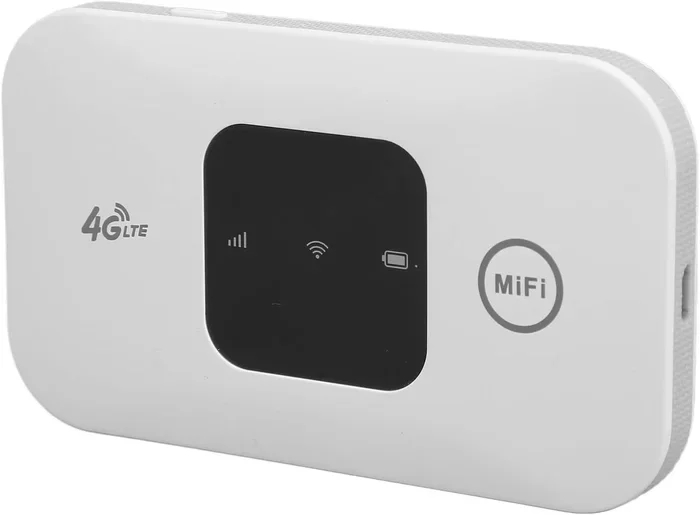
- Mobile Hotspot: Uses your phone’s cellular data to create a small WiFi network.
No matter which type of internet you have, you still need a router to create WiFi. The modem (or equivalent device) just brings the signal into your home.
Common Mistakes People Make With Cable Modems And WiFi
Setting up home internet seems simple, but small mistakes can cause big problems. Here are the most common errors people make.
Placing The Router In A Bad Spot
Many people tuck their router in a closet, behind a TV, or in a corner of the house. This blocks the WiFi signal and creates dead zones. The best place for a router is in a central, open area of your home. Elevate it on a shelf or table for the best signal spread.
Using Old Or Incompatible Equipment
Older modems may not support the internet speeds your ISP offers. If your plan includes fast internet but your modem is outdated, you will not get the speeds you are paying for. Check with your ISP to make sure your modem is compatible and up to date.
Forgetting To Change Default Settings
Routers come with default usernames and passwords that are easy to guess. Leaving these unchanged is a security risk. Always change the admin password and your WiFi password during setup. This simple step protects your network from intruders.
Skipping Firmware Updates
Router manufacturers release firmware updates that fix bugs and improve performance. If you never update your router, you may experience slow speeds or connection drops. Check your router’s settings periodically to see if updates are available.
Assuming One Device Does Everything
A modem alone cannot give you WiFi. A router alone cannot connect you to the internet. Both devices play essential roles. Do not assume that buying just one piece of equipment will give you full wireless access.
Expert Insights On Cable Modems And WiFi Setup
Network technicians often see the same confusion in homes across the country. The good news is that setting up a proper WiFi network is simpler than most people think. The key is understanding what each piece of equipment does and how they work together.
If you are renting from an ISP, ask them to walk you through the setup. Many providers offer free installation support. If you are buying your own equipment, look for DOCSIS 3.1 compatible modems and dual-band or tri-band routers for the best performance.
One tip from networking professionals: always keep your modem and router in a well-ventilated area. These devices generate heat during operation, and poor airflow can cause slowdowns or even hardware failure over time.
Another expert recommendation is to restart your modem and router once a month. This clears temporary data and keeps the connection running smoothly. If you experience slow speeds or dropouts, a quick restart often solves the problem without any technical knowledge.
Conclusion
So, does a cable modem give you WiFi? The clear answer is no. A cable modem brings internet into your home through a wired connection only. To get WiFi, you need a router to broadcast that signal wirelessly. You can use two separate devices or a single modem-router combo to achieve this.
Understanding this difference empowers you to make better decisions about your home internet setup. You can choose the right equipment, troubleshoot problems faster, and potentially save money by buying your own devices instead of renting them.
Whether you set up a separate modem and router or use a gateway device, the process is straightforward and well within anyone’s ability. Follow the steps outlined in this guide, avoid the common mistakes, and you will have a strong, reliable wireless network in no time.
Take action today. Check your current setup, verify your equipment, and make any upgrades needed. A little knowledge goes a long way toward getting the best internet experience at home.
Frequently Asked Questions
Can I Use A Cable Modem Without A Router?
Yes, you can use a cable modem without a router, but only with a wired connection. You would plug an ethernet cable directly from the modem into your computer. This gives you internet access, but no WiFi and no ability to connect multiple devices wirelessly.
Do I Need Both A Modem And A Router For WiFi?
Yes, you need both for a full WiFi setup. The modem brings the internet signal into your home, and the router broadcasts it wirelessly. However, a modem-router combo unit handles both jobs in a single device, so you do not need to buy two separate pieces of equipment.
Can I Buy My Own Cable Modem Instead Of Renting From My ISP?
Absolutely. Buying your own modem can save you money over time, especially if you currently pay a monthly rental fee. Just make sure the modem is compatible with your ISP and supports the internet speeds you are paying for. Check your ISP’s approved device list before purchasing.
Why Is My WiFi Slow Even Though I Have A Cable Modem?
Slow WiFi is often caused by the router, not the modem. Old routers, poor placement, too many connected devices, or interference from other electronics can all reduce your WiFi speed. Try moving your router to a central location, restarting it, or upgrading to a newer model if the problem persists.
What Is A Gateway, And How Is It Different From A Modem?
A gateway is a modem-router combo device. It does the job of both a modem and a router in one box. A modem alone only brings the wired internet signal into your home. A gateway adds the ability to create a wireless WiFi network, so you do not need a separate router.
How Do I Know If My Cable Modem Is Working Properly?
Check the lights on the front of your modem. A solid or steady green light usually indicates a healthy connection. Blinking lights may mean the modem is active and transferring data. Red or off lights often signal a problem. If your modem lights look unusual, try restarting the device or contacting your ISP for support.