Can You Use Wifi Extenders With T Mobile Internet
Yes, you can absolutely use WiFi extenders with T-Mobile Internet to improve your home network coverage and eliminate frustrating dead zones. Whether you have T-Mobile 5G Home Internet or a T-Mobile hotspot, a WiFi extender can significantly boost your signal strength and expand your coverage area. In this guide, we walk you through everything you need to know, from choosing the right extender to setting it up for the best network performance.
If you use T-Mobile Internet at home, you already know how great it can be. Fast speeds, reliable connections, and no contracts make it a popular choice. But here is the thing. Not every corner of your house gets a strong signal. Some rooms have weak WiFi. Others have none at all. That is where a WiFi extender comes in handy.
So, can you use WiFi extenders with T-Mobile Internet? The short answer is yes. The longer answer is that it depends on the type of extender you buy and how you set it up. In this article, we will cover everything you need to know. From choosing the right device to placing it in the best spot, we have you covered.
Whether you have T-Mobile 5G Home Internet or a T-Mobile hotspot, this guide will help you get the most out of your home network. Let us dive in and make your WiFi coverage better than ever.
Key Takeaways
- WiFi extenders work with T-Mobile Internet: You can use them with T-Mobile 5G Home Internet, T-Mobile hotspots, and T-Mobile gateways to expand your coverage.
- They help eliminate dead zones: Extenders boost your WiFi signal in areas of your home where the signal is weak or nonexistent.
- Choose the right extender: Not all WiFi range extenders are equal. Look for dual-band support and compatibility with your T-Mobile gateway.
- Placement matters a lot: Where you put your extender determines how well it works. Put it halfway between your router and the weak spot.
- Setup is simple: Most WiFi repeaters come with easy plug-and-play setup and a mobile app to guide you.
- Consider mesh networks too: Mesh WiFi systems can be an even better alternative to traditional extenders for whole-home coverage.
- Your internet speed may vary: An extender can sometimes reduce speed slightly, so pick a high-quality model for minimal impact.
📑 Table of Contents
- What Is a WiFi Extender and How Does It Work?
- Can You Use WiFi Extenders with T-Mobile Internet?
- Benefits of Using a WiFi Extender with T-Mobile Internet
- How to Choose the Right WiFi Extender for T-Mobile Internet
- How to Set Up a WiFi Extender with T-Mobile Internet
- Common Mistakes to Avoid When Using WiFi Extenders with T-Mobile Internet
- WiFi Extender vs. Mesh WiFi System for T-Mobile Internet
- Expert Tips to Get the Most Out of Your WiFi Extender with T-Mobile
- Frequently Asked Questions
- Final Thoughts
What Is a WiFi Extender and How Does It Work?
A WiFi extender is a device that repeats your existing WiFi signal. It takes the signal from your T-Mobile gateway or router and sends it further into your home. Think of it like a megaphone for your WiFi. It does not create a new signal. It just boosts the one you already have.
Most WiFi extenders connect to your router wirelessly. Some plug directly into a wall outlet. Others sit on a desk or shelf. The goal is the same. To make your internet coverage reach places it could not reach before.
How WiFi Extenders Differ from WiFi Repeaters
People often use the words extender and repeater interchangeably. But there is a small difference. A WiFi repeater rebroadcasts your signal exactly as it receives it. A WiFi extender can sometimes create a new network name. Both serve the same purpose. They expand your WiFi range and improve your signal strength in areas with weak coverage.
Types of WiFi Extenders Available
There are a few types of extenders you can choose from. Here is a quick look at each one:
- Plug-in WiFi extenders: These are small devices that plug directly into a wall outlet. They are compact and easy to move around. Great for extending your broadband coverage in a single room.
- Desktop WiFi extenders: These sit on a flat surface and usually have better antennas. They offer stronger performance and more features.
- Mesh WiFi systems: These are not traditional extenders, but they serve a similar purpose. They use multiple nodes to create a seamless home network across your entire house.
- Powerline adapters: These use your home’s electrical wiring to carry the internet signal. They are a great option if wireless signals struggle to reach certain rooms.
Can You Use WiFi Extenders with T-Mobile Internet?
The answer is a clear yes. T-Mobile Internet works with most standard WiFi extenders on the market. T-Mobile provides a gateway device that acts as your modem and router. This gateway broadcasts a WiFi signal throughout your home. A WiFi extender can pick up that signal and push it further.
This works whether you have T-Mobile 5G Home Internet or a T-Mobile LTE home internet plan. The extender does not care what type of internet connection you have. It only cares about the WiFi signal it receives from your T-Mobile gateway.
T-Mobile 5G Home Internet and WiFi Extenders
T-Mobile 5G Home Internet is fast and reliable. But 5G signals can be finicky when it comes to indoor coverage. Walls, floors, and furniture can all weaken the signal. A good WiFi extender helps you get the full speed of your T-Mobile 5G connection in every room.
Here is a common scenario. Your T-Mobile gateway is in the living room. The 5G signal is strong there. But your bedroom is at the back of the house. The signal is weak in the bedroom. A WiFi range extender placed in the hallway can solve this problem easily.
Using WiFi Extenders with T-Mobile Hotspots
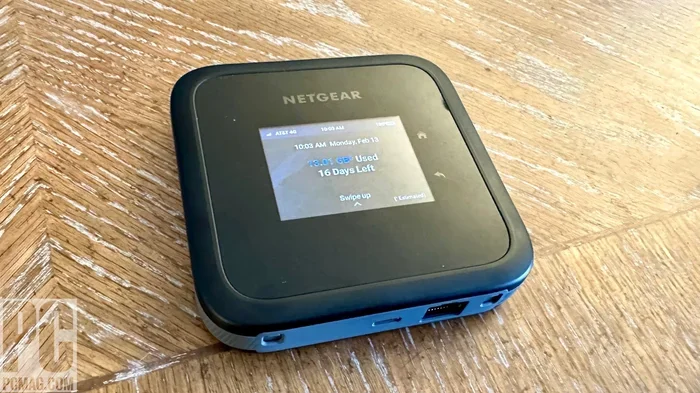
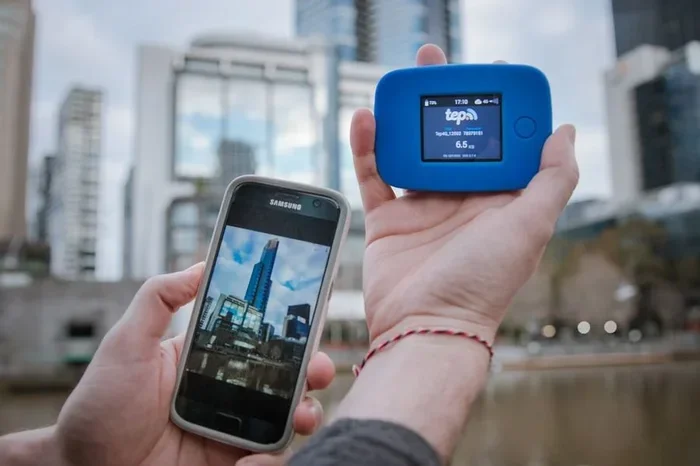
T-Mobile also offers mobile hotspots. These devices let you connect to the T-Mobile network and share the internet with other devices. You can absolutely use a WiFi extender with a T-Mobile hotspot too. This is especially useful if you use a hotspot as your primary internet source.
The extender will pick up the hotspot’s WiFi signal and broadcast it over a wider area. This is great for people who work from home or need internet in multiple rooms. Just keep in mind that the extender’s performance depends on the hotspot’s signal strength in the first place.
Benefits of Using a WiFi Extender with T-Mobile Internet
There are many good reasons to add a WiFi extender to your T-Mobile setup. Let us look at the biggest benefits.
1. Eliminate WiFi Dead Zones
Dead zones are areas in your home where the WiFi signal does not reach. Maybe your backyard porch has no signal. Or your basement is completely dark for WiFi. A WiFi extender can reach these spots and bring your internet coverage where it could not go before.
2. Improve Internet Speed in Weak Areas
When your signal is weak, your internet speed drops. Pages load slowly. Videos buffer. A signal booster strengthens the connection in those weak spots. This means faster speeds and a better experience for streaming, gaming, and video calls.
3. Support More Devices
Modern homes have many connected devices. Smart TVs, phones, tablets, smart speakers, and security cameras all need WiFi. A WiFi extender helps your network handle all these devices without slowing down. It spreads the load across a wider coverage area.
4. Easy Setup and Affordable Cost
Most WiFi extenders are very affordable. You can find a solid one for under 50 dollars. And the setup is usually simple. Plug it in, follow the instructions, and you are done. No tech skills required. This makes extenders a great budget-friendly solution for improving your T-Mobile home network.
How to Choose the Right WiFi Extender for T-Mobile Internet
Not all WiFi extenders are created equal. Some work great with T-Mobile Internet. Others may not perform as well. Here is what you should look for when buying one.
Check for Dual-Band or Tri-Band Support
A dual-band extender works on both 2.4 GHz and 5 GHz frequencies. The 2.4 GHz band has a longer range but slower speeds. The 5 GHz band has shorter range but faster speeds. A dual-band WiFi extender gives you the best of both worlds.
Tri-band extenders add a second 5 GHz band. This is great for homes with many devices. It reduces congestion and keeps your network performance strong.
Make Sure It Is Compatible with Your T-Mobile Gateway
Most WiFi extenders work with any standard router or gateway. But it is always a good idea to check compatibility. Look for extenders that work with any WiFi 5 or WiFi 6 router. T-Mobile gateways support these standards, so you should be fine.
Consider the Size of Your Home
The size of your home matters when choosing an extender. A small apartment may only need one plug-in extender. A large house with multiple floors may need a mesh system or two extenders. Think about your coverage area before you buy.
Look for Easy Setup Options
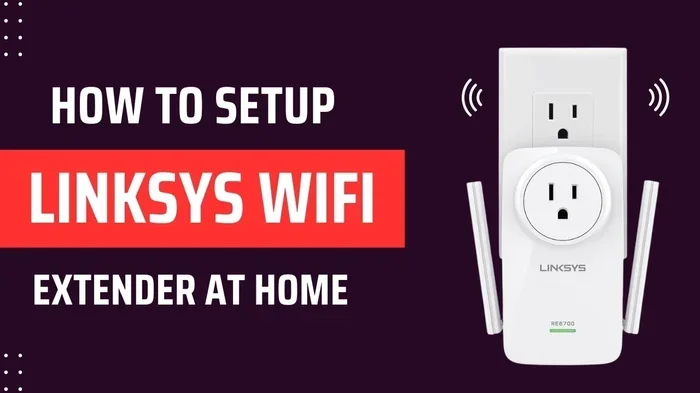
The best WiFi extenders have simple setup processes. Many come with a mobile app that walks you through everything. Look for brands like TP-Link, Netgear, and Linksys. They make reliable extenders that work well with T-Mobile Internet.
How to Set Up a WiFi Extender with T-Mobile Internet
Setting up a WiFi extender with T-Mobile Internet is straightforward. Here is a step-by-step guide to help you get started.
Step 1: Find the Right Spot for Your Extender
Placement is the most important part of using a WiFi extender. You want to place it where it can still receive a strong signal from your T-Mobile gateway. A good rule of thumb is to put it halfway between your router and the area with weak coverage.
Do not place it too far from the gateway. If the signal reaching the extender is already weak, the extended signal will be even weaker. This is a common mistake people make when setting up a WiFi range extender.
Step 2: Plug It In and Power It On
Once you have found the right spot, plug the extender into a wall outlet. Wait for the power light to turn on. Most extenders have a light that shows when they are ready to be set up.
Step 3: Connect to the Extender
On your phone or computer, look for the extender’s WiFi network. It usually has a name similar to the extender brand. Connect to it. Then open a web browser and go to the extender’s setup page. Follow the on-screen instructions to connect the extender to your T-Mobile WiFi network.
Step 4: Test Your Connection
After setup, walk around your home and test the WiFi signal in different rooms. Check your WiFi signal strength in the areas that used to have weak coverage. You should notice a big improvement. Use a speed test app to check if your internet speed is still good in those areas.
Common Mistakes to Avoid When Using WiFi Extenders with T-Mobile Internet
Even though setting up a WiFi extender is easy, people still make mistakes. Here are some common ones to avoid.
Placing the Extender Too Far from the Router
This is the number one mistake. If you place your extender too far from the T-Mobile gateway, it will not get a strong enough signal to repeat. The result is a weak extended signal. Always place the extender where it gets a solid WiFi signal from the gateway.
Buying a Cheap, Low-Quality Extender
You get what you pay for. A very cheap extender might not support the speeds of your T-Mobile Internet plan. It could also have poor range and unreliable performance. Invest in a quality WiFi extender from a trusted brand. Your network performance will thank you.
Ignoring the 2.4 GHz and 5 GHz Bands
Some extenders only work on one frequency band. If you buy a single-band extender, you might not get the best performance. A dual-band or tri-band extender gives you more flexibility and better speeds across your home network.
Not Updating the Extender Firmware
Like any tech device, your WiFi extender needs updates. Firmware updates fix bugs and improve performance. Check the extender’s app regularly for updates. This keeps your broadband coverage running smoothly.
WiFi Extender vs. Mesh WiFi System for T-Mobile Internet
Sometimes a WiFi extender is not the best solution. If your home is large or has many floors, a mesh WiFi system might be a better choice. Let us compare the two options.
What Is a Mesh WiFi System?
A mesh WiFi system uses multiple nodes placed around your home. These nodes work together to create one seamless WiFi network. Unlike a traditional extender, a mesh system uses the same network name everywhere. You do not have to switch between networks as you move around your home.
Comparison Table: WiFi Extender vs. Mesh System
| Feature | WiFi Extender | Mesh WiFi System |
|---|---|---|
| Price | Affordable (20-80 dollars) | Moderate to High (100-400 dollars) |
| Setup | Easy, plug-and-play | Easy with a mobile app |
| Coverage | Good for 1-2 weak spots | Great for whole-home coverage |
| Seamless Roaming | No, you switch networks | Yes, one network name everywhere |
| Best For | Small to medium homes | Large homes with many floors |
| Performance | Good, slight speed loss | Excellent, minimal speed loss |
Both options work great with T-Mobile Internet. If you have a small or medium home, a WiFi extender is all you need. If you have a large home with dead zones in multiple rooms, a mesh system is the better choice.
Expert Tips to Get the Most Out of Your WiFi Extender with T-Mobile
Here are some expert tips that can help you get the best results from your WiFi extender and T-Mobile Internet setup.
Keep Your T-Mobile Gateway in a Central Location
Where your T-Mobile gateway sits matters a lot. Place it in a central spot in your home. Keep it off the floor and away from walls. This gives the extender a stronger signal to work with from the start.
Use the Extender’s App for Optimization
Most quality extenders come with a free mobile app. Use it to check your signal strength, run speed tests, and adjust settings. The app can also help you find the best placement for your extender. This is one of the easiest ways to improve your network performance.
Restart Your Extender Regularly
Just like your T-Mobile gateway, your WiFi extender benefits from a regular restart. Unplug it for 30 seconds and plug it back in. This clears any temporary issues and keeps things running smoothly.
Consider a WiFi Extender with Ethernet Backhaul
Some extenders have an Ethernet port. You can use a cable to connect the extender to your gateway. This is called wired backhaul. It gives you the fastest possible extended speeds. If you can run a cable, this is the best option for WiFi signal strength.
Frequently Asked Questions
Will a WiFi extender slow down my T-Mobile Internet speed?
A WiFi extender can cause a slight speed reduction because it receives and rebroadcasts the signal. However, a high-quality dual-band or tri-band extender will minimize this speed loss. For the best results, choose an extender that supports WiFi 5 or WiFi 6 standards.
How many WiFi extenders can I use with T-Mobile Internet?
You can use more than one extender with your T-Mobile Internet. However, adding too many extenders can cause interference and slow down your network. For most homes, one or two extenders are enough. If you need more coverage, consider a mesh WiFi system instead.
Do I need a special WiFi extender for T-Mobile?
No, you do not need a special extender made specifically for T-Mobile. Standard WiFi extenders from brands like TP-Link, Netgear, and Linksys work perfectly with T-Mobile gateways. Just make sure the extender supports the same WiFi standards as your T-Mobile device.
Can I use a WiFi extender with T-Mobile 5G Home Internet?
Yes, absolutely. A WiFi extender works great with T-Mobile 5G Home Internet. It helps extend the 5G WiFi signal from your T-Mobile gateway to areas of your home that have weak or no coverage. This is especially helpful in larger homes or homes with thick walls.
Where is the best place to put a WiFi extender with T-Mobile Internet?
The best place is halfway between your T-Mobile gateway and the area with weak WiFi coverage. Keep the extender in an open area, away from walls and metal objects. Avoid placing it in closets or behind furniture, as these can block the signal.
Is a mesh WiFi system better than a WiFi extender for T-Mobile Internet?
A mesh WiFi system is generally better for large homes because it provides seamless coverage with one network name. A WiFi extender is more affordable and works well for smaller homes or targeting specific dead zones. Both options work great with T-Mobile Internet, so it comes down to your home size and budget.
Final Thoughts
So, can you use WiFi extenders with T-Mobile Internet? The answer is a resounding yes. A WiFi extender is one of the easiest and most affordable ways to improve your home network coverage. It eliminates dead zones, boosts your signal strength, and gives you better internet speeds in areas that used to struggle.
Whether you have T-Mobile 5G Home Internet or a T-Mobile hotspot, an extender can make a real difference. Just pick the right type of extender, place it in the right spot, and follow the simple setup steps. You will be enjoying stronger WiFi in every room of your home in no time.
Remember, if your home is large or has many dead zones, a mesh WiFi system might be an even better long-term solution. But for most people, a good WiFi extender does the job perfectly. Take action today and upgrade your T-Mobile Internet experience with a WiFi extender that works.