Can You Use Portable Wifi Without Internet Connection
Yes, you can use portable wifi without internet, but what you can do is limited. A portable wifi device creates its own local network, allowing your gadgets to connect even when there is no active internet source. You can share files, stream downloaded content, and set up offline games. However, you cannot browse the web or access online services without a data connection. Understanding how portable wifi works helps you make the most of it in any situation.
Have you ever wondered if your portable wifi device works without an active internet connection? The short answer is yes. But the full story is more interesting than that. Many people buy a portable hotspot or wifi device and assume it magically gives them internet everywhere. That is not always the case. Understanding how portable wifi without internet actually works can save you time, money, and frustration.
Whether you are traveling, camping, or dealing with a home internet outage, knowing what your portable wifi can and cannot do is essential. This guide breaks it all down in simple terms. You will learn how these devices function, what you can do offline, and how to get the best results from your setup.
Key Takeaways
- Portable wifi works offline: Your device can broadcast a wifi signal without needing an active internet connection.
- You can still share files and media: Local networks let you transfer data between connected devices seamlessly.
- Downloaded content is your best friend: Pre-load movies, music, and maps to enjoy without internet access.
- Common mistakes waste your battery: Keeping your device on when not in use drains power fast.
- Expert tips boost performance: Simple adjustments can extend your portable wifi range and speed.
- Know your device settings: Understanding access point mode and client mode makes a big difference.
- Offline wifi has real-world uses: Travel, emergencies, and remote work all benefit from portable wifi setups.
📑 Table of Contents
- What Is Portable Wifi and How Does It Work?
- Can You Actually Use Portable Wifi Without Internet?
- What Can You Do With Portable Wifi When There Is No Internet?
- How to Set Up Your Portable Wifi Device for Offline Use
- Common Mistakes People Make With Portable Wifi
- Expert Tips to Get the Most From Your Portable Wifi
- When Should You Get a Portable Wifi Device With Internet?
- Frequently Asked Questions
- Conclusion
What Is Portable Wifi and How Does It Work?
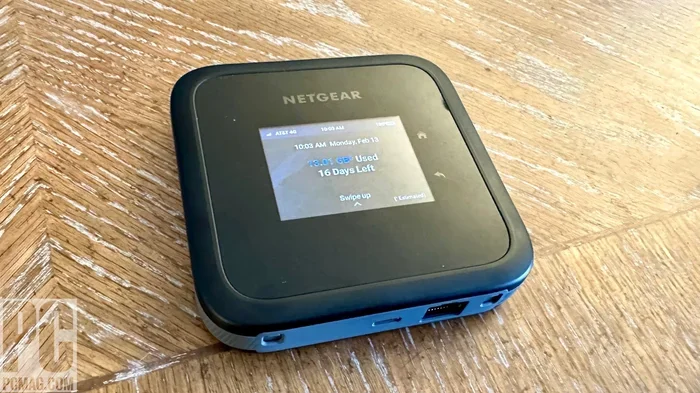
A portable wifi device is a small gadget that creates a wireless network. It is also called a mobile hotspot or wifi hotspot device. Think of it like a tiny router you can carry in your pocket. It connects to a cellular network and shares that connection with your phones, tablets, and laptops.
But here is the part many people miss. A portable wifi device does two things. It can connect to the internet through cellular data. And it can create a local network all on its own. This second function is called access point mode. When your device is in access point mode without an internet source, it still broadcasts a wifi signal. Your other devices can connect to it.
How the Local Network Works
When you turn on your portable wifi device without an internet plan or data source, it builds a local area network. This is often called a LAN. Devices connected to this network can talk to each other. They can share files, photos, and documents. They can even play multiplayer games together.
The key difference is that none of these devices can reach the wider internet. There is no gateway to the online world. But the local connection still works perfectly. This is the foundation of using portable wifi without internet.
Portable Hotspot vs. Traditional Router
A traditional router connects to a modem. That modem pulls in internet from your service provider. A portable hotspot works differently. It uses a SIM card and cellular towers. When there is no SIM card or no data plan, the hotspot still creates a local network. But it cannot pull in internet data.
Some people confuse a portable wifi device with a wifi extender or repeater. A repeater boosts an existing signal. A portable hotspot creates its own signal. Both can work without internet, but they serve different purposes.
Can You Actually Use Portable Wifi Without Internet?
The answer is a clear yes. You can absolutely use portable wifi without internet. But what you do with it depends on your setup and your needs. Let us explore exactly what is possible and what is not.
What Works Without Internet
When your portable wifi device is on but not connected to the internet, several things still work. Here is a list of what you can do:
- Share files between devices: You can send photos, documents, and videos from one device to another over the local network.
- Stream downloaded content: If you have movies or music saved on a device, you can stream them to other devices on the same network.
- Play offline games: Many games support local multiplayer. You can play with friends without any internet connection.
- Use offline maps: Downloaded maps on your phone or tablet work perfectly over a local wifi network.
- Print wirelessly: If you have a wifi printer on the same network, you can print documents without internet.
- Access a local server: If you have a personal cloud or NAS device, you can access your own files offline.
- Mirror your screen: Screen mirroring and casting work locally between compatible devices.
What Does Not Work Without Internet
It is equally important to know what will not work. When there is no internet source, you cannot:
- Browse websites or use search engines.
- Check email that requires a live connection.
- Use social media platforms or streaming apps like Netflix.
- Make voice or video calls through apps like WhatsApp or Zoom.
- Download new apps or updates from app stores.
- Use cloud services like Google Drive or Dropbox.
These limitations can feel frustrating at first. But with a little planning, you can work around them. More on that in the next section.
What Can You Do With Portable Wifi When There Is No Internet?
Knowing the limitations is only half the battle. The other half is finding smart ways to use portable wifi without internet. Let us look at practical scenarios where this knowledge really pays off.
Travel and Road Trips
Imagine you are on a road trip through a remote area. Your phone has no signal, but you have a portable wifi device loaded with offline content. You can share music across devices. You can show downloaded videos to everyone in the car. You can play games together. The local wifi network becomes your entertainment hub.
Offline maps are a game changer here. Apps like Google Maps and OsmAnd let you download map data. Once downloaded, your phone uses the local wifi network to display your location. You navigate without needing a single byte of internet data.
Business Presentations and Meetings
Professionals often find themselves in meeting rooms with poor or no internet. A portable wifi device set up in access point mode lets everyone connect. You can share presentations, documents, and spreadsheets from your laptop to other attendees’ devices. No internet required. Just a clean local network.
This is especially useful for confidential meetings. You do not want sensitive files going through a public wifi network. A closed local network keeps everything secure and contained.
Emergency Preparedness
During power outages or natural disasters, internet service often goes down. A portable wifi device with a charged battery can still create a local network. Family members can communicate through shared apps on the same network. You can transfer important documents and photos between devices. It is a small but valuable tool in emergency kits.
Education and Learning
Teachers and students can use portable wifi for offline learning. A teacher can push educational content to student tablets over the local network. Students can access downloaded e-books, videos, and quizzes. This works beautifully in classrooms with limited or no internet access.
Smart Home Testing
If you are setting up smart home devices, a portable wifi device is handy. You can test how devices communicate with each other before connecting to your home network. Smart bulbs, sensors, and cameras often work on local networks first. You can troubleshoot without using your main internet connection.
How to Set Up Your Portable Wifi Device for Offline Use
Setting up your device for offline use is simple. Follow these steps to get started.
Step 1: Turn On Access Point Mode
Most portable wifi devices have an access point or hotspot mode. This is the setting that creates a local network. Check your device manual or settings menu. Look for options labeled “Hotspot,” “Tethering,” or “Access Point.” Turn this feature on.
Step 2: Set a Network Name and Password
Give your network a name that is easy to recognize. Set a password to keep unauthorized devices out. Even though the network is local, security still matters. Use a simple WPA2 password for the best protection.
Step 3: Connect Your Devices
On each device you want to connect, go to the wifi settings. Find your network name and enter the password. Once connected, your devices are on the same local network. You can now share files, stream local content, and use offline features.
Step 4: Download Content in Advance
The key to making offline wifi useful is preparation. Before you leave internet coverage, download everything you need. Movies, music, documents, maps, and apps should all be saved locally. Once you are on the local network, you can access and share this content freely.
Quick Tips for Better Offline Performance
- Keep your portable wifi device charged. A dead device means no network.
- Place the device in the center of your group for better signal coverage.
- Limit the number of connected devices to maintain speed.
- Use a high-speed microSD card if your device supports storage expansion.
- Turn off unused features like Bluetooth to save battery.
Common Mistakes People Make With Portable Wifi
Even experienced users make mistakes. Here are the most common ones and how to avoid them.
Mistake 1: Confusing Offline Wifi With Internet Wifi
The biggest mistake is assuming that a wifi signal means internet access. Just because your phone shows a wifi icon does not mean you are online. Always check if your device has an active data connection. Look for the internet icon in your status bar.
Mistake 2: Forgetting to Download Content
Many people set up a local network and then wonder why they cannot watch videos. If you want entertainment offline, you must download it first. A portable wifi device without pre-loaded content is like a library with no books.
Mistake 3: Leaving the Device On All the Time
Portable wifi devices drain battery quickly when left running. Turn them off when you are not using the network. This saves power and extends the life of your device.
Mistake 4: Ignoring Signal Range
Every portable wifi device has a limited range. Walls, furniture, and other obstacles reduce the signal. Place your device in an open area for the best coverage. If you are in a large space, consider moving the device closer to the center.
Mistake 5: Not Securing Your Network
An open wifi network is a security risk. Even a local network can be exploited. Always use a password. Change the default password that comes with your device. This keeps your local network safe from unwanted visitors.
Expert Tips to Get the Most From Your Portable Wifi
Want to squeeze every bit of performance from your device? These expert tips will help.
Use the Right Frequency Band
Most portable wifi devices support both 2.4GHz and 5GHz bands. The 2.4GHz band has a longer range but slower speeds. The 5GHz band is faster but has a shorter range. Choose based on your needs. For local file sharing, 5GHz is great. For wider coverage, stick with 2.4GHz.
Update Your Device Firmware
Manufacturers release firmware updates that improve performance and fix bugs. Check for updates regularly. A well-maintained device works better and lasts longer.
Pair With a Power Bank
If you are using your portable wifi device outdoors, pair it with a quality power bank. This ensures your network stays up for hours. Look for a power bank with fast charging and high capacity.
Consider a WiFi Repeater for Larger Areas
If you need coverage in a large space, a wifi repeater can extend your signal. Place the repeater within range of your portable wifi device. It boosts the signal to areas that would otherwise be dead zones.
Use Offline-Compatible Apps
Many apps work great on a local network without internet. Look for apps designed for offline use. Document editors, note-taking apps, and local media players are excellent choices. These apps let you stay productive even without a data connection.
When Should You Get a Portable Wifi Device With Internet?
Using portable wifi without internet is great for specific situations. But there are times when you need a full internet connection. Let us look at when you should invest in a data plan or a device with built-in cellular connectivity.
If you travel frequently to areas with cellular coverage, a portable wifi device with a data plan is ideal. You get the convenience of internet on the go. You can browse, stream, and stay connected with family and friends. Many carriers offer portable hotspot plans at reasonable prices.
For remote workers, having reliable internet is non-negotiable. A portable wifi device with a strong data plan ensures you can work from anywhere. Check coverage maps before you buy a plan. Make sure the carrier has good reception in your area.
On the other hand, if you only need occasional local networking, a basic portable wifi device without a data plan works perfectly. You save money on monthly fees while still getting the benefits of a local wireless network.
Frequently Asked Questions
Can I use a portable wifi device without a SIM card?
Yes, you can. Without a SIM card, your portable wifi device creates a local network. You can connect devices and share files. But you will not have access to the internet. The device acts as a simple access point for local communication.
How long does a portable wifi battery last without internet?
Battery life varies by device and usage. Most portable wifi devices last between 4 and 10 hours on a single charge. Turning off unused features and reducing the number of connected devices helps extend battery life significantly.
Can I print documents using portable wifi without internet?
Yes, you can. If you have a wifi-enabled printer on the same local network, you can print documents without internet. The print job stays within your local network and does not need to reach the web.
Is it safe to use portable wifi without internet?
Yes, it is generally safe. A local network without internet access is less exposed to online threats. However, you should still use a password to prevent unauthorized access to your network and shared files.
Can I update my devices using portable wifi without internet?
You can update certain offline features and local settings. But you cannot download app updates or system updates that require an internet connection. For full updates, you will need to reconnect to the internet.
What is the difference between portable wifi and a mobile hotspot?
The terms are often used interchangeably. A portable wifi device is a broader term for any mobile wifi gadget. A mobile hotspot specifically refers to a device that shares cellular data. Both can work without internet, but a mobile hotspot is designed primarily for data sharing.
Conclusion
Using portable wifi without internet is not only possible but also quite useful. Your portable wifi device creates a local network that lets you share files, stream downloaded content, play games, and more. While you cannot browse the web or access online services, the offline capabilities are impressive when you know how to use them.
The key is preparation. Download your content in advance, secure your network, and understand your device settings. With these steps, your portable wifi becomes a versatile tool for travel, work, education, and emergencies.
Remember that a portable wifi device without internet is like a bridge with no destination. It connects your devices, but it needs a data source to reach the wider world. Use it wisely, plan ahead, and you will get great value from your device in any situation. Start exploring what your portable wifi can do today, even without an internet connection.