Does Verizon Offer Wi Fi Routers for Home Internet Plans
Yes, Verizon offers Wi-Fi routers for home internet plans, primarily through their Fios gateway devices. Customers can rent equipment from Verizon or choose to buy their own router, depending on their needs and budget. Let us walk you through every option, cost, and consideration so you can make the best choice for your home network.
Verizon is one of the biggest names in home internet. Millions of households rely on Verizon Fios for fast broadband connections. But here is a question many new customers ask: does Verizon offer Wi-Fi routers? The short answer is yes. Verizon provides Wi-Fi routers as part of their home internet plans, and they give customers more than one way to get online.
In this guide, we will break down everything you need to know about Verizon Wi-Fi routers. We will look at the gateway devices they offer, the rental options, and whether you can use your own equipment instead. By the end, you will know exactly what to expect and how to get the best Wi-Fi setup for your home.
Key Takeaways
- Verizon provides Wi-Fi routers: Verizon offers gateway devices that combine a router and modem for Fios home internet plans.
- Rental vs. purchase matters: You can rent Verizon equipment for a monthly fee or buy your own compatible router to save money long-term.
- Fios routers include advanced features: Verizon gateways often come with Wi-Fi 6 support, mesh capabilities, and built-in security tools.
- Your own router works too: You can bring your own router and still use Verizon internet service without any issues.
- Setup is straightforward: Whether you use a Verizon router or your own, setting up your home network is simple and well-documented.
📑 Table of Contents
- What Kind of Wi-Fi Routers Does Verizon Offer?
- Can You Rent a Wi-Fi Router from Verizon?
- Can You Use Your Own Wi-Fi Router with Verizon?
- Verizon Router Features and Performance
- Router Rental vs. Buying Your Own: Which Is Better?
- Common Issues with Verizon Wi-Fi Routers and How to Fix Them
- Final Thoughts on Verizon Wi-Fi Routers
What Kind of Wi-Fi Routers Does Verizon Offer?
Verizon uses what they call “gateway” devices. A gateway is a single unit that does the job of two separate pieces of equipment. It acts as both a modem and a router. This means it connects to Verizon’s fiber network and then spreads a Wi-Fi signal throughout your home.
Fios Gateway Routers
Verizon’s Fios service comes with a gateway device right out of the box. These gateways are designed to work seamlessly with Verizon’s fiber network. They handle the internet connection and the Wi-Fi broadcasting in one box. Here are the most common gateway models you will encounter:
- Fios Quantum Gateway: This is the older but still widely used model. It supports dual-band Wi-Fi and works well for most households.
- Fios Quantum 3 Gateway: A newer model with faster speeds and better range. It supports Wi-Fi 6, which means better performance for multiple devices.
- Fios One Gateway: Verizon’s latest gateway design. It is compact, easy to set up, and offers solid Wi-Fi coverage for average-sized homes.
Each of these gateways comes with a built-in router. You do not need to buy a separate router unless you want better coverage or faster speeds. The gateway handles both jobs, which keeps things simple.
What Makes a Verizon Gateway Different?
Verizon gateways are pre-configured for their network. This means you plug it in, follow a few steps, and you are online. You do not need to fiddle with complex settings right away. The gateway also comes with Verizon’s security features built in. These include firewalls, parental controls, and guest network options.
However, there is a trade-off. Verizon gateways are not always the most powerful routers on the market. If you live in a large home or have many devices connected at once, the built-in Wi-Fi might not be enough. That is where bringing your own router comes in, which we will cover later.
Can You Rent a Wi-Fi Router from Verizon?
Yes, Verizon lets you rent their gateway equipment as part of your home internet plan. This is the most common option for Fios customers. When you sign up for Verizon internet, the gateway is included in your installation. You just need to return it if you ever cancel the service.
How Much Does Verizon Router Rental Cost?
Verizon charges a monthly rental fee for their gateway devices. The fee varies depending on the plan and the equipment you receive. On most Fios plans, you can expect to pay around $10 to $15 per month for the gateway rental. Over time, this adds up. A customer who stays with Verizon for five years could pay $600 or more in rental fees alone.
That is why many people start looking at alternatives. If you are curious about whether you can avoid monthly equipment fees, check out our guide on can I buy a Wi-Fi router and not pay monthly. It covers smart ways to own your equipment without ongoing costs.
What Happens If the Router Breaks?
If your Verizon gateway stops working, you are covered. Verizon replaces faulty equipment at no extra charge. You just call their support team, and they will send a replacement. This is one big advantage of renting. You do not have to worry about repair costs or buying a new device.
However, if you damage the gateway through misuse, Verizon may charge you a replacement fee. So it is important to keep the equipment in good condition. Placing it in a central, ventilated spot helps prevent overheating and extends its lifespan.
Can You Use Your Own Wi-Fi Router with Verizon?
Absolutely. You are not locked into using Verizon’s gateway forever. Many customers prefer to buy their own wireless router and pair it with the Verizon gateway. This gives them more control over their Wi-Fi performance and can save money in the long run.
How to Set Up Your Own Router with Verizon
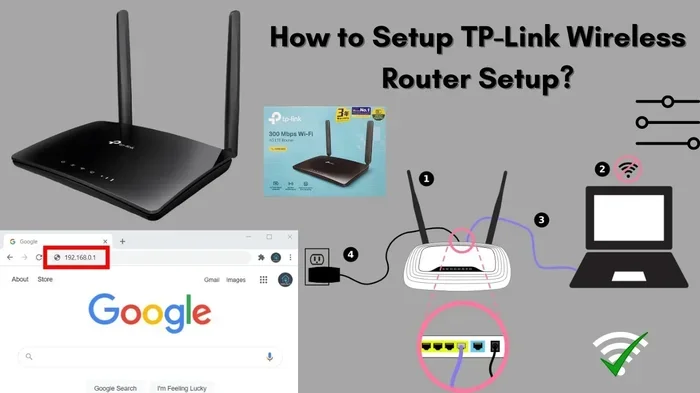
Setting up your own router with Verizon internet is straightforward. Here is how it works:
- Connect the Verizon gateway to your fiber line as usual.
- Set the gateway to bridge mode. This turns off its router functions and lets it act as a modem only.
- Connect your own router to the gateway using an Ethernet cable.
- Power on your router and configure the Wi-Fi settings.
- Enjoy your new Wi-Fi network with better range and speed.
Bridge mode is the key step. Without it, you will have two routers fighting for control, which causes problems. Most modern routers make bridge mode easy to enable. Just check your router’s manual or settings panel for instructions.
Best Routers to Pair with Verizon
If you decide to buy your own router, you have plenty of great options. Look for routers that support Wi-Fi 6 or Wi-Fi 6E for the best speeds. Some popular choices include:
- ASUS RT-AX86U: A powerful router with excellent range and fast speeds.
- Netgear Nighthawk AX12: Great for large homes with many connected devices.
- TP-Link Archer AX90: A budget-friendly option that still delivers strong performance.
- Google Nest Wi-Fi: A simple, user-friendly mesh system perfect for easy setup.
Buying your own router also means you can upgrade whenever you want. You are not stuck waiting for Verizon to send a new gateway model. This flexibility is a big plus for tech-savvy users.
If you are considering switching or upgrading your router, you might also wonder about compatibility and signal range. Check out our article on can I boost my Wi-Fi signal outside for practical tips that work with any router setup.
Verizon Router Features and Performance
Verizon gateways come packed with features that make home networking easier. Let us take a closer look at what you get with a Verizon router.
Wi-Fi Speed and Coverage
The latest Verizon gateways support Wi-Fi 6, which offers faster speeds and better performance in crowded environments. Wi-Fi 6 uses advanced technology to manage multiple devices at once. This is important because the average home now has 10 or more connected devices.
For most families, the built-in Wi-Fi on a Verizon gateway is more than enough. You can stream movies, play online games, and video call without any issues. But if your home is large or has thick walls, you might notice dead spots. That is where adding a second router or a mesh system helps.
Security Features
Verizon gateways include built-in security tools. These protect your home network from common threats. The gateway automatically updates its firmware to patch vulnerabilities. It also includes a built-in firewall that blocks unauthorized access.
Additional security features include:
- Parental controls to manage screen time and content access
- Guest network isolation to keep visitors off your main network
- Device priority settings to ensure important devices get the best speeds
- Built-in malware and phishing protection through Verizon’s security suite
Ease of Use
One thing Verizon does well is simplicity. The My Fios app lets you manage your router from your phone. You can restart the gateway, check speeds, and set up parental controls without a computer. This is a huge plus for people who are not tech experts.
The setup process is also very user-friendly. You plug in the gateway, follow the prompts on your screen, and you are online in minutes. There is no need for a technician to come back for basic configuration.
Router Rental vs. Buying Your Own: Which Is Better?
This is the question most customers ask. The answer depends on your situation. Let us compare the two options side by side.
| Factor | Verizon Rental | Own Your Router |
|---|---|---|
| Monthly Cost | $10-$15 per month | One-time cost ($80-$250) |
| Setup Difficulty | Very easy, pre-configured | Easy, but requires bridge mode |
| Equipment Support | Verizon replaces broken gear | You handle repairs and replacements |
| Performance | Good for most homes | Can be much better with premium routers |
| Flexibility | Limited to Verizon equipment | Choose any compatible router |
| Long-Term Cost | Adds up over years | Pays for itself within 1-2 years |
| Return Required | Yes, when you cancel service | No, you keep the router |
For short-term users or people who value simplicity, renting from Verizon makes sense. You never have to worry about compatibility or setup headaches. But for long-term customers, buying your own router saves real money and gives you better performance.
If you ever need to change your equipment, you might wonder about the process. We have a guide on can I change my Wi-Fi router that walks you through swapping equipment with ease.
Common Issues with Verizon Wi-Fi Routers and How to Fix Them
Even the best routers can have issues. Verizon gateways are no exception. Here are the most common problems customers face and how to solve them.
Slow Wi-Fi Speeds
If your internet feels slow, the first thing to do is restart the gateway. Unplug it, wait 30 seconds, and plug it back in. This clears temporary glitches and often fixes speed issues right away.
You should also check where you place the gateway. Walls, metal objects, and appliances can weaken the Wi-Fi signal. Keep the gateway in an open, central location for the best coverage.
Wi-Fi Keeps Disconnecting
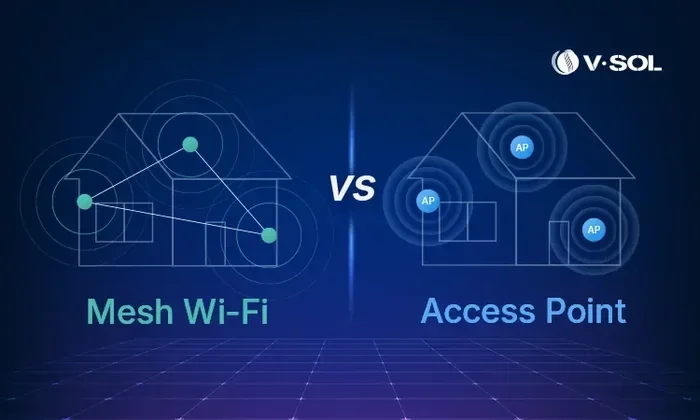
Frequent disconnections can be frustrating. This issue often happens when too many devices connect at once. The gateway may struggle to manage all of them. Try disconnecting devices you are not using, or consider upgrading to a mesh Wi-Fi system for better handling.
Cannot Access Router Settings
Sometimes you might need to access the gateway settings but cannot reach the admin page. Try using a wired Ethernet connection instead of Wi-Fi. Also make sure you are using the correct IP address, which is usually printed on the bottom of the gateway.
If you need help finding your Wi-Fi password, we have a helpful guide on can I find my Wi-Fi password in settings that walks you through it step by step.
Final Thoughts on Verizon Wi-Fi Routers
So, does Verizon offer Wi-Fi routers for home internet plans? Yes, they absolutely do. Verizon provides gateway devices that combine a modem and router in one convenient package. You can rent this equipment as part of your Fios plan, or you can buy your own router and use it with Verizon internet.
The right choice depends on your needs, budget, and how much control you want over your home network. Renting is simple and worry-free. Buying gives you more power, better performance, and long-term savings. Either way, Verizon makes it easy to get online and stay connected.
Take some time to evaluate your home setup. Think about how many devices you have, how big your home is, and what you use the internet for most. With the right router, you can enjoy fast, reliable Wi-Fi that keeps your whole family connected.
Frequently Asked Questions
Does Verizon charge a monthly fee for their Wi-Fi router?
Yes, Verizon charges a rental fee for their gateway equipment. Most customers pay between $10 and $15 per month. This fee is often bundled into your Fios plan. You can avoid this fee by purchasing your own compatible router instead.
Can I return the Verizon router if I cancel my service?
Yes, you must return the Verizon gateway when you cancel your service. Keep the original packaging or use a sturdy box. If you lose or damage the equipment, Verizon may charge a replacement fee. Always check your account for the return instructions before canceling.
What is the difference between a Verizon gateway and a regular router?
A Verizon gateway combines a modem and a router in one device. A regular router only creates the Wi-Fi network and needs a separate modem. The gateway talks directly to Verizon’s fiber network, while a standalone router needs a modem to connect to the internet.
Can I upgrade my Verizon router to a newer model?
Yes, you can request an upgraded gateway from Verizon. They may offer newer models at no extra cost or for a small fee. You can also bypass the Verizon gateway entirely and use your own router for better performance and features.
Is Wi-Fi 6 available on Verizon gateways?
Yes, newer Verizon gateways support Wi-Fi 6. The Fios Quantum 3 Gateway and Fios One Gateway both include Wi-Fi 6 technology. Wi-Fi 6 offers faster speeds, better range, and improved handling of multiple devices compared to older Wi-Fi standards.
Can I use my own router and keep the Verizon gateway?
Yes, you can use both. Put the Verizon gateway in bridge mode and connect your own router to it. This lets you keep Verizon support for the gateway while enjoying better Wi-Fi performance from your personal router. It is the best of both worlds for many households.