Can You Use USB C To Play Music In Your Car And How To
Yes, you can absolutely use USB C to play music in your car, and it is one of the simplest upgrades you can make to your daily commute. Whether you drive a newer model with a built-in USB-C port or an older car that needs an adapter, this guide covers everything you need to know. From choosing the right cable to troubleshooting common issues, you will find practical steps and expert tips that make setup a breeze. Let us walk you through the entire process of getting USB C car music working perfectly for you.
There is something satisfying about plugging in a cable and hearing your favorite songs fill the car instantly. If you have been wondering can you use USB C to play music in car, the short answer is yes. USB Type-C has become the standard charging and data port on most smartphones, tablets, and even some car stereos. This small reversible connector has changed the way we listen to music on the road. In this guide, we will walk you through every step, from choosing the right gear to solving common problems.
Playing music through a USB C connection in your car offers several advantages over Bluetooth or FM transmitters. You get a more stable connection, better audio quality, and your phone battery does not drain as fast during long drives. Whether you use an Android phone or an iPhone with the right adapter, the setup is simpler than most people think. Let us dive into the details and get your car audio game up to speed.
Key Takeaways
- USB C works for car music: Most modern phones and cars support USB Type-C for audio playback, making it a reliable wired alternative to Bluetooth.
- Adapters are key for older cars: If your car only has AUX or USB-A ports, a simple USB-C to AUX or USB-C to USB-A adapter solves the problem.
- Audio quality can be excellent: Wired USB-C connections often deliver cleaner sound than wireless alternatives, especially with lossless files.
- Troubleshooting is straightforward: Most issues with USB C music playback come down to cable quality, port cleanliness, or software settings.
- Compatibility matters: Check your car stereo and phone specs before buying any adapter or cable to avoid frustration.
- USB C is future-proof: As more cars adopt USB-C ports, investing in USB-C accessories now saves you money and hassle down the road.
📑 Table of Contents
- What Is USB C and Why Does It Matter for Car Music?
- How to Connect USB C to Your Car Stereo
- Best USB C Adapters and Accessories for Car Music
- USB C vs Other Methods for Playing Music in Your Car
- Troubleshooting Common USB C Music Playback Issues
- Expert Tips for the Best USB C Car Music Experience
- Conclusion
What Is USB C and Why Does It Matter for Car Music?
USB Type-C is a small, oval-shaped connector that has replaced older USB types on most modern devices. It is reversible, meaning you can plug it in either way, which is a small but huge convenience. Beyond charging, USB C handles digital audio transfer, video output, and fast data syncing. This makes it a versatile port for car use.
When it comes to car audio, USB C matters because it delivers a clean digital signal directly to your car stereo. Unlike Bluetooth, which compresses audio data, a USB C connection can transmit lossless sound. This means you hear every detail in your music the way the artist intended. For audiophiles and casual listeners alike, this difference is noticeable.
Many new cars come with USB-C ports built right into the dashboard. If your car was made after 2018, there is a good chance it already supports USB C for music. Older cars may need an adapter, but we will cover that in detail below. The point is that USB C has made wired music playback better, simpler, and more reliable than ever before.
How USB C Audio Transfer Works
When you connect your phone to a car stereo via USB C, the device sends digital audio files directly to the car’s audio system. The car stereo decodes the signal and plays it through the speakers. This process bypasses the phone’s internal digital-to-analog converter in most cases, which can actually improve sound quality.
Some cars also support USB-C digital audio through protocols like USB Audio Class (UAC). This ensures that the connection carries high-resolution audio without lag or interference. If you store your music as FLAC or ALAC files, a USB C connection lets you enjoy these higher-quality formats in the car.
How to Connect USB C to Your Car Stereo
Setting up USB C car music playback is straightforward once you know what steps to follow. The exact process depends on whether your car has a native USB-C port or needs an adapter. Let us break it down by scenario.
Scenario 1: Your Car Has a USB-C Port
If your car stereo includes a USB-C port, you are already halfway there. Here is what to do:
- Grab a USB-C cable that is rated for data transfer, not just charging.
- Plug one end into your phone and the other into the car’s USB-C port.
- On your phone, select File Transfer or MTP mode when prompted.
- On the car stereo, navigate to the USB or media source menu.
- Browse your music library and start playing.
That is it. Most cars will recognize your phone as a storage device and let you access your music files directly. Some stereos also support USB-C charging while playing music, so your phone battery stays topped up during the drive.
Scenario 2: Your Car Has a USB-A Port
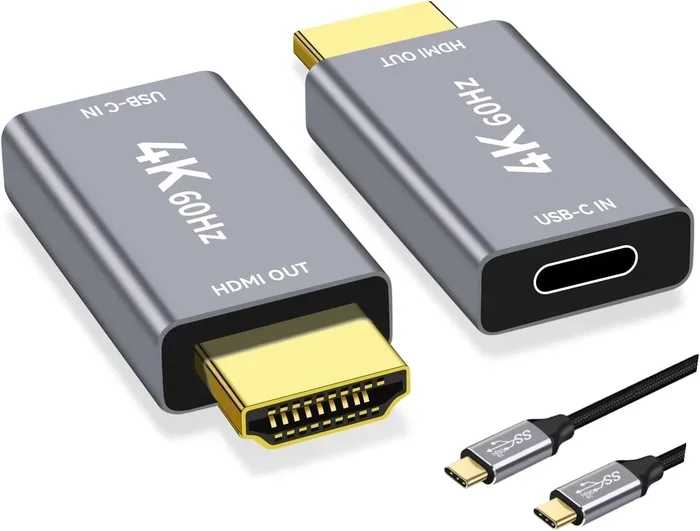
Older cars often come with USB-A ports, the rectangular ones you see on computers. You can still use USB C for music with a simple adapter. A USB-C to USB-A cable or a USB-C adapter bridges the gap between your modern phone and the older car port.
Make sure the adapter supports audio and data transfer, not just power delivery. Some cheap adapters only handle charging and will not transmit music files. Look for adapters that explicitly state they support audio output or data transfer on the packaging.
Scenario 3: Your Car Only Has an AUX Input
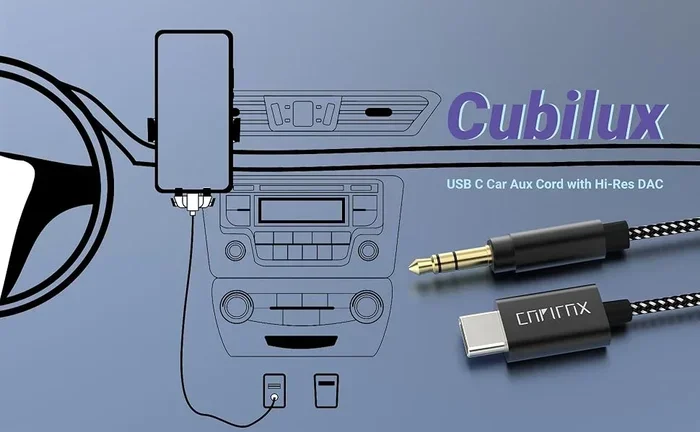
If your car stereo has only an AUX port, you can use a USB-C to AUX cable or a USB-C to AUX adapter. This converts the digital USB C signal to an analog audio output that the AUX port can read. These cables are widely available and affordable, usually costing under fifteen dollars.
One thing to keep in mind is that AUX connections carry an analog signal, so some audio quality loss can occur compared to a direct digital USB C connection. Still, for most everyday listening, the difference is minimal and perfectly acceptable.
Best USB C Adapters and Accessories for Car Music
Not all USB C adapters are created equal. When you are shopping for gear to play music in your car, look for a few key features. The adapter should support audio class protocols, handle data transfer speeds of at least USB 2.0, and be built with durable materials. Cheap, flimsy adapters can cause connection drops and audio glitches.
Top Adapter Types to Consider
- USB-C to USB-A adapter: Best for cars with older USB-A ports. Look for ones with a metal housing for better signal quality.
- USB-C to AUX cable: Ideal for cars with only an AUX input. Choose a cable with a braided sleeve to prevent tangling and wear.
- USB-C hub with AUX output: A great option if you want to charge your phone and play music simultaneously through one port.
- USB-C car charger with AUX passthrough: Combines a car charger and audio adapter into one sleek device that fits in your dash.
Brand reputation matters here. Stick with well-known accessory brands that have positive reviews for car audio compatibility. Reading user reviews on retailer sites can save you from buying a dud adapter that causes static or connection issues.
Cable Quality and Length
The cable you use matters more than most people realize. A high-quality USB-C cable with proper shielding reduces interference and delivers a cleaner audio signal. Avoid cables longer than six feet for car use, as longer cables can introduce signal degradation. If you need length, look for cables with braided nylon sheathing and gold-plated connectors.
Quick tip: always unplug and replug the cable if your car stereo does not recognize the connection right away. Sometimes the car stereo needs a fresh handshake with the device to start reading music files.
USB C vs Other Methods for Playing Music in Your Car
There are several ways to play music in your car, and each has its pros and cons. Let us compare USB C with the most popular alternatives so you can decide what works best for you.
USB C vs Bluetooth
Bluetooth is convenient because it requires no cables at all. You pair your phone once and the connection is automatic every time you get in the car. However, Bluetooth compresses audio data, which can reduce sound quality. It also uses your phone’s battery and can occasionally drop the connection, especially in areas with heavy wireless traffic.
A USB C connection, on the other hand, provides a wired, lossless audio path that does not compress your music. The sound is cleaner and more detailed. You also do not need to worry about pairing or interference. The trade-off is that you need a cable, and your phone is tethered to the car stereo.
USB C vs FM Transmitter
FM transmitters are a popular budget option for older cars without AUX or USB inputs. They broadcast your phone’s audio over an FM frequency that your car radio picks up. While they work, FM transmitters are prone to static, interference, and limited frequency range. The audio quality is noticeably lower than a USB C connection.
If you care about sound quality and reliability, USB C is the clear winner. FM transmitters have their place, but for daily driving, a wired USB C setup is hard to beat.
USB C vs CarPlay and Android Auto
Apple CarPlay and Android Auto are excellent car infotainment systems that mirror your phone screen on the car stereo. Both support USB C connections for audio playback. In fact, using a USB C cable with CarPlay or Android Auto gives you the best of both worlds: navigation, calls, and music all through one cable.
These systems also handle music app integration beautifully. Apps like Spotify, Apple Music, and Pandora work seamlessly through CarPlay and Android Auto, giving you a familiar interface on your car screen. If your car supports these systems, USB C is the go-to connection method.
Troubleshooting Common USB C Music Playback Issues
Even with the right gear, you might run into hiccups when setting up USB C music in your car. Most problems are easy to fix with a few simple steps. Here are the most common issues and their solutions.
Car Stereo Does Not Recognize the Phone
This is the most common complaint with USB C car audio. Start by trying a different USB-C cable, as some cables are charge-only and do not support data transfer. Next, check that your phone is set to File Transfer mode rather than charging only. You can usually find this in the notification shade when you plug in the cable.
Also, try cleaning the USB-C port on both your phone and the car stereo. Dust and lint can build up over time and block the connection. A quick blast of compressed air or a gentle brush with a dry toothbrush usually does the trick.
Music Plays but There Is No Sound
If the car stereo recognizes the phone but plays no audio, check the source or media selection on the car stereo. Make sure it is set to USB or the correct input. On some cars, you need to manually switch from Bluetooth or radio to USB in the audio settings.
Another common cause is that the phone’s volume is turned all the way down or set to a low level. Set your phone media volume to maximum and then use the car stereo volume controls to adjust. This ensures the car stereo handles the final volume adjustment for the best signal quality.
Audio Cuts Out or Crackles
Intermittent audio issues usually point to a loose connection or a low-quality cable. Make sure the USB-C connector is fully inserted into both the phone and the car port. A loose fit can cause the connection to break and reconnect, resulting in crackling or silence.
If the problem persists, try a different cable or adapter. Some USB-C adapters do not handle audio data well, especially if they are designed primarily for charging. Investing in a reputable brand adapter can eliminate these issues quickly.
Phone Battery Drains Quickly
Playing music over USB C can drain your phone battery, especially if the car stereo does not supply enough power. Look for a USB-C car charger that supports at least 10 watts of power delivery. Some car stereos also have a dedicated charging port separate from the data port, which is ideal for long trips.
Pro tip: turn off background apps on your phone before playing music. Apps that run in the background consume processing power and battery, which can shorten your listening time significantly.
Expert Tips for the Best USB C Car Music Experience
Getting USB C music playback working in your car is only half the battle. These expert tips will help you get the most out of your setup and enjoy a seamless listening experience every time you hit the road.
Organize Your Music Library
Before connecting your phone, take a few minutes to organize your music files. Create folders by artist, album, or genre so you can navigate easily on the car stereo screen. Most car stereos display music in a folder-based structure, so a little organization goes a long way.
If you use streaming apps like Spotify or Tidal, download playlists for offline listening before you drive. This ensures you have music even in areas with poor cellular coverage. A USB C connection works perfectly with downloaded offline tracks.
Keep Your Software Updated
Both your phone and your car stereo benefit from regular software updates. Manufacturers often release updates that improve USB compatibility and fix audio bugs. Check for updates on your phone settings and consult your car’s manual for update instructions.
Invest in a USB-C Dock or Hub
If you use multiple accessories in your car, a USB-C hub can be a game-changer. A hub lets you connect your phone for music, charge it simultaneously, and even plug in other devices like a dash cam or GPS. Look for compact hubs that fit in your center console without taking up too much space.
Test Your Setup Before a Long Trip
Never set up a new USB C music connection for the first time on a road trip. Test it at home or on a short drive first. This gives you time to troubleshoot any issues without the stress of being stranded with no music for a long journey.
Conclusion
Using USB C to play music in your car is one of the easiest and most rewarding upgrades you can make to your daily driving experience. Whether your car has a native USB-C port or needs a simple adapter, the process is straightforward and the results are worth it. You get better audio quality, a more stable connection, and the convenience of a single cable for both music and charging.
Start by checking your car stereo and phone for USB-C compatibility, then grab the right adapter or cable from our recommendations above. Follow the setup steps, troubleshoot any issues using our guide, and enjoy your music the way it was meant to be heard. With the right USB C setup, every drive becomes a better drive.
The world of car audio has evolved, and USB C is at the center of that evolution. Embrace it, and you will wonder how you ever listened to music any other way. Now go plug in and press play.
Frequently Asked Questions
Can I use any USB-C cable to play music in my car?
Not all USB-C cables are the same. You need a cable that supports data transfer, not just charging. Look for cables that are rated for USB 2.0 or higher and explicitly mention audio or data support. A charge-only cable will not transmit music files to your car stereo.
Do I need an adapter if my car has a USB-C port?
No, if your car has a native USB-C port, you can plug your phone in directly with a standard USB-C cable. Adapters are only needed if your car has USB-A ports or an AUX input. Always check your car stereo’s available ports before buying any accessories.
Does USB C sound better than Bluetooth for car music?
Yes, USB C generally sounds better than Bluetooth because it transmits a digital signal without compression. Bluetooth compresses audio data to save bandwidth, which can reduce sound quality. A USB C connection preserves the full quality of your music files, especially if you listen to lossless formats like FLAC.
Can I charge my phone and play music over USB C at the same time?
In most cases, yes. A single USB-C cable handles both data transfer and charging. However, some older car stereos may not supply enough power to charge your phone while playing music. If you notice your phone battery dropping, consider using a separate USB-C car charger alongside your audio connection.
Why does my car stereo not recognize my phone when I plug it in via USB-C?
This usually happens because the cable is charge-only, the phone is set to charging mode instead of file transfer, or the USB-C port needs cleaning. Try a different cable, change the phone’s USB mode to File Transfer, and clean the ports with compressed air. If the problem continues, the adapter or cable may be incompatible.
Is USB C the future of car audio connectivity?
Absolutely. As more car manufacturers adopt USB-C as the standard port, wired audio connections are becoming more universal. USB-C supports high-resolution audio, fast charging, and data transfer through a single cable. Investing in USB-C accessories now means your setup will stay compatible with future cars and devices.