Can I Use My Hp Victus While Charging Without Any Risk
Yes, you can use your HP Victus while charging without any risk. Modern HP Victus laptops are built to handle gaming and work while plugged in all day. HP Victus battery safety features protect your device from overheating, overcharging, and power surges. Using HP Victus while charging actually keeps your gaming performance at its peak, giving you the best frame rates and zero interruptions.
Can I use my HP Victus while charging? This is one of the most common questions HP Victus owners ask. Whether you are a student, a gamer, or a creative professional, your laptop battery matters. You want to get the most out of your device without damaging it. The good news is that using your HP Victus while it charges is completely safe. HP designed these laptops with smart power management systems. These systems protect your battery from overcharging, overheating, and power fluctuations. In this guide, we will walk you through everything you need to know. You will learn how HP Victus battery care works, what happens when you game while plugged in, and how to keep your laptop running strong for years. Let us dive in.
Many people worry about their laptop battery. They have heard stories about batteries swelling, dying early, or causing problems. The truth is that modern laptops like the HP Victus are built with advanced safety features. You do not need to stress about using your laptop while it charges. Understanding how your battery works will give you peace of mind. It will also help you get better performance from your device every single day.
Key Takeaways
- Safe to Use While Charging: HP Victus laptops are designed to run on AC power safely at all times.
- Better Gaming Performance: Plugging in while gaming ensures your GPU and CPU run at full power without throttling.
- Battery Health Matters: Following proper charging habits extends your HP Victus battery life significantly.
- Heat Is the Real Concern: Managing laptop temperature while charging is more important than the act of charging itself.
- HP Command Center Helps: Use built-in tools to manage power modes and protect your battery.
- Avoid Common Mistakes: Don’t use cheap chargers, and don’t leave your laptop in hot environments while charging.
📑 Table of Contents
Understanding How Your HP Victus Battery Works
Before we answer the main question, let us look at how your HP Victus battery actually works. Knowledge is power, and understanding your battery helps you take better care of it.
How Lithium-Ion Batteries Function
Your HP Victus uses a lithium-ion battery. These batteries are the standard in almost all modern laptops. They are lightweight, powerful, and reliable. When you plug in your laptop, the power adapter sends electricity to your device. Some of that electricity runs your laptop. The rest charges the battery. Once the battery reaches 100 percent, the charging circuit stops sending power to the battery. Your laptop runs directly off the power adapter at that point. This is called battery bypass mode. It prevents overcharging, which was a real problem in older battery technologies.
Battery Cycles and Longevity
Every battery has a limited number of charge cycles. A charge cycle happens when you use 100 percent of your battery capacity. You do not need to drain your battery completely for one cycle to count. Using 50 percent twice equals one cycle. HP Victus batteries are rated for hundreds of cycles. On average, you can expect 300 to 1,000 full cycles before the battery capacity drops noticeably. The way you charge your laptop affects how many cycles it lasts. HP Victus battery health depends heavily on your charging habits. More on that later.
Can You Safely Use Your HP Victus While Charging?
The short answer is yes. You can use your HP Victus while charging without any risk to your device. HP engineers built these laptops to handle continuous use while plugged in. Whether you are gaming, streaming videos, or working on documents, your laptop handles it all. But let us look at what actually happens under the hood when you use your laptop while it charges.
What Happens When You Game While Plugged In
When you game on your HP Victus while charging, several things happen at the same time. Your GPU and CPU draw maximum power. The power adapter feeds your laptop and charges the battery simultaneously. Your laptop’s internal power management system balances these demands. It makes sure no single component gets too much or too little power. This is why you get the best HP Victus gaming performance when your laptop is plugged in. Running on battery power alone forces your laptop to conserve energy. It reduces clock speeds and limits performance. Plugging in removes those limits.
Heat Management and Performance
Heat is the one thing you should pay attention to. When you use your HP Victus while charging, all components are working hard. Your CPU, GPU, and battery all generate heat at the same time. HP Victus laptops come with cooling systems designed to handle this. They have dual fans, heat pipes, and ventilation channels. But if your laptop sits on a soft surface like a bed or a pillow, airflow gets blocked. This can cause overheating. Overheating leads to thermal throttling, which slows down your laptop to protect itself. So while using your HP Victus while charging is safe, make sure your laptop has good airflow. Keep it on a hard, flat surface. A simple laptop stand can make a big difference.
Quick Tip: Always place your HP Victus on a hard, flat surface while charging and gaming. Avoid beds, couches, and carpets. They block the vents and trap heat inside your laptop.
The Impact of Charging on Gaming Performance
Using your HP Victus while charging has a direct impact on how well your laptop performs. Let us break this down so you understand exactly what to expect.
Power Modes in HP Victus
HP Victus laptops come with different power modes. These modes control how much power your laptop uses. You can access them through the HP Command Center app or the function keys on your keyboard. The main modes include:
- Performance Mode: This mode gives your laptop maximum power. Your CPU and GPU run at full speed. Your laptop gets louder and warmer. This is the best mode for gaming while charging.
- Balanced Mode: This mode balances performance and battery life. It is great for everyday tasks and light gaming.
- Battery Saver Mode: This mode limits power to extend battery life. You should avoid using this mode while gaming on AC power.
When you use your HP Victus while charging, you should switch to Performance Mode. This unlocks the full potential of your hardware. You will notice smoother gameplay and faster load times.
Thermal Throttling Explained
Thermal throttling is when your laptop slows itself down to prevent overheating. It is a safety feature, not a bug. When your CPU or GPU gets too hot, it reduces its clock speed. This lowers heat output but also reduces performance. Thermal throttling can happen when you game while charging for long periods. It is more likely if your cooling system is blocked or your room is hot. To avoid thermal throttling, keep your laptop well-ventilated. Clean the fans regularly. And consider using a cooling pad for extended gaming sessions.
Best Practices for Charging Your HP Victus
Now that we know using your HP Victus while charging is safe, let us talk about the best ways to charge it. Good charging habits keep your battery healthy and your laptop running strong.
Optimal Charging Habits
Follow these simple habits to get the most out of your HP Victus battery:
- Keep Your Battery Between 20 and 80 Percent: Lithium-ion batteries last longest when they are not fully drained or fully charged all the time. Try to plug in when your battery hits 20 percent and unplug around 80 percent when possible.
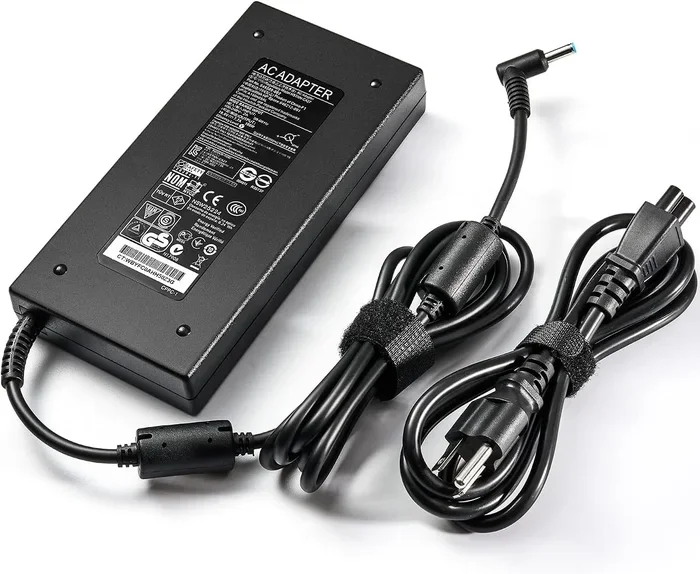
- Use the Original HP Charger: Always use the power adapter that came with your HP Victus. Third-party chargers may not deliver the correct voltage or wattage. This can damage your battery and even void your warranty.
- Avoid Extreme Temperatures: Do not charge your laptop in very hot or very cold rooms. Heat is the biggest enemy of lithium-ion batteries. Cold temperatures can also cause temporary battery drain.
- Unplug Occasionally: Even though your HP Victus handles continuous charging well, it is good to run on battery power sometimes. This keeps the battery cells active and healthy.
- Update Your BIOS and Drivers: HP regularly releases updates that improve power management. Keep your laptop up to date for the best battery performance.
Using HP Command Center for Battery Management
HP Command Center is a free app that comes with your HP Victus. It gives you control over many settings, including battery management. Inside the app, you can find features like HP Fast Charge and battery protection modes. The battery protection feature lets you set a maximum charge limit. For example, you can set it to stop charging at 80 percent. This reduces battery wear and extends your battery lifespan. If you always use your HP Victus while charging at a desk, enabling this feature is a smart move.
Expert Insight: HP engineers recommend using the battery protection mode if you keep your HP Victus plugged in for long periods. This simple setting can add months or even years to your battery life. It is one of the easiest things you can do to protect your investment.
Quick Tips for Better Battery Health
- Calibrate your battery once every two months by draining it to 0 percent and then charging it to 100 percent.
- Check your battery health in Windows by going to Settings > System > Power & Battery > Battery Health.
- Reduce screen brightness when not gaming to lower heat and power consumption.
- Close unused apps to reduce CPU load and heat while charging.
- Keep your laptop clean from dust. Use compressed air to clean the vents every few weeks.
Common Mistakes to Avoid
Even though using your HP Victus while charging is safe, some mistakes can shorten your battery life or cause other problems. Here are the ones to watch out for.
Charging Overnight Myths
Many people believe that charging your laptop overnight damages the battery. This is a myth when it comes to modern laptops like the HP Victus. Your laptop’s power management system stops charging the battery once it reaches 100 percent. It then runs your laptop directly off the power adapter. However, there is a small caveat. If your laptop stays at 100 percent charge for days or weeks, it can put slight stress on the battery cells. This is why the battery protection feature in HP Command Center is so useful. It caps your charge at 80 percent, which is the sweet spot for long-term battery health.
Using Unauthorized Chargers
This is a mistake that can cause real damage. Using a cheap, non-HP charger might seem harmless, but it can deliver inconsistent power. Voltage spikes or drops can harm your battery and other internal components. Always use the original HP power adapter or an HP-certified replacement. Your HP Victus deserves the right power. Do not cheap out on this.
Ignoring Overheating Signs
Some users notice their HP Victus getting very hot while charging and gaming but ignore it. This is a mistake. If your laptop feels too hot to touch, the fans sound like a jet engine, or your performance drops suddenly, your laptop is overheating. Take action immediately. Elevate the laptop, move it to a cooler room, or give it a break. Ignoring overheating can lead to long-term hardware damage.
When to Unplug and Run on Battery
Even though your HP Victus is safe to use while charging all the time, there are good reasons to unplug and run on battery power sometimes. Let us look at when and why you should do this.
Battery Health Benefits
Running your HP Victus on battery power periodically keeps the battery cells active and balanced. Think of it like exercise for your battery. If you always keep your laptop plugged in, the battery sits idle at 100 percent charge for long periods. This can lead to a phenomenon called battery fatigue. The battery loses its ability to hold a full charge over time. By using your laptop on battery for a few hours each week, you keep the battery healthy and responsive.
Balancing AC and Battery Use
The ideal approach is a balance. Use your HP Victus while charging when you need maximum performance. This is perfect for gaming sessions, video editing, or heavy workloads. Then, unplug and use it on battery for lighter tasks. This could be reading, browsing the web, or working on documents in a coffee shop. This balanced approach gives you the best of both worlds. You get top performance when you need it and long-lasting battery health over time.
| Scenario | Use AC Power | Use Battery Power |
|---|---|---|
| Gaming | Yes, recommended | No, performance drops |
| Video Editing | Yes, recommended | Short sessions only |
| Web Browsing | Fine | Yes, great for battery health |
| Office Work | Fine | Yes, great for battery health |
| Traveling | When charger is available | Yes, primary use |
Final Thoughts on Using Your HP Victus While Charging
So, can I use my HP Victus while charging? Absolutely yes. Your HP Victus is built to handle it. The smart power management system, battery protection features, and robust cooling design all work together to keep your laptop safe and performing well. You do not need to worry about damaging your battery or your device. Just follow the best practices we covered in this guide. Use the right charger, manage your power modes, keep your laptop cool, and occasionally run on battery power. These simple habits will keep your HP Victus running strong for years to come.
The bottom line is that your HP Victus is a powerful machine designed for real-world use. That includes gaming, working, and creating while plugged in. Embrace the freedom of using your laptop however you want. Just stay smart about how you treat your battery, and it will reward you with reliable performance every single day.
Frequently Asked Questions
Is it safe to game on my HP Victus while it is charging?
Yes, it is completely safe. HP Victus laptops are designed to handle gaming while plugged in. The internal power management system balances the power between charging the battery and running your hardware. You will actually get the best gaming performance when your laptop is plugged in because it can draw full power without conserving energy.
Will charging my HP Victus while using it damage the battery?
No, it will not damage the battery if you follow proper charging habits. Modern HP Victus laptops have built-in circuits that stop charging the battery once it reaches 100 percent. To maximize battery lifespan, use the battery protection mode in HP Command Center to cap your charge at 80 percent when plugged in for long periods.
Can I leave my HP Victus plugged in overnight?
Yes, you can leave your HP Victus plugged in overnight safely. The laptop will stop charging the battery once it hits full capacity and run directly off AC power. However, for long-term battery health, it is a good idea to enable the battery protection feature that limits the charge to 80 percent.
Why does my HP Victus get hot when charging and gaming?
Your HP Victus generates heat from both the charging process and the heavy workload of gaming. The CPU and GPU run at full power while the battery charges simultaneously. This is normal. However, if your laptop gets excessively hot, make sure the vents are not blocked, use a hard flat surface, and consider using a cooling pad to improve airflow.
Should I use battery saver mode while charging my HP Victus?
No, you should not use battery saver mode while charging if you want full performance. Battery saver mode limits your CPU and GPU power to conserve energy. When your HP Victus is plugged in, switch to Performance Mode or Balanced Mode instead. This lets your hardware run at its full potential.
How often should I calibrate my HP Victus battery?
HP recommends calibrating your HP Victus battery once every two months. To calibrate, drain your battery down to 0 percent, then charge it all the way to 100 percent without interruption. This helps your laptop accurately report your battery level and keeps the battery cells balanced and healthy.
=== CONCLUSION ===
Using your HP Victus while charging is not only safe, it is the best way to get peak performance from your laptop. Whether you are in the middle of an intense gaming session or working on a demanding project, plugging in your HP Victus gives you the power and freedom you need. The key is to pair that confidence with smart battery habits. Keep your charger original, manage your power modes, watch your temperatures, and give your battery a break now and then. Follow these simple steps and your HP Victus will serve you well for many years. So go ahead, plug in, and play without any worry at all.