Can You Still Get Slides Made For Your Presentations
Can You Still Get Slides Made? Absolutely! Whether you need custom presentation slides for work, school, or events, there are more options than ever. From professional slide design services to DIY tools, getting slides made is easier and more affordable today. This guide covers every method, tip, and resource you need to create beautiful, impactful slides for any occasion.
You have a big presentation coming up, and the thought of building slides from scratch makes you want to crawl back into bed. Maybe you have great content but zero design skills. Maybe you are short on time and need help fast. Whatever the reason, you have probably wondered — can you still get slides made? The short answer is a resounding yes. In fact, getting custom slides created for your presentations is easier today than it has ever been. From freelance designers to AI-powered tools, there is a solution for every budget, timeline, and skill level.
In this guide, we will walk you through every option available for getting presentation slides made. You will learn about professional services, templates, do-it-yourself platforms, and emerging AI tools. We will also share practical tips to avoid common pitfalls and make sure your slides look polished and professional. Whether you are preparing a business pitch deck, a classroom presentation, or a wedding slideshow, this article has you covered.
Key Takeaways
- Multiple Options Available: You can get slides made through freelancers, agencies, templates, or DIY tools.
- Cost Varies Widely: Prices range from free template sites to hundreds of dollars for custom design work.
- Quality Matters: Well-designed slides boost audience engagement and message clarity significantly.
- AI Tools Are Game-Changers: New AI-powered platforms make slide creation faster and more accessible than ever.
- Timing Is Key: Plan ahead when outsourcing slide work to avoid rushed, low-quality results.
- Custom Beats Generic: Tailored slides stand out far more than default templates.
📑 Table of Contents
- The Short Answer: Yes, You Can Still Get Slides Made
- How to Get Slides Made for Your Presentations
- Best Tools and Platforms for Slide Creation
- Common Mistakes When Getting Slides Made
- Expert Tips for Stunning Presentation Slides
- How Much Does It Cost to Get Slides Made?
- The Future of Slide Creation
- Final Thoughts
The Short Answer: Yes, You Can Still Get Slides Made
The idea of hiring someone to create slide decks might feel old-fashioned in a world of do-it-yourself tools. But the truth is, outsourcing your slide creation is still very much alive and thriving. Professionals across every industry rely on custom-designed slides to communicate their ideas effectively. And the demand for quality presentation design services has only grown in recent years.
What has changed is the sheer variety of options available. You no longer need to hire a full-service agency or spend hours hunting for the right freelancer. You can choose from a wide range of services and tools that fit your specific needs. Some people prefer working with a human designer who understands their vision. Others lean on AI-powered slide makers that can generate layouts in minutes. The key is knowing which option works best for your situation.
Why People Still Need Custom Slides Today
Despite the abundance of free tools and templates, many people still seek out custom slide services. Here is why that demand remains strong:
- Brand Consistency: Companies need slides that match their brand guidelines perfectly. Generic templates often fall short of this requirement.
- Time Savings: Building high-quality slides takes hours. Many professionals simply do not have that time to spare.
- Professional Polish: A well-designed deck instantly boosts credibility. Sloppy slides can undermine even the best content.
- Complex Data Visualization: Turning dense data into clear, visual charts and graphics requires real skill.
- High-Stakes Presentations: Investor pitches, keynote speeches, and client proposals demand top-notch visual quality.
These needs have not gone away. If anything, they have intensified as presentations become more visual and competitive. The good news is that getting slides made has never been more accessible or affordable.
How to Get Slides Made for Your Presentations
Now that we have established that yes, you can still get slides made, let us explore the different paths available. Each method has its own strengths, and the right choice depends on your budget, timeline, and design needs.
Option 1: Hire a Freelance Designer
Freelancers are one of the most popular ways to get custom slides created. Platforms like Upwork, Fiverr, and Behance make it easy to find talented designers at various price points. You can browse portfolios, read reviews, and choose someone whose style matches your vision.
Here is what to expect when working with a freelancer:
- Cost: Typically $20 to $150 per slide, depending on complexity and the designer’s experience.
- Turnaround Time: Most freelancers can deliver a 10-slide deck within 3 to 7 business days.
- Communication: You will work directly with the designer, sharing feedback and revisions along the way.
- Customization: Freelancers can create truly unique designs tailored to your specific content and branding.
The biggest advantage of hiring a freelancer is the personal touch. You are not just another order in a queue. You get a designer who listens to your ideas and brings them to life. The trade-off is that quality can vary widely, so always review portfolios and samples before committing.
Option 2: Use a Professional Presentation Agency
If you need a large volume of slides or a high-end finish, a presentation agency is a strong choice. These firms employ teams of designers and strategists who specialize in business presentations and keynote decks.
Agencies are ideal for:
- Corporate pitch decks for fundraising or client acquisition
- Annual report presentations with complex data
- Conference keynote slides for executives and thought leaders
- Brand story presentations that need a cohesive visual narrative
The downside is cost. Agency projects can range from $1,000 to $10,000 or more, depending on scope. But the quality and strategic thinking you get in return is often worth every penny for high-stakes presentations.
Option 3: Use Pre-Made Templates
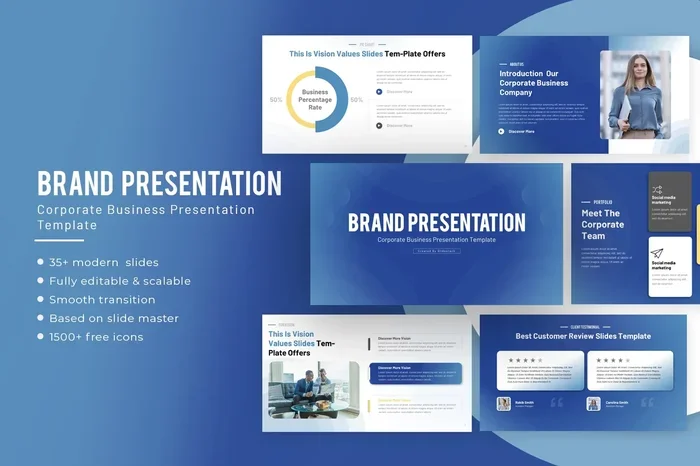
Not everyone needs fully custom slides. For many presentations, premium templates offer a perfect balance of quality and affordability. Sites like Envato Elements, SlideModel, and Canva Pro offer thousands of professionally designed templates you can customize to your needs.
This option works best when:
- You have a tight budget but still want polished visuals
- Your presentation follows a standard structure
- You are comfortable editing text, images, and layouts yourself
- Time is limited and you need slides quickly
Slide templates have come a long way in recent years. Many now feature fully editable graphics, modern layouts, and cohesive color schemes. You can create a professional-looking deck in a fraction of the time it would take to build one from scratch.
Option 4: Try AI-Powered Slide Makers
Artificial intelligence has revolutionized the way we create digital presentations. Tools like Beautiful.ai, Tome, Gamma, and SlidesAI can generate complete slide decks from a simple text prompt or outline. This is perhaps the fastest and most affordable way to get slides made today.
Here is how AI slide tools typically work:
- You input your content or key points.
- The AI analyzes the information and suggests a layout.
- The tool generates a full slide deck with text, images, and design elements.
- You review, edit, and customize as needed.
AI-powered platforms are perfect for people who need slides fast and have basic design skills. They are not yet at the level of a human designer for highly creative or brand-specific work, but they are improving rapidly. For everyday presentations, they deliver surprisingly impressive results.
Best Tools and Platforms for Slide Creation
Choosing the right platform can make or break your slide creation experience. Below is a comparison of the most popular options for getting slides made.
Comparison of Top Slide Creation Platforms
Here is a quick look at the leading tools and what they offer:
- Canva: A versatile design platform with thousands of presentation templates. Great for beginners and intermediate users. Free and paid plans available.
- Beautiful.ai: An AI-powered tool that automatically formats your content into professional slides. Excellent for quick, clean decks.
- Envato Elements: A subscription service offering unlimited access to premium templates, graphics, and design assets.
- PowerPoint / Google Slides: The classic choices. Both offer built-in templates and are widely used in business and education.
- Tome: An AI-first presentation tool that generates entire slide decks from text prompts. Great for creative and storytelling presentations.
- SlidesGo: A free template library with hundreds of beautifully designed slide decks for Google Slides and PowerPoint.
Each platform has its strengths. The best choice depends on your specific needs, budget, and how much design control you want. If you are unsure where to start, Canva is an excellent all-around option that balances ease of use with professional results.
What to Look for in a Slide Design Service
If you are considering outsourcing your slide deck creation, here are the key factors to evaluate:
- Portfolio Quality: Review their previous work. Does the style match what you are looking for?
- Turnaround Time: Make sure they can deliver within your deadline. Rush orders often cost extra.
- Revision Policy: A good service will offer at least one or two rounds of revisions at no extra charge.
- Communication: You want a designer or team that responds promptly and understands your vision.
- Pricing Transparency: Avoid services with hidden fees. Clear pricing upfront saves headaches later.
- File Formats: Make sure they deliver files in the format you need — PowerPoint, PDF, or Google Slides.
Common Mistakes When Getting Slides Made
Even with the best intentions, people make mistakes when getting custom slides created. Being aware of these pitfalls can save you time, money, and frustration.
Mistake 1: Waiting Until the Last Minute
One of the most common errors is leaving slide creation too late. Whether you are hiring a designer or building the deck yourself, quality takes time. Rushed slides almost always look sloppy and fail to communicate your message effectively. Give yourself at least a week, and more for complex projects.
Mistake 2: Providing Vague Instructions
Designers and AI tools need clear direction. Simply saying “make it look nice” is not enough. Provide context about your audience, the purpose of the presentation, your brand colors, and any specific slides you need. The more information you share upfront, the better the final result will be.
Mistake 3: Overloading Slides with Text
Slides are visual aids, not documents. A common mistake is cramming too much text onto each slide. Your audience should be listening to you, not reading a novel on the screen. Keep text concise and let the design support your spoken words.
Mistake 4: Ignoring Brand Guidelines
If you are creating slides for a business or organization, consistency matters. Ignoring brand guidelines can result in a disjointed, unprofessional look. Always share your brand assets — logos, color codes, fonts — with whoever is creating your slides.
Mistake 5: Choosing Price Over Quality
It is tempting to go with the cheapest option available, especially on freelance platforms. But extremely low prices often mean low quality, poor communication, and missed deadlines. Invest in a service or designer whose work you trust, even if it costs a bit more.
Expert Tips for Stunning Presentation Slides
Whether you are creating slides yourself or working with a designer, these expert tips will help you get the best possible results.
Start with a Clear Outline
Before you touch any design tool, map out your presentation structure. What are the key messages? What is the flow? A solid outline makes the design process smoother and ensures your slides tell a cohesive story.
Use High-Quality Images
Stock photos can make or break a slide deck. Use high-resolution images that are relevant to your content. Sites like Unsplash, Pexels, and Shutterstock offer excellent options. Avoid generic, overused stock images that audiences have seen a hundred times before.
Keep Your Color Palette Consistent
Stick to two or three main colors throughout your presentation. Too many colors create visual chaos and distract from your message. If you are working with a brand, pull your palette directly from the brand guidelines.
Embwhite Space Generously
White space — the empty areas on a slide — is not wasted space. It gives the eyes room to rest and helps highlight the most important elements on each slide. Resist the urge to fill every inch of the slide with content.
Test Your Slides on the Actual Screen
If possible, view your slides on the screen or projector you will be presenting on. Text and images that look great on your laptop screen may appear differently on a larger display. Testing ahead of time helps you catch and fix any issues.
Ask for Feedback Before the Big Day
Show your slides to a trusted colleague or friend before the presentation. A fresh pair of eyes can spot issues you might have missed. They can also tell you whether the slides are easy to follow and visually appealing.
How Much Does It Cost to Get Slides Made?
Cost is always a factor when getting slides made, and the price range is broad. Here is a general breakdown:
- DIY with Free Templates: $0. You do the work, but the cost is your time.
- Premium Templates: $10 to $50 per template, or $50 to $200 per year for subscription services.
- Freelance Designers: $20 to $150 per slide, depending on complexity and experience.
- AI Slide Tools: $0 to $30 per month for most platforms, with some offering free tiers.
- Professional Agencies: $1,000 to $10,000+ depending on project scope and deliverables.
When budgeting for slide design services, consider the value of your time and the impact of the presentation. A well-designed deck for a major client pitch or investor meeting can pay for itself many times over.
The Future of Slide Creation
The landscape of presentation design is evolving rapidly. AI tools are becoming more sophisticated every year, and the line between human-designed and AI-generated slides is blurring. In the near future, we can expect even faster turnaround times, smarter design suggestions, and more personalized slide experiences.
However, one thing will never change: the power of a well-crafted visual story. Whether you use a human designer, an AI tool, or a combination of both, the goal remains the same — to communicate your message clearly and persuasively. The best slide creation method is whichever one helps you achieve that goal most effectively.
If you are still wondering whether you can get slides made for your next presentation, the answer is a definite yes. The tools, services, and platforms available today make it possible for anyone to create professional-quality slides, regardless of skill level or budget. The key is to start early, be clear about your needs, and choose the approach that fits your unique situation.
Final Thoughts
Getting slides made for your presentations is no longer a luxury reserved for big corporations with big budgets. It is a practical, accessible option for students, entrepreneurs, educators, and professionals in every field. The variety of choices today — from freelance designers and agencies to templates and AI tools — means there is a solution for everyone.
Take the time to explore your options. Consider your budget, your timeline, and the importance of the presentation. Whether you choose to DIY with a premium template or invest in a fully custom design, the effort you put into your slides will show in the impact you make on your audience. Great slides do not just look good — they help you say more, connect better, and leave a lasting impression.
So go ahead. Get your presentation slides made the way that works best for you. Your next great presentation is waiting, and the right slides will make all the difference.
Frequently Asked Questions
Can I get slides made for free?
Yes, you can get basic slides made for free using platforms like Google Slides or Canva’s free tier. You can also find thousands of free templates online. However, free options usually come with limited customization and may include watermarks or attribution requirements.
How long does it take to get slides made by a professional?
It typically takes 3 to 7 business days for a freelancer to deliver a standard 10 to 15-slide deck. Agencies may take longer, especially for complex projects. Rush orders are often available but usually come with an additional fee.
Is it better to use templates or hire a designer?
It depends on your needs. Templates are cost-effective and work well for standard presentations. Hiring a designer is better when you need a unique, brand-consistent deck for high-stakes events. For most everyday presentations, a quality template is a smart choice.
Can AI tools really replace human designers for slide creation?
AI tools are excellent for speed and convenience, but they have not fully replaced human designers. AI works best for straightforward, content-heavy slides. For creative, highly customized, or brand-specific presentations, a human designer still delivers superior results.
What information should I provide when hiring someone to make my slides?
Share your presentation outline, key talking points, brand guidelines (logos, colors, fonts), any reference slides you like, and your target audience. The more context you provide, the better the final result will be.
How much should I budget for custom slide design?
Budget varies widely. Freelancers typically charge $20 to $150 per slide. Agencies charge $1,000 to $10,000+ for full projects. Template subscriptions cost $10 to $50 per month. Your budget should reflect the importance and complexity of your presentation.