Can My Wifi Be Jammed Here Is What You Need to Know
Yes, your wifi can be jammed, and it happens more often than most people realize. Wifi jamming is a real threat that can disrupt your internet connection, compromise your security, and leave you frustrated. In this guide, we break down exactly how wifi jamming works, how to spot it, and what you can do to shield your network from interference and attacks.
Have you ever been in the middle of an important video call and suddenly lost your connection? Or maybe your smart home devices stopped responding right when you needed them most. Your first thought might be that your internet provider is having issues. But what if the real problem is something more sinister? What if someone is actively trying to disrupt your wireless signal?
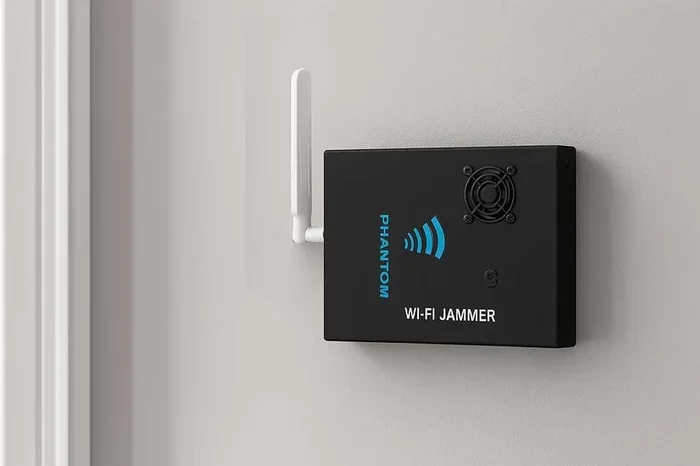
Can my wifi be jammed? The short answer is yes. Wifi jamming is a genuine concern for homeowners, businesses, and anyone who relies on a wireless network. Whether it is a neighbor using a cheap signal blocker or a more sophisticated attack targeting your network, the threat is real and growing. This article will walk you through everything you need to know about wifi jamming, from how it works to how you can protect yourself.
We will cover the science behind wireless signal disruption, the warning signs that your network is under attack, and the practical steps you can take to keep your connection safe. By the end, you will have a clear understanding of wifi interference and how to defend your network like a pro.
Key Takeaways
- Wifi jamming is a real threat: Bad actors can disrupt your wireless signal using simple and advanced tools.
- Common signs include slow speeds and dropped connections: Recognizing these early helps you respond quickly.
- Your router has built-in protections: Keeping firmware updated and using strong encryption goes a long way.
- Legal consequences exist for jamming: It is illegal in most countries to intentionally jam a wifi signal.
- Simple steps boost your wifi security: Strong passwords, WPA3 encryption, and network monitoring make a big difference.
- Professional help is available: If you suspect persistent jamming, a network expert can audit and secure your setup.
📑 Table of Contents
Understanding How Wifi Jamming Works
Before you can protect your network, you need to understand what wifi jamming actually is. At its core, jamming happens when someone or something sends out radio signals on the same frequency as your wifi network. These signals overwhelm your router and devices, causing disruptions or complete signal loss.
Think of it like trying to have a conversation in a crowded room. If everyone starts talking at once, you cannot hear the person you are trying to listen to. That is essentially what happens when your wifi signal gets jammed.
The Basics of Wireless Frequency
Most home routers operate on two main frequency bands. The first is the 2.4 GHz band, which offers wider coverage but slower speeds. The second is the 5 GHz band, which provides faster speeds but has a shorter range. Both bands are part of the wireless frequency spectrum that your router uses to communicate with your devices.
Wifi jamming targets these specific frequencies. A jammer broadcasts a strong signal on the same band, drowning out your router’s signal. The result is a loss of connectivity for any device trying to access the network.
Types of Wifi Jamming Attacks
Not all jamming is the same. There are a few different methods that bad actors use to disrupt wireless networks. Understanding these can help you identify what kind of attack you might be facing.
Constant jamming is the most straightforward type. The attacker sends a continuous stream of noise on your frequency. It is like someone constantly shouting over your conversation. This type of jamming is easy to detect but can be very effective.
Reactive jamming is more sneaky. The attacker waits for your device to start communicating and then sends a burst of interference at that exact moment. This makes it harder to pinpoint the source of the problem.
Deauthentication attacks are another common method. Instead of blocking the signal entirely, the attacker sends fake disconnection messages to your devices. This kicks you off the network without actually blocking the wifi frequency itself. It is a subtle but effective way to cause disruption.
Warning Signs Your Wifi Is Being Jammed
So how do you know if your wifi is being jammed or if you just have a slow connection? There are several telltale signs that can help you figure it out. Paying attention to these warning signs can save you a lot of frustration and help you act quickly.
Sudden and Unexplained Signal Drops
If your wifi connection drops frequently and you cannot link it to any known issue, that is a red flag. Normal network congestion might slow things down, but it should not cause complete signal loss. If your connection vanishes entirely and comes back intermittently, someone might be interfering with your wifi signal.
Devices Showing No Signal at All
When your devices show no signal or a very weak signal despite being close to the router, that is suspicious. A healthy signal strength should remain fairly consistent within your home. If multiple devices suddenly lose connection at the same time, that is a strong indicator of interference.
Unusual Network Activity
Keep an eye on your router’s activity lights. If the lights are flickering erratically or showing constant activity when you are not using the network, something might be wrong. This could indicate that someone is actively trying to access or disrupt your wireless network.
Slow Performance During Specific Times
If your internet slows down at the same times every day, that pattern is worth investigating. It could be a sign that someone is using a jamming device during specific hours. This is more common in office buildings and shared living spaces.
Common Causes of Wifi Interference
Not all wifi disruption comes from malicious actors. In fact, most cases of poor wifi performance are caused by everyday interference. Understanding the common culprits can help you troubleshoot your network more effectively.
Physical Obstacles
Walls, floors, and large furniture can all weaken your wifi signal. Microwaves, baby monitors, and cordless phones also operate on the 2.4 GHz frequency and can cause interference. If your router is tucked behind a thick wall or inside a closet, your signal strength will suffer.
Neighboring Networks
If you live in an apartment building or a dense neighborhood, your neighbors wifi networks might be overlapping with yours. This is called channel overlap and it can cause significant network congestion. When too many networks operate on the same channel, everyone’s performance takes a hit.
Electronic Devices
Bluetooth devices, baby monitors, and even some LED light bulbs can emit electromagnetic signals that interfere with your wifi. These devices are usually low-powered and cause only minor disruptions, but they can add up if you have many of them near your router.
Outdated Router Hardware
Older routers may not handle modern internet demands well. They might lack support for the latest wireless encryption standards and can struggle with multiple connected devices. If your router is more than five years old, it might be time for an upgrade.
How to Protect Your Wifi Network From Jamming
The good news is that there are many steps you can take to protect your wifi from jamming and interference. Some are simple and free, while others require a bit more investment. Here is a practical guide to router protection and wireless network security.
Use Strong Encryption
The first line of defense for your network is strong wireless encryption. Make sure your router is set to use WPA3 if it supports it. WPA3 is the latest and most secure encryption standard available. If your router does not support WPA3, use WPA2 at minimum. Never leave your network open or use WEP encryption, as these are easily compromised.
Strong wifi password practices also matter. Use a long, complex password that includes a mix of letters, numbers, and symbols. Avoid using easily guessable information like your name or address.
Keep Your Router Firmware Updated
Router manufacturers regularly release firmware updates that patch security vulnerabilities and improve performance. Check your router settings periodically to make sure you are running the latest firmware. Many modern routers have an auto-update feature that you should enable.
Updating your firmware is one of the simplest and most effective things you can do for router protection. It closes the door on known exploits that attackers could use to target your network.
Change Your Wifi Channel
If you suspect channel overlap from neighboring networks, try switching to a less crowded channel. Most routers allow you to select your channel manually through the settings panel. Use a wifi analyzer app to scan your area and find the least congested channel.
For the 2.4 GHz band, channels 1, 6, and 11 are the best options because they do not overlap with each other. For the 5 GHz band, you have many more channels to choose from, which makes it easier to find a clear frequency.
Enable Network Monitoring
Many modern routers come with built-in monitoring tools that let you see which devices are connected to your network. Check this list regularly to make sure no unauthorized devices are using your connection. If you spot an unknown device, change your password immediately.
You can also use third-party apps to monitor your network activity in real time. These tools can alert you to unusual behavior and help you catch potential threats early.
Use a Wifi Range Extender or Mesh System
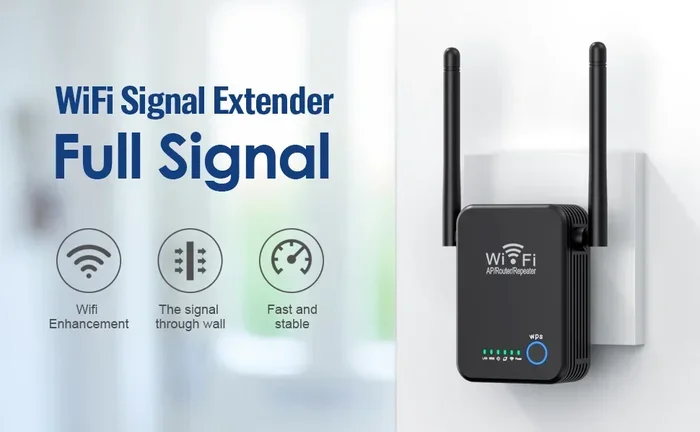
If your wifi signal is weak in certain areas of your home, a wifi range extender or mesh system can help. These devices boost your signal and extend your coverage, making it harder for a jammer to disrupt your entire network.
A mesh system is especially effective because it uses multiple nodes placed around your home. This creates a more resilient network that can handle localized interference better than a single router.
Place Your Router Strategically
Where you put your router matters more than you might think. Place it in a central location in your home, elevated off the floor, and away from walls and electronic devices. This gives your signal the best chance to reach every corner of your space without being blocked or weakened by interference.
Is Wifi Jamming Illegal?
The short answer is yes. In most countries, intentionally jamming a wifi signal is illegal. In the United States, for example, the Federal Communications Commission (FCC) strictly prohibits the use of signal jammer devices. Violators can face heavy fines and even criminal charges.
The same applies in the European Union, the United Kingdom, Canada, Australia, and most other nations. The reason for these laws is simple: jamming does not just affect the target. It can disrupt emergency communications, hospital equipment, and the networks of innocent bystanders.
Even if you are tempted to use a jammer to stop a neighbor from hogging your bandwidth, resist the urge. The legal consequences far outweigh any perceived benefit. Instead, focus on securing your own network and, if needed, having a polite conversation with your neighbor.
What To Do If You Suspect Illegal Jamming
If you believe someone is deliberately jamming your wifi, you should report it to the authorities. In the US, you can file a complaint with the FCC. They have the tools and authority to investigate and take action against violators. Keep a record of the disruptions, including dates, times, and any evidence you can gather.
Advanced Tips for Power Users
If you are tech-savvy and want to take your network security to the next level, there are several advanced steps you can take. These tips are especially useful for small businesses and anyone handling sensitive data.
Set Up a Guest Network
Creating a separate guest network keeps your main network isolated from visitors and less-trusted devices. If a guest device is compromised, the attacker cannot access your primary network or sensitive files.
Use a Virtual Private Network (VPN)
A VPN encrypts all the data that travels between your devices and the internet. Even if someone manages to intercept your traffic or disrupt your connection, they will not be able to read your data. A good VPN adds a powerful layer of wireless network security.
Consider a Professional Network Audit
If you run a business or have a particularly complex home network, hiring a professional for a network audit can be a smart investment. They can identify vulnerabilities, test for wifi interference, and recommend specific improvements tailored to your setup.
Use Wired Connections for Critical Devices
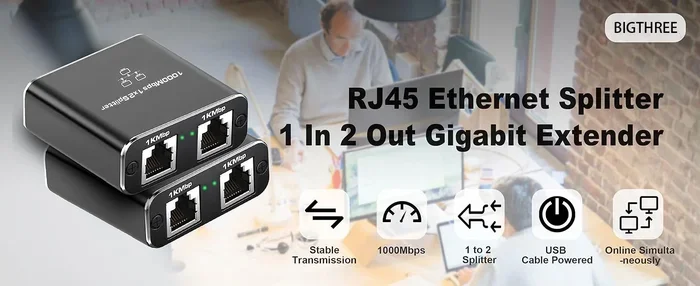
For devices that need a rock-solid connection, like desktop computers or gaming consoles, consider using an Ethernet cable. Wired connections are immune to wifi jamming and generally offer faster, more stable performance.
Key Takeaways
- Wifi jamming is a real threat: Bad actors can disrupt your wireless signal using simple and advanced tools.
- Common signs include slow speeds and dropped connections: Recognizing these early helps you respond quickly.
- Your router has built-in protections: Keeping firmware updated and using strong encryption goes a long way.
- Legal consequences exist for jamming: It is illegal in most countries to intentionally jam a wifi signal.
- Simple steps boost your wifi security: Strong passwords, WPA3 encryption, and network monitoring make a big difference.
- Professional help is available: If you suspect persistent jamming, a network expert can audit and secure your setup.
Conclusion
Can my wifi be jammed? Yes, it can. But now that you understand how it works and what to look for, you are in a much better position to protect yourself. Wifi jamming is a real threat, but it is not one you need to fear. With the right knowledge and a few practical steps, you can keep your network secure and your connection strong.
Start with the basics. Use strong wireless encryption, keep your firmware updated, and monitor your network for unusual activity. Move your router to a better location, switch to less crowded channels, and consider upgrading to a mesh system if your coverage is lacking. These steps are simple, but they make a huge difference.
Remember that most wifi issues are not caused by malicious jamming. Physical obstacles, neighboring networks, and electronic devices are often the real culprits. Troubleshoot these common causes first before jumping to conclusions.
Stay vigilant, stay informed, and take your wireless network security seriously. Your wifi connection is an essential part of your daily life, and protecting it is well worth the effort. Apply the tips in this guide, and you will be far ahead of most users when it comes to defending your network from interference and attacks.
Can My Wifi Be Jammed?
Yes, your wifi can be jammed. Wifi jamming happens when someone sends out radio signals on the same frequency as your network, overwhelming your router and causing disruptions. It is a real threat that can affect both home and business networks.
How Can I Tell If My Wifi Is Being Jammed?
Look for sudden signal drops, devices showing no signal despite being close to the router, and unusual network activity. If your connection vanishes at the same times every day or multiple devices lose connection simultaneously, that is a strong sign of interference or jamming.
Is It Legal to Jam Someone Else’s Wifi?
No, it is illegal in most countries, including the United States. The FCC strictly prohibits the use of signal jamming devices. Violators can face heavy fines and criminal charges because jamming can disrupt emergency communications and harm innocent people.
Can a Cheap Signal Blocker Disrupt My Network?
Yes, even inexpensive signal blockers can cause significant disruption to your wifi network. These devices are widely available online and can interfere with your signal on the 2.4 GHz or 5 GHz bands. They are small, portable, and easy to use, which makes them a real concern.
What Is the Best Way to Protect My Wifi From Jamming?
Use strong wireless encryption like WPA3, keep your router firmware updated, and change your wifi password regularly. Place your router in a central location, use a mesh system for better coverage, and enable network monitoring to catch unauthorized devices early.
Does a Wifi Range Extender Help Against Jamming?
A range extender or mesh system can help by strengthening your signal and extending coverage across your space. While it cannot prevent jamming entirely, a stronger and more distributed signal is harder to disrupt completely compared to a single weak router signal.
Frequently Asked Questions
What is Can My Wifi Be Jammed?
Can My Wifi Be Jammed is an important topic with many practical applications.