Can I Plug My Phone Into A Power Strip Without Risk
Yes, you can plug your phone into a power strip, but safety matters most. Using the wrong power strip or overloading it can create serious risks like electrical fires and damaged devices. This guide covers everything you need to know about plugging your phone into a power strip safely.
You are sitting on your couch. Your phone battery is at 3 percent. You look around the room. There is a power strip right there on the floor. You reach for it. But then you pause. Can I plug my phone into a power strip? Is it safe? Will I damage my phone or worse, start a fire?
These are smart questions. A lot of us use power strips every day. We plug in laptops, TVs, lamps, and gaming consoles. But when it comes to charging our phones, things get a little confusing. You want to know the truth. You want clear, honest answers. That is exactly what this article gives you.
In this guide, we will walk through everything you need to know about using a power strip for phone charging. We will cover safety risks, best practices, and simple tips you can use today. By the end, you will feel confident and informed. Let us get into it.
Key Takeaways
- Safe to Use: Plugging your phone into a quality power strip is generally safe when done correctly.
- Check Ratings: Always verify the amperage and wattage ratings of your power strip before use.
- Avoid Overloading: Do not plug high-wattage devices into the same strip as your phone charger.
- Surge Protection Matters: Use a power strip with built-in surge protection to safeguard your phone.
- Inspect Regularly: Damaged or worn-out power strips pose serious electrical hazards.
- USB Ports Are Better: Power strips with built-in USB ports offer a safer and more convenient charging option.
- Never Daisy Chain: Plugging one power strip into another is a major fire hazard.
📑 Table of Contents
- Can I Plug My Phone Into A Power Strip Safely?
- Understanding Power Strip Ratings and Capacity
- Risks of Plugging Your Phone Into a Power Strip
- Best Practices for Charging Your Phone with a Power Strip
- Power Strip vs Wall Outlet: Which Is Better for Phone Charging?
- Common Mistakes People Make with Power Strips
- How to Choose the Best Power Strip for Phone Charging
- Can I Plug My Phone Into A Power Strip Overnight?
- Final Thoughts
Can I Plug My Phone Into A Power Strip Safely?
The short answer is yes. You can plug your phone into a power strip safely. Most modern phone chargers draw very little power. A typical phone charger uses about 5 to 20 watts. That is a tiny amount compared to a laptop or a space heater.
But the real question is not just about whether it works. It is about whether you are doing it the right way. A cheap, damaged, or overloaded power strip can turn a simple charging habit into a serious hazard. The key is understanding how power strips work and what to look for.
Here is something important to know. Not all power strips are created equal. Some are built with quality components and surge protection. Others are cheap knockoffs that look fine but offer little real protection. The difference matters a lot when it comes to electrical safety.
Why People Use Power Strips for Charging
There are many reasons people reach for a power strip to charge their phones. Let us look at the most common ones.
- Not enough wall outlets: This is the number one reason. Many rooms simply do not have enough power outlets for all our devices.
- Convenience: A power strip lets you charge multiple devices in one spot. Your phone, tablet, smartwatch, and earbuds all at once.
- Better cable management: Power strips keep cords organized and off the floor. This reduces tripping hazards.
- Bedside charging stations: Many people set up a power strip on their nightstand. It makes overnight charging easy and tidy.
- Travel convenience: Some travelers carry compact power strips to avoid fighting for outlets in hotel rooms.
All of these reasons are perfectly valid. The trick is making sure you are using a power strip that is up to the job. A charging station setup with a good power strip can be both safe and convenient.
Understanding Power Strip Ratings and Capacity
Before you plug anything into a power strip, you need to understand its ratings. This is the foundation of power strip safety. Every power strip has a maximum capacity. It tells you how much power it can handle at once.
What Is Amperage?
Amperage, or amps, measures the flow of electrical current. Most standard power strips are rated at 15 amps. This is the same as a standard wall outlet in the United States. A 15-amp power strip can handle up to 1,800 watts at 120 volts.
Your phone charger uses a tiny fraction of that. A typical USB charger draws about 1 to 2.4 amps. So from an amperage standpoint, your phone is not going to push a power strip to its limit.
What Is Wattage?
Wattage measures the total power consumed. A phone charger typically uses 5 to 20 watts. A laptop charger might use 45 to 100 watts. A space heater can use 1,500 watts or more.
Here is where people get into trouble. They plug a phone charger into a power strip. Then they plug in a space heater, a microwave, and a coffee maker. The total wattage goes way up. The power strip overheats. That is when electrical fires start.
The Role of Surge Protection
Not all power strips offer surge protection. A basic power strip simply extends the wall outlet. It gives you more plug spaces. But it does nothing to protect your devices from voltage spikes.
A surge protector power strip has a special component inside. It absorbs excess voltage and redirects it away from your devices. This is especially important for smartphones. A sudden power surge can damage your phone’s battery and charging port.
Look for a power strip that is clearly labeled as a surge protector. It should list a joules rating. A higher joule rating means better protection. For phone charging, a strip rated at 1,000 joules or more is a solid choice.
Quick Tip: Always check the label on your power strip. Look for the amperage rating, joule rating, and any safety certifications like UL (Underwriters Laboratories). If the label is missing or hard to read, do not use it.
Risks of Plugging Your Phone Into a Power Strip
Using a power strip for phone charging is generally safe. But there are real risks you should know about. Understanding these risks helps you avoid dangerous situations.
Overloaded Circuits
An overloaded circuit is one of the most common causes of electrical fires. When you plug too many devices into one power strip, you draw more current than the strip can handle. The wiring inside the strip heats up. The insulation can melt. Sparks can fly.
Your phone charger alone will not cause an overload. But if you also plug in a space heater, a hair straightener, and a microwave, you are asking for trouble. The power capacity of the strip gets exceeded quickly.
Damaged or Low-Quality Power Strips
Cheap power strips from unknown brands are a hidden danger. They may use thin wiring that cannot handle the rated load. The internal surge protection may be fake or non-existent. The plastic casing might be low quality and prone to cracking.
Over time, a worn-out power strip becomes a fire hazard. Cracked outlets, loose plugs, and frayed cords all increase the risk. Inspect your power strips regularly and replace them if you see any damage.
Daisy Chaining
Daisy chaining means plugging one power strip into another. Some people do this to get more outlets. It is a very dangerous practice. Two power strips connected together can easily exceed the circuit’s capacity. The risk of overheating and fire goes up dramatically.
Never plug a power strip into another power strip. Ever. This is one of the most important rules of electrical safety.
Wet or Humid Conditions
Water and electricity are a dangerous combination. Do not place a power strip near sinks, bathtubs, or in damp areas. Moisture can cause short circuits and electrical shocks. If you are charging your phone in a bathroom, keep the power strip well away from water.
Best Practices for Charging Your Phone with a Power Strip
Now that you know the risks, let us talk about how to do it safely. Following these best practices will keep your phone and your home safe.
Choose the Right Power Strip
Not all power strips are equal. When shopping for one to use with your phone, look for these features:
- Surge protection: This is non-negotiable. Always choose a power strip with built-in surge protection.
- UL certification: Look for the UL label. This means the product has been tested for safety.
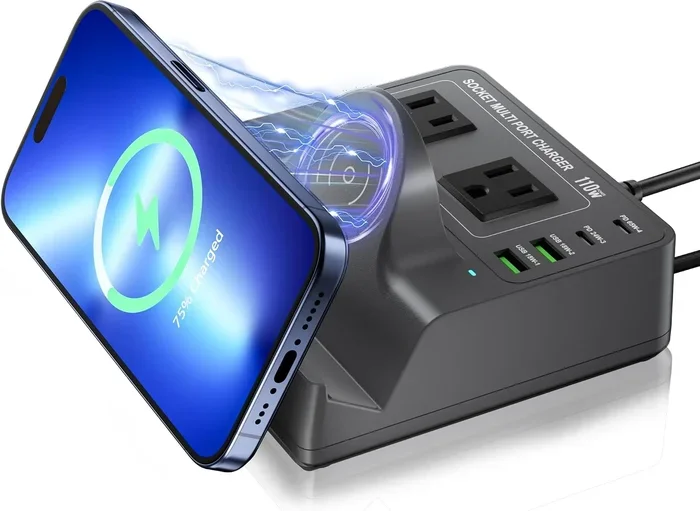
- USB ports built in: Power strips with USB ports eliminate the need for bulky wall adapters. They are cleaner and often safer.
- Adequate cord length: Use a cord that reaches the outlet without stretching or creating trip hazards.
- Built-in circuit breaker: This feature automatically shuts off power if the strip gets overloaded.
Do Not Overload the Strip
Keep the load on your power strip reasonable. A phone charger is fine. A tablet charger is fine. A laptop charger is usually fine. But do not plug in high-wattage appliances at the same time.
A good rule of thumb is to keep the total load below 80 percent of the strip’s rated capacity. If your power strip is rated at 15 amps, do not push it past 12 amps. This gives you a safety buffer.
Use Quality Charging Cables
The cable you use matters just as much as the power strip. Cheap, uncertified cables can overheat. They may not deliver the right amount of power. This can slow down your charging speed or even damage your phone.
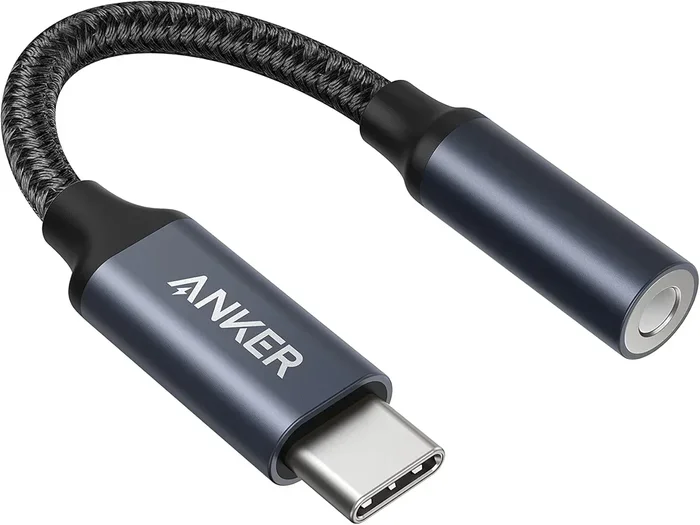
Use cables that are certified by USB-IF or made by reputable brands like Anker, Belkin, or Apple. A good charging cable ensures safe and efficient power delivery to your phone.
Unplug When Not in Use
It is a good habit to unplug your power strip when you are not using it. This is especially true overnight or when you leave the house. Even when no devices are connected, a power strip draws a small amount of standby power. More importantly, it eliminates any risk of electrical issues while you are away.
Keep the Power Strip in a Ventilated Area
Power strips can get warm during use. That is normal. But they need air circulation to stay cool. Do not hide a power strip under a rug, behind furniture, or inside a closed cabinet. Heat buildup can melt the plastic and damage the internal wiring.
Expert Insight: According to the Electrical Safety Foundation International (ESFI), power strips are designed for temporary use, not permanent wiring. Always unplug them when they are not needed and never use them as a substitute for proper wiring.
Power Strip vs Wall Outlet: Which Is Better for Phone Charging?
You might wonder if it is better to plug your phone directly into a wall outlet. Let us compare the two options so you can make an informed decision.
| Feature | Wall Outlet | Power Strip |
|---|---|---|
| Safety | Direct connection, no added risk | Safe if surge-protected and not overloaded |
| Convenience | Limited to one device per outlet | Can charge multiple devices at once |
| Charging Speed | No interference, full speed | Same speed, unless strip has voltage drop |
| Surge Protection | Depends on home wiring | Built-in surge protection on quality strips |
| Portability | Fixed location | Easy to move and reposition |
| Risk of Overload | No risk from the outlet itself | Risk if too many devices are plugged in |
| Cost | Free (already installed) | $10 to $50 for a quality surge protector |
As you can see, both options have their place. A wall outlet is the simplest and safest option for charging a single phone. But a quality power strip wins when you need to charge multiple devices or want the convenience of a charging station setup.
The key takeaway is this: use a good quality surge protector power strip, do not overload it, and follow basic safety rules. That way, you get the convenience without the risk.
Common Mistakes People Make with Power Strips
Even well-meaning people make mistakes when using power strips. Here are the most common ones and how to avoid them.
Mistake 1: Using a Power Strip as a Permanent Solution
Power strips are meant for temporary use. Some people plug them into a wall and leave them there for months or years. Over time, the connections loosen. The contacts wear out. This creates a fire hazard. If you need a permanent outlet solution, hire a licensed electrician to install additional outlets.
Mistake 2: Ignoring the Wattage Rating
Every power strip has a maximum wattage rating. Many people do not check this number. They just plug everything in. A space heater alone can exceed the rating of a standard power strip. Always check the label and stay within the limits.
Mistake 3: Using a Damaged Power Strip
A cracked casing, loose outlets, or a frayed cord are all signs that your power strip needs to be replaced. Do not keep using it. The risk of electrical shock or fire is too high. Replace damaged power strips immediately.
Mistake 4: Plugging High-Heat Appliances into the Same Strip
Never plug appliances that generate heat into a power strip. This includes space heaters, toasters, and hair dryers. These devices draw a lot of current and can quickly overload the strip. Plug them directly into a wall outlet.
Mistake 5: Ignoring the Joule Rating
If your power strip has surge protection, check its joule rating. A low joule rating means the surge protection wears out quickly. A strip rated at 200 joules or less offers minimal protection. For valuable electronics like your phone, aim for 1,000 joules or higher.
Common Mistakes Warning: These mistakes are more common than you think. The Electrical Safety Foundation International reports that power strips cause thousands of fires every year in the United States. Most of these fires are preventable with basic precautions.
How to Choose the Best Power Strip for Phone Charging
Not all power strips are built the same. If you are looking for one specifically for phone charging, here is what to look for.
Look for Built-in USB Ports
Power strips with built-in USB ports are a great choice. They eliminate the need for bulky wall adapters and charging cables. You just plug your phone directly into the USB port. It is cleaner, safer, and more convenient.
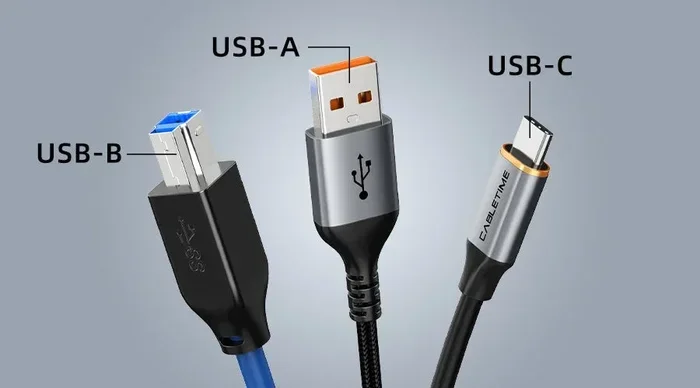
Look for USB ports that support fast charging. USB-C ports with Power Delivery (PD) can charge most modern phones quickly and efficiently.
Check for Safety Certifications
Always buy a power strip that has been tested by a recognized safety organization. Look for the UL (Underwriters Laboratories) mark. This means the product has passed rigorous safety tests. Other certifications to look for include ETL and CSA.
Consider the Number of Outlets
Think about how many devices you need to charge at once. A 4-outlet or 6-outlet strip is usually plenty for a bedroom or office. There is no need to buy a massive 12-outlet strip if you only have a few devices. Fewer outlets mean less temptation to overload the strip.
Choose the Right Cord Length
A 6-foot cord is usually sufficient for most setups. Avoid very long cords unless you really need them. Longer cords can cause a slight voltage drop, which may slow down your charging speed slightly.
Go for a Model with a Reset Button
A power strip with a reset button and circuit breaker is a smart choice. If the strip detects an overload, it will automatically shut off. You simply press the reset button to restore power. This feature adds an extra layer of protection for your devices and your home.
Can I Plug My Phone Into A Power Strip Overnight?
Many people charge their phones overnight while they sleep. This is a very common habit. Is it safe to leave your phone plugged into a power strip all night?
The answer is generally yes, with some caveats. Modern smartphones have built-in battery management systems. They stop drawing power once the battery reaches 100 percent. This means your phone will not overcharge overnight.
However, the power strip itself should be in good condition. It should not be covered by fabric, rugs, or furniture. It should be a quality surge protector with a circuit breaker. And it should not be overloaded with other devices.
If you follow these guidelines, overnight charging on a power strip is safe. If you want extra peace of mind, you can unplug the power strip before going to bed. It takes just a few seconds and eliminates any risk entirely.
Final Thoughts
Can I plug my phone into a power strip? Absolutely yes. It is safe, convenient, and perfectly fine as long as you follow a few simple rules. Use a quality surge protector power strip. Do not overload it. Inspect it regularly for damage. Keep it in a ventilated area. And never daisy chain power strips together.
Your phone charger draws very little power. It is one of the safest devices you can plug into a power strip. The real dangers come from misuse, poor-quality equipment, and carelessness.
Take a few minutes today to check your power strips. Look at the labels. Check for damage. Make sure you are not overloading them. A small effort now can prevent a serious problem later. Electrical safety is not something to take lightly. A few smart habits can protect your home, your family, and your devices.
Charge your phone with confidence. Just do it safely. You have got this.
Frequently Asked Questions
Is it safe to plug my phone into a power strip?
Yes, it is safe as long as the power strip is in good condition, surge-protected, and not overloaded. A phone charger uses very little power and will not strain a quality power strip. Always inspect the strip for damage before use.
Can a power strip cause my phone to charge slowly?
Generally, no. A good quality power strip will not affect your charging speed. However, very long or low-quality cords can cause a slight voltage drop. Using a power strip with built-in USB ports and fast-charging support ensures optimal speed.
Can I plug my phone and a laptop into the same power strip?
Yes, you can plug both a phone and a laptop into the same power strip safely. Together they draw a small amount of total power. Just make sure the combined load stays well below the power strip’s amperage rating.
What happens if I overload a power strip?
Overloading a power strip causes the internal wiring to heat up. This can melt the insulation, damage connected devices, and potentially start an electrical fire. Quality power strips have circuit breakers that shut off power automatically, but you should never rely on this as your only protection.
Should I unplug my power strip when I am not using it?
Yes, it is a good habit to unplug your power strip when it is not in use. This reduces standby power consumption and eliminates any risk of electrical issues. It is a simple step that adds an extra layer of safety.
Can I use a power strip in the bathroom to charge my phone?
You can, but keep the power strip far away from water and moisture. Wet hands and electrical devices are a dangerous combination. Ideally, charge your phone in a dry area away from sinks and tubs to avoid the risk of electrical shock.