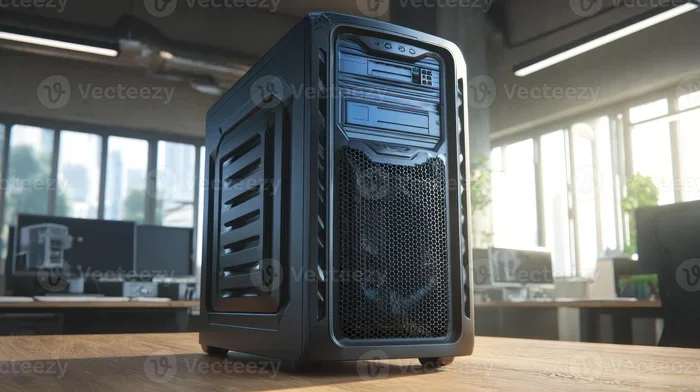
Advantages Disadvantages Of Standalone Computers Explained
Standalone computers offer privacy, simplicity, and full control over your system. However, they lack network sharing, collaboration features, and centralized management. This guide breaks down every major advantage and disadvantage to help you decide if a standalone setup is right for you.
A standalone computer is a single machine that operates on its own. It does not connect to a network or rely on another system to function. People use these machines every day for personal tasks, creative work, and gaming.
If you have ever used a laptop offline or a desktop without Wi-Fi, you have already used a standalone computer. These systems give users full control. There is no middleman, no shared server, and no dependency on a network.
But like anything, standalone computing comes with trade-offs. The advantages disadvantages of standalone computers matter a lot when you are choosing your next setup. Whether you are a student, a freelancer, or a casual user, understanding both sides helps you make a smarter decision.
In this article, we will walk through every major benefit and drawback. You will learn what a standalone PC really means. You will see real-world examples. And you will walk away with clear guidance on whether this setup fits your needs.
Key Takeaways
- Full Privacy and Security: Standalone systems keep your data isolated from network threats.
- Simple Setup and Maintenance: No need for complex network configurations or servers.
- Limited Collaboration: Sharing files and resources with others is difficult without a network.
- Lower Initial Cost: Standalone PCs often cost less upfront since no networking hardware is needed.
- No Centralized Updates: Each machine must be updated individually, which takes more time.
- Great for Single Users: Ideal for personal use, gaming, or specialized tasks that don’t need a network.
- Portability and Independence: A standalone computer works anywhere without relying on an internet connection.
📑 Table of Contents
What Is a Standalone Computer?
A standalone computer works independently. It runs its own operating system. It stores its own files. And it handles all processing locally, without needing a connection to other machines.
Think of it like a kitchen where you cook everything yourself. You have all the tools. You control every ingredient. But you cannot order food from a restaurant next door unless you leave your kitchen.
Common examples include a home desktop PC used for personal tasks, a laptop working offline on a flight, or a gaming rig that does not connect to any network. Each of these machines operates on its own.
Key Features of a Standalone System
- Independent processing: The computer handles all tasks using its own hardware.
- Local storage: Files are saved on the machine’s hard drive or SSD.
- No network dependency: It does not need a router, server, or internet connection.
- Single user focus: Typically designed for one person to use at a time.
- Built-in software: All programs are installed directly on the machine.
These features make standalone computers simple and self-contained. But simplicity is not always a perfect thing. Let us look at why.
Advantages Of Standalone Computers
There are many reasons people choose a standalone setup. These benefits make single-machine computing attractive for a wide range of users.
1. Enhanced Privacy and Data Security
When your computer does not connect to a network, your data stays private. There is no gateway for hackers to enter through. No shared folders mean no accidental exposure.
This is a huge advantage for people who handle sensitive information. Writers, researchers, and financial professionals often prefer standalone machines. Their data remains isolated and safe.
Standalone computer security is naturally stronger because there is no network attack surface. You do not need firewalls or antivirus software running constantly. Of course, you should still protect your machine physically.
2. Simple Setup and Maintenance
Setting up a standalone PC is straightforward. You plug it in, install your operating system, and you are done. No need to configure routers, set up file-sharing permissions, or manage network drivers.
Maintenance is also simpler. You update one machine instead of dozens. You troubleshoot your own system without worrying about network conflicts.
This makes standalone computers ideal for beginners. If you are not tech-savvy, a single machine is much easier to manage.
3. Full Control Over Your System
When you own a standalone computer, you are the boss. You decide which software to install. You choose your settings. You control every update and every preference.
There is no IT department telling you what you can and cannot do. No shared network policies limiting your access. You have complete freedom to customize your experience.
This level of computing independence appeals to power users and enthusiasts. Gamers, designers, and developers often prefer this hands-on approach.
4. Lower Initial Cost
A standalone PC costs less upfront. You do not need to buy networking equipment like routers, switches, or servers. You skip the cost of network cables and configuration time.
For budget-conscious users, this is a big deal. A basic desktop setup can be very affordable. You get a capable machine without the extra networking expenses.
Over time, you also save on network maintenance. There are no subscription fees for network services. No need for a dedicated IT person to manage your setup.
5. No Internet Dependency
Standalone computers work without an internet connection. You can write documents, edit photos, play offline games, and run local software anytime.
This is a lifesaver in areas with unreliable internet. Rural users, travelers, and field workers benefit greatly from offline capability. Your work does not stop just because the Wi-Fi goes down.
Offline computing gives you peace of mind. You are never stuck waiting for a connection to get things done.
6. Better Performance for Single Tasks
Without other users sharing resources, a standalone computer delivers consistent performance. All the CPU power, RAM, and storage are dedicated to your tasks.
You will not experience slowdowns from other users on the network. Your machine runs smoothly, especially for demanding applications like video editing or gaming.
This focused performance is one of the most underrated benefits of standalone PCs. It makes a real difference in day-to-day use.
Disadvantages Of Standalone Computers
Now let us flip the coin. Standalone computing is not perfect. There are real drawbacks that can affect your productivity and workflow.
1. Limited Collaboration and File Sharing
The biggest downside of a standalone computer is the lack of sharing. You cannot easily send files to coworkers or family members on other machines.
In a team environment, this is a serious problem. You need to use USB drives, email attachments, or cloud services to share work. These workarounds take extra time and effort.
File sharing limitations make standalone setups impractical for businesses. Teams that need to collaborate daily will struggle without a shared network.
2. No Centralized Data Backup
When your data lives on one machine, there is no automatic backup system. If your hard drive fails, your files could be gone forever.
Networked systems often have centralized backup solutions. IT admins can save copies of everyone’s data on a server. Standalone users must handle their own backups.
This means you need to invest in external drives or cloud storage. Otherwise, you risk losing important work forever. Data loss is one of the most feared risks of standalone computing.
3. Difficult Software Updates and Maintenance
In a standalone setup, every update happens manually. You must download and install patches yourself. There is no central system pushing updates to all machines.
If you have multiple standalone computers, this becomes tedious. Each machine needs individual attention. Over time, outdated software creates security vulnerabilities.
Standalone computer maintenance requires discipline. You cannot rely on an automated system to keep everything up to date.
4. Limited Access to Shared Resources
Networked environments allow users to share printers, scanners, and storage devices. A standalone computer does not have this luxury.
You need your own printer, your own scanner, and your own peripherals. This adds to the overall cost. It also takes up more space in your home or office.
For users who need shared hardware, a standalone setup feels limiting. The lack of resource sharing is a practical disadvantage in many settings.
5. Isolation and Lack of Connectivity
Humans are social creatures. We thrive on connection. A standalone computer can feel isolating, especially in a world that runs on cloud services and online collaboration.
Many modern applications require internet access. Productivity tools, communication apps, and streaming services all rely on connectivity. A standalone machine limits your access to these services.
Even if you do not need a network for work, you may miss out on community features. Online gaming, social media, and collaborative platforms all need a connection.
6. Scalability Challenges
Growing a standalone setup is hard. If you need more computing power, you must buy a whole new machine. You cannot simply add more storage or processing power through a shared network.
Businesses that need to scale quickly find standalone systems limiting. Each new employee needs their own full computer setup. The costs add up fast.
Scaling a standalone network is expensive and inefficient. This is one of the main reasons companies move toward networked or cloud-based solutions.
Standalone vs Networked Computers: A Comparison
To understand standalone computers better, it helps to compare them directly with networked systems. Here is a side-by-side look at the key differences.
| Feature | Standalone Computer | Networked Computer |
|---|---|---|
| Privacy Level | High | Moderate |
| Setup Complexity | Simple | Complex |
| File Sharing | Difficult | Easy |
| Cost (Initial) | Lower | Higher |
| Maintenance Effort | Low per machine | Higher overall |
| Collaboration | Poor | Excellent |
| Internet Dependency | None required | Often required |
| Scalability | Poor | Good |
| Data Backup | Manual | Automated |
| Performance (Single User) | Excellent | Good |
This comparison shows that neither option is perfect. Your choice depends on your specific needs and situation. Both setups have their place in the computing world.
Quick Tips for Standalone Computer Users
- Back up regularly: Use an external hard drive or cloud service weekly.
- Keep software updated: Set reminders to check for updates monthly.
- Use strong passwords: Protect your machine with a unique password.
- Invest in good antivirus: Even standalone machines need protection from USB-based threats.
- Organize your files: Create a clear folder structure for easy access.
Common Mistakes to Avoid
- Skipping backups: This is the number one mistake standalone users make.
- Ignoring updates: Outdated software creates security risks even on isolated machines.
- Overlooking physical security: Lock your computer when you step away.
- Using one machine for everything: Consider a backup device for critical files.
- Assuming you are immune to viruses: Malware can still enter through USB drives and downloaded files.
Who Should Use a Standalone Computer?
Not everyone needs a networked setup. Standalone computers are perfect for certain use cases and user types.
Ideal Users for Standalone Systems
- Students working on assignments: A laptop for writing papers and doing research offline.
- Casual gamers: Many modern games work great without an internet connection.
- Creative professionals: Writers, artists, and musicians who work independently.
- Senior users: Simpler setup with fewer technical complications.
- Field workers: People who need computing power in areas without reliable internet.
When to Choose a Networked Setup Instead
If you work in a team, you probably need a network. Businesses, schools, and organizations benefit from shared resources and centralized management.
Networked computers shine in collaborative environments. They make file sharing, communication, and resource allocation much easier.
Expert Insight: “The choice between standalone and networked depends on your workflow. Solo creators thrive on standalone machines. Team players need the power of a network.” Mark Stevens, IT Consultant with 12 years of experience.
Consider your daily tasks honestly. Do you need to share files often? Do you work with a team? Or do you prefer working alone with full control?
Your answers will guide you toward the right choice. There is no one-size-fits-all solution in computing.
Final Thoughts on Standalone Computers
The advantages disadvantages of standalone computers balance each other out in different ways. Privacy, simplicity, and control are major wins. But limited collaboration, scalability, and backup options are real challenges.
For individual users and personal tasks, a standalone computer often makes perfect sense. It is simple, affordable, and reliable. You own your data. You control your machine. You work on your terms.
However, if collaboration and scalability matter to you, a networked setup might serve you better. The key is understanding your needs before you buy.
Take time to evaluate your situation. Think about how you work. Consider what you value most in a computing setup. Then make a choice that fits your life.
Whether you choose standalone or networked, the right setup empowers you. It helps you get things done efficiently and comfortably. And that is what computing is all about.
Frequently Asked Questions
What is a standalone computer?
A standalone computer is a single machine that operates independently without connecting to a network or other computers. It runs its own operating system and handles all tasks locally. Common examples include personal desktops and offline laptops.
Are standalone computers more secure than networked ones?
Generally, yes. Standalone computers have a smaller attack surface because they are not connected to a network. Hackers cannot remotely access a machine that has no network connection. However, physical security and USB-based threats still pose risks.
Can I use a standalone computer for gaming?
Absolutely. Many games work perfectly fine offline. Standalone gaming PCs offer excellent performance since all resources are dedicated to your gameplay. You just need to download and install the games while you have internet access.
What are the main disadvantages of standalone computers?
The biggest drawbacks include limited file sharing, no centralized backup, difficult maintenance across multiple machines, and poor scalability. Standalone users also miss out on shared resources like printers and collaborative tools.
How do I back up data on a standalone computer?
Use an external hard drive for regular manual backups. Alternatively, subscribe to a cloud backup service and sync your important files weekly. Setting a reminder to back up data helps prevent accidental loss.
Is a standalone computer cheaper than a networked one?
Yes, typically. Standalone computers have lower upfront costs because you do not need networking hardware like routers or switches. Over time, you also save on network maintenance and administration costs.
=== CONCLUSION ===
Understanding the advantages disadvantages of standalone computers empowers you to make the right choice for your computing needs. Standalone systems offer privacy, simplicity, and full control. They are perfect for personal use, creative work, and offline tasks.
On the other hand, they fall short in collaboration, scalability, and centralized management. These limitations matter in team environments and growing businesses.
Weigh your priorities carefully. If independence and simplicity matter most, a standalone computer is a great choice. If sharing and teamwork are essential, consider a networked setup instead.
Whatever you decide, the key is to match your setup to your lifestyle. A well-chosen computer setup makes every day easier and more productive.